Qiyuan Prompt Assistant Review: A Versatile Local LLM-Powered Prompt Tool

A free, local LLM-powered prompt engineering tool covering 8 modules from AI video to e-commerce.
Qiyuan Prompt Assistant, developed by Bilibili creator "光追樱花", is a desktop prompt engineering tool that expands vague ideas into structured prompts ready for ComfyUI and similar tools. Built on a template framework powered by a local Llama.cpp model, it covers eight modules: film/TV, game, visual, e-commerce, AI video prompt generation, platform content operations, vision reverse engineering, and a model launcher. It runs entirely locally — no token costs, no data leaving your machine — with a minimum requirement of 16GB RAM and a 16GB VRAM GPU. Permanently free and open-source.
Anyone who's worked with AI image generation or AI comics has probably hit this wall: you spend ages tweaking parameters, only to end up with prompts full of vague buzzwords like "premium feel" and "refined atmosphere" — and whether your output looks good is basically luck. Bilibili creator "光追樱花" (Ray-Traced Sakura) built a desktop tool called Qiyuan Prompt Assistant using AI, with a very focused purpose: it doesn't generate images for you — it helps you craft prompts that are actually ready to generate images.
This article is based on the creator's tutorial, breaking down how the tool works and its eight functional modules.
How It Works: Template Library + Local LLM
The key to understanding this tool lies in its architecture: the app itself is a template framework, while the actual "brain" doing the heavy lifting is a large language model running locally on your machine (powered by Llama.cpp). In other words, the framework drives the model — the stronger your model, the better the reasoning, and the higher the quality of the prompts it generates.
The workflow is just three steps: double-click the EXE to open the app, select and run a model in the blue "Model Launcher" at the top, and wait for the status light in the bottom-left corner to turn green before generating. That status light is the tool's "heartbeat" — red means the model isn't running yet, green means it's ready to go. A common mistake for first-time users is hammering the generate button before the model has started, then assuming the software is broken. It's simply that the "brain hasn't booted up yet."
Hardware requirements are worth noting: 16GB RAM is the minimum (32GB recommended for stability), and an NVIDIA GPU with 16GB VRAM can run a 27B quantized model. The software uses a portable, no-install design — delete three folders and it's completely removed. No registry entries, no background services. Great for people who like keeping their system clean.
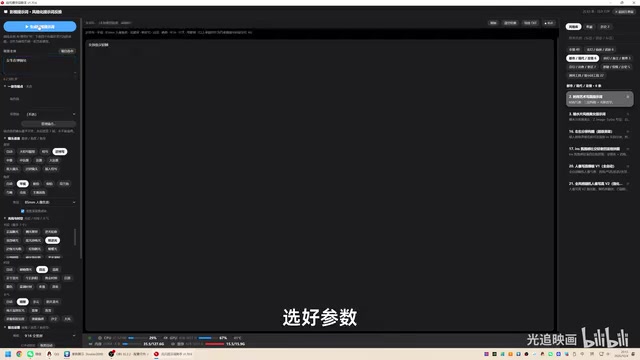
Llama.cpp is an open-source inference framework written in pure C/C++, originally developed by Georgi Gerganov, with the core goal of running large language models locally on consumer hardware. Its key technique is quantization: compressing model weights from 32-bit or 16-bit floating point down to lower-precision integers (4-bit, 8-bit, etc.), dramatically reducing VRAM and RAM usage. A 27B (27 billion parameter) model, for example, requires roughly 54GB of VRAM in raw FP16 — but after 4-bit quantization, that drops to around 14GB, putting it within reach of consumer 16GB GPUs. Quantization does introduce some precision loss, but for tasks like prompt generation, the practical impact is generally acceptable. "Models with multimodal capability" refers to models that can understand both text and images (such as the LLaVA series) — this capability is required for the Vision Reverse module to analyze image and video content.
Film/TV and Game Modules: From a Single Sentence to a Full Prompt
The Film/TV Prompt module is the tool's flagship feature. You simply enter a plain-language description — something like "a girl playing the piano" — choose your parameters, and it expands that into a full prompt ready to feed directly into ComfyUI. The four panels on the left are where the real value lives:
- Consistency Anchor: Character and scene descriptions stay word-for-word identical, preventing visual drift across shots. This is the module's most valuable feature, especially for AI comics and storyboard work.
- Camera Language: Shot type, angle, and focal length.
- Lighting & Time: Light position, time of day, weather.
- Output Settings: Aspect ratio, language, and quality tags.
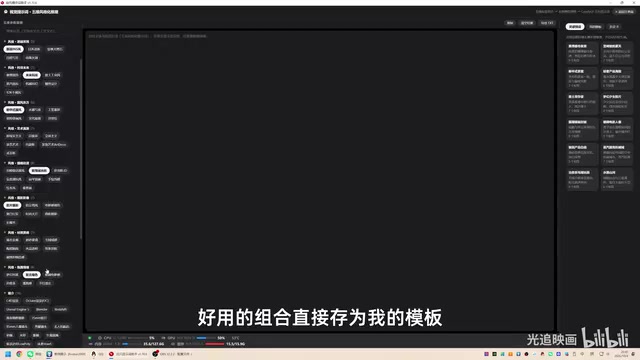
The right-side style library is organized into six thematic categories, covering everything from fantasy/xianxia to cyberpunk.
The Game Prompt module targets game art asset production. You can select asset types, production purposes, and toggle professional dimension tags. A hidden advanced feature is HLSL shader generation — when enabled, it outputs function bodies for PBR materials and self-illumination effects. Note that this module only outputs positive prompts, with no negative prompt generation.
HLSL (High-Level Shader Language) is Microsoft's shader programming language for DirectX, widely used in real-time rendering pipelines in game engines. PBR (Physically Based Rendering) is a rendering standard that simulates real-world lighting and material physics using parameters like Metallic, Roughness, and Base Color — it's the default rendering workflow in major engines like Unity and Unreal Engine. For game artists, receiving HLSL function bodies directly from the tool means AI-generated material effect descriptions can be plugged straight into engine shader code, skipping the translation step from concept art to technical implementation. This offers real productivity gains for indie developers and small art teams.
Visual, E-Commerce, and AI Video: Multi-Scenario Coverage
The Visual Prompt module is more lightweight: it combines five-dimension tag selection with local model refinement to produce a single ComfyUI-ready positive prompt. It supports weight syntax compatible with both ComfyUI and Stable Diffusion, and useful combinations can be saved as templates for one-click reuse later. It's well suited for advertising professionals who need to quickly expand a concept into a prompt.
The E-Commerce Prompt module covers nine product categories, with prompts generated based on granular tags and aspect ratios (3:4 for Xiaohongshu, 1:1 for Taobao main images, 9:16 for short video covers). It also supports importing TXT files to auto-load copy, with every generation automatically saved to history (up to 100 entries).
The AI Video Prompt module (compatible with MiniMax and similar models) is the most feature-rich. It supports four input modes: text-to-video, image-to-video, first/last frame video, and multi-reference image (up to 9 images). The most practical feature is long script segmented generation — splitting a long script into consecutive clips at custom durations (0–12 seconds, 12–24 seconds, etc.) for sequential generation. The creator specifically advises: don't expect a single prompt to cover 5 minutes of video. Cutting into 12-second segments is the right approach. The module also includes 12 creative style presets and supports 23 languages — for international projects, remember to switch to your target language. When Japanese is selected, for instance, the entire prompt body will be written in Japanese.
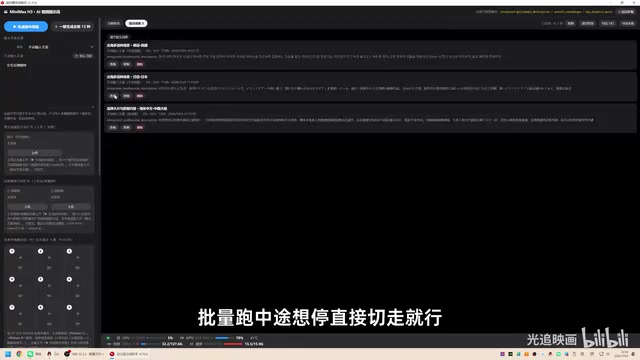
The "first/last frame video" input mode in the AI video module corresponds to keyframe interpolation in image-to-image generation: users specify a reference image for both the first and last frames, and the model generates the transition animation in between. This approach offers stronger shot control compared to pure text-to-video, and is well suited for scenarios requiring precise control over start and end frames — such as product showcases or fixed character motion. The "long script segmented generation" workflow reflects a real constraint: most mainstream video generation models (including MiniMax, Sora, Kling, etc.) currently cap single-generation length at around 5–10 seconds, and cross-segment temporal consistency can't be guaranteed by a single prompt. Splitting long scripts into consecutive short segments for sequential generation, then assembling them in post-production software, is the established workflow for producing minute-scale AI video — this is an industry-wide reality, not a limitation of the tool itself.
Content Operations, Vision Reverse, and the Model Launcher
The Platform Content Operations module is highly practical: feed it a single product brief and it generates marketing copy for seven major platforms at once — Douyin, Kuaishou, Xiaohongshu, Bilibili, Weibo, WeChat Official Accounts, and brand press releases — each tailored to the tone and style of that platform, with one-click TXT export.
The Vision Reverse module reverse-engineers positive prompts from reference images or videos. It supports JPG/PNG images and MP4/MOV/MKV video files (up to 500MB). Videos can be sampled at regular intervals or by keyframe extraction. The generated storyboard can be sent directly to the AI Video module. Since everything runs through the local model, images never leave your machine, making it relatively privacy-friendly.
The Model Launcher is essential reading for first-time setup: configure the inference engine path, model file, visual projection, and performance parameters. The right panel shows a command preview and hardware detection, including your system specs and recommended models to download. The creator recommends choosing a model with both multimodal and text capabilities so that the AI Video module also works correctly.
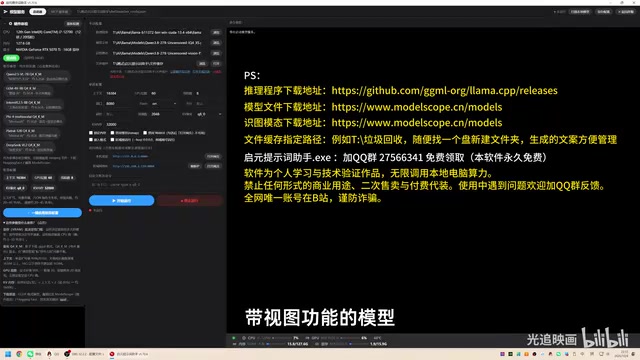
The home screen also supports one-click novel translation across 23 languages. Translated text appears in the center interface automatically. The creator recommends translating chapter by chapter rather than dumping hundreds of thousands of characters all at once. Notably, even the script for this tutorial video was written using the local AI.
The Philosophy of Local-First
What's most interesting about this tool is the philosophy behind it: handle simple tasks locally whenever possible, and conserve cloud compute wherever you can. The creator's take is: "Before AI starts charging for everything, squeeze as much as you can out of local open-source models." At a time when cloud API costs are increasingly on everyone's radar, this local-first approach has real practical value for individual creators and small teams — data stays private, no token fees, works offline.
The tradeoff, of course, is hardware requirements, and output quality depends entirely on the strength of your local model. The tool is permanently free and open-source, developed by Bilibili creator "光追樱花" (whose account exists only on Bilibili). Be cautious of imitations and scams when looking it up.
For creative workflows that demand large volumes of structured prompts — AI comics, storyboarding, e-commerce, AI video — tools like this genuinely lower the barrier for newcomers, turning vague intuition-based prompt tweaking into a reusable, systematic template workflow.
Related articles

Amphibious Transforming Drone: Beyond 100x Power Savings, What Are the Real Needs?
Is the amphibious transforming drone just a gimmick? Starting from the 100x power difference of the M4 Morphobot, explore real application scenarios and thesis topic ideas, analyzing boundary conditions where pure drones and pure ground robots both fail.

Warhound Raises $200 Million: Genetically Engineered "War Dogs" Paired with Anduril Gear
Warhound raises $200M, backed by Ben Lamm and Palmer Luckey, to genetically engineer dogs for military and law enforcement use and equip them with Anduril gear. This article analyzes its technology direction, funding logic, and ethical controversy.

Claude API Comes to Google Cloud: IAM Integration and SDK Access Guide
Anthropic hosts the full Claude API on Google Cloud with IAM-controlled permissions and unified billing. This guide covers the Vertex AI and Anthropic-hosted entry points, IAM role configuration, and SDK access.