Quillo Review: Natural Voice Reads PDFs Aloud and Lets You Ask AI Questions
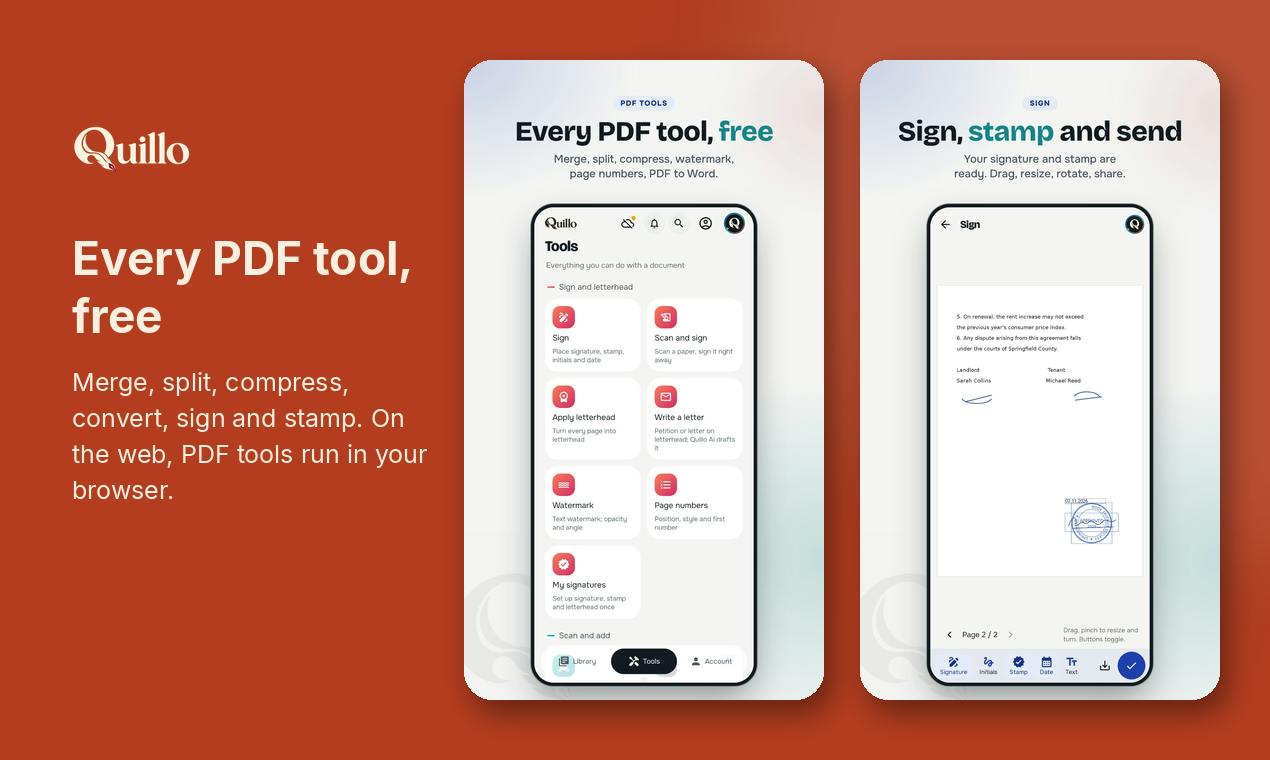
Quillo combines natural voice reading, document AI Q&A, and free PDF tools in one app.
Quillo is a document processing app on Product Hunt covering Android, iPhone, and Web. Its core capabilities have two layers: first, reading PDFs, Word files, photos, and web pages aloud with natural voice while highlighting the current sentence for easy listening and locating; second, built-in Quillo AI that answers questions about documents so users can get specific information without reading everything. It also includes free PDF merge, compress, sign, scan, and convert tools, forming a "process—read—ask" loop. The product received 66 upvotes and 9 comments on Product Hunt, ranking 16th, and is still at an early stage. The article notes that voice naturalness and Q&A accuracy are key to its long-term value, while details such as voice models, language support, and AI quotas have not been disclosed and require hands-on testing.
In an age of information overload, we encounter a huge amount of PDFs, Word documents, and web content every day—yet we have less and less time to actually "finish reading" them. A product called Quillo, recently featured on Product Hunt, aims to solve this pain point with a combination of "natural voice reading + document Q&A." It received 66 upvotes and 9 comments on Product Hunt, ranking 16th, categorized under Android, Productivity, and Artificial Intelligence.
What Is Quillo: Turning Documents into Content You Can "Listen To" and "Ask About"
According to the official description, Quillo's core capabilities fall into two layers. The first layer is "listening": it can read aloud PDFs, Word files, photos, and web pages using natural voice, highlighting the current sentence as it reads. The second layer is "asking": the built-in Quillo AI can answer questions about your documents, essentially giving each file a conversational assistant.
This positioning isn't entirely new, but Quillo integrates reading aloud and Q&A into a single product while covering Android, iPhone, and Web simultaneously—a relatively rare combination among similar tools. For students, researchers, and knowledge workers who frequently handle long documents, this "listen through once, then ask about details" workflow has practical value.
The Key to the Listening Experience: Natural Voice and Sentence-by-Sentence Highlighting
Quillo emphasizes "natural voice" and "highlights each sentence." These two details determine whether the document-listening experience is actually usable.
The biggest problem with traditional TTS (text-to-speech) tools is that they sound mechanical and have awkward pauses, making long listening sessions fatiguing. Quillo claims to use natural voice—if the actual result is close to human reading, then "listening to papers" or "listening to reports" during commutes, workouts, or chores becomes a viable option. Sentence-by-sentence highlighting solves another problem: when you want to return to a specific paragraph, you can quickly locate it via the highlight instead of blindly dragging through an audio progress bar.
That said, the source material doesn't disclose which specific voice model Quillo uses, what languages it supports, or whether it works offline—these are dimensions that must be tested hands-on when evaluating reading quality.
TTS (Text-to-Speech) is the technology that converts text into spoken output in real time. Early TTS was mostly based on concatenative synthesis, stitching together pre-recorded human voice fragments, which resulted in stiff prosody and a mechanical feel. In recent years, mainstream approaches have shifted to neural TTS, where acoustic models directly generate spectrograms and vocoders reconstruct the waveform, making pauses, stress, and intonation closer to human speech. TTS quality is typically evaluated by naturalness (does it sound human), intelligibility, and stability over long texts. Sentence-by-sentence highlighting relies on the TTS engine outputting timestamps for each word or sentence, which the front end uses to align audio progress with text position—this is also the technical foundation for the "listen and locate" experience.
Quillo AI: The Practical Significance of Document Q&A
Quillo AI is positioned to "answer questions about your documents." This means users can obtain specific information without reading the entire text—for example, finding clauses in a contract, extracting conclusions from a research report, or confirming steps in a product manual.
This capability is commonly called "chatting with documents" among similar products. Its value depends on two factors: first, whether it accurately understands document structure, especially tables, multi-column layouts, and scanned pages common in PDFs; second, whether answers are grounded in the original text and provide verifiable sources. The source material doesn't state whether Quillo AI provides citation locations, which is a point that needs verification in actual use.
"Chatting with documents" is typically based on retrieval-augmented generation (RAG): the document is first split into chunks and converted into a vector index; when a user asks a question, the most relevant chunks are retrieved and passed to a large language model to compose an answer. This approach helps prevent the model from fabricating information, but its effectiveness depends heavily on document parsing quality—if tables, multi-column layouts, or scanned pages in a PDF are parsed incorrectly, retrieval will be inaccurate. Whether original sources (page numbers, paragraph citations) are provided is key to judging the credibility of such tools, because users need to verify against the original text rather than simply trusting a summarized answer.
More Than Reading Aloud: A Free PDF Toolbox
Quillo's other feature set is a document processing toolkit: merge, compress, sign, scan, and convert—labeled as free and covering Android, iPhone, and Web.
These features aren't scarce in themselves; there are plenty of PDF tools on the market. But packaging them together with reading aloud and AI Q&A in the same app creates a "process—read—ask" loop that reduces the cost of switching between different tools. For users who don't want to install a separate app for every small feature, this integration is appealing.
Who Quillo Is For
Judging from the feature combination, Quillo's target users are fairly clear:
- Students and researchers who need to read a lot of PDFs can use the reading-aloud feature to make use of fragmented time and use AI Q&A to quickly locate key information;
- Professionals handling long documents such as contracts and reports can use Q&A instead of reading everything in full;
- Ordinary users who need to scan, sign, and convert documents can treat it as a lightweight PDF toolbox.
Potential limitations are also obvious: the source material doesn't state whether the free tools have usage limits, whether AI Q&A has a quota, or whether the reading voice supports non-English languages such as Chinese. These factors directly affect the practical usability for users in China.
When evaluating this type of document tool, several metrics are worth noting: for voice, the number of supported languages and voice options, whether it works offline, and stability when reading long documents; for Q&A, the maximum document length per session, free quota and subscription pricing, and whether it supports follow-up questions and cross-document questioning; for privacy, whether documents are uploaded to the cloud and whether they are used for model training. These dimensions determine whether the tool can replace manual reading in real workflows over the long term.
Summary
Quillo's approach is to merge "listening to documents" and "asking documents" into a single workflow, then increase usage frequency with a free PDF toolkit. This combination has gained some early attention on Product Hunt—66 upvotes and 9 comments show it has piqued some users' interest—but it's still some distance from being a mature product. For users who want to try a document AI assistant, it's worth adding to a watchlist; whether it's worth using long-term depends on the hands-on performance of two core metrics: voice naturalness and Q&A accuracy.
Related articles

Why Trump Didn't Deliver on Campaign Promises: A Political Capital Retrospective
A YouTube analysis finds only immigration partially fulfilled among Trump's five campaign principles. This retrospective examines political capital depletion via the SAVE America Act, Epstein Files, and economic failures.

distribution.dev: One Campaign, Multiple Developer Sites
distribution.dev is a developer ad network jointly launched by daily.dev and DEV, enabling one campaign across multiple developer sites with ads adapted to each platform's reading environment.
SparrowDesk Puts Phone Support Into an Omnichannel Inbox With Usage-Based Pricing
SparrowDesk launches Phone Calls on Product Hunt, bringing phone support into the same inbox as email, chat, and WhatsApp, with numbers in 51 countries, visual IVR, AI agent routing, call recording and transcription into tickets, and a prepaid Voice Wallet with usage-based pricing that avoids per-seat fees.