Qwen Image 2.1 Open-Source Local Image Generation: The New King of Character Consistency

Qwen Image 2.1 brings production-grade character consistency to open-source local image generation.
Qwen Image 2.1 is an open-source local image generation model generating community buzz for its standout character consistency — the same face reproduced stably across different scenes and angles with near-photorealistic results. This capability has direct production value for e-commerce and content creators. Deployed via local hardware and ComfyUI with agent-driven conversational workflows, it enables 24/7 generation with no cloud costs. Quantized versions appeared within 24 hours of release, further lowering VRAM requirements and showcasing the open-source ecosystem's rapid self-iteration.
A powerful new contender has entered the open-source local image generation space. The recently released Qwen Image 2.1 has sparked significant community interest, with a Bilibili content creator deploying it on local hardware and sharing hands-on results. The demo showcases impressive character consistency and photorealism — capabilities that dramatically expand the practical use cases for local image generation.
One Photo, Infinite Scenes
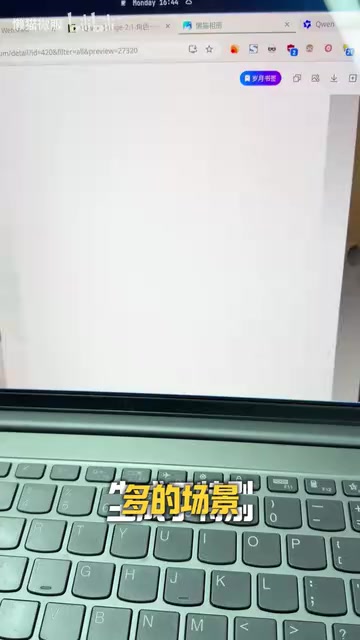
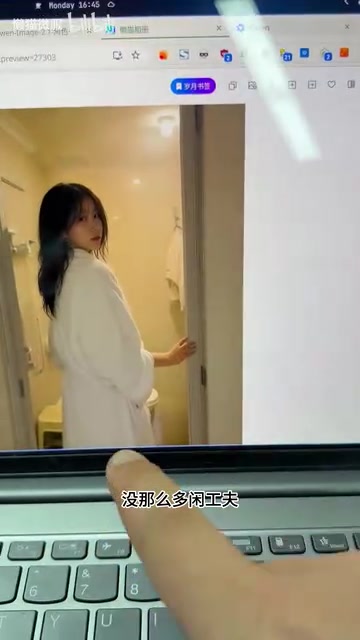
The most striking highlight from the hands-on demo is the model's ability to stably generate the same character across different scenarios. The creator first randomly generated a character portrait via a "gacha-style" roll, then used that image as a reference to produce a wide range of derivative scenes — playing with a cat, gaming on a PS5, or viewed from different angles while maintaining the same face and outfit.
The value of this character consistency goes far beyond aesthetics. For e-commerce operators, the same model likeness can be applied across promotional images for different products and settings — no need to repeatedly hire models for shoots. For short-video creators or bloggers, a single photo of yourself could theoretically generate batches of content across all kinds of situations.

In other words, work that previously required real shoots and post-processing retouching can now be continuously produced by the model. The creator emphasized that none of the images were real photographs — everything was purely AI-generated. "Same face, different angles" — and the photorealism has reached a point where it's nearly indistinguishable to the naked eye.
Deployment: Local Hardware + ComfyUI
Many people are intimidated by local image generation, largely due to concerns about setup complexity. The demo presents a solution using a local AI compute device paired with ComfyUI running on Lazy Cat Microserver.
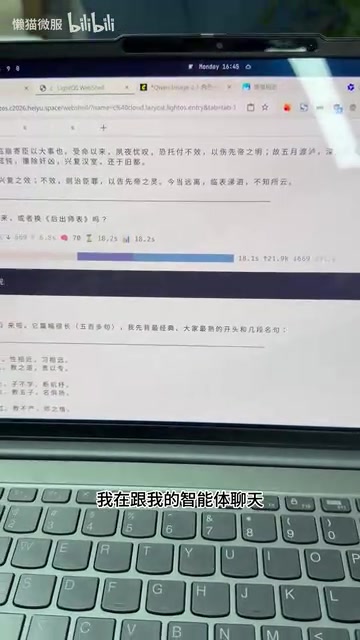
ComfyUI's node-based interface can certainly look daunting at first glance, but the creator's actual workflow is worth noting: the entire process was completed through conversation with an AI agent. That is, users describe their needs in natural language, the agent handles node construction and parameter tuning in the background, and results are delivered directly. This "conversational image generation" approach hides the complexity of the workflow, significantly lowering the barrier to entry.
Compared to cloud API solutions, local deployment offers advantages in cost and flexibility. The creator compared it to paid services like Doubao, concluding that the local setup is competitive in generation speed while enabling 24/7 on-demand generation with no usage limits or fees. Of course, all of this requires sufficient local hardware to support it.
What is ComfyUI? ComfyUI is an open-source Stable Diffusion frontend built around a node graph interface, where users construct image generation workflows by dragging and connecting functional nodes. Compared to tools like WebUI, it offers greater flexibility and extensibility, but has a steeper learning curve. Each node represents a processing step — loading a model, entering a prompt, sampling, decoding output, etc. — and the connections between nodes define the data flow. For users without a programming background, facing a complex node graph can feel overwhelming. This is precisely why "having an agent build the workflow for you" is so significant — it wraps ComfyUI's powerful capabilities behind a natural language interface, enabling non-technical users to leverage its full flexibility without needing to understand every node's parameters.
Open-Source Ecosystem Speed: Quantized Versions Within 24 Hours
Another notable aspect is the open-source community's response time. The creator mentioned that within less than 24 hours of Qwen Image 2.1's release, uncensored quantized versions had already appeared in the community.
The appearance of quantized versions signals two things: first, the model can run on devices with lower VRAM, further reducing hardware requirements; second, the open-source ecosystem's self-iteration capacity is extraordinarily strong — almost immediately after official release, the community follows up with optimizations. This "ecosystem from day one" phenomenon is one of the core competitive advantages open-source models hold over closed-source alternatives.
That said, it's worth noting that "uncensored versions," while offering greater freedom, also mean that content compliance responsibility falls entirely on the user — particularly important to keep in mind for commercial use cases.
What is model quantization? Quantization refers to the technique of compressing neural network weights from high-precision floating-point numbers (e.g., FP32, BF16) to lower-bit integers (e.g., INT8, INT4). This process significantly reduces model size and lowers VRAM requirements during inference, at the cost of slight accuracy loss. For a large image generation model, the BF16 full-precision version might require 20GB+ of VRAM, while an INT4 quantized version might only need 6–8GB — enabling smooth operation on consumer-grade GPUs like the RTX 3080 or 4070. Common community quantization tools include the GGUF format (llama.cpp ecosystem) and schemes like GPTQ and AWQ. Quantized versions are typically converted and published by community developers based on official weights, which is why they can appear on platforms like Hugging Face within hours of a model's release.
The Real Value of Local Image Generation
Putting these findings together, a clear picture emerges: local image generation models are evolving from "toys" into genuine production tools. Character consistency addresses one of the trickiest challenges in content creation — maintaining visual coherence across outputs. Local deployment combined with conversational operation lowers the technical barrier. And open-source quantized versions further reduce hardware costs.
For content creators and small e-commerce businesses, this combination represents a low-cost, high-freedom content production pipeline: invest in hardware once, then generate image assets at near-zero marginal cost at scale. Of course, actual results still depend on the model's generalization capability, prompt engineering skills, and hardware configuration — real-world use requires validation against specific needs.
Whether Qwen Image 2.1 can hold on to the title of "best local image generation model" remains to be seen with more comprehensive benchmarks. But based on this hands-on test, it has at least demonstrated that open-source local models now have the capability to genuinely challenge mainstream closed-source products when it comes to character consistency and ease of use.
Related articles

OpenAI Codex CLI Practical Guide: The Open-Source AI Coding Agent in Your Terminal
OpenAI Codex CLI is an open-source AI coding agent that runs in your terminal. This guide covers its 2025 launch, 2026 desktop app, ChatGPT merger, and a three-step setup and workflow.

AI for Beginners Course Review: ChatGPT, Gemini, and AI Agents in Practice
A hands-on review of a complete beginner AI course covering ChatGPT, Gemini, Notebook LM, Manus, and DeepSeq, with 18,000-record dataset analysis, AI agent website building, and LLM principles and limits.

How Do AI Agents Autonomously Complete Complex Tasks? The ReAct Framework Explained
What's the core difference between an AI Agent and a chatbot? Using competitive research as an example, this article breaks down the ReAct framework's three-step loop of reasoning, acting, and observing, explaining how Agents autonomously decompose tasks, call tools, spot data gaps, and dynamically adjust plans to ultimately deliver complete results.