Redmagic 12 Pro Review: New Game Phone Tricks with Liquid Cooling + RGB Lighting
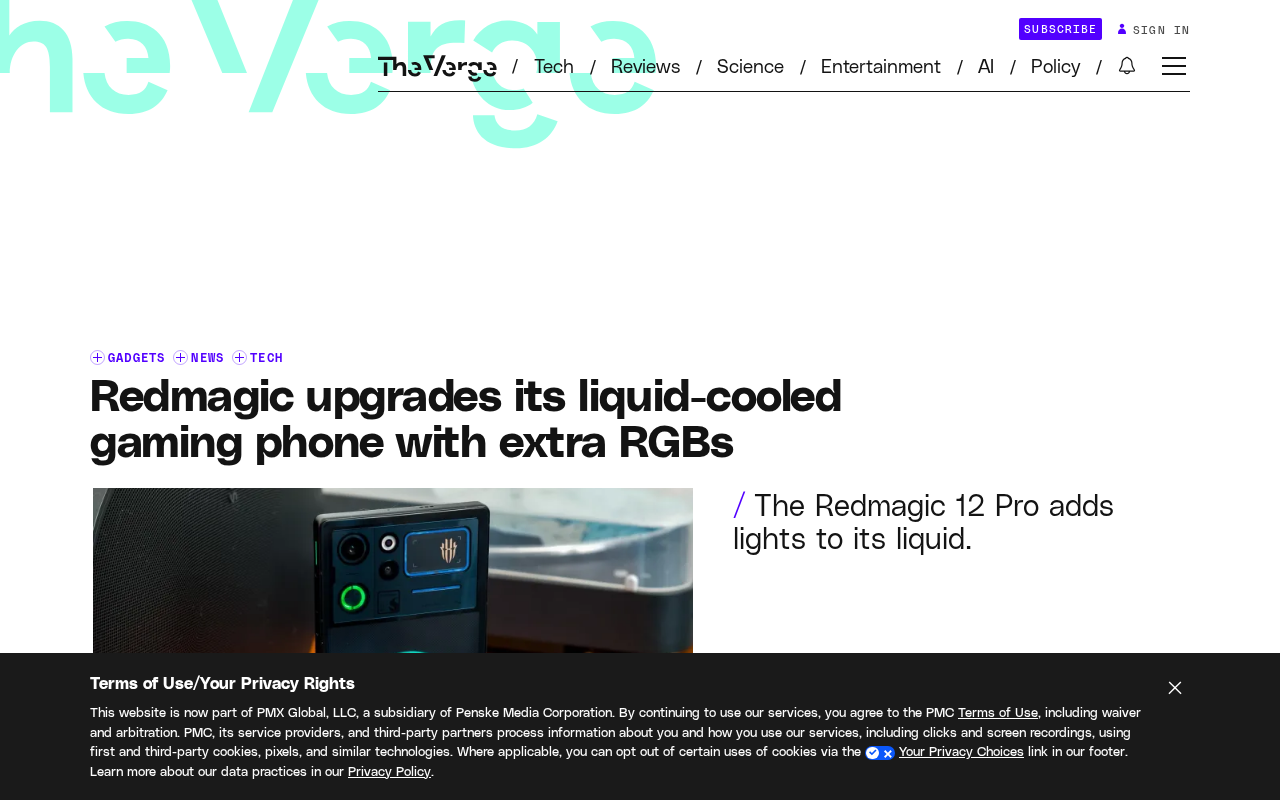
Redmagic 12 Pro integrates RGB lighting into its transparent liquid cooling loop, taking cooling visualization further.
The Redmagic 12 Pro builds on last year's true liquid cooling by integrating RGB lighting into the transparent cooling loop, with custom patterns and app-triggered effects that turn cooling from invisible to visible performance feedback. However, no cooling performance data or lighting power impact is provided, so real-world testing is still needed to confirm substantive cooling gains. Liquid cooling is Redmagic's real ace; RGB is just icing.
The game phone market has never stopped competing on differentiation, and Redmagic has chosen a rather hardcore path—cramming a genuine liquid cooling system into a phone, then making the cooling loop light up. According to an RSS tech news report, after introducing "true liquid cooling" to its gaming phones last year, Redmagic is going further with this year's 12 Pro by integrating RGB lighting into the transparent cooling loop.
Liquid Cooling + RGB: Gimmick or Genuine Upgrade?
From the report's description, these RGB lights do actually work, though the original article notes with a touch of irony that it "sort of" counts. The lights can be illuminated and support features like setting custom glowing patterns and triggering lighting effects for specific apps. This means RGB here isn't just decoration—it's linked to system status and usage scenarios. For the target audience of gaming phones, this kind of "visible performance feedback" is exactly part of the atmosphere.
That said, it's worth keeping a cool head: the report doesn't provide specific thermal performance data for the liquid cooling system, nor does it explain the actual impact of RGB lighting on power consumption or battery life. The visual impact of a transparent cooling loop with lighting is clear, but whether it delivers a substantive improvement in cooling efficiency—current information isn't enough to judge.
The RGB lighting ecosystem is already quite mature in the PC space. Common protocols like ASUS Aura Sync and MSI Mystic Light allow unified synchronization across motherboards, memory, and fans, with software triggering lighting effects based on events like games, temperature, and music. Porting this to gaming phones isn't technically difficult; the real differentiator is whether the software-layer event mapping is granular enough.
It's worth noting that the impact of lighting effects on battery life depends on the number of LEDs, brightness, and refresh method. A small number of low-brightness LEDs typically consume power in the milliwatt to tens-of-milliwatts range, which is negligible relative to overall phone power consumption. But if high-brightness multi-LED arrays with frame-by-frame animation are used, power draw and heat generation rise noticeably—and since the LEDs sit right next to the cooling loop, they could introduce additional localized heat sources. This is one reason the original article emphasizes the need for real-world testing.
Why True Liquid Cooling Deserves Attention
Phone cooling has long relied on passive solutions like VC vapor chambers and graphene, but "true liquid cooling" means there's an actual coolant circulation inside the phone. Redmagic was the first to bring this approach to gaming phones last year—a gamble on a particular direction. With the liquid cooling loop now visible, users can "see" the cooling system at work for the first time, and RGB lighting further reinforces this visibility.
The core selling point of gaming phones has always been sustained performance output, and cooling is the key to frame rate stability. If a liquid cooling solution can maintain lower body temperatures during extended high-load gaming, it's far more valuable than simply piling on lighting effects. Unfortunately, the available material doesn't provide temperature comparisons or frame rate curves—that part will have to wait for follow-up testing.
VC vapor chambers are currently the most mainstream cooling component in flagship phones. The principle involves filling a sealed copper chamber with a small amount of working fluid; heat from the chip causes the liquid to vaporize at the heat source and condense at the cold end, transferring heat from one location to another through a phase-change cycle. Its advantages are thinness, no moving mechanical parts, and high reliability—but it's still fundamentally "passive": heat ultimately dissipates from the phone's surface into the air, and cooling capacity is limited by the phone's finite surface area and passive convection efficiency.
The key difference between "true liquid cooling" and VC is whether there's a continuously flowing coolant loop. VC is a phase-change cycle within a sealed chamber with a fixed amount of working fluid and a short path; so-called true liquid cooling typically includes a pump, tubing, and a reservoir structure that actively circulates coolant through the phone body, transporting heat from the motherboard area to a larger heat dissipation zone. The cost is increased thickness, weight, cost, and reliability concerns—which is why few manufacturers have been willing to put it in a phone before. Redmagic's transparent loop makes this structure visible for the first time, but parameters like circulation flow rate and pump power consumption are the key to judging its actual benefits.
The Competitive Direction of Gaming Phones
This upgrade to the Redmagic 12 Pro reflects a reality in the gaming phone category: pure hardware specs alone can no longer create meaningful differentiation, so manufacturers are looking for new stories in cooling form factors, visual distinctiveness, and lighting ecosystems. The liquid cooling + RGB combination targets gamers who care about both performance and personalization.
The detail about "activating lighting effects for specific apps" mentioned in the report is worth noting—it suggests Redmagic has designed scenario-based lighting at the software level, rather than simple always-on or breathing lights. If this logic is refined enough, lighting could become a lightweight notification system for alerts, battery level, and performance modes.
Editorial View
Liquid cooling is Redmagic's real ace in the hole that sets it apart from other gaming phones; RGB is just icing on the cake. The 12 Pro combines the two, which is eye-catching enough from a marketing perspective, but the final judgment of product value still comes down to thermal testing and sustained performance. For readers interested in gaming phone cooling solutions, this model is worth tracking; as for the lighting, it's more like emotional value for users who've already chosen liquid cooling.
One-line Summary
Redmagic 12 Pro integrates RGB lighting into a transparent liquid cooling loop, taking cooling visualization one step further.
Paragraph Summary
The Redmagic 12 Pro continues last year's "true liquid cooling" approach while integrating RGB lighting into the transparent cooling loop, supporting custom patterns and app-triggered lighting effects, turning the cooling system from invisible to visible performance feedback. The article notes that RGB's integration with system status and usage scenarios has atmospheric value for gamers, and lighting could even evolve into a lightweight notification system for alerts, battery, and performance modes. However, the report doesn't provide liquid cooling performance data or the power consumption impact of lighting; the visual impact of the transparent loop plus lighting is clear, but whether cooling efficiency is substantively improved still requires real-world testing. Overall, gaming phone competition is shifting from pure specs toward cooling form factors and visual distinctiveness—liquid cooling is Redmagic's real ace, and RGB is just icing on the cake.
Related articles

Qwen 3.8 Beats Opus at Coding—But Can Your Mac Run It?
Open-source Qwen 3.8 beats Opus 4.6 at coding at just 18GB, but how much Mac memory do you need? 24GB crashes; 32GB is the sweet spot. Full config guide inside.

Claude Code + Agent: Building a Fully Automated AI Testing Loop
Bilibili course breakdown: how test developers can use Claude Code terminal-based Agents to build a fully automated AI testing loop. Compares permission boundaries of terminal vs. device Agents, explains why enterprise projects choose Claude Code over Open Claude-type tools, and outlines the Node.js environment setup and DeepSeek model integration path.

Working with AI Agents Requires Nerves of Steel
The more autonomous AI agents become, the heavier the user's psychological burden. Drawing from a Hacker News discussion, this article analyzes black-box anxiety, behavior drift, and monitoring fatigue in agent collaboration, and offers practical approaches like sandbox isolation, permission control, and task granularity management to reduce cognitive load.