Reject Smart TV Snooping: A Privacy-First Buying Guide

Consumer smart TVs are hardly privacy-friendly; the feasible path is treating them as pure monitors and completely disconnecting them.
The article centers on a HN user's request for a privacy-respecting TV. The core consensus: there is virtually no truly privacy-friendly consumer smart TV, as manufacturers rely on ads and viewing data after thin hardware profits. Boot ads, recommendations, voice wake, and viewing analysis are default-on and hard to disable. The feasible solution: downgrade the TV to a pure HDMI monitor, pair with a more transparent Apple TV, and ensure at the network level the TV doesn't connect on its own. When buying, confirm account-free, network-free initialization; prioritize commercial displays without smart systems; for owned TVs, use router MAC filtering or VLAN isolation to cut internet access. Conclusion: privacy is not bought—it's configured.
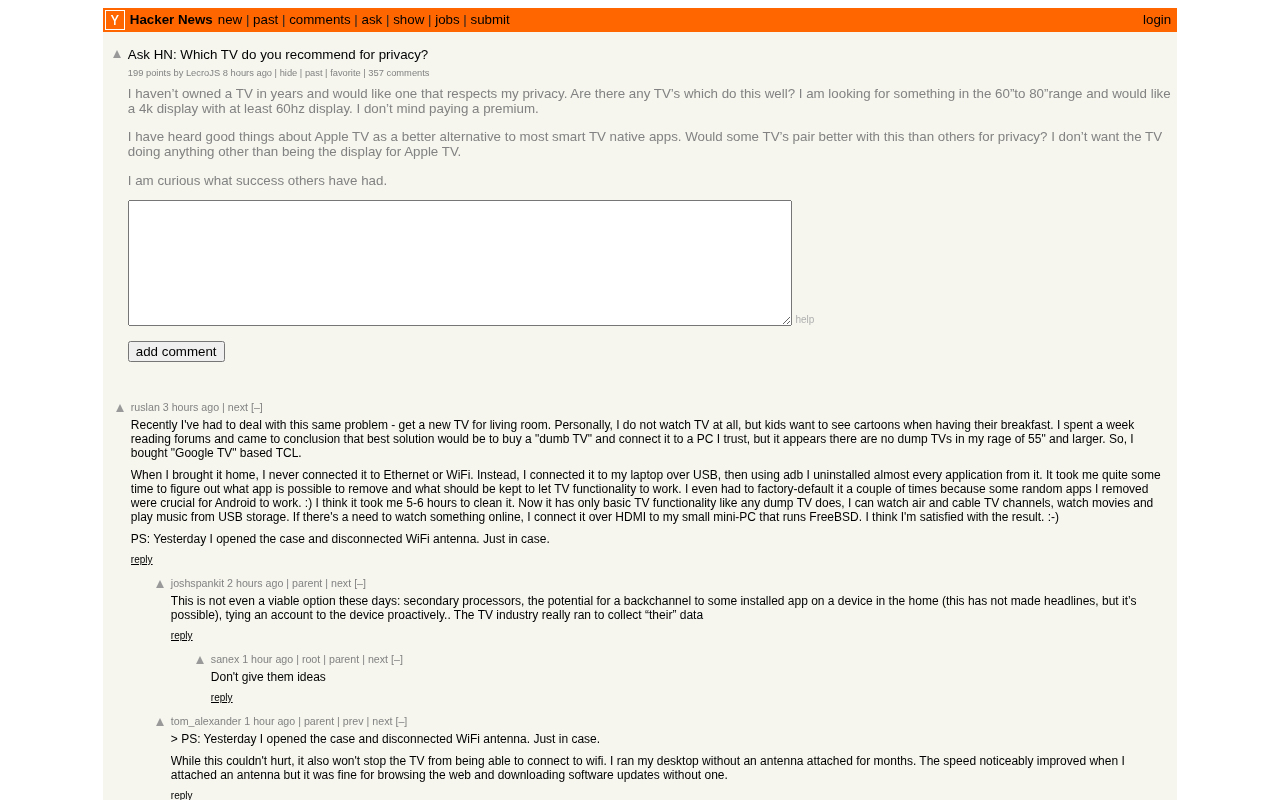
A Hacker News user who hasn't owned a TV in years posted a request for help: they want a 60 to 80-inch, 4K, at least 60Hz TV, budget is no object, but with one condition—it has to respect privacy. They heard Apple TV is more reliable than most smart TVs' native apps and wanted to know which TVs pair best with Apple TV for privacy, hoping the TV would do just one thing—serve as a good monitor for Apple TV.
This post got 184 upvotes and 344 comments on HN, and the discussion's popularity shows it struck a nerve: buying a TV increasingly feels like signing a data authorization agreement you can't finish reading.
The Privacy Predicament of Smart TVs: The Screen Is Watching You
Modern smart TVs follow a business model similar to phones: hardware profits are razor-thin, and manufacturers recoup through ads and user data. Boot ads, content recommendations, viewing habit analysis, always-on voice assistants—these features are enabled by default and often buried in multiple layers of menus. If users want to turn them off, they have to dig through each item, and some options can't be completely disabled at all.
What's more troublesome is that TVs, as the family's big screen, often sit in the living room—the most privacy-sensitive space in the home. It knows when you're home, what you watch, and who you watch with. Once this data is collected, its flow is not transparent. For users like the poster who "don't want the TV to do anything except be a monitor," the smart system itself is a burden.
The Core Idea: Downgrade the TV to a Monitor
A consensus that repeatedly emerged in the discussion: rather than looking for "a smart TV with good privacy," look for "a dumb enough TV." In other words, shift the buying goal from "which system is cleaner" to "which TV can completely bypass network activation."
Specific approaches include: prioritize commercial displays or digital signage products when buying—these devices usually have no smart system and only provide HDMI input; or skip Wi-Fi connection during first boot, bypassing account login and system updates. Some brands allow initial setup without network, but others make connectivity a mandatory step, which must be confirmed before purchase.
The Role of Apple TV: External Brain, Privacy Gatekeeper
The poster mentioned Apple TV as a better alternative, and this judgment received considerable agreement in the discussion. Apple TV's advantage isn't that it collects no data at all, but that its privacy policy is relatively transparent: app tracking requires explicit user authorization, system-level ads are minimal, and it doesn't rely on TV manufacturers' ad ecosystems.
When the TV is used only as an HDMI monitor, the TV's own smart system can be completely idle—as long as it doesn't secretly connect to the internet. Some commenters pointed out that the key is whether the TV automatically connects to Wi-Fi in the background and uploads data. Some models retain network configurations after factory reset, or quietly activate via wired network. Therefore, the prerequisite for pairing with Apple TV is that the TV is truly disconnected from the network, not just "not using its built-in apps."
Details to Confirm When Buying
Network Behavior and Account Requirements
Initialization processes vary greatly between brands. Some manufacturers allow skipping account creation, while others mandate binding. Before buying, it's worth checking manuals or forum feedback to confirm whether the device supports account-free, network-free use. For TVs already owned, you can set up MAC address filtering or VLANs at the router level for the TV specifically, cutting off its internet access while retaining local network casting capability.
The Difference Between VLAN and MAC Address Filtering: MAC address filtering maintains an allow/deny list at the router or access point level, deciding whether to permit based on the device's network card physical address. It's simple to configure, but MAC addresses can be spoofed, and it can only control traffic within the same broadcast domain. VLAN, on the other hand, places the TV in a separate virtual LAN and then uses firewall rules to cut off its route to the WAN, more thoroughly isolating the TV from other home devices and preventing it from scanning the local network or communicating with phone apps. The two are often used together: VLAN as the isolation boundary, MAC filtering for quick temporary blocking.
Why Local Network Casting Needs to Be Retained: AirPlay, Chromecast, and other casting features rely on mDNS/Bonjour to discover devices on the local network. Complete disconnection would disable casting, so a more practical approach is to block only the TV's internet access while allowing local multicast and specific ports—this way you can still cast to Apple TV without letting the TV send data back.
Input Latency and Display Quality
Since the TV is just a monitor, panel quality returns to the most basic requirements: 4K, 60Hz or above, low HDMI input latency, HDR support. Commercial displays usually match or exceed these metrics and have no boot ads or system pop-ups. The 60 to 80-inch range mentioned by the poster is also well covered by commercial product lines.
Firmware Updates and Backdoor Risks
Even when disconnected, some TVs may still attempt to send information back through built-in cellular modules or data sharing with other devices. Some in the discussion suggested prioritizing models without cellular modules and avoiding manufacturer-provided "phone remote" apps, as these apps often require the TV and phone to be on the same network.
Automatic Content Recognition (ACR): This is the most overlooked data collection method on smart TVs. ACR captures the HDMI input screen and performs fingerprint matching to identify what you're watching—programs, ads, even game footage—and then sells viewing records to data brokers. The key point is that ACR runs on the TV's own SoC. Even if you're playing through Apple TV and the TV is just a monitor, as long as the TV is powered and connected, ACR may still sample the HDMI signal. So "TV as monitor only" doesn't automatically mean "the TV isn't watching what you watch"—you must disable ACR in settings and block its network access.
Forms of Cellular Modules: Some TVs or set-top boxes have built-in LTE/5G modules for "always-on" services. These modules don't use Wi-Fi, so router-level blocking is ineffective against them. When buying, confirm whether the spec sheet includes WWAN or cellular terms, and prioritize pure Wi-Fi/Ethernet models.
Conclusion from Multi-Source Cross-Validation
Synthesizing multiple viewpoints from the HN discussion, a stable conclusion emerges: there is currently almost no consumer smart TV on the market that can be called "privacy-friendly." The feasible path is to treat the TV as a pure monitor, add a streaming box with a more transparent privacy policy, and ensure through network-layer controls that the TV doesn't connect to the internet on its own. This aligns closely with the poster's demand of "not wanting the TV to do anything," and explains why this question sparked hundreds of comments—it's not that people don't know the answer, but that they're confirming whether this path really works.
For users with sufficient budget and willingness to tinker, this path's feasibility has been verified by many commenters. The cost is spending time confirming the model's network behavior and doing some configuration on the router. Privacy is never bought—it's configured.
One-line Summary
Consumer smart TVs are hardly privacy-friendly; the feasible path is to treat them as pure monitors and completely disconnect them from the network.
Paragraph Summary
The article revolves around a HN user's question about wanting a TV that respects privacy. The core consensus from the discussion: there is virtually no truly privacy-friendly consumer smart TV on the market, because after hardware profits are squeezed thin, manufacturers rely on ads and viewing data to recoup. Boot ads, content recommendations, voice wake, and viewing habit analysis are often enabled by default and hard to completely disable. The feasible solution is to downgrade the TV to a pure HDMI monitor, pair it with a more transparent Apple TV, and ensure at the network level that the TV doesn't connect on its own. When buying, confirm whether the device can complete initialization without an account or network, prioritize commercial displays without smart systems; for TVs already owned, use router MAC filtering or VLAN isolation to cut off internet access. The conclusion: privacy is not bought—it's configured.
Related articles

DSH + Ollama Local LLM Deployment in Practice: Free Chat with Da Fei Yu
Bilibili creator tests DSH + Ollama local LLM deployment end to end: Ollama install, Xunlei-accelerated downloads, ModelScope GGUF model import, DSH custom API address setup, and a comparison of Qwen 3.5 4B, 8B, Gemma, and other models on 8GB VRAM, with advice on choosing local deployment vs. API calls.

Tested: A $899 Mac Mini vs. a $200/Month AI Subscription
Real-world test of whether an M4 Mac mini can replace a $200 AI subscription: 16GB can't fit large models, and both speed and quality fall short—but privacy, no caps, and near-zero running costs make it an ideal host for an always-on agent. Includes buying advice per configuration and money-saving strategies.

RSTGameTranslation: Real-Time OCR Localization + Offline Translation with Local LLMs
RSTGameTranslation is an open-source real-time Windows game translation tool: OCR for English, Japanese, and Korean with Chinese overlays in place, plus Ollama or LM Studio local LLM offline translation and Whisper speech transcription for games, manga, and visual novels.