Relic: An On-Device Encrypted Clipboard Vault That Keeps Everything You've Ever Copied
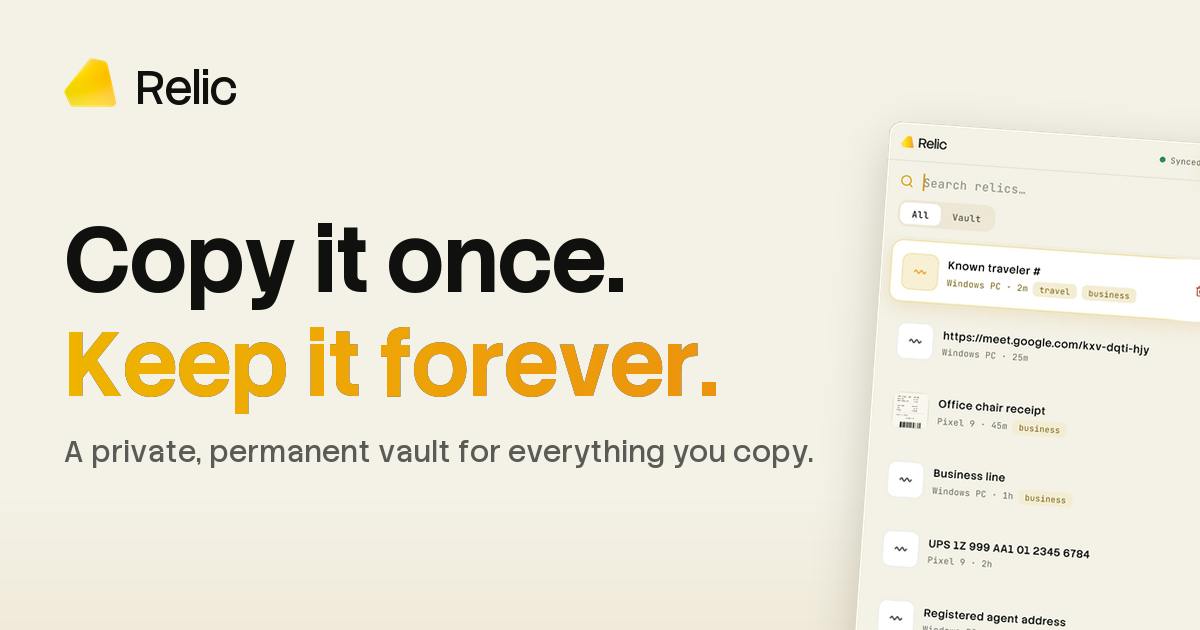
Relic is a cross-platform clipboard vault with on-device AI and end-to-end encrypted sync.
Relic upgrades the clipboard history into a private, encrypted content vault. Its three core pillars — on-device content understanding (no cloud uploads), end-to-end encrypted cross-device sync (iOS/Android/Mac/Windows), and hotkey-driven instant recall — set it apart from traditional clipboard managers like Paste and Maccy. Its differentiation is the combination of privacy encryption, cross-platform sync, and on-device intelligence rather than any single feature. With a modest Product Hunt launch (71 upvotes, 13th place), its long-term viability depends on real-world validation of semantic search depth, sync reliability, and storage management.
In our daily workflows, we copy and paste hundreds of times a day — a snippet of code, a link, a screenshot, a fleeting thought jotted down on the fly. Yet most of this content vanishes the moment the next copy overwrites it, never to be found again. Clipboard managers have become essential tools for power users, and Relic aims to offer a fresh answer in this space — one that balances privacy with intelligence.
What Problem Does Relic Solve?
Relic's positioning is straightforward: a private, cross-device synchronized "vault for everything you copy." It remembers everything you've copied, processes and understands it locally on your device, and syncs it between your phone and computer — all encrypted, readable only by you.
This approach targets a genuine pain point: modern workflows are scattered across multiple devices, and a lot of transient information has nowhere to go. You spot a paragraph on your phone that you want to reference later on your laptop, or you copy an image but don't want to bother saving it to your camera roll or a notes app. Relic wants to be the temporary home for all this "homeless" content, making it retrievable whenever you need it.
According to its Product Hunt page, Relic supports files, images, text snippets, and more — covering the vast majority of content types a clipboard might carry.
Three Core Selling Points
On-Device Intelligent Understanding
Relic emphasizes "on-device" processing — meaning it understands the content you copy locally, rather than uploading it to a cloud server. For clipboard data, which is among the most sensitive information on your device (potentially containing passwords, private conversations, or confidential work material), local processing is a critical foundation of trust. This likely means the app leverages on-device model capabilities to classify, index, or semantically understand content — without sacrificing privacy.
On-device inference has become increasingly viable in recent years, thanks to hardware accelerators like Apple Silicon's Neural Engine, Qualcomm Snapdragon's NPU, and Google's Gemini Nano. The core idea is to bundle a compact language or embedding model directly into the app, with all inference running on the local CPU/GPU/NPU — data never leaves the device. For clipboard use cases, this means the app can semantically vectorize copied content — converting text or images into high-dimensional numerical representations — even without an internet connection, enabling fuzzy semantic search (finding past entries via natural language descriptions rather than exact keyword matching). The trade-off is that model size is constrained (typically under a few hundred MB), so depth of understanding still lags behind cloud-based large models, and complex reasoning or multilingual support may be limited.
Encrypted Sync — Only You Can Read It
Cross-device sync is the highest-value feature of any clipboard tool, but it's also where privacy risks are most concentrated. Relic claims that data is "sealed" — readable only by the user. This end-to-end encryption promise is a key differentiator from many traditional clipboard managers, where the convenience of sync comes at the cost of exposing your data.
End-to-end encryption (E2EE) and server-side encryption are fundamentally different models. With server-side encryption, data is encrypted in transit and at rest, but the service provider holds the keys and can theoretically decrypt your content. With E2EE, encryption keys are generated and stored only on the user's device; the server stores only ciphertext — meaning even if the database is breached or the company receives a subpoena, plaintext content cannot be recovered. Relic's claim of being "sealed, readable only by the user" points to the latter. Common E2EE implementations include password-derived keys (via PBKDF2 or Argon2) combined with AES-256-GCM encryption, or the Signal Protocol's Double Ratchet algorithm. For users who want to verify this promise, the most direct approach is to check whether the product is open source or has undergone an independent security audit — neither of which Relic has publicly provided yet, making this a transparency indicator worth watching.
Keyboard-First, Instant Recall
For productivity tools, the experience lives or dies by how fast you can summon it. Relic supports hotkeys to bring up your clipboard history without ever leaving the keyboard. For power keyboard users and developers, this kind of "don't break the flow" interaction design matters a great deal.
Market Position and Competition
Clipboard management isn't a new category. On macOS, there are mature tools like Paste, Maccy, and Alfred's clipboard module; Windows has a built-in clipboard history feature. Relic's differentiation rests on two key bets: cross-platform sync spanning both Android and Apple ecosystems, and the combination of on-device intelligence with privacy-first encryption.
Looking at Product Hunt data, Relic currently has 71 upvotes, ranked 13th for the day, with 3 comments. That's a modest launch — enough to show the product resonates with a subset of users, but without a breakout moment. The maker is Jordan Gibbs, and the product is categorized under Android, Apple, and Productivity — signaling that cross-platform reach is a core part of the vision.
Questions Worth Asking
For users considering trying Relic, a few things still need real-world validation:
- The limits of on-device understanding: How far can a local model actually go in enabling smart search and content comprehension? This is the key variable in whether Relic is meaningfully better than traditional clipboard tools.
- Sync reliability and speed: Can encrypted sync maintain low-latency cross-device performance without compromising on privacy?
- Storage and performance overhead: "Remembering everything you've ever copied" means data can grow rapidly. How the app manages storage capacity and retrieval efficiency over time is a long-term test.
Relic has identified a clear user need and made privacy its core proposition — a smart bet in an era of growing data sovereignty awareness. Whether it can stand out in a competitive productivity tools market still depends on how it holds up in practice and how it iterates over time. For users who regularly work across multiple devices and care deeply about privacy, it's at least worth a try.
Related articles

LLM Application Development: A High-Paying Career Guide for Ordinary People
LLM application development offers fresh graduates up to 35K/month, with SP offers reaching 600K. This article explains the core skills, how to break in, and how ordinary people can seize AI opportunities through learning by doing.

Say Goodbye to AI Influencer Faces: A Complete Guide to Creating Visual Assets for AI Comic Dramas from Scratch
Bilibili creator shares a full workflow for zero-basics AI comic drama visual assets: use Doubao Work skills with script-first, visual references, and real-person texture to escape AI influencer faces, then lock character and scene consistency with asset sheet layouts, weapon detail images, scene nine-grids, and cinematic color palettes.

The AI Production Pipeline Behind Great Videos: From Research to Agent Validation
AI video production isn't just a model race. This article breaks down a transferable four-step pipeline: researching professional workflows, organizing a skill checklist, configuring agents, and experimental validation—and explains how general-purpose LLMs like DeepSeek can replace paid tools to run the entire process.