ro: A Mac Desktop Pet That Won't Bother You, With Local AI and File Search

ro is a non-intrusive Mac desktop pet with privacy-focused AI and local search in its Pro version.
ro is a Mac desktop pet and productivity tool on Product Hunt built around the philosophy of "I won't bother you." The free version reacts to apps without pop-ups. The Pro version adds local file search (⌥R), Downloads cleanup with undo, and "private AI handoff," emphasizing "Nothing leaves your Mac." All processing is local, ideal for privacy-sensitive users. It balances fun and utility but has only 66 votes (#18) with limited discussion and undisclosed pricing.
On Mac, we're used to efficiency tools competing for our attention—pop-ups, notifications, floating windows. But a recently launched app on Product Hunt called ro goes the opposite direction, with the tagline "I won't bother you." The product received 66 votes on Product Hunt, ranking #18, positioned as a Mac desktop pet and productivity tool.
When a Desktop Pet Learns to "Stay Quiet"
ro's core design philosophy is "present but not intrusive." It sits quietly on your Mac desktop or menu bar, doesn't proactively pop up reminders, and doesn't interrupt your workflow. Unlike desktop pets that try to grab attention with animations and sound effects, ro is more like a low-key companion that only appears when you need it.
According to the official description, ro's base version is free and works as a desktop pet that reacts to apps. This means it may change state or behavior based on the app you're currently using, though specific interaction details aren't elaborated in the available materials. This "reactive" design gives the pet a sense of companionship while avoiding distraction.
For Mac users who spend long hours in front of a screen, a small tool that doesn't make noise and occasionally adds a bit of fun might be more welcome on the desktop than an assistant with many features but frequent pop-ups.
Desktop Pet is a category of virtual character programs that run on a computer desktop, usually appearing as animated figures that can react to user actions or system states. Early examples include "Neko" and Windows' "Clippy," with more recent ones like Shimeji and Desktop Goose. Traditional desktop pets often disrupt focus due to frequent animations and sound effects, while a new generation of products emphasizes "low interruption," providing companionship through subtle visual feedback—ro is a reflection of this trend.
Pro Version Unlocks: Local File Search and Privacy-Focused AI
ro's free version is just an appetizer—the Pro version is the productivity core. According to the Product Hunt page, the Pro version offers three main features:
- Local file search (⌥R): Quickly search local files with the ⌥R shortcut, without opening Finder or Spotlight's full interface. For efficiency-focused users, this reduces the number of steps.
- Downloads cleanup with undo: Helps organize the Downloads folder, with undo support to prevent accidental deletions.
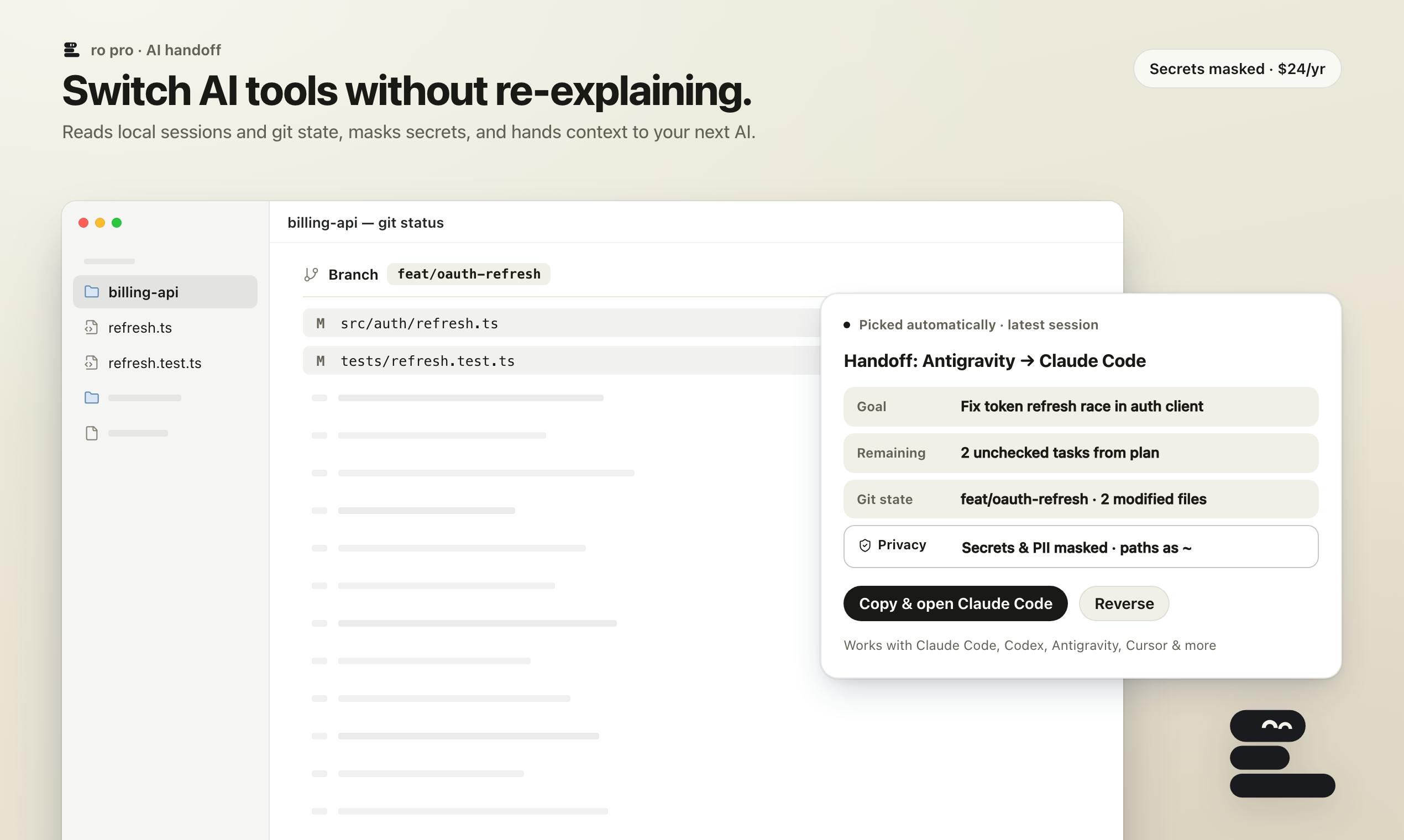
- Private AI handoff: This is a notable feature. The official emphasis is "Nothing leaves your Mac," meaning all data processing is done locally and never uploaded to the cloud. In an era where AI features generally rely on the cloud, local processing is appealing to privacy-sensitive users.
The Trade-offs of Local AI
The phrase "private AI handoff" is somewhat vague—it could mean ro can hand off tasks to a locally running AI model, or collaborate with other local AI tools on the Mac. Either way, the key point is that data doesn't leave the device. For users handling sensitive information (such as lawyers, doctors, and finance professionals), local AI is a necessity. But local AI is typically constrained by device computing power, and its capabilities may not match cloud models. How ro balances these two aspects isn't explained further in the available materials—it would require hands-on experience to judge.
Private AI handoff is not an industry-standard term. Taken literally, it may refer to "handing off" AI tasks from the cloud to a local model for processing, or having ro act as an intermediary that forwards tasks to local AI tools already installed on the Mac (such as Ollama or LM Studio). Local AI typically relies on device chips (like Apple Silicon's Neural Engine) to run quantized models; the advantages are privacy and offline availability, while the disadvantages are limited model size and slower response times compared to the cloud. If ro can seamlessly invoke local AI within the pet interaction, that would be a novel integration.
A New Direction for Desktop Pets?
ro categorizes itself as "Mac, Productivity, Pets," trying to find a balance between tool and toy. From a product design perspective, it's more like a "lightweight efficiency companion": using pet elements to make the tool feel less distant, addressing real pain points with local search and cleanup, and differentiating itself through privacy-focused AI.
However, 66 votes and 0 comments indicate limited traction so far, with insufficient community discussion. This may be because the product just launched, or because the target user base is small. For indie developer Rho CHOI, the challenge ahead is how to help more Mac users discover and trust this product.
Privacy as a Selling Point
In an age of proliferating AI features, "Nothing leaves your Mac" is a powerful promise. Especially as users become more aware of data privacy, local processing becomes a differentiating advantage. ro combines AI features with a desktop pet, attempting to deliver serious productivity value under a playful exterior. This contrast itself is noteworthy.
Product Hunt is a global community for new product launches, where users can vote and comment on products released that day, with rankings generated dynamically based on votes. 66 votes and #18 is moderate-to-low traction, typically meaning the product has gained some attention but hasn't entered the mainstream. For indie developers, Product Hunt is an important channel for early exposure, but subsequent growth depends more on word of mouth and community engagement. ro's cold-start performance suggests it has yet to break out of its niche.
Worth Trying?
If you're a Mac user who likes desktop pets but hates being interrupted, and you need quick file search and Downloads cleanup, ro is worth watching. The free version lets you experience the pet interaction, while the Pro version targets efficiency scenarios. Note, however, that public information is limited—Pro pricing and the specific implementation of AI features remain unclear. It's advisable to try the free version first before deciding whether to upgrade.
ro's emergence reflects two trends: first, efficiency tools are starting to emphasize "non-intrusive" design; second, local AI is gradually becoming an option for privacy-sensitive scenarios. Whether it can grow from a niche Product Hunt product into a more mainstream tool depends on future feature iterations and community engagement.
(The End)
One-line Summary
ro is a Mac desktop pet built around "not bothering you," with a Pro version integrating privacy-focused AI and local search.
Paragraph Summary
ro is a Mac desktop pet and productivity tool that debuted on Product Hunt, designed around the philosophy of "I won't bother you." The base version is free, reacting to apps without proactively popping up. The Pro version offers local file search (shortcut ⌥R), Downloads cleanup with undo, and "private AI handoff," emphasizing "Nothing leaves your Mac"—all data processing is done locally, suitable for privacy-sensitive users. The product tries to balance the fun of a desktop pet with the utility of an efficiency tool, but it currently has only 66 votes on Product Hunt, ranking #18, with limited community discussion and undisclosed pricing and AI implementation details.
Related articles

Trained Entirely on Ascend NPU! Phai-A1-35B Code Model Hands-On Test
Phai-A1-35B-1M is a 35B expert model based on Qwen 3.6, targeting code and Agents, with its entire fine-tuning and reinforcement learning training done on Huawei Ascend NPUs. This article covers its MoE architecture, 1M context, official benchmark scores, and deployment, plus license caveats for the base model.

RK3588S Benchmarks Local LLMs: 35B MoE vs. NPU Acceleration — Which Is Faster?
RK3588S benchmarked with local LLMs: 4B dense, 35B MoE, and NPU-accelerated models compared. Pure CPU hits 5.8 tokens/s generation; NPU reaches 26 tokens/s prefill — revealing edge device selection strategies.

GLM 5.4 Recurrent Transformer Explained: How 750B Parameters Surpasses DeepSeek?
Zhipu AI releases GLM 5.4, the first recurrent Transformer flagship with 750B parameters claiming 2-3T-model intelligence. Analysis of its tech, DeepSeek comparison, and lack of third-party tests.