Row-Bot 5.3.1 Released: Linked Conversations, Wait Mechanism, and Video Workspace

Row-Bot 5.3.1 adds linked conversations, a zero-model-usage wait mechanism, and video timeline editing.
Row-Bot 5.3.1 focuses on workflow automation and multimodal content processing. Key updates include linked conversations that let you start another chat within a conversation with two-way messaging, a wait mechanism that pauses on processes, command/page checks, time, or conversations without consuming model usage, and a video workspace with scene timeline editing, version management, narration, music, subtitles, and multiple aspect ratios. Workflows can also run as scheduled conversations, with collaborative review of X posts and media uploads. Stability fixes cover weekday cron issues, message source identification, page-read write locks, and recovery from corrupted local model tool calls.
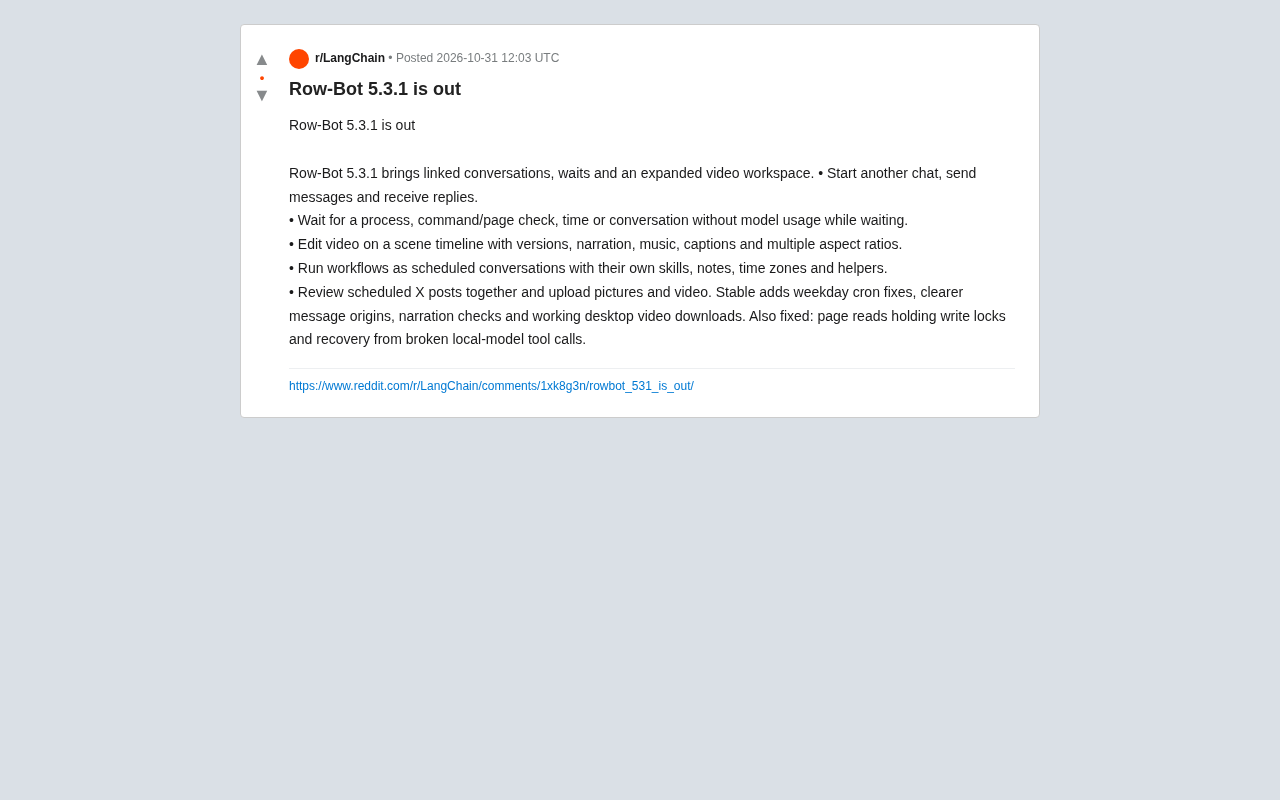
Row-Bot 5.3.1 has been officially released, bringing a range of updates including linked conversations, a wait mechanism, and an expanded video workspace. According to the Reddit community, this update focuses on enhancements to workflow automation and multimodal content processing, while also fixing several stability issues.
Core Feature Updates
Linked Conversations and Message Interoperability
The new version supports starting another chat within a conversation, with messages being sent and received across them. This means users can handle multiple conversation threads within a single workflow without switching interfaces. Combined with "Scheduled Conversations," each workflow can have its own skills, notes, time zone, and auxiliary tools.
"Linked conversations" can be understood as a lightweight sub-session or branched-session mechanism. In a traditional chat interface, each conversation is typically linear and closed; linked conversations allow another independent chat thread to be launched inside a conversation while maintaining two-way message interoperability. This enables a single workflow to manage multiple contexts simultaneously (for example, one main task conversation plus multiple subtask conversations), and each sub-conversation can have its own skills, notes, time zone, and auxiliary tools. The technical challenge lies in message routing and context isolation: the system needs to identify which conversation thread a message belongs to, correctly pass and aggregate results across threads, and avoid context contamination.
Wait Mechanism: Pausing Without Consuming Model Usage
Row-Bot 5.3.1 introduces a wait feature that can wait on a process, command/page checks, time, or a conversation, without consuming model usage while waiting. For long-running tasks or scenarios that depend on external conditions, this mechanism can effectively reduce computational costs and improve the flexibility of automated processes.
The "wait mechanism" here is often referred to in automated workflows as "asynchronous waiting" or "event-driven pausing." Traditionally, when an AI workflow needs to wait for an external condition (such as a file being generated, a web page state changing, or a specified time being reached), it often polls by repeatedly calling the model, which is both time-consuming and token-consuming. Row-Bot 5.3.1's wait feature separates the wait logic from model inference: the underlying system listens for processes, command output, page checks, time, or conversation messages, and resumes the workflow once the condition is met. This not only saves model usage but also brings long-cycle tasks (such as waiting for a user reply or for a data pipeline to complete) closer to the event-driven architecture found in real-world business scenarios.
Video Workspace Expansion
Video editing capabilities have been significantly enhanced. Users can edit video on a scene timeline, manage versions, narration, music, and subtitles, and support multiple aspect ratios. This extends Row-Bot beyond text conversations toward a multimedia content creation tool.
The "scene timeline" is a core concept in video editing, referring to an interface that organizes video clips, audio, subtitles, and effects along a time axis. By incorporating video editing into the workspace, Row-Bot needs to manage multi-track data (video track, narration track, music track, subtitle track) as well as rendering adaptation for different aspect ratios. Version management draws on the idea of software version control, allowing users to save and roll back different editing states of a video project. Independent management of narration, music, and subtitles allows AI to generate or modify these elements separately and then composite them onto the timeline, providing structured editing capabilities for multimodal content creation rather than merely generating a finished video.
Scheduled Conversations and X Post Review
Workflows can run as conversations on a schedule, with each conversation having its own skills, notes, time zone, and auxiliary tools. In addition, the new version supports collaborative review of scheduled X posts and uploading images and videos, making it easier for teams to collaboratively manage social media content.
Stability Improvements and Bug Fixes
The stable release also includes several fixes: correction of a weekday cron issue, clearer message source identification, narration checks, and restoration of desktop video download functionality. It also fixes an issue where page reading held a write lock, and adds the ability to recover from corrupted local model tool calls.
Significance for Workflow Automation
The Row-Bot 5.3.1 update reflects the evolution of AI assistants toward more complex workflow orchestration. Linked conversations and the wait mechanism bring automated processes closer to real-world business scenarios, while the video workspace expansion responds to the demand for multimodal content. These improvements may attract more developers and content creators to use Row-Bot for cross-media project management.
"Workflow orchestration" refers to organizing multiple tasks, conditional judgments, waits, and human review steps into an automatically executable process. Row-Bot 5.3.1's linked conversations, wait mechanism, and scheduled conversations move it from a single-turn Q&A tool toward an orchestration engine. Scheduled conversations allow workflows to be triggered on a cron-like schedule and run as conversations, with each conversation having an independent configuration—similar to creating an isolated runtime environment for each automation task. Collaborative review of X posts with media upload introduces a "human-AI collaborative review" step, suitable for social media content management scenarios. Together, these capabilities lower the barrier to building complex automated processes, but they also place higher demands on state management, permissions, and error recovery.
Conclusion
Through features such as linked conversations, the wait mechanism, video timeline editing, and scheduled conversations, Row-Bot 5.3.1 improves workflow automation capabilities and multimodal processing. Stability fixes also enhance reliability. For users who rely on automation tools, this is a release worth noting.
Related articles

From Programmer to AI Architect: The Silent Shift in the Programming Role
AI coding tools like Cursor are transforming software development: developers shift from manual syntax to high-level system architecture. This article analyzes the efficiency gains, technical debt risks, and the trend of architectural judgment becoming the new scarce resource.

ClaudeMD: The Config File That Makes AI Code Assistants Follow Your Rules
ClaudeMD is a project-root config file that lets AI coding assistants like ClaudeCode and Cursor auto-read team conventions—naming rules, test commands, forbidden patterns—at session start, enabling versioned, shareable rules.

One Command Does It All: Connect Relia to Cursor, VS Code, and Other Mainstream AI Coding Tools
The official Relia tutorial shows how one command connects Relia to Cursor, VS Code, Windsurf, Codex, and Gemini CLI, auto-detecting installed tools, writing MCP configs, and supporting project-level setup and connection management.