Running 27B Models on 16GB VRAM: Local Video Generation with Qwen3 and MiniMax H3 Tested
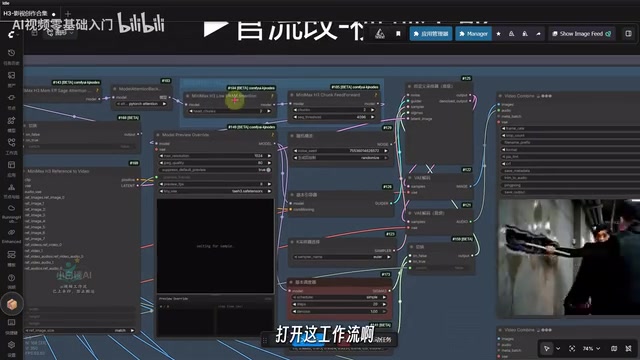
A ComfyUI workflow collection for local video generation and image editing running on 16GB VRAM consumer hardware.
This article covers an open-source ComfyUI workflow collection that integrates Qwen3 language models with MiniMax H3 video generation into a complete pipeline runnable on consumer hardware (16GB VRAM). It offers two video workflows — a speed-optimized option and a quality-optimized one that takes about 11 minutes on mid-range hardware — plus text-to-image and face-swap editing tools. Prompts work in Chinese but perform better in English. For budget-conscious creators looking to move away from paid closed-source tools, this collection offers a practical local alternative.
Creating with Large Models on Low VRAM
The barrier to entry for open-source AI creative tools is dropping fast. This ComfyUI workflow collection — combining the Qwen3 language model series with MiniMax H3's video generation capabilities — stands out for its hardware flexibility. The creator ran the entire pipeline on a mid-range machine equipped with a 5060Ti GPU, 16GB VRAM, and 32GB DDR4 RAM.
For most creators without a professional workstation, that hardware threshold means local deployment is no longer out of reach. The video specifically highlights two nodes designed for low-VRAM users, where adjusting numerical parameters controls resource consumption.
One note on naming: the video references terms like "Qwen3.6" and "Qwen3.8," which refer to different versions of the Qwen3 open-source model series. Pay attention to version numbers when sourcing the models.
Video Generation: Trading Speed for Quality
At the heart of this collection are two video generation workflows, each suited to different use cases. In testing on a 16GB VRAM setup, setting the key parameter to 2 was enough to generate a 15-second video at around 800,000 pixels.
Here's a useful quality benchmark from the video: pixel counts above 0.7 (roughly 700,000 pixels) qualify as medium-to-high resolution. Real-world outputs consistently landed in the 700K–800K range, with no noticeable face distortion and solid accuracy when using face references.
One node worth paying attention to is the acceleration node. Enabling it significantly cuts generation time; disabling it improves output quality but can roughly double the time required. It's a classic speed-versus-quality trade-off that creators can adjust based on their needs.
The "acceleration node" referenced in the video typically refers to inference step compression techniques within the ComfyUI ecosystem — such as LCM, TCD, or Hyper-series LoRA — based on consistency distillation or flow matching acceleration. Traditional diffusion models require 20 to 50 denoising steps to produce high-quality images or video frames, while acceleration nodes compress that down to 4 to 8 steps, dramatically reducing generation time at the cost of detail fidelity and temporal consistency. In video generation, this trade-off is especially pronounced: accelerated mode tends to soften facial details and reduce motion smoothness, while disabling it doubles the time but brings output closer to the model's theoretical quality ceiling. A practical workflow is to use accelerated mode to quickly validate composition and motion, then switch to high-quality mode for the final render.
MiniMax H3: Chinese Works, English Works Better
The video generation module relies on the MiniMax H3 model. According to the creator, H3 supports Chinese prompt input, but its understanding of English is noticeably stronger — so English prompts are still recommended in practice.
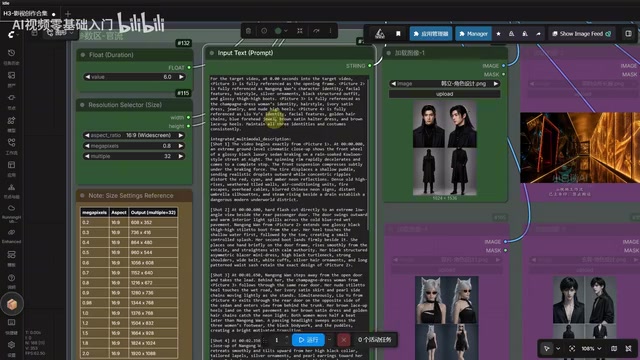
On the practical side, users will need to re-select model paths after importing the collection, since the author's model directory structure differs from others'. The logic for using video reference, audio reference, and reference image nodes is consistent: drop in a reference image, enter a prompt, set the video aspect ratio (9:16 or 16:9) and duration, then run. For complex action scenes like fight choreography, the creator notes that a well-written prompt can occasionally nail it without repeated regeneration — something that previously required paid commercial video generation models.
MiniMax H3 is a video generation foundation model released by Chinese AI company MiniMax, and serves as the open-source version of its Hailuo product line. Architecturally, H3 uses a Linear Attention mechanism, which gives it certain advantages over mainstream Transformer diffusion models in long-video generation and temporal consistency, while keeping VRAM usage relatively manageable. As an open-source model, H3 can be deployed locally — making it an important option for creators who prefer not to rely on cloud APIs. Compared to closed-source commercial models like Sora, Kling, or Jimeng, H3's local deployment means no per-second billing; theoretically, the only cost is electricity. Its Chinese language support, while limited, already outperforms most open-source video models released around the same time, giving it practical value for Chinese-language content creation.
Text-to-Image and Image Editing: All-in-One Creation
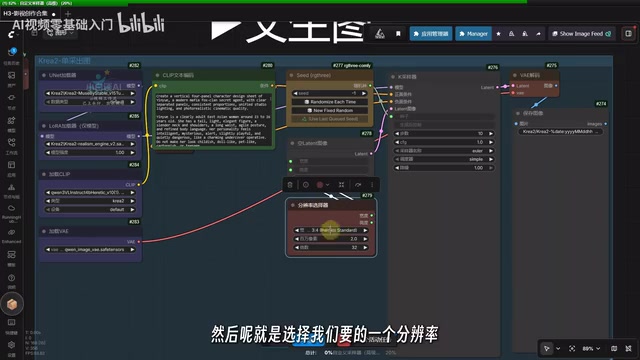
Beyond video generation, this collection also integrates text-to-image and image editing modules. The image generation module supports Chinese prompts (though English still performs better) — just select a model, enter a prompt, set resolution and megapixel count, and generate. The creator notes that output speed is very fast, and setting pixel count too high isn't necessary; one to two megapixels is sufficient.
The image editing module supports operations like face swapping. The video demonstrates replacing one character's face with another while maintaining consistency with the reference image. The creator admits that some character design references were generated using closed-source models for convenience; users without access to those can use the open-source image editing models included in the collection as an alternative.
Choosing Between the Two Video Workflows
The collection includes two video generation options, and the logic for choosing between them is straightforward.
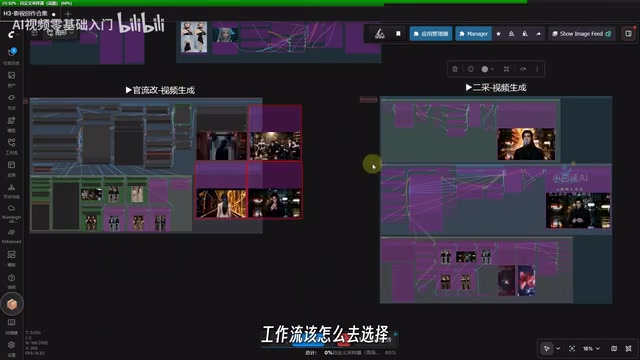
The creator's recommendation: use the "二采" (second-sample) video generation workflow for speed; use the modified "关流" (flow-based) workflow for higher quality. The creator personally prefers the latter, finding its output superior. On their mid-range setup, this high-quality workflow takes roughly 11 minutes to generate a video clip — an impressive result given the hardware.
It's also worth noting that the prompts in the video were largely written with the help of Codex (a code and text generation tool). This hints at a practical tip: when writing prompts isn't your strength, leverage a more capable large language model to generate them, which can meaningfully improve both image and video output quality.
Final Thoughts
The value of this workflow collection lies in how it integrates language models, text-to-image, image editing, and video generation into a single pipeline that runs on consumer-grade hardware. For creators on a budget who want to explore local AI filmmaking without paying for closed-source tools, it offers a viable alternative.
That said, the testing shown is based on a single creator's demo, and real-world results will vary significantly based on hardware, model versions, and prompt quality. If you're interested in deploying this, it's worth confirming model versions and VRAM requirements before getting started, then tuning from there based on your own setup.
ComfyUI is a node graph-based graphical interface for Stable Diffusion. Users can combine different models, preprocessors, and postprocessing modules by dragging and connecting nodes to build "workflows," which can be saved as JSON files and shared with others. Compared to linear interfaces like WebUI, ComfyUI's strength lies in its high degree of customization — it supports chaining entirely different types of AI capabilities, such as language model calls, image generation, and video generation, all within a single unified canvas. A "collection" typically refers to a bundled distribution of multiple related workflows and required model paths; once imported, users only need to adjust model paths to reuse a fully built pipeline, dramatically lowering the technical barrier compared to building from scratch.
Related articles
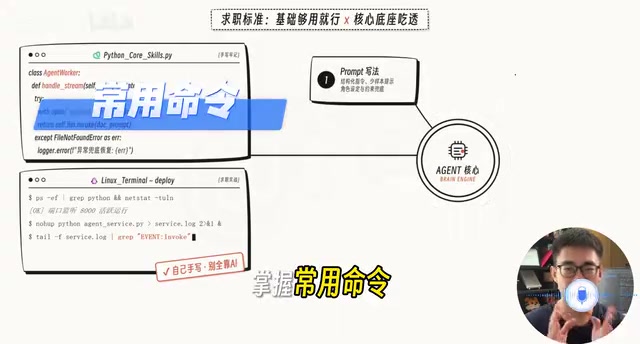
AI Agent Developer Job Hunt Guide: Four Hard Standards to Clear Before You Apply
A practical guide for landing AI Agent developer roles: four measurable standards — project runs, problems debuggable, solution explainable, interviews survivable.
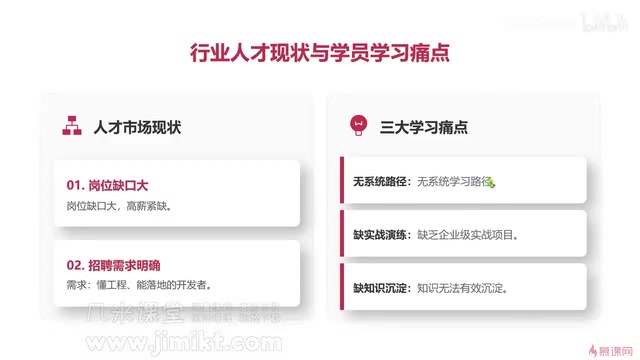
Multi-Agent Development Guide: From Monolithic AI to Team Collaboration in Practice
A beginner's guide to multi-agent development covering core advantages, common learning pain points, enterprise tech stacks, and engineering methodology for AI developers.
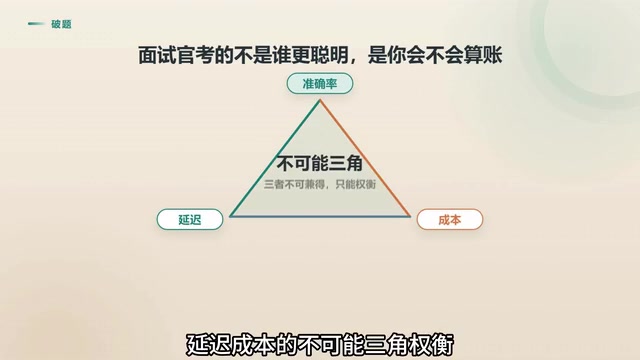
Agent Skill Routing: Retrieval vs. LLM vs. Two-Stage Architecture Compared
Retrieval or LLM for Agent skill routing? Compare coarse-filter vs. fine-select architectures on latency, accuracy, and cost — with 4 key production considerations.