Running an AI Coding Agent on an Amiga 500: How 1987 Hardware Connects to Modern AI

A 1987 Amiga 500 runs a modern AI coding agent via client-server architecture, proving AI access needs connectivity, not power.
A developer successfully ran an AI coding agent on a 1987 Commodore Amiga 500 with just 7MHz CPU and 1MB RAM. The trick: model inference happens in the cloud while the vintage machine serves as a thin client for input, network communication, and display. This proof of concept highlights the trend toward AI-as-a-service and terminal lightweighting, showing that AI access depends more on network connectivity than local hardware power.
When Vintage Hardware Meets Modern AI
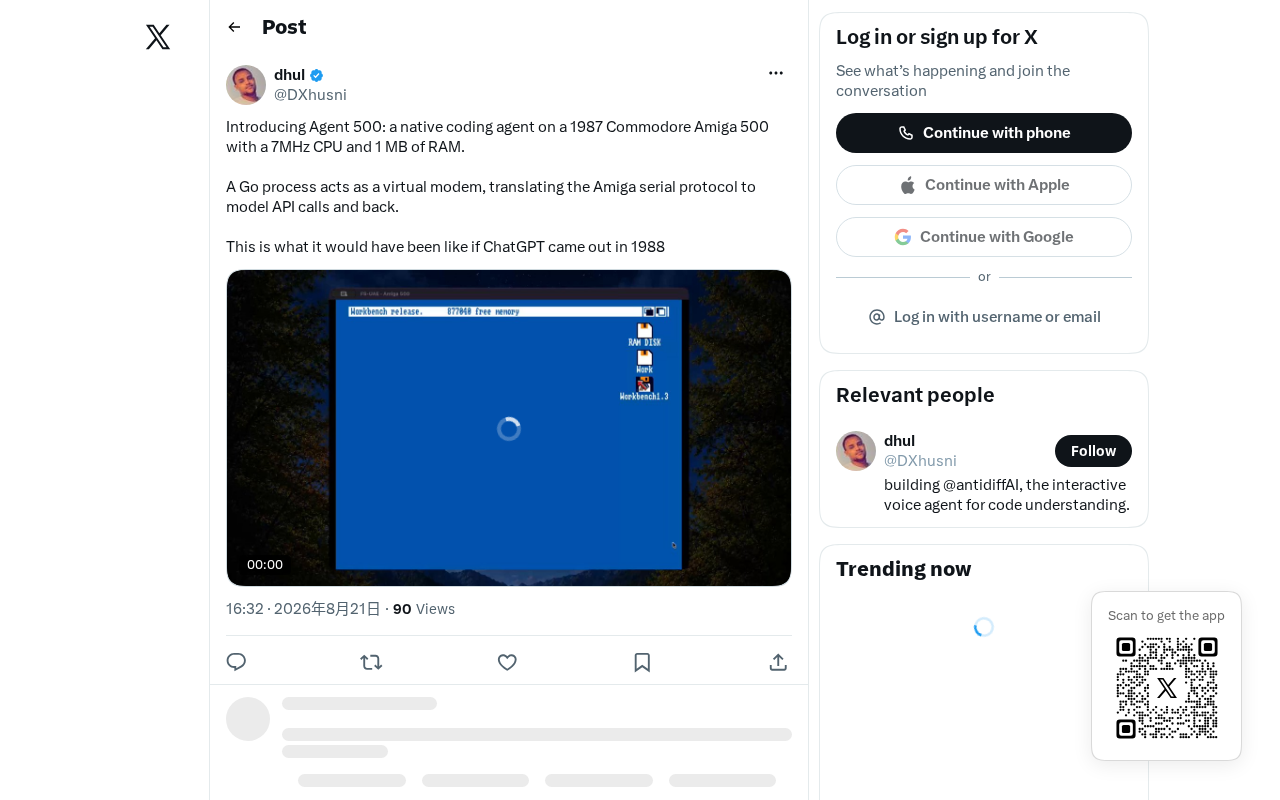
A seemingly crazy experiment recently sparked heated discussion in the tech community: a developer successfully ran an AI coding agent on a Commodore Amiga 500 released in 1987. This retro computer sports a 7MHz CPU and a mere 1MB of RAM — specs that today wouldn't even be enough to load the favicon resources of a modern webpage.
The Commodore Amiga 500 was a home computer released by Commodore in 1987, powered by a Motorola 68000 processor (clocked at roughly 7MHz) with a stock 512KB of RAM (expandable to 1MB). It was renowned at the time for its exceptional multimedia capabilities — featuring three dedicated co-processor chips named Agnus, Denise, and Paula, which enabled 4096-color display and four-channel stereo audio. In an era when IBM PC compatibles were still stuck with CGA/EGA graphics and the PC Speaker buzzer, the Amiga 500's multimedia prowess was nothing short of revolutionary. It ran AmigaOS, one of the very few consumer-grade operating systems at the time to support preemptive multitasking. The Amiga platform was especially popular in Europe, giving rise to a thriving demoscene culture and gaming industry.
What makes this experiment noteworthy isn't its practicality — it's how it challenges our ingrained assumption that "AI requires massive computing power." While the industry fixates on large models that demand thousands of GPUs to train, this "reverse engineering" style experiment reveals a truth about AI system architecture that's often overlooked: the core of intelligence doesn't always have to reside on the end device.
Technical Principles: The Amiga 500's Computing Power Isn't Local
Client-Server Architecture Separation
To understand how an AI coding agent can run on such feeble hardware, the key is recognizing one fact: the actual model inference doesn't happen on the Amiga 500 itself.
The AI coding agent referred to here — a coding agent — is a class of automated programming tools built on large language models. These tools can understand natural language instructions and autonomously complete tasks like code writing, debugging, and refactoring. Unlike simple code completion, coding agents possess stronger contextual understanding and task-planning abilities — they can analyze entire codebases, formulate implementation plans, execute multi-step operations, and even run terminal commands and test cases to verify their own output. Notable examples include Claude Code, Cursor's Agent mode, and Devin. However, the core reasoning capability of these tools depends entirely on the backend large language model; the frontend interface is only responsible for interaction and display.
The typical architecture of modern AI coding agents separates the client from the server. The large language model's inference computation runs on cloud servers, while the local device only needs to handle three relatively lightweight tasks:
- Input collection: Receiving user instructions and code context
- Network communication: Sending requests to a remote API and receiving responses
- Result display: Presenting the model's returned content to the user
This Client-Server architecture is one of the most classic distributed patterns in computing. Its core idea is to centralize compute-intensive tasks on the server side while the client handles only interaction and display. The extreme form of this concept is known as the "Thin Client," which can be traced back to the dumb terminals of the mainframe era — users connected to a central mainframe through character terminals like the VT100, with all computation happening on the mainframe. Web-era browsers are essentially a form of thin client, and recent products like Google Stadia (cloud gaming) and Chromebook (cloud OS) represent a resurgence of this pattern.
This means that as long as an old machine can establish a network connection and handle basic text transmission, it can theoretically serve as a "frontend" for an AI assistant. A 7MHz CPU handling these I/O tasks is slow, but not impossible.
Engineering Challenges Under the 1MB Memory Constraint
The real challenge lies in the 1MB memory limitation. Within such tight confines, the developer must exercise extreme discipline in managing the network stack, character buffers, and text rendering logic. A single redundant memory allocation could crash the entire system.
For comparison, a modern Chrome browser tab typically consumes 100–500MB of memory, and a simple Python HTTP request library requires about 30–50MB just to load. Within 1MB of space, the developer needs to implement a stripped-down TCP/IP network stack (or use AmigaOS's native network support, such as AmiTCP or Roadshow) while also managing send/receive buffers and text rendering. The developer likely needed to write code in C or even 68000 assembly language, avoiding any memory overhead from high-level language runtimes.
Experiments like these often require hand-written, highly optimized low-level code, harkening back to an era when every byte had to be carefully accounted for. For developers familiar with the Amiga system, this is itself an exercise in extreme engineering — and this spirit of "making the most out of the least" was the norm for Amiga-era software engineering, and a core competitive advantage of programmers from that generation.
What This Experiment Means for the AI Industry
Rethinking the "Access Point" for AI
The most valuable insight from this project is that it forces us to rethink how AI capabilities are distributed. When inference computing power is abstracted into a network API, the barrier to accessing AI shifts from "hardware performance" to "network connectivity."
In other words, theoretically any device with network communication capability — whether a smartwatch, an old feature phone, or this Amiga 500 from over three decades ago — can serve as an interactive terminal for AI. This opens up vast possibilities for IoT devices, edge computing scenarios, and even the retro computing enthusiast community.
Retro Computing Culture and Technological Heritage
In tech communities like Hacker News, experiments that "make old hardware do new things" have always held a unique charm. They serve as both an ultimate demonstration of engineering prowess and a vessel for a generation of developers' nostalgia for classic platforms.
This spirit is a direct continuation of the demoscene culture that originated in the 1980s. Demoscene participants dedicate themselves to creating real-time programs that push extreme audiovisual effects on specific hardware platforms, and the Amiga platform was one of the most important birthplaces of this cultural movement. This subculture emphasizes creativity under strict hardware constraints, and in 2020, it was inscribed on UNESCO's Finnish national list of intangible cultural heritage. Today, the retro computing community remains active — on Reddit's r/retrobattlestations, Amiga.org forums, and retro computing expos around the world, "making old hardware do new things" consistently ranks as one of the most popular topics.
The Amiga 500, as an iconic product of 1980s multimedia computing, finding renewed purpose in the AI era is in itself a romantic expression of technological heritage.
Practicality and Limitations
To be frank, an implementation like this is more of a Proof of Concept than a production tool. Its limitations are obvious:
- High interaction latency: Constrained by the outdated network interface and processing speed, each request-response cycle could require an agonizingly long wait
- Limited display capabilities: Low resolution and limited character rendering make it difficult to display complex code structures
- Complete cloud dependency: Once the network connection is lost, the device reverts to a "dumb terminal" state
But these limitations are precisely not the point. The significance of this experiment lies in its "proof of possibility" — it tells us that the proliferation of AI doesn't always require a hardware arms race.
The Trend Toward AI-as-a-Service and Lightweight Terminals
When we project this extreme case onto the broader industry landscape, we find it touches on a trend that's being widely discussed: the servicification of AI capabilities and the lightweighting of terminals.
As model inference increasingly concentrates in the cloud or on dedicated inference clusters, the role of end devices is shifting from "computers" to "interactors." This aligns perfectly with the "thin client" philosophy from the early days of mobile internet. For developers, this means more flexibility in balancing local versus cloud responsibilities when building AI applications.
Of course, another technical path — compressing and quantizing models for deployment on local devices (on-device AI) — is also advancing rapidly. Model quantization is a technique that compresses deep learning model parameters from high-precision floating-point representations (such as FP32, FP16) to lower-precision formats (such as INT8, INT4, or even 1–2 bits), aiming to dramatically reduce model storage size and computational requirements. Typical quantization methods include GPTQ, GGUF, AWQ, and others. Through quantization, large language models that originally required tens of gigabytes of VRAM can be compressed to run on consumer-grade GPUs or even CPUs — for example, Meta's Llama models can perform inference on ordinary laptops after 4-bit quantization. Meanwhile, companies like Apple, Qualcomm, and Google are actively developing on-device AI chips (NPUs), with Apple Intelligence and Google Gemini Nano being representative examples of on-device AI in practice.
The parallel advancement of these two paths is collectively defining a diversified future for AI deployment. The cloud path pursues centralized computing power and ultra-lightweight terminals, while the on-device path prioritizes privacy protection, offline availability, and low-latency response. They are not opposed to each other but rather excel in different scenarios, and will most likely converge toward hybrid deployment models in the future.
And this Amiga 500 running a coding agent provides the most vivid footnote to the "cloud path" — in the most dramatic way possible.
Conclusion
A 1987 computer running a modern AI assistant — this technological splice spanning nearly four decades is less a practical engineering feat and more a love letter to the history of computing. It reminds us that the imagination behind technological innovation sometimes comes not from faster chips and more memory, but from a profound understanding of a system's essence and its clever reconstruction.
From the dumb terminals of the mainframe era, to the browsers of the Web era, to the lightweight agent frontends of the AI era — the history of computing is, in a sense, a chronicle of "where intelligence runs." This coding agent on an Amiga 500 stands at the latest node on that historical thread, connecting computing's past and future in a manner brimming with homage.
Related articles

Amphibious Transforming Drone: Beyond 100x Power Savings, What Are the Real Needs?
Is the amphibious transforming drone just a gimmick? Starting from the 100x power difference of the M4 Morphobot, explore real application scenarios and thesis topic ideas, analyzing boundary conditions where pure drones and pure ground robots both fail.

Warhound Raises $200 Million: Genetically Engineered "War Dogs" Paired with Anduril Gear
Warhound raises $200M, backed by Ben Lamm and Palmer Luckey, to genetically engineer dogs for military and law enforcement use and equip them with Anduril gear. This article analyzes its technology direction, funding logic, and ethical controversy.

Claude API Comes to Google Cloud: IAM Integration and SDK Access Guide
Anthropic hosts the full Claude API on Google Cloud with IAM-controlled permissions and unified billing. This guide covers the Vertex AI and Anthropic-hosted entry points, IAM role configuration, and SDK access.