SCIM Logs Are Here: Finally Solving the Identity Provisioning Debugging Nightmare
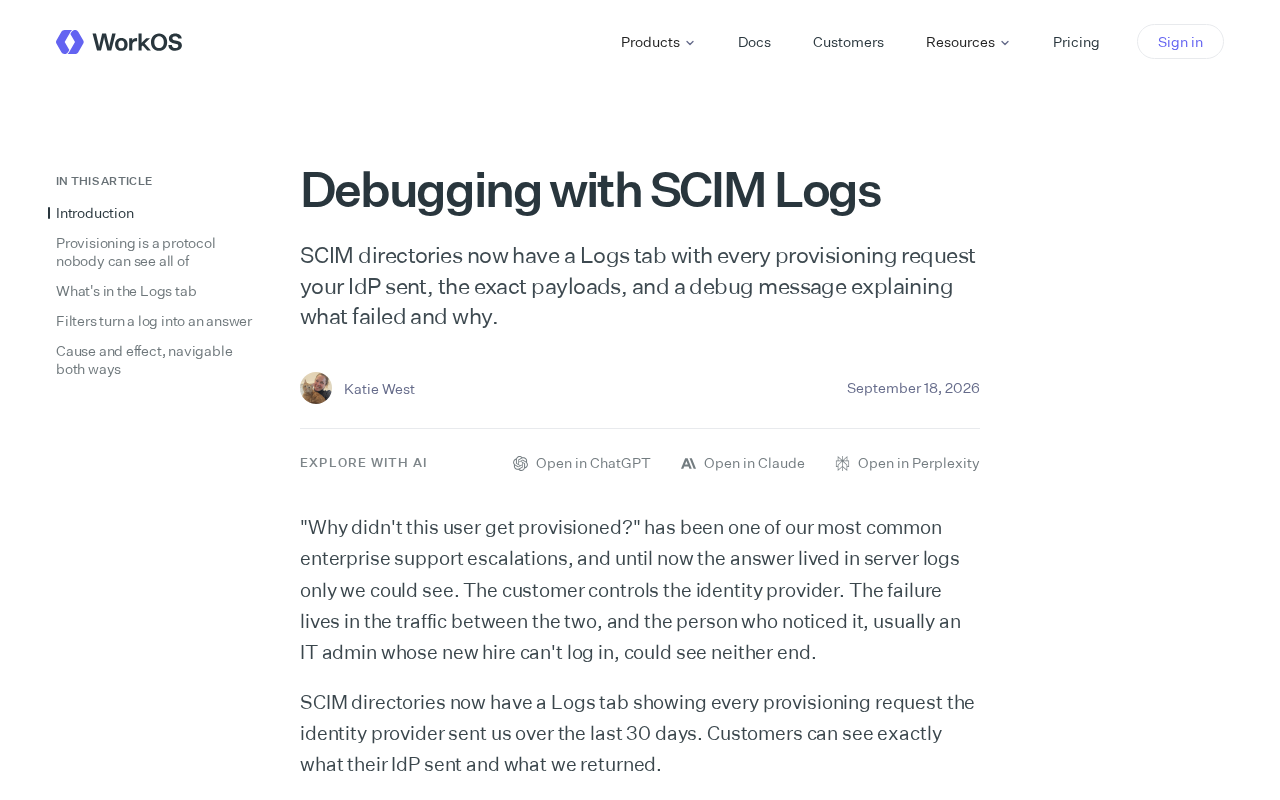
A new SCIM Logs tab exposes full request payloads and readable error messages to end the identity provisioning debugging black box.
SCIM identity provisioning has long frustrated ops teams due to poor observability — failures surfaced only as vague status codes with no insight into what the IdP actually sent. The new Logs tab addresses this with three core capabilities: a complete timeline of every provisioning request, exact JSON payloads for each request, and human-readable debug messages for every failure. This turns attribute mapping errors and field format mismatches from guesswork into traceable, data-backed investigations. The broader implication is a shift toward observability-first identity tooling. That said, since logs contain employee PII, log retention periods, access controls, and data masking remain critical compliance considerations for enterprise deployments.
Why Debugging SCIM Has Always Been a Nightmare
In enterprise identity management, SCIM (System for Cross-domain Identity Management) sits at the heart of automated user provisioning. When an Identity Provider (IdP) syncs user creation, updates, and deactivation to downstream applications, any failure along the way can leave employees locked out, permissions misconfigured, or worse — security vulnerabilities exposed.
For years, debugging SCIM integrations has been called a "black box" experience. Administrators typically see nothing more than a vague failure status, with no way to know what request the IdP actually sent, what the payload contained, or what truly caused the failure. Tracing a single sync issue often meant bouncing between the IdP console, target application logs, and network packet captures — an exhausting process with little payoff.
SCIM was formally standardized by the IETF in 2015 through RFC 7642/7643/7644, defining a REST and JSON-based interface for automatically syncing user and group data across systems. The typical provisioning chain works like this: an organization updates an employee's status in an IdP like Okta, Azure AD, or OneLogin (onboarding, transfers, offboarding), and the IdP pushes those changes via the SCIM API to downstream apps like Salesforce, GitHub, or Slack. The complexity arises from the gap between the protocol specification and real-world vendor implementations — inconsistent field names in attribute mappings, varying definitions of required fields, and wildly different error response formats are all common sources of integration failure. Since these pushes are asynchronous operations initiated by the IdP, when the receiving end silently rejects a request or returns an ambiguous error, administrators on the IdP side have almost no way to detect it. That's the root cause of the "black box" experience.
What the New Logs Tab Actually Delivers
SCIM directories now include a dedicated Logs tab that centralizes exactly the information you need for debugging. The change may seem simple, but for frontline operations teams and integration developers, it's a significant improvement.
A Complete Record of Every Provisioning Request
The new Logs page captures every provisioning request sent by the IdP. This means administrators no longer have to rely on the limited logs available on the IdP side — they can view the full timeline of requests directly on the receiving end and quickly pinpoint which sync went wrong. For bulk user change scenarios, this per-request traceability is especially valuable.
Full Visibility into Request Payloads
Logs include the exact payloads of each request. Since SCIM exchanges data in JSON, mismatched attribute mappings, missing fields, and format errors are among the most common causes of failure. Being able to inspect the raw payload directly puts "what the IdP thought it sent" and "what the system actually received" side by side, dramatically reducing the time spent diagnosing attribute mapping issues.
SCIM's data exchange format follows the Schema system defined in RFC 7643, with core resource types including User and Group, each with strict data types and multi-value rules. The most error-prone scenarios in practice include: IdPs mapping externalId to the wrong field, phoneNumbers and other multi-value attributes having type labels that don't match what the target system expects, and PATCH operations where the op value uses incorrect casing (the standard requires lowercase, but some IdPs send uppercase). Without access to the raw payload, diagnosing these issues means guessing by cross-referencing documentation line by line. Being able to view the complete JSON request body recorded on the receiving end means you can compare what the IdP actually sent against the SCIM Schema definition field by field — compressing what used to be hours of investigation into minutes.
Human-Readable Debug Messages
Perhaps the most practical addition: every log entry includes a debug message explaining why it failed. This translates previously cryptic HTTP status codes and protocol errors into plain-language explanations — telling you what failed and why. For administrators who aren't deeply familiar with the SCIM specification, clear error messages like these significantly lower the barrier to troubleshooting.
What This Means for Enterprise Identity Integration
This feature reflects a broader shift in identity provisioning tooling toward "observability-first" design. In the past, SCIM integrations were often treated as one-time configuration tasks — set it and forget it. When something broke, the response was reactive, triggered only by user complaints. Complete request logs paired with failure explanations effectively transform reactive troubleshooting into proactive observability.
For IT teams managing multi-application SSO and automated provisioning, this transparency means faster incident recovery, fewer cross-team blame games, and a smoother integration experience when onboarding new connections. Developers building against SCIM APIs can also use the logs to verify that their implementations behave as expected — no more guesswork.
Limitations Worth Noting
It's worth acknowledging that the available information on this feature is limited — it describes the feature's existence and core capabilities, but doesn't mention specifics like log retention periods, access control policies, export support, or alerting integrations. These are equally important considerations in enterprise scenarios. Additionally, since logs contain full user attribute payloads, the handling of potentially sensitive information and associated compliance requirements deserves attention.
Overall, adding log debugging to SCIM directories is a practical and necessary improvement that directly addresses a long-standing observability gap in identity provisioning. It replaces experience-based guesswork with concrete data.
On the compliance side, SCIM payloads typically contain employee personal information such as names, email addresses, departments, job titles, and phone numbers — all of which qualify as personally identifiable information (PII) under regulations like GDPR and CCPA. If the logging system doesn't mask these fields or lacks role-based access control (RBAC) to restrict who can view raw payloads, it may introduce new data exposure risks. Organizations enabling this kind of debugging capability typically need to evaluate log access auditing, retention periods, automatic purging policies, and whether the setup aligns with their internal data minimization principles. This is why log retention and permission controls aren't nice-to-have extras — they're critical variables that determine whether this capability can be deployed in regulated industries.
Related articles

Cloudflare Quick Tunnels: Expose Your Local Service to the Internet with One Command
Cloudflare Quick Tunnels lets developers expose local services to the internet with one cloudflared command — no account or domain needed, HTTPS included.

Jev: The New AI Model from a ChatGPT Inventor That's Thrilling Developers
Jev, a new AI model from a core ChatGPT developer, promises cheaper and faster software intelligence. Here's why developers are excited — and what to watch.
AI vs. Human: Who Writes Better? Reflections on a New York Times Quiz
The NYT's AI vs. human writing quiz is going viral. We explore why AI text is harder to detect, what good writing really means, and what creators should do about it.