Self-Host Google Photos with Open-Source Immich: Privacy and AI Combined

Immich is a free, open-source Google Photos alternative with local AI and self-hosting for true control over family photos.
The article describes a tech YouTuber who, concerned about Google and Apple potentially accessing his photo data, decided to self-host a photo library with open-source Immich. Immich offers automatic backup, local AI face and object recognition, OCR search, and API extensions, closely matching Google Photos. Setup requires only an idle computer and an external drive, deploying four containers via Docker. Remote access uses Twingate zero-trust service with no exposed public ports. The author found local AI search excellent and supports multi-user family sharing. The article stresses the 3-2-1 backup principle combined with restic encrypted cloud backups. Overall, Immich lets ordinary tech enthusiasts achieve convenient, smart, and private photo management at low cost.
Why You Need to Self-Host Your Photos Right Now
Google and Apple capture nearly every moment of our lives—birthdays, holidays, our kids' funny moments. This data lives on their servers, and they can access it at any time. We don't know whether they actually look, but they have the ability to. That uncertainty is driving more and more tech enthusiasts toward self-hosted solutions.
A well-known tech YouTuber admitted in a video that he only realized how urgent the issue was when his wife asked while shopping, "Do we have a local backup of our photos?" He decided to act immediately and built his own photo server with the open-source tool Immich.

What Is Immich? What Can It Do?
Immich is a free, open-source Google Photos alternative that supports automatic phone backup, remote access, memories, and local AI-based face and object recognition. It even offers an API so you can integrate it into your own apps.
The creator emphasized that Immich's capabilities far exceeded his expectations: "It does everything Google Photos does, using local AI." More importantly, all data is stored on your own hardware—a portable hard drive, an old laptop, or a NAS all work.
Setup Steps at a Glance
1. Prepare Hardware and Storage
You need to decide two things: where photos are stored and where Immich runs. An external hard drive is the simplest starting point; a NAS is the advanced choice. The video used an idle laptop running Ubuntu Server connected to an external drive.
2. Install Docker and Immich
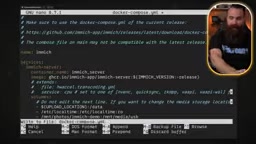
Install Docker with a few commands, then download Immich's docker-compose file and environment variable file, and modify the upload directory, timezone, and database password. Then run docker compose up -d, and four containers (the Immich service, PostgreSQL database, machine learning module, and Redis) will start.
Docker and docker-compose Primer
Docker is a containerization technology that packages an application and its dependencies (libraries, runtime, system tools) into a standardized "container" image, so software runs consistently on any machine that supports Docker. For self-hosted services, Docker greatly simplifies installation and upgrades: you don't need to manually configure components like PostgreSQL and Redis—just pull the official image and start it.
docker-compose is a tool for defining and running multi-container applications. It describes services, networks, volumes, and environment variables in a YAML file (usually named docker-compose.yml), and a single docker compose up -d command starts all containers in dependency order. The -d flag means run in the background. Immich's official compose file already includes four containers—the Immich service, PostgreSQL database, machine learning module, and Redis—so users only need to modify a few environment variables (such as upload directory, timezone, and database password) to fit their environment.
3. Import Existing Photos
If you have a large photo collection in Google Photos, you can export it with Google Takeout. The process takes a few days, but it lets you get all your data back. After exporting, map the external library path into the container, and Immich will scan and import the photos.
4. Remote Access and Security
Local network access is easy, but how do you connect securely when you're away? The video's author used Twingate—a zero-trust network access service with a free tier for home use. You deploy a connector on the Immich server, then access it from anywhere via the Twingate client without exposing ports to the public internet.
Zero Trust Network Access (ZTNA) and Twingate
Zero Trust Network Access (ZTNA) is a security model whose core principle is "never trust, always verify." Traditional VPNs typically connect users to the entire internal network; if credentials leak, attackers may move laterally. ZTNA grants least privilege based on identity and context (such as device state and location), allowing access only to specific resources.
Twingate is a commercial ZTNA service with a free home tier. It works by deploying a lightweight connector on your Immich server; the connector establishes an outbound connection to Twingate's cloud control plane, so no inbound ports need to be opened on your router. After installing the Twingate app and logging in, remote clients can access Immich just like on the local LAN, with all traffic encrypted and authenticated. This approach avoids the risk of exposing a public IP and is more granular and easier to manage than a traditional VPN.
AI in Action: How Strong Is Local Search?
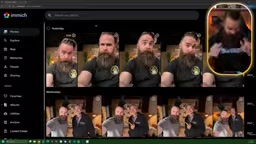
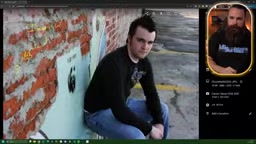
Immich's machine learning module runs automatically after photos are imported, generating thumbnails, extracting metadata, and performing face recognition. The author demonstrated search: typing "bear cave" found images containing text via OCR; searching "raspberry PI" found a video of teaching his daughter to use a Raspberry Pi; searching "blue shirt" accurately returned photos of people wearing blue shirts.
More impressively, all this AI processing happens locally. The author later enabled NVIDIA GPU acceleration and switched to a larger smart search model, further improving search accuracy.
Multi-User and Family Sharing
Immich supports multiple users, each with an independent photo library and upload space, invisible to others. But the author chose to create a shared family account so all family members' photos converge into one "family pool" for shared memories. Face recognition tags are also per-user; under a shared account, everyone sees the same tags.
Data Safety: Backup Is Paramount
Self-hosting means you are fully responsible for your data. The author stressed following the 3-2-1 backup principle: at least three copies of data, two different media types, and one offsite. His strategy: the main NAS stores all photos and runs Immich, backed up to a storage device at his studio, and then encrypted with restic to Backblaze B2 cloud storage.
"If you learn only one thing from this video, let it be this: get an extra external hard drive and put it at a parent's or friend's house as an offsite backup."
The 3-2-1 Backup Principle and restic
The 3-2-1 backup principle is a classic best practice in data protection: keep at least 3 copies of data, use 2 different storage media, and store 1 copy offsite. This maximizes recoverability even in the face of hardware failure, theft, fire, or ransomware. For a self-hosted photo library, primary storage (such as a NAS) counts as one copy, a local external drive as the second, and offsite cloud storage or a drive at a friend's house as the third.
restic is an open-source, fast, and secure backup tool that supports encryption and deduplication. It can encrypt data and back it up to various backends, including local directories, SFTP, Amazon S3, and Backblaze B2. With restic, the backup repository is password-protected, and all data is encrypted on the client before upload, so cloud storage providers cannot read the contents. Combined with scheduled tasks (such as cron), restic automates incremental backups and supports snapshots and restores—a practical tool for implementing a 3-2-1 strategy.
API and Extension Possibilities
Immich provides API keys that let developers integrate it into their own systems. The author connected it to his family portal to display "On This Day" photos daily. He also plans to use GPU and local AI in a second video to automatically generate montages or vlogs.
Conclusion: A Privacy Revolution Worth the Investment
Self-hosted photo libraries are no longer just a geek's toy. Immich proves with open source and local AI that you can have convenience, smart search, and true control over your data at the same time. Of course, it requires some technical skill and backup awareness, but for those who cherish family memories, the investment is entirely worth it.
Related articles

Ternary Bonsai 2.5 27B: 27B Coding Power Packed into 5.9GB, Code Stays Local
Ternary Bonsai 2.5 27B uses ternary quantization to compress 27B parameters into 5.9GB, enabling local coding with code staying on-device. We analyze its approach, vendor benchmarks, and multi-turn progress.

Astrophysicist Pokes Fun at Supermoons: The Difference Between a 16-Inch and a 15-Inch Pizza
Astrophysicist Neil deGrasse Tyson criticizes the terms supermoon and micromoon, using a 16-inch vs. 15-inch pizza analogy to show the visual difference is negligible, and calls out exaggerated labels in science communication.
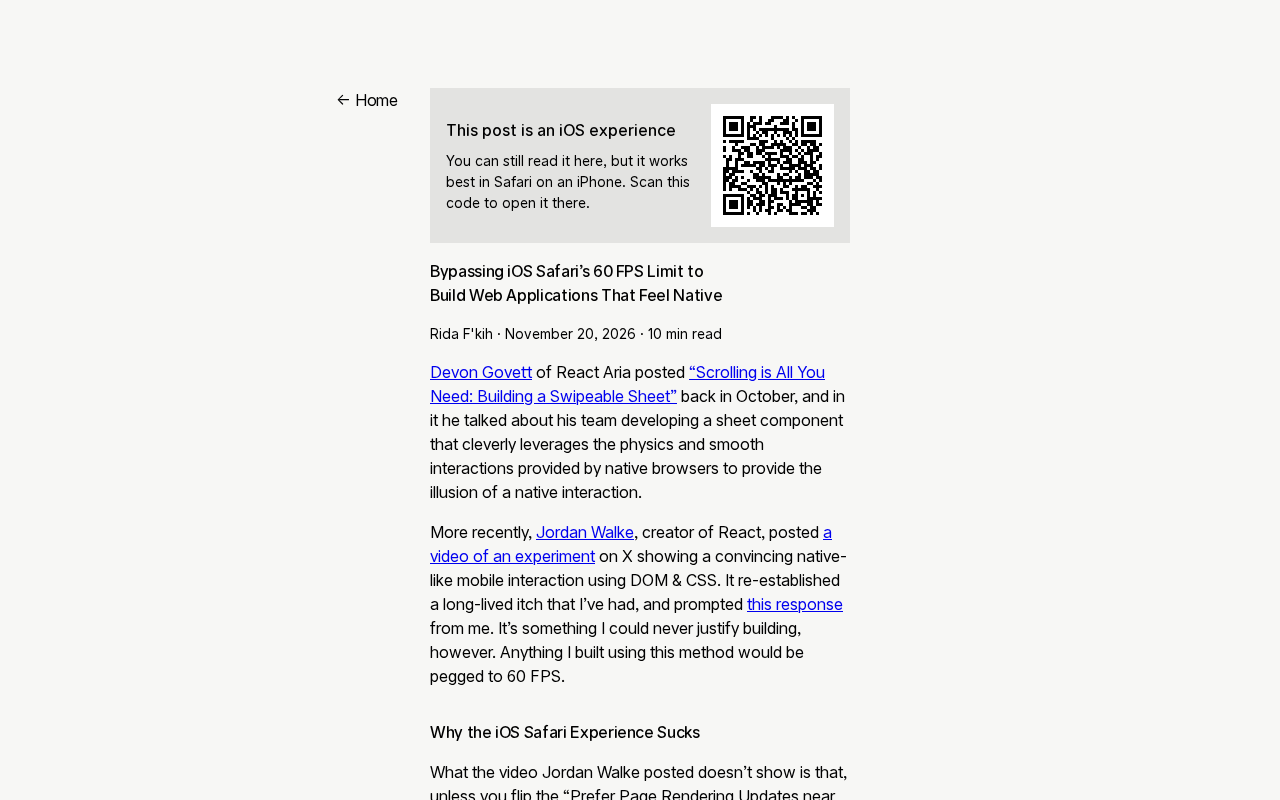
Bypassing the iOS Safari 60fps Limit: Building a Native-Like Web App Experience
A deep dive into bypassing iOS Safari's 60fps limit through compositor animations, frame rate decoupling, and interaction detail optimization to give web apps a near-native feel on iPhone.