Self-Hosted Notes & Task Management: A Minimalist Open-Source Approach with Memos + Vikunja

Vikunja for tasks and Memos for notes: minimalist open-source self-hosted solutions that just work.
Finding a simple, clean self-hosted notes and task management solution is harder than it seems. This article explores why all-in-one tools like Nextcloud and Obsidian often overwhelm users with simple needs, and recommends Vikunja for task management and Memos for fleeting notes as lightweight, open-source alternatives that prioritize simplicity and usability.
A Common Self-Hosting Dilemma
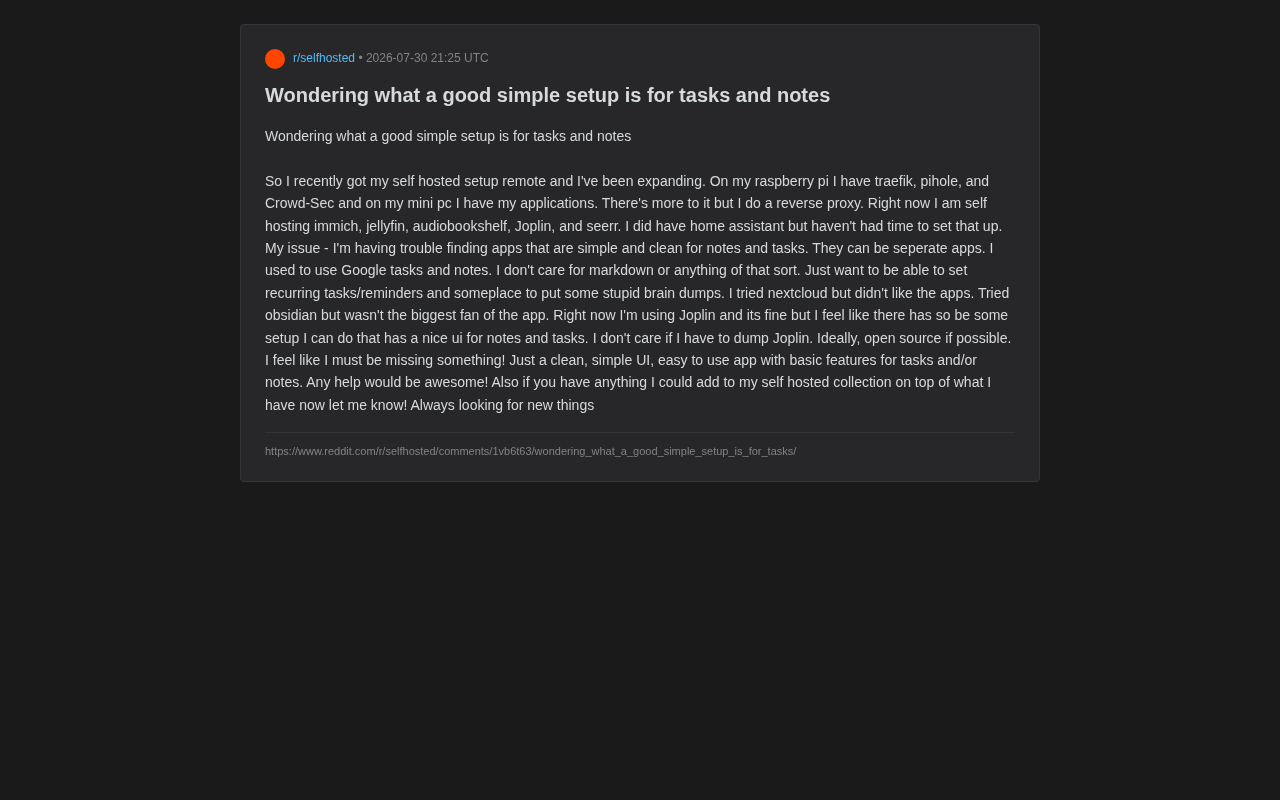
As self-hosting gains popularity among tech enthusiasts, more and more people are migrating their digital lives from the cloud to home servers. The core philosophy of self-hosting is data sovereignty—users maintain complete control over where their data is stored, how it's accessed, and its lifecycle, free from dependence on third-party cloud providers' policy changes or pricing adjustments. Recently, a Reddit user shared their frustration with the community: after successfully building a fairly complete home server setup, they got stuck on the most basic task of all—finding a good "notes and task management" solution.
This user's infrastructure is quite typical: a Raspberry Pi running Traefik (reverse proxy), Pi-hole (network-level ad blocking), and CrowdSec (security protection); a mini PC hosting various application services including Immich for photo management, Jellyfin as a media server, Audiobookshelf for audiobooks, Joplin for notes, and Seerr for media requests. The entire setup achieves remote access through a reverse proxy—a mature self-hosting environment by any measure.
The design logic behind this architecture is worth noting: Traefik, as a cloud-native reverse proxy and load balancer, automatically discovers containerized services and configures routing rules and HTTPS certificates for them, offering more automation compared to traditional Nginx reverse proxy configurations. Pi-hole filters ads across the entire network by resolving known ad domains to a black hole address, protecting all devices on the network without requiring browser plugins on each one. CrowdSec is a collaborative security engine that detects malicious behavior by analyzing logs and shares threat intelligence, forming a community-driven protection network. Together, these three components constitute the foundational layer of network ingress management, privacy protection, and security defense in a self-hosted environment.
However, their core pain point was surprisingly simple: they couldn't find a clean, simple, easy-to-use notes and task management app.
Breaking Down the Requirements: What Makes a "Simple" Self-Hosted Notes Tool
This user's requirements actually represent the sentiments of a significant portion of self-hosting enthusiasts. They clearly listed several key points:
- No need for Markdown: They explicitly stated they don't care about Markdown or similar rich-text syntax—they just want the purest recording functionality.
- Recurring tasks and reminders: The ability to set repetitive tasks and timed reminders—a core requirement for task management.
- Brain dump capability: A place to quickly dump scattered thoughts at any time.
- Clean interface, friendly UI: A point they emphasized repeatedly.
- Open source preferred: If possible, an open-source solution is ideal.
Their migration path is also quite representative: starting from Google Tasks and Google Keep, trying Nextcloud (didn't like its companion apps), trying Obsidian (unsatisfied with the app experience), and currently using Joplin ("it's okay, but I feel there should be something better").
Why Nextcloud and Obsidian Turn Users Away
You might not have noticed, but this user's lukewarm feelings toward Nextcloud and Obsidian are far from uncommon. Nextcloud, as an all-in-one private cloud suite, is enormously feature-rich—it attempts to be a complete replacement for Google Workspace, covering file sync, calendar, contacts, email, collaborative document editing, video calls, and dozens of other modules. But precisely because of this, its notes and task modules often feel bloated, and the UI experience can't compete with focused single-purpose apps. Nextcloud's PHP tech stack and plugin-based architecture also mean significant performance overhead, often resulting in sluggish response times when running on low-power devices like Raspberry Pis.
Obsidian, while powerful, is fundamentally a knowledge management tool built around Markdown and bidirectional links. Its design philosophy stems from the Zettelkasten (slip-box note-taking method)—a methodology that emphasizes connections between knowledge nodes. For users who "just want to jot down a quick note," the learning curve and mental overhead are actually too high. Additionally, Obsidian's sync solution is a point of contention: the official sync service requires a paid subscription, and community solutions (such as syncing Markdown folders via Git or Syncthing), while viable, often deliver a less-than-smooth experience on mobile.
This reveals a critical selection principle: a tool's power and simplicity are often at odds with each other. When your core requirement is "simple," feature-rich all-in-one tools become a burden. There's a concept in software design called "feature creep"—where software continuously adds new features across version iterations, ultimately drifting from its original minimalist positioning. When choosing tools, identifying which features you truly need versus which merely "seem useful" is the key to avoiding tool fatigue.
Open-Source Self-Hosted Alternatives Worth Considering
For this type of "minimalist + open-source + self-hosted" requirement, the community typically has several recommendation directions.
Self-Hosted Task Management: Vikunja
Vikunja is currently a popular choice in the self-hosted task management space. It supports list views, Kanban boards, Gantt charts, and other presentation modes, while featuring recurring tasks and reminders. Its UI is relatively modern and clean, and it's fully open source. Vikunja is written in Go, meaning it compiles to a single binary, making deployment extremely simple with very low resource usage—running effortlessly on ARM devices like Raspberry Pis. It also supports importing data from mainstream services like Todoist and Microsoft To Do, reducing migration costs. For users who want simplicity without sacrificing basic functionality, Vikunja strikes an excellent balance.
Tasks.md or CalDAV protocol-based solutions are also worth mentioning. CalDAV is an extension of the WebDAV protocol specifically designed for accessing and syncing calendar and task data, using the iCalendar format to store events and to-do items. The core value of these open standard protocols lies in interoperability—users can freely choose any combination of server (such as Radicale, Baïkal, Nextcloud) and client (such as iOS native Calendar, Thunderbird, DAVx5) without being locked into any specific vendor's ecosystem. If users want tasks to sync across devices, choosing a backend that supports CalDAV/WebDAV standard protocols and pairing it with native task apps on mobile often delivers a smoother experience than closed ecosystems. This architecture based on open standards embodies the self-hosting philosophy: standardized data formats, standardized access methods, and users always retaining freedom of choice.
Self-Hosted Notes: Memos and Other Lightweight Options
Memos is an extremely popular lightweight self-hosted notes tool in recent years. Its positioning is similar to "private tweets" or "fleeting notes," making it perfect for the "quickly jotting down scattered thoughts" scenario the user described. Memos draws design inspiration from the Twitter/Weibo-style fragmented recording pattern, as well as the "card notes" philosophy advocated by Flomo in Chinese communities. The core insight of these tools is that traditional note-taking software requires users to determine the note's category and hierarchical structure before recording—this "organize first, record later" pattern creates cognitive friction that discourages users from recording at all. Memos instead adopts a "record first, organize later" timeline approach—users simply write down thoughts like posting a tweet, then can later retrieve them through tags, search, and filters. The interface is extremely minimalist, deployment is very lightweight (a single Docker container with an SQLite database), and it almost perfectly matches the "brain dump" requirement.
Trilium Notes is suited for users who need some organizational structure but don't want to fall into Obsidian's complexity—it provides a tree-structured note hierarchy and a solid Web UI. Trilium's standout features include relationship graphs between notes and powerful scripting extensibility, while also supporting end-to-end encrypted sync for security.
If users are willing to accept light rich text, AppFlowy, as an open-source alternative to Notion, also offers a fairly modern interface with integrated task and note capabilities. AppFlowy is built with Rust and Flutter, giving it natural advantages in performance and cross-platform consistency, though its self-hosted server is still in active development, and its current stability and feature completeness may not match the more mature solutions mentioned above.
Practical Advice for Expanding Self-Hosted Services
Beyond searching for notes apps, this user also extended a classic self-hosting invitation at the end of their post: "If you have any services worth adding to my collection, please let me know—I'm always looking for new things."
This sentence captures a universal mindset in the self-hosting community—tinkering itself is part of the fun. But from a practical standpoint, there are several directions worth supplementing on top of an existing setup:
- Password Management: Vaultwarden (a lightweight implementation of Bitwarden) is almost a must-have for self-hosting. Vaultwarden is an unofficial Rust implementation of the Bitwarden server that provides the vast majority of official Bitwarden server features with minimal system resources (typically only 10-50MB of memory), including password storage, auto-fill, TOTP two-factor code generation, and organization/sharing features. It's considered a self-hosting "essential" because password managers store the keys to a user's entire digital life—hosting this data on your own server means that even if a third-party service suffers a data breach (like LastPass's major security incident in 2022), your credentials remain safe. Meanwhile, Vaultwarden is compatible with all official Bitwarden clients, making the user experience virtually identical to using the official cloud service.
- Document Management: Paperless-ngx can help digitize and manage paper documents. It converts scanned documents into searchable text through OCR (Optical Character Recognition) technology, supports automatic classification and tagging, making paper document retrieval as simple as searching email.
- Bookmark Management: Linkwarden or Hoarder for collecting and archiving web pages. These tools don't just save URLs—they also capture and store page snapshots, ensuring users can still access content as it appeared at the time of saving, even if the original page is deleted or modified.
- Monitoring & Alerts: Uptime Kuma for monitoring the operational status of all services, especially valuable for users already running multiple services. When you're simultaneously running a dozen Docker containers, it's common for a service to quietly crash—Uptime Kuma can send instant notifications via Telegram, email, and other channels, preventing issues from going unnoticed for days.
However, as the user candidly admitted about Home Assistant being something they "haven't had time to set up yet," the biggest cost of self-hosting is actually time and energy. Every self-hosted service represents an ongoing maintenance responsibility: system updates, security patches, backup strategies, storage management, certificate renewal... These hidden costs grow exponentially as the number of services increases. Before continuously adding new services, addressing core daily-use pain points first (like notes and tasks in this case) is often the wiser choice.
Conclusion: Simplicity Is a Selection Skill
This seemingly simple help post actually reflects an underappreciated truth in the self-hosting world: finding that "just enough" simple solution among a sea of powerful tools is itself a skill. This ability has deep roots in the Unix philosophy—"Do One Thing and Do It Well." Rather than seeking one all-purpose tool that attempts to solve every problem, it's better to build a combination of focused tools, each handling its own job.
For readers with similar needs, the recommended selection approach is: choose Vikunja for task management and Memos for fleeting notes—both are open-source, lightweight, and modern in UI. Rather than compromising within feature-bloated all-in-one tools, let each focused tool do what it does best. After all, the ultimate goal of tools is to serve life, not to exhaust us in maintaining the tools themselves.
Related articles

Run Google's Gemma Locally for Free: A Privacy-First AI Setup with Zero Data Uploads
Step-by-step guide to running Google's open-source Gemma model locally with LM Studio — fully offline, zero data uploads. Covers QAT quantization, context windows, and three real-world use cases.
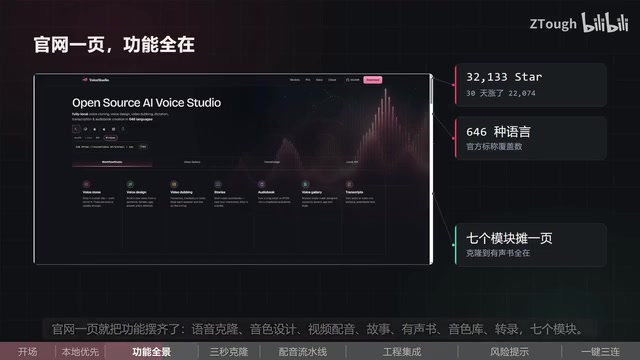
OmniVoice Studio: A Fully Local, Open-Source Voice Studio That Clones Your Voice in 3 Seconds
OmniVoice Studio is a fully local open-source voice studio — clone voices in 3 seconds, no API key needed, 646 languages, 7 modules, 22K GitHub Stars in 30 days.
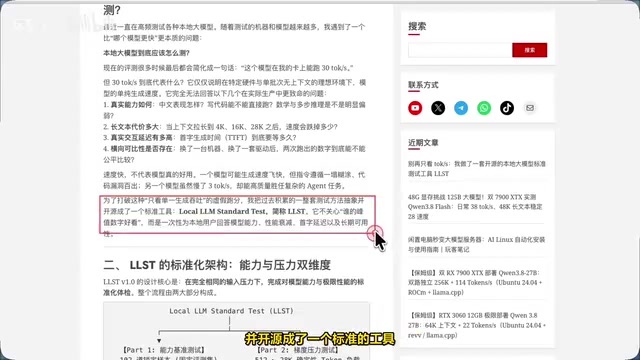
Stop Obsessing Over tok/s! A Deep Dive into LLST, the Open-Source Local LLM Benchmarking Tool
Stop judging local LLMs by tok/s alone. LLST uses 102 capability benchmarks + long-context gradient stress tests to reveal real model performance, degradation, and TTFT.