Self-Hosted Service Domain Resolution in Practice: A Deep Dive into Split DNS and Tailscale Solutions
Solve home server domain access with Split DNS and Tailscale App Connector for seamless internal/external access.
This article addresses a common home lab challenge: accessing self-hosted services via domain names across different networks. It explains why DNS resolution breaks when using Tailscale remotely, introduces Split DNS as the core solution, and details how Tailscale App Connector provides an elegant implementation without requiring a self-hosted DNS server—enabling unified domain access with valid SSL certificates from anywhere.
The Classic Domain Access Challenge for Home Lab Enthusiasts
When setting up a home server (Home Lab), almost everyone runs into the same pain point: how do you access your services using a clean domain name like jellyfin.example.com instead of memorizing IP-and-port combinations like 192.168.x.x:8096?
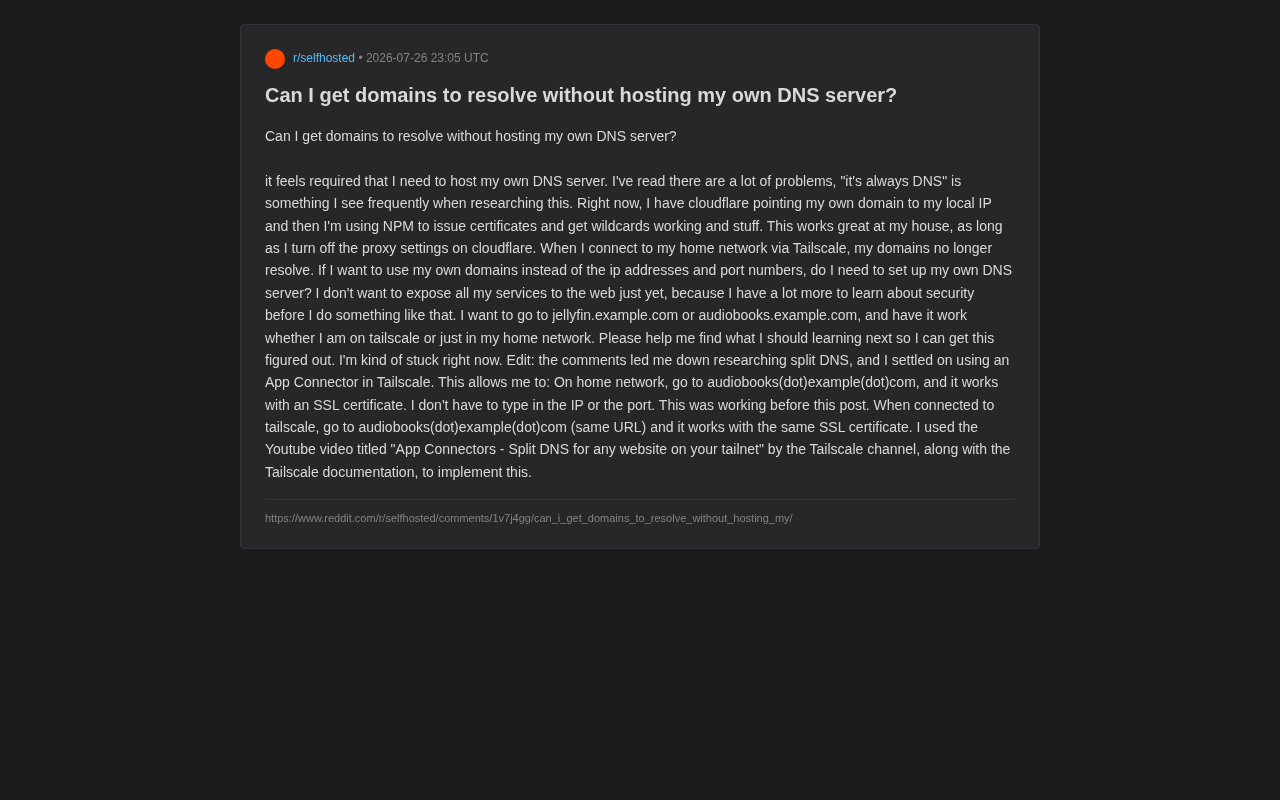
A recent Reddit post perfectly captured this frustration. The user's situation: they were using Cloudflare to point a domain to their local IP, then using NPM (Nginx Proxy Manager) to issue and configure wildcard certificates. This setup worked great at home—as long as Cloudflare's proxy (orange cloud) feature was disabled. But then came the problem: when connecting to their home network via Tailscale, the domains couldn't resolve.
Nginx Proxy Manager (NPM) is a reverse proxy management tool built on Nginx that provides an intuitive web interface for managing proxy rules and SSL certificates. The core function of a reverse proxy is to receive external requests and forward them to different backend services based on domain or path rules. For example, NPM listens on port 443 and forwards requests for jellyfin.example.com to 192.168.1.100:8096, while forwarding requests for audiobooks.example.com to 192.168.1.100:13378. This way, users only need to remember domain names without worrying about port numbers. NPM also integrates Let's Encrypt, supporting automatic issuance and renewal of SSL certificates, including wildcard certificates (*.example.com) via DNS-01 validation, providing HTTPS encryption for all subdomains.
Their core requirement was crystal clear: they didn't want to expose all services to the public internet yet (insufficient security knowledge), but wanted to access services using the same domain name seamlessly whether on the home LAN or connected remotely through Tailscale.
Root Cause: DNS Resolution Paths Diverge Across Different Networks
To understand the "works at home, fails on Tailscale" phenomenon, we need to examine how DNS resolution differs between the two network environments.
Why It Works on the Home LAN
When you access audiobooks.example.com on your home network, the DNS query ultimately resolves to the local IP you configured in Cloudflare (e.g., 192.168.1.100). Since you and the server are on the same LAN, this private IP is reachable, and everything works fine.
This also explains why Cloudflare's proxy must be disabled—once the orange cloud is enabled, traffic routes through Cloudflare's servers, and Cloudflare cannot access your private network addresses. Specifically, Cloudflare's Proxied (orange cloud) mode is one of its core features: when enabled, the domain's DNS records don't return your origin server's IP directly but instead return Cloudflare edge node Anycast IP addresses. All traffic passes through Cloudflare's global network for DDoS protection, WAF filtering, and cache acceleration before being forwarded to the origin. This means Cloudflare needs to be able to connect back to your origin server—no problem for public IPs, but for 192.168.x.x private addresses defined in RFC 1918, Cloudflare's servers simply cannot route to them, so traffic fails outright. Disabling the orange cloud (DNS Only mode, grey cloud) makes DNS return the IP address you entered directly, bypassing Cloudflare's proxy layer.
Why It Fails on Tailscale
Tailscale is a virtual private network (VPN) built on WireGuard that assigns each device a virtual IP in the 100.x.x.x range. WireGuard is a modern VPN protocol known for its minimal codebase (~4,000 lines), high performance, and strong encryption—it has been merged into the Linux kernel mainline. Tailscale adds identity authentication, key distribution, NAT traversal (based on DERP relays and STUN/ICE protocols), and access control on top of WireGuard, eliminating the need for users to manually exchange public keys or configure firewall ports.
The 100.x.x.x address range used by Tailscale belongs to the IANA-reserved CGNAT (Carrier-Grade NAT) address space (100.64.0.0/10). This range is almost never used in typical home or enterprise networks, so it won't conflict with existing networks. Each device joining a Tailnet receives a stable 100.x.x.x address, and devices communicate directly through encrypted tunnels (mesh topology), establishing peer-to-peer connections whenever possible to minimize latency.
When you connect remotely through Tailscale, your device logically "enters" the home network, but domain resolution still returns a 192.168.x.x LAN address—and this address isn't directly reachable within Tailscale's virtual network, so the connection path breaks.
In other words, the problem isn't about "whether to self-host a DNS server"—it's that the same domain needs to resolve to different addresses in different network environments.
The Core Solution: Split DNS Explained
As the comments in that thread guided toward, the real answer is Split DNS (also known as split-horizon DNS or split-view DNS).
How Split DNS Works
The core idea of Split DNS is: return different resolution results for the same domain based on which network the querying client is on.
- On the home LAN:
audiobooks.example.com→ resolves to LAN IP192.168.1.100 - Connected via Tailscale:
audiobooks.example.com→ resolves to Tailscale virtual IP100.x.x.x
This way, no matter where you are, you enter the same domain name but are always directed to the optimal reachable path for your current environment. This perfectly satisfies the original poster's requirement of "same URL, same SSL certificate, works on both internal and external networks."
Split DNS isn't a technology exclusive to home labs—it's been used in enterprise IT infrastructure for decades. A typical scenario: when employees access mail.company.com on the office LAN, DNS returns the internal server address (e.g., 10.0.1.50) and traffic goes directly over the LAN; when the same employee travels and accesses the same domain, public DNS returns a public address or VPN gateway address. BIND (Berkeley Internet Name Domain) was the first authoritative DNS server software to support view directives for implementing Split DNS, allowing administrators to return different zone files based on the client's source IP matching an ACL (Access Control List). The core value of this technology is: users don't need to know which network they're on—a unified domain experience dramatically reduces operational complexity and cognitive burden.
Traditional Implementation: Self-Hosted DNS Server
The classic approach to implementing Split DNS is running your own DNS server, such as Pi-hole, AdGuard Home, or Unbound. You can create custom resolution records in your local DNS server to point internal domains to LAN IPs.
While all three involve DNS, they serve different purposes. Pi-hole was originally designed as a network-level ad blocker that resolves ad domains to null addresses via DNS blocklists, while also supporting custom DNS records (Local DNS Records). AdGuard Home offers similar functionality but is more modern, supporting encrypted DNS protocols like DNS-over-HTTPS (DoH) and DNS-over-TLS (DoT), with a richer built-in filtering engine. Both are essentially DNS forwarders that pass queries they can't answer to upstream DNS servers. Unbound is a full recursive DNS resolver that doesn't rely on upstream DNS servers—it queries from root name servers downward level by level until it gets the final result, providing better privacy. In home labs, a common combination is Pi-hole/AdGuard Home as the frontend handling ad filtering and custom records, with Unbound as the backend handling recursive resolution.
But as the community saying goes—"It's always DNS"—which perfectly reflects the complexity and pitfall probability of self-hosting and maintaining DNS services. For beginners, this is indeed a steep learning curve.
A More Elegant Solution: Tailscale App Connector
You might not have noticed, but this user ultimately found a solution with community help that didn't require a full self-hosted DNS server—Tailscale App Connector.
Real-World Results
Based on the original poster's hands-on feedback, the configuration achieved the ideal outcome:
- Home network environment: Accessing
audiobooks.example.comworks directly with a valid SSL certificate, no IP or port needed. - Tailscale remote connection environment: Accessing the exact same URL works perfectly, using the same SSL certificate.
The experience is completely consistent across both network environments—exactly what Split DNS aims to achieve.
A note about SSL certificates: Free Certificate Authorities (CAs) like Let's Encrypt automatically issue certificates via the ACME protocol, with two common validation methods. HTTP-01 validation requires placing a verification file at a specific path on your web server, which requires the server to be publicly accessible; DNS-01 validation requires adding a specific TXT record to your domain's DNS records to prove domain ownership. For home lab scenarios, DNS-01 validation is particularly important—since your server may not be exposed to the public internet and can't complete HTTP-01 validation, you can still use DNS providers like Cloudflare's API to automatically add TXT records for DNS-01 validation, successfully obtaining even wildcard certificates. NPM has built-in support for the Cloudflare API and can fully automate this process.
Implementation Path
The author specifically mentioned two key resources they relied on:
- Tailscale's official YouTube channel video tutorial: "App Connectors - Split DNS for any website on your tailnet"
- Tailscale's official documentation
App Connector's mechanism designates a node in your Tailnet (your Tailscale network) as an "application connector" for specific domain traffic, leveraging Tailscale's built-in Split DNS capability to route DNS resolution and traffic for specified domains to the correct exit node.
It's worth distinguishing this from another Tailscale network access method—Subnet Router. A Subnet Router advertises an entire subnet (e.g., 192.168.1.0/24) into the Tailnet, allowing devices on the Tailscale network to directly access all IP addresses within that subnet without installing the Tailscale client on each target device. This approach is simple but effective—essentially creating a tunnel to the entire LAN. App Connector is more granular, working on specific domains: you specify which domains should route through the Tailnet, and Tailscale automatically configures Split DNS to intercept DNS queries for those domains and route them to the designated App Connector node. This domain-based approach (rather than IP-based) better aligns with zero-trust network least-privilege principles and avoids the security risks of exposing an entire subnet.
Compared to building and maintaining a DNS server from scratch, this approach dramatically reduces both configuration cost and maintenance burden.
Learning Path for Domain Resolution in Self-Hosted Services
Drawing from this real-world case, if you're also struggling with domain access for self-hosted services, here are several areas worth studying systematically:
Step 1: Understand the Complete DNS Resolution Process
Learn the role DNS plays in the entire journey from browser request to connection establishment, and the differences between recursive resolution, authoritative DNS, and local caching. This is the foundation for troubleshooting all kinds of "domain won't resolve" issues.
Step 2: Master the Split DNS Concept and Use Cases
Understand why the same domain needs to return different results on different networks, and the typical applications of Split-horizon DNS in home lab scenarios. This is an essential lesson for advancing your home server skills.
Step 3: Prioritize Built-in VPN Tool Capabilities
If you're already using Tailscale, explore its native features first—Split DNS, Subnet Router, App Connector. These features often solve problems with less complexity, preventing you from falling prematurely into the maintenance quagmire of self-hosted DNS.
Step 4: Address Security Concerns Gradually
The original poster's cautious attitude of "not exposing services to the public internet yet" is commendable. Running the entire workflow in a private environment through zero-trust networks like Tailscale first, then considering public exposure, reverse proxy hardening, and authentication once your security knowledge is solid—this is the more prudent path.
Zero Trust Network is a core paradigm shift in cybersecurity in recent years. Traditional network security uses a "castle and moat" model—trust the internal network, defend against external threats—but once an attacker breaches the perimeter firewall, they can move laterally within the network. The zero-trust model's core principle is "Never Trust, Always Verify"—whether a request comes from internal or external networks, every access requires identity verification, device health checks, and permission validation. Tailscale naturally aligns with zero-trust principles: each device has an independent identity (bound to an SSO identity provider), communication is encrypted by default, and access control is centrally managed through ACL policies. For home lab users, using Tailscale means your services never need to be directly exposed to the public internet—all access must first pass through Tailscale's authentication and authorization, which is far more secure than simply opening port forwards on your router.
Conclusion: Choose the Right Domain Resolution Approach for You
The biggest takeaway from this case is: when facing the question "do I have to self-host a DNS server?", the answer is often no. What you really need to understand is the core concept of Split DNS, and the means to implement it can be very flexible. With modern tools like Tailscale App Connector, even beginners can enjoy a unified, elegant domain access experience without sacrificing security.
The wisdom in technology choices sometimes lies not in "can I build it myself" but in "is there a simpler path."
Related articles
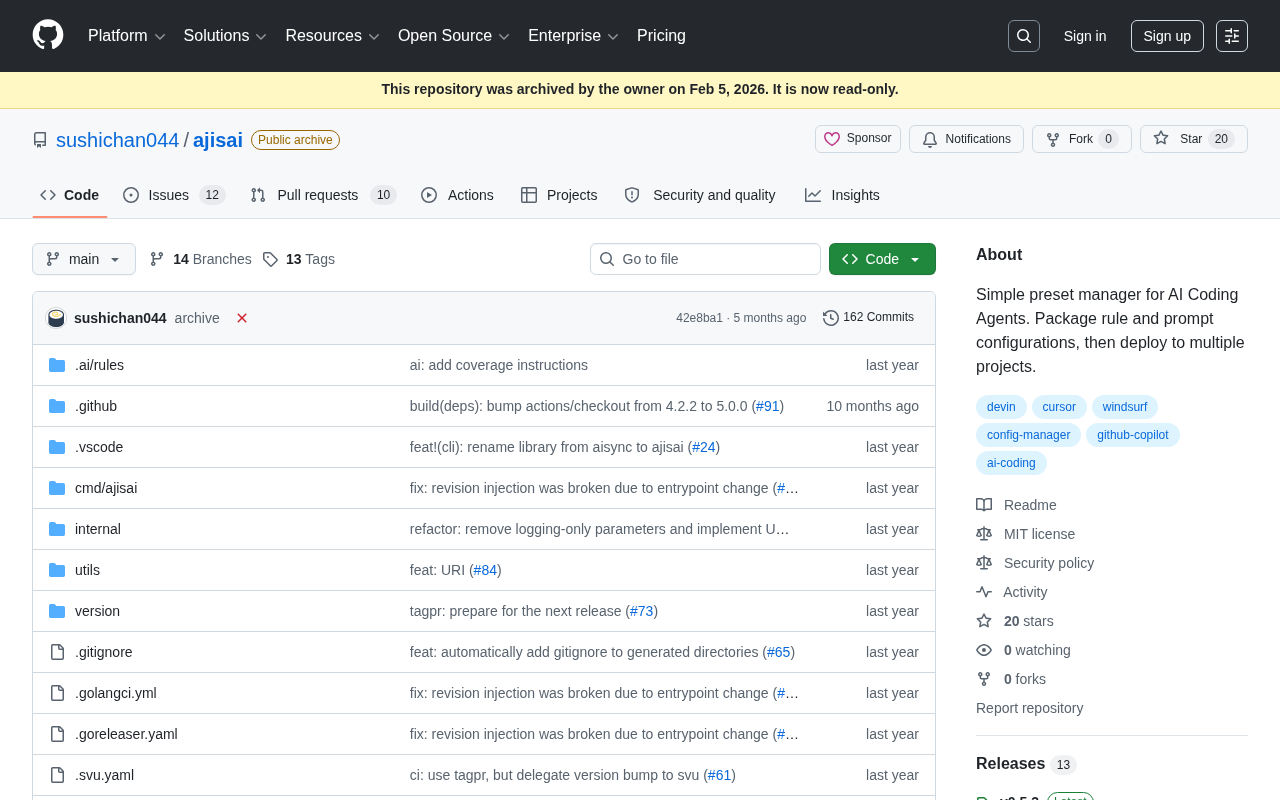
ajisai: A Preset Management Tool for Unifying Rules and Prompts Across AI Coding Assistants
ajisai is a Go-based preset manager for AI coding assistants like Cursor and Claude Code. Package rules and prompts once, deploy everywhere. Early-stage but promising.
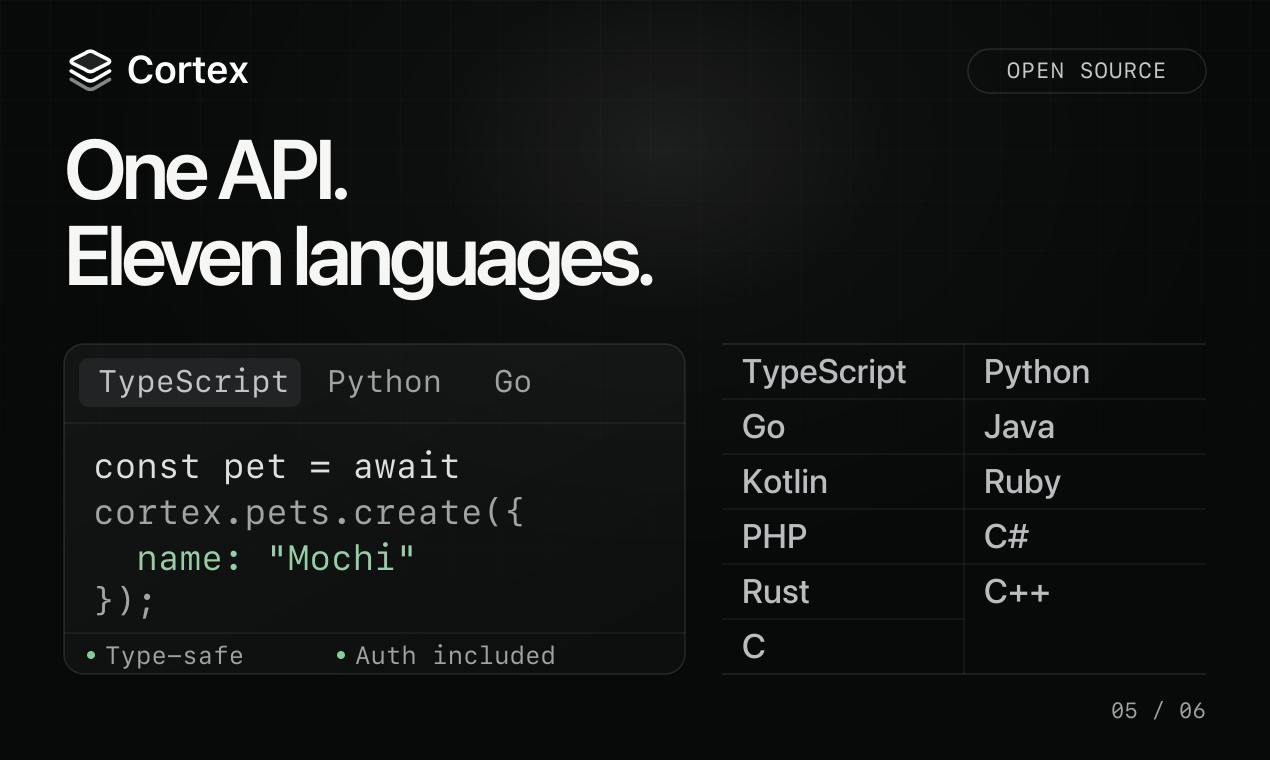
Cortex: Convert API Specs into Docs, SDKs, and MCP Servers in One Click
Cortex is an open-source tool that converts OpenAPI, GraphQL, gRPC and more into interactive docs, typed SDKs in 11 languages, and MCP servers for AI agents.

ABrush: An AI Studio Built for Digital Artists
ABrush is an AI studio for digital artists, ranked #4 on Product Hunt. It embeds leading AI models into existing workflows to remove repetitive tasks, speed up iteration, and keep artists in control.