Self-Hosting Beginner's Guide: Building a Homelab from an Old Laptop — A Complete Walkthrough
A complete beginner's guide to building a homelab from an old laptop with Docker and free tools.
This guide walks through a real beginner's self-hosting journey, starting from an old laptop to deploy services like Nextcloud, Forgejo, Feishin, and WriteFreely. It covers essential infrastructure (domain names, reverse proxies, SSL), Docker-based management, common pitfalls, and a practical roadmap including the critical 3-2-1 backup strategy.
A Self-Hosting Journey That Starts with an Old Laptop
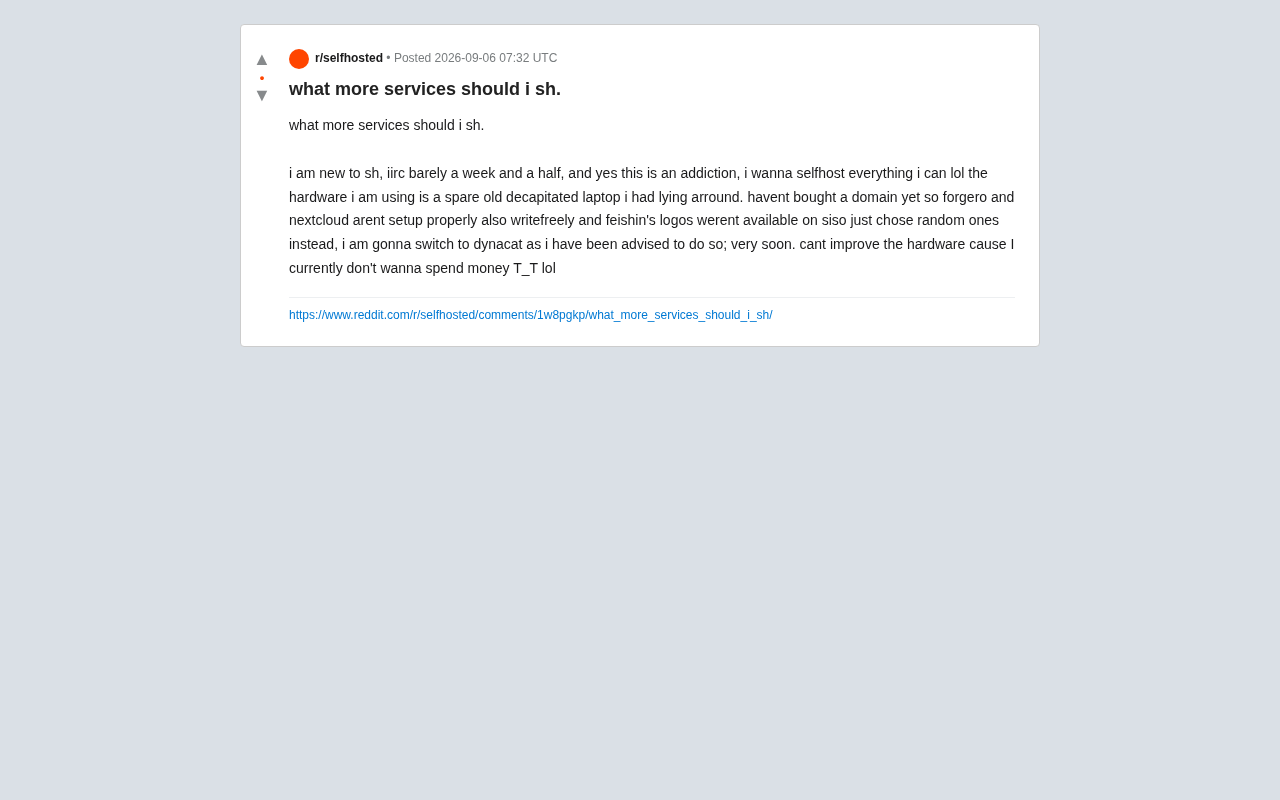
In Reddit's selfhosted community, a newcomer who had been at it for just a week and a half shared their self-hosting experience. They openly admitted it had become an "addiction" — "I want to self-host everything I possibly can." And the hardware powering all this enthusiasm? Nothing more than a "disassembled old laptop," a spare device that had been gathering dust in a corner.
This case is incredibly typical. The beauty of self-hosting lies precisely in this: you don't need expensive servers or cloud resources. An aging laptop, a Raspberry Pi, or even a retired mini PC is more than enough to build your own digital space. For hobbyists on a tight budget who still want control over their data, this is the lowest barrier to entry.
What Is Self-Hosting?
Self-hosting means deploying applications — ones that would normally rely on third-party cloud services — on hardware you control. For example, replacing Google Drive with Nextcloud, Spotify with Feishin, or Medium with the WriteFreely blogging platform. The core motivations typically boil down to three things: data privacy and control, eliminating subscription fees, and the sheer joy of tinkering.
The Technical Essence and Background of Self-Hosting
Self-hosting as a technical practice has risen in an interesting contrast to the spread of cloud computing. In the 2010s, as cloud services like AWS and Google Cloud took off, "cloud-first" became the dominant narrative. But in recent years, frequent data breaches (such as the 2018 Facebook-Cambridge Analytica scandal), ever-increasing cloud subscription costs, and the implementation of privacy regulations like GDPR have led more and more tech enthusiasts and small organizations to reconsider the question of data sovereignty.
From a technical standpoint, self-hosting depends on the maturation of three foundational technologies: containerization (Docker, released in 2013) dramatically reduced the complexity of application deployment; dynamic DNS and Let's Encrypt (fully operational in 2016) solved the domain name and certificate challenges of home networks; and the proliferation of ARM architecture (Raspberry Pi and similar devices) provided low-power, low-cost hardware options. Reddit's r/selfhosted community (created in 2012) now has over 500,000 members and has become a major hub for this movement.
What Services Did This Newcomer Deploy?
From the user's post, we can piece together their current service list, which covers some of the most common categories in the self-hosting ecosystem:
File Storage & Cloud
Nextcloud is the flagship application of the self-hosting world, offering file sync, calendars, contacts, collaborative documents, and a full suite of private cloud features. It's the go-to replacement for the Google ecosystem. However, the original poster mentioned that since they "haven't bought a domain yet," Nextcloud wasn't properly configured — and this is a crucial point.
Nextcloud's Architecture and Ecosystem Position
Nextcloud was born in 2016, created by Frank Karlitschek, the founder of ownCloud. It's one of the most mature open-source cloud storage solutions available. Its core is written in PHP, supports MySQL/PostgreSQL databases, and extends functionality through a plugin system (Apps), with over 400 official and community applications currently available.
Technically, Nextcloud provides not only WebDAV-based file synchronization but also integrates CalDAV (calendars), CardDAV (contacts), OnlyOffice/Collabora (online document editing), and other protocols and services. Its strict requirements for HTTPS and trusted domains stem from its security design: CSRF token protection, Content Security Policy (CSP), and same-origin policy — mechanisms that cannot work effectively in an HTTP environment. In enterprise scenarios, Nextcloud also supports SAML, LDAP, and other enterprise authentication methods, making it a realistic alternative to Google Workspace or Microsoft 365 for small and medium-sized businesses.
Music Streaming
Feishin is a modern music player client, typically paired with a Subsonic-compatible music server like Navidrome. It lets you stream your own music library from any device, freeing you from streaming subscription dependencies.
The Subsonic Ecosystem and Self-Hosted Music Streaming
The Subsonic protocol was originally defined by the software of the same name (Subsonic, released in 2004) and is the de facto standard for self-hosted music streaming. The protocol defines a set of RESTful APIs that allow clients to retrieve music library metadata, album artwork, audio streams, and more via HTTP requests.
Navidrome is a modern implementation of a Subsonic-compatible server (written in Go, first released in 2020), known for being lightweight and fast, with support for transcoding, smart playlists, Last.fm scrobbling, and more. Feishin is a cross-platform client for Navidrome and similar servers (built on Electron and React), offering a modern interface comparable to Spotify.
The strength of this ecosystem lies in its flexibility: on the server side, you can choose from Navidrome, Airsonic-Advanced, Gonic, and other implementations; on the client side, there are over a dozen options including Feishin, Sublime Music, and Sonixd — forming a loosely coupled ecosystem. Compared to commercial streaming services, self-hosted solutions can play lossless audio (FLAC/ALAC) directly, with no worries about content being removed due to licensing issues.
Personal Blog & Writing
WriteFreely is a minimalist open-source blogging platform that supports the ActivityPub protocol, allowing it to connect to the Fediverse. The author also mentioned that it hadn't been fully configured yet, again pointing to the lack of a domain name.
ActivityPub and the Fediverse
ActivityPub, supported by WriteFreely, is a federated social networking protocol standard published by the W3C in 2018 and serves as the technical foundation of the Fediverse. The protocol defines a standard format for exchanging social activities (posting, liking, following, etc.) between different servers.
The Fediverse is the collective term for decentralized social networks, including Mastodon (Twitter-like), Pixelfed (Instagram-like), PeerTube (YouTube-like), WriteFreely (Medium-like), and hundreds of other projects. They run on different servers but can communicate with each other through the ActivityPub protocol — for example, a Mastodon user can directly follow a WriteFreely blog, and new articles will appear in their timeline.
The core advantage of this architecture is censorship resistance and data ownership: no single company can control the entire network, and users can migrate to other instances or self-host their own server at any time. As of 2023, the Fediverse has approximately 10 million active users. While still niche compared to mainstream social platforms, it represents an important experiment in internet decentralization.
Code Hosting
Forgejo, mentioned in the post, is a community fork of Gitea — a lightweight self-hosted Git service that serves as a private alternative to GitHub, suitable for individuals and small teams managing code repositories.
The Gitea and Forgejo Split
Gitea forked from the Gogs project in 2016 and is a lightweight Git hosting service written in Go. It gained popularity in the self-hosting community for its low resource usage (it runs smoothly on a Raspberry Pi) and simple installation. In 2022, Gitea announced the formation of Gitea Ltd., a commercial company backed by venture capital, which raised community concerns about the project's future direction.
In October 2022, some core maintainers created Forgejo (the Esperanto form of the French word "forge," meaning "to forge") as a "soft fork" of Gitea — maintaining code compatibility while establishing completely independent governance. Forgejo is managed by the nonprofit organization Codeberg e.V., with a commitment to remaining 100% open source and community-driven.
This split reflects a classic conflict in the open-source world: the tension between commercialization and community governance. Technically, Forgejo remains highly compatible with Gitea, and users can migrate seamlessly. Both support Git LFS, CI/CD (Actions), project management, and other features. For individual users, the functional differences are minimal — the choice is more about which governance model you align with.
Common Pitfalls for Beginners and How to Solve Them
The value of this case study lies not just in the service list itself, but in the common beginner mistakes it exposes.
Domain Names: The Infrastructure You Can't Skip
The author repeatedly mentioned "haven't bought a domain yet, so Forgejo and Nextcloud aren't properly configured." This reveals an important truth: many self-hosted services either won't work correctly or will have a severely degraded experience without a domain name and HTTPS. Nextcloud is especially strict about this, with strong dependencies on trusted domains and SSL certificates.
For users who don't want to spend money just yet, there are free options: services like DuckDNS and No-IP offer free dynamic domain names, which, combined with free Let's Encrypt certificates, can solve the domain and encryption problem at zero cost.
Reverse Proxies and the Necessity of SSL/TLS Encryption
A reverse proxy is a critical component in self-hosting architecture, acting as an intermediary layer between clients and backend services. Nginx is the traditional choice (first released in 1999, developed by Russian engineer Igor Sysoev), known for its high performance. Caddy (released in 2015, written in Go) differentiates itself with "automatic HTTPS," automatically obtaining and renewing certificates from Let's Encrypt — making it much more beginner-friendly.
SSL/TLS encryption in the modern web is not just about security — it's a functional requirement: many browser APIs (such as geolocation, camera access, and Service Workers) are disabled in non-HTTPS environments; search engines (Google since 2014) use HTTPS as a ranking factor; and some applications (like Nextcloud) have mobile clients that require HTTPS connections.
The emergence of Let's Encrypt (a nonprofit project supported by Mozilla, Cisco, EFF, and others) completely transformed this landscape — prior to its existence, SSL certificates cost anywhere from tens to hundreds of dollars per year. Its ACME protocol (Automatic Certificate Management Environment) fully automates the process of certificate request, validation, and renewal. It has now issued over 3 billion certificates and has become a vital part of internet infrastructure.
Dashboard Selection: From SISO to Dashy
The author used a dashboard called SISO to centralize and display entry points for all their services. However, because official icons for some applications (like WriteFreely and Feishin) weren't available in SISO, they had to "just pick some random icons as placeholders."
They later mentioned that, based on community suggestions, they were about to switch to Dashy. Dashy is one of the most popular self-hosted dashboards currently available, with a rich icon library, extensive customization options, and the ability to display real-time health status for each service — making it far more suitable for long-term use than more niche solutions.
Hardware Limitations: You Can Get Started Without Spending a Dime
"Not wanting to spend money on hardware upgrades for now" is a very real sentiment among beginners. The good news is that most of these services have extremely low resource requirements — an old laptop can easily run Nextcloud, Forgejo, a music server, and a blog simultaneously.
The real bottleneck is usually not CPU or RAM, but rather storage space and network stability. The fact that an old laptop has a built-in battery is actually an advantage — it essentially comes with a built-in uninterruptible power supply (UPS), preventing immediate shutdowns during power outages.
A Practical Roadmap for Self-Hosting Beginners
Based on this case study, here's a clearer path for getting started:
Step 1: Lay the infrastructure foundation. Prioritize solving the domain name issue (free dynamic DNS works fine) and setting up a reverse proxy (Nginx Proxy Manager or Caddy are recommended) before deploying applications. Many beginners rush to spin up as many services as possible, only to find themselves stuck at every turn because the foundation wasn't solid.
Step 2: Use Docker for unified management. Deploying with Docker and Docker Compose makes installing, updating, and migrating services incredibly simple, while also avoiding the dependency conflicts that come from installing directly on the host system.
The Revolutionary Impact of Docker Containerization
Docker was launched in 2013 by dotCloud (later renamed Docker Inc.), based on Linux container (LXC) technology. Through the concepts of images and containers, it fundamentally changed how applications are deployed. Its core innovation is packaging an application and all its dependencies into a standardized image that runs consistently in any Docker-supported environment — solving the classic "it works on my machine" problem.
Docker Compose (originally Fig, acquired by Docker in 2014) further simplified the orchestration of multi-container applications. Through YAML files that define services, networks, volumes, and other configurations, a single docker-compose up command can launch an entire application stack. For self-hosting scenarios, this means:
- Isolation: Each service runs in its own container, making dependency conflicts a thing of the past
- Portability: Migrating from an old laptop to new hardware only requires copying configuration files and data volumes
- Version management: Easily roll back to stable versions through image tags
- Community support: Organizations like LinuxServer.io maintain hundreds of pre-configured images
The proliferation of container technology has also spawned more complex orchestration tools like Kubernetes, but for homelab scenarios, Docker Compose's simplicity is usually the better fit.
Step 3: Start with services you actually need. Rather than trying to "host everything," start by deploying services you'll genuinely use every day. Nextcloud (cloud storage), Vaultwarden (password management), and Jellyfin (media center) typically offer the highest return on investment.
Step 4: Set up backups. This is the most easily overlooked yet most critical step for beginners. Self-hosting means you are your own sysadmin — a single mistake or hard drive failure can wipe out all your data.
Backup Strategy: The 3-2-1 Rule and Practical Tools
The data backup world has a golden rule — the 3-2-1 principle (proposed by photographer Peter Krogh in the 2000s and widely adopted since): keep 3 copies of your data, on 2 different storage media, with 1 copy stored offsite. This seemingly simple principle reflects a deep understanding of various failure modes:
- Hardware failure (hard drives typically last 3–5 years, with failure rates following a "bathtub curve")
- Human error (the tragedy of
rm -rf /is a recurring story on Reddit) - Ransomware (the 2021 Colonial Pipeline incident caused millions of dollars in losses)
- Physical disasters (fire, flooding, theft, etc.)
Practical backup solutions for self-hosting:
- Local: Use rsync or Restic for incremental backups to an external drive
- Cloud: Backblaze B2, Wasabi, and others offer cheap object storage (around $6/TB/month)
- Automation: Tools like Duplicati and Borg Backup support encryption, deduplication, and scheduled tasks
A particularly important note: backup is not the same as copying — you must regularly test your restore process. Many people don't discover their backups are corrupted or misconfigured until after data loss, at which point it's too late. A full disaster recovery drill every quarter is recommended.
Conclusion: The Tinkering Itself Is the Point
This Reddit user's post is less about asking "what else should I host" and more of an enthusiastic beginner's field report. Starting from a disassembled old laptop and building a mini homelab with cloud storage, music streaming, a blog, and code hosting in just a week and a half — this is exactly what makes the self-hosting community so inspiring.
For readers who are just getting started, remember three things: lay a solid foundation with domain names and a reverse proxy, use Docker to reduce maintenance overhead, and never forget backups. As for "what else can I host" — that question never has a final answer, and the joy of exploration is precisely the point.
Related articles

LLM Application Development: A High-Paying Career Guide for Ordinary People
LLM application development offers fresh graduates up to 35K/month, with SP offers reaching 600K. This article explains the core skills, how to break in, and how ordinary people can seize AI opportunities through learning by doing.

Say Goodbye to AI Influencer Faces: A Complete Guide to Creating Visual Assets for AI Comic Dramas from Scratch
Bilibili creator shares a full workflow for zero-basics AI comic drama visual assets: use Doubao Work skills with script-first, visual references, and real-person texture to escape AI influencer faces, then lock character and scene consistency with asset sheet layouts, weapon detail images, scene nine-grids, and cinematic color palettes.

The AI Production Pipeline Behind Great Videos: From Research to Agent Validation
AI video production isn't just a model race. This article breaks down a transferable four-step pipeline: researching professional workflows, organizing a skill checklist, configuring agents, and experimental validation—and explains how general-purpose LLMs like DeepSeek can replace paid tools to run the entire process.