Self-Hosting Hardware Cost Analysis: Does It Really Save Money? A Phased Build Guide
Self-hosting hardware costs analyzed: phased build strategies that actually save money.
This article breaks down the real hardware costs of self-hosting—storage, memory, electricity, and hidden expenses—comparing them against cloud subscriptions like Google One. It explores repurposing old devices as the optimal starting point, explains RAID, NAS, and backup strategies, and proposes a practical phased approach to building your self-hosted infrastructure without overspending.
The Appeal vs. Reality of Self-Hosting
Self-hosting continues to gain traction in the tech community. Home Assistant, Vaultwarden, Immich, Nextcloud… these open-source tools form a complete "digital sovereignty" ecosystem: photo management without iCloud, password storage without 1Password, DNS filtering without commercial services. In theory, a one-time hardware investment can buy you long-term data control and subscription savings.
Each of these tools has a clear technical niche: Home Assistant is a Python-based open-source smart home platform supporting integration with over 2,000 devices and services, with an automation engine enabling cross-device coordination; Vaultwarden is a lightweight Rust rewrite of the Bitwarden password manager server, fully compatible with official Bitwarden clients but consuming only one-tenth the resources of the official .NET implementation; Immich is the fastest-growing self-hosted photo management solution of the past two years, using machine learning for facial recognition and smart categorization, closely modeled after Google Photos in both interface and experience; Nextcloud is a full-featured file sync and collaboration platform—essentially a self-hosted Google Workspace covering file storage, calendars, contacts, online document editing, and more. What these projects share in common is their adoption of Docker containerized deployment, dramatically lowering the technical barrier to installation and migration.
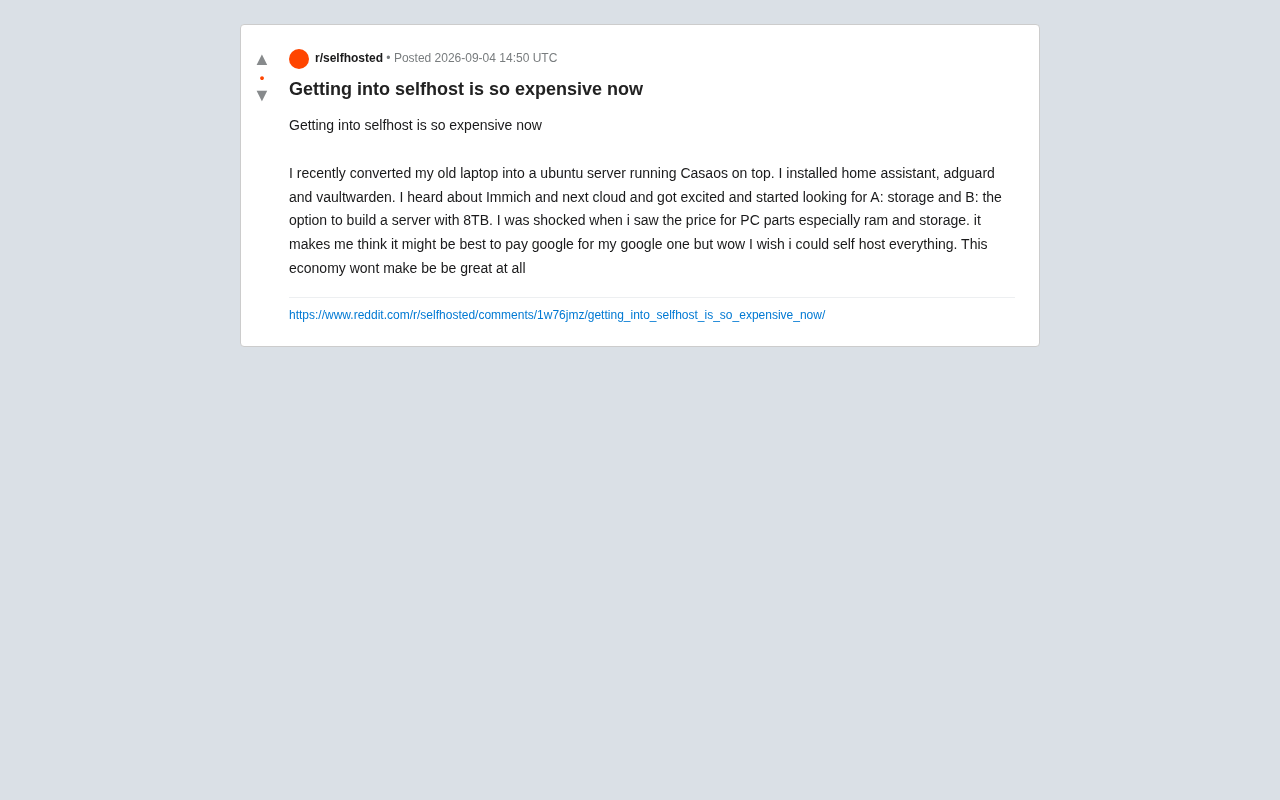
However, one Reddit user's firsthand experience punctured this rosy picture. He converted an old laptop into an Ubuntu server, ran CasaOS, and successfully deployed Home Assistant, AdGuard, and Vaultwarden. But when he set out to expand storage capacity and build a proper server with 8TB of storage, he ran headlong into the current hardware market's pricing reality—memory and storage prices forced him to reconsider the core question: "Is self-hosting actually worth it?"
The Structural Pressure of Hardware Costs
Why Storage Prices Sting
8TB mechanical hard drives typically retail for $150–$200 on major e-commerce platforms. NAS-specific drives (like Seagate IronWolf and WD Red Plus), optimized for continuous operation and RAID environments, carry a premium of 20%–30% or more. Building a redundant dual-drive RAID 1 array pushes storage costs alone close to $400.
NAS-specific drives differ from standard consumer desktop drives across several technical dimensions. First is vibration compensation technology (such as Seagate's AgileArray and WD's NASware 3.0): multiple drives spinning simultaneously inside a NAS enclosure generate resonance that standard drives lack the active correction capability to handle, potentially causing read/write head positioning errors that increase error rates and degrade performance. Second is Error Recovery Control (ERC/TLER): standard drives may spend tens of seconds repeatedly attempting to read bad sectors, which RAID controllers can misinterpret as a disk failure, triggering unnecessary array rebuilds; NAS drives limit error recovery time to under 7 seconds, preventing this cascade effect. Additionally, NAS drives typically carry higher annual workload ratings (180–300TB/year) and longer warranty periods (3–5 years)—all of which form the technical basis for the price premium.
More critically, storage isn't an isolated requirement. Running photo and file sync services like Immich or Nextcloud requires not just storage but sufficient RAM to support database and indexing processes. Immich's machine learning models (for face detection, object recognition, and CLIP vector search) generate intensive compute and memory overhead during initial bulk photo imports. Immich officially recommends at least 4GB of RAM, though smooth operation typically requires 8GB or more. While DDR4/DDR5 memory prices have retreated from their peaks of two years ago, a complete memory configuration for a NAS or small server remains a non-trivial expense.
Hidden Costs of Complete Systems
Many newcomers consider purchasing used servers or NAS units, but this path has its own pitfalls:
- Enterprise surplus servers (like Dell PowerEdge series) offer ample performance, but power consumption often runs 100–200W. Running 24/7, the electricity costs within a year can easily offset the hardware savings
- Pre-built NAS units (like Synology and QNAP) strike a better balance between usability and power consumption, but entry-level dual-bay models plus drives still run $400–$600 total
- Electricity bills shouldn't be overlooked: low-power solutions average $15–$25/year, while NAS setups run about $30–$80/year
It's worth noting that pre-built NAS units from Synology and QNAP have carved out a place in the self-hosting community not just because of their low-power hardware design (typically 15–40W), but because their built-in operating systems (DSM and QTS) provide graphical app stores and Docker support, enabling non-technical users to deploy containerized applications. The tradeoff for this convenience is higher hardware margins—equivalent DIY configurations can often save 30%–50%, provided you're willing to invest the extra assembly and configuration time.
Repurposing Old Devices: The Underrated Optimal Starting Point
This Reddit user's actual approach turns out to be one of the most cost-effective choices. Converting an old laptop into a server costs zero incremental hardware, and with a user-friendly container management interface like CasaOS, you can complete basic service deployment within a few hours.
CasaOS is an open-source home server OS layer developed by IceWhale Technology (technically, a web management panel that runs on top of Linux). Its core value lies in abstracting Docker container installation, configuration, and management into an experience similar to a mobile app store: users click to install in a graphical interface to deploy a containerized application without manually writing docker-compose files or handling port mapping and volume mounting details. This design philosophy stems from Docker container technology's widespread adoption in the self-hosting space—containers package an application and all its dependencies into an isolated runtime environment, preventing different services from interfering with each other. Even on a modest old laptop, you can simultaneously run a dozen or more lightweight services stably. Similar tools include Portainer, Umbrel, and Cosmos Cloud, all contributing to the "de-technicalization" trend in self-hosting.
Looking at this specific combination's practical value:
- Home Assistant handles smart home automation
- AdGuard Home filters ads and trackers at the DNS level—it acts as a local DNS server, intercepting known advertising and tracking domain requests at the domain resolution stage. Its coverage extends to all devices on the local network (including smart TVs, IoT devices, and other endpoints where browser extensions can't be installed), offering broader coverage compared to browser-level tools like uBlock Origin
- Vaultwarden provides self-hosted password management compatible with Bitwarden clients
All three services have modest storage and compute requirements that an old laptop can easily handle, already covering a significant portion of cloud service subscription costs.
What truly drives costs upward is when users want to migrate "data-heavy" services: photo libraries (Immich replacing Google Photos) and file sync (Nextcloud replacing Google Drive). The core challenge with these services isn't computing power—it's that storage capacity needs to match your personal data volume, which is often measured in terabytes.
Self-Hosting vs. Subscriptions: A Rational Financial Analysis
Using Google One as a Benchmark
A Google One 2TB plan costs about $100/year, including seamless integration with Google Photos and Drive. To fully replace this with a self-hosted solution, you need to account for the following costs:
| Cost Item | Self-Hosted Solution | Notes |
|---|---|---|
| One-time hardware cost | Starting at $300–$500 | Storage solution with redundancy |
| Annual electricity | $15–$80 | Depends on device power consumption |
| Maintenance time | Unquantifiable | System updates, troubleshooting, backup management |
| Data security | Additional investment | 3-2-1 backup strategy requires offline or offsite storage |
The 3-2-1 backup strategy mentioned in the table is the gold standard in data protection, first systematically articulated by renowned photographer and data recovery expert Peter Krogh in his writings. The strategy's core requirements are: maintain at least 3 copies of your data, stored on 2 different media types (e.g., both HDDs and SSDs, or HDDs and tape), with 1 copy stored offsite (at a physically different geographic location). In a self-hosting context, this means a RAID array on your NAS alone is far from sufficient—RAID only protects against single-drive failure and cannot defend against fire, theft, ransomware encryption, or other catastrophic events. A complete implementation might include: primary storage on the NAS (copy 1) + periodic backup to an external USB drive (copy 2, different media) + encrypted upload to low-cost cloud storage like Backblaze B2 (copy 3, offsite). The cloud storage cost for this third offsite backup (Backblaze B2 runs about $6/TB/month) should also be factored into the long-term operating costs of self-hosting.
Rough calculations show that hardware investment typically takes 3–5 years to break even. For users who value privacy, have technical skills, and are willing to invest maintenance time, the math works out. For those who simply want things to "just work," the overall experience advantage of cloud services remains significant.
A Pragmatic Phased Expansion Strategy
Faced with hardware cost pressure, rather than going all-in from the start, it's better to proceed in phases:
- Phase One: Zero-Cost Validation—Run low-resource services on existing old devices (password management, DNS filtering, smart home) to verify whether the workflow fits your personal needs
- Phase Two: Targeted Purchases—Buy only after assessing actual needs. For example, if you only need photo backup, consider a single-drive NAS + external backup drive rather than jumping straight to a RAID array
- Phase Three: Scale on Demand—As hardware prices fluctuate and your needs become clearer, gradually expand capacity and redundancy
Regarding the RAID array mentioned in Phase Two, some foundational knowledge is helpful here. RAID (Redundant Array of Independent Disks) is a technology that uses multiple hard drives working together to improve performance and/or data safety. Common levels include: RAID 0, which stripes data across multiple drives for improved read/write speed but offers zero redundancy—any single drive failure means total data loss; RAID 1, a full mirroring mode where two drives store identical data, tolerating one drive failure but cutting usable capacity in half; RAID 5, which requires at least three drives and uses distributed parity for fault tolerance, with usable capacity equal to (N-1) drives, tolerating one drive failure; RAID 6 uses dual parity and can tolerate two simultaneous failures. For home self-hosting, RAID 1 is the most common choice due to its simplicity, but it's essential to understand that RAID is not backup—it only protects against hardware failure and cannot prevent accidental deletion, virus encryption, or natural disasters.
This incremental approach effectively avoids excessive upfront investment and gives you ample time to evaluate whether self-hosting truly fits your use case.
Hardware Price Trends and Deal-Hunting Strategies
The user mentioned at the end of his post that "this economic environment isn't going to make things better," reflecting a broader backdrop: global inflation, supply chain restructuring, and cyclical fluctuations in the storage chip market have collectively raised the barrier to consumer hardware purchases.
NAND flash prices have seen a notable recovery over the past two years, with SSD and memory module prices rebounding from their previous trough.
To understand this price volatility, it helps to know the basic landscape of the NAND flash industry. The global NAND flash market is highly concentrated, dominated by five major manufacturers: Samsung, SK Hynix (including Solidigm, the acquired Intel NAND business brand), Kioxia (formerly Toshiba Memory), Micron, and Western Digital, which together hold over 95% market share. This oligopolistic structure produces strongly cyclical behavior: when manufacturers collectively expand production, oversupply drives prices down sharply (e.g., from H2 2022 to H1 2023, NAND contract prices fell over 50%); manufacturers then dramatically cut capital expenditure and capacity utilization, supply-demand dynamics reverse, and prices rebound (the H2 2023 to 2024 increase ranged from 30%–50%). For consumers, this means price windows for storage products are fleeting—stocking up during troughs is often wiser than waiting for continuous price drops. Currently, the strong demand from AI training and inference for high-bandwidth storage is also squeezing consumer NAND supply share to some extent, further supporting prices.
For users planning to enter self-hosting, the near-term outlook for significant hardware price drops isn't optimistic.
This also reminds us that the self-hosting community's long-advocated "second-hand market hunting" strategy remains effective:
- Enterprise surplus SSDs on eBay: Often available at 30%–50% of new retail prices for equivalent storage capacity. Enterprise SSDs typically use higher-endurance NAND (such as eMLC or high-quality TLC) and feature larger over-provisioning and power-loss protection capacitors. Even after years of use, their remaining lifespan often far exceeds the rated specs of consumer-grade new products. When purchasing, you can check S.M.A.R.T. data to compare total bytes written (TBW) against the rated endurance to assess remaining lifespan
- Used NAS units: Previous-generation models are still functionally adequate and come at significantly reduced prices
- The tradeoff: Higher failure risk and shorter remaining useful life
Conclusion: Self-Hosting Is More Than a Money-Saving Tool
Self-hosting is fundamentally a technology choice, not merely a cost-saving measure. It delivers data sovereignty, privacy protection, and customization flexibility—but these benefits must be earned through real hardware costs and maintenance investment. For beginners, repurposing old devices is the lowest-cost path to validate interest and workflows; for users with clear data requirements, rational cost analysis and phased planning are more sustainable than going all-in from day one.
Cloud services and self-hosting aren't mutually exclusive. Many experienced self-hosters adopt a hybrid strategy: self-hosting critical privacy-sensitive data while keeping low-sensitivity, high-convenience services in the cloud. Until hardware prices return to more reasonable levels, this pragmatic compromise may be the wisest approach for the moment.
Related articles

Vibe Coding Full-Stack in Practice: AI Programming from Beginner to Enterprise Deployment
From Cursor to Claude Code, this Bilibili AI programming course uses four progressive projects to cover full-stack development, open-source secondary development, and team collaboration. The article analyzes the shock to frontend roles, the efficiency shift from 50 people to 5, and the methodology required for enterprise-grade projects.

David Blaine's Global Quest for Real Magic: From South Africa to Japan and India
David Blaine travels to South Africa, Japan, and India in his Do Not Attempt special, documenting Spinning drivers, black mamba rescuers, iaijutsu masters, and ascetics—exploring the boundary between magic and real human极限 challenges.

Is a Touchscreen MacBook Coming? Vergecast Reveals Apple Executive's Response
Vergecast podcast reveals a conversation between a reporter and Apple executive John Ternus about a touchscreen MacBook and Apple Pencil support. Ternus says iPad is the best device for a stylus, while the reporter bets MacBook will eventually support Apple Pencil.