Shape: A Deep Dive into the Agentic IDE That Unifies Design and Code

Shape is an agentic IDE that merges design, code, Git, and AI into a single desktop workspace.
Shape is a new agentic IDE that integrates visual design, code editing, Git version control, and AI chat into one desktop application, targeting both designers and programmers. By bringing design assets under version control and enabling bidirectional design-code sync, it aims to eliminate the traditional handoff gap. While its vision is compelling, Shape faces challenges including Windows-only availability, high ecosystem migration costs, and the inherent risk of all-in-one tools lacking depth in individual capabilities.
When Design and Code Converge
For a long time, there has been a natural gap between designers and programmers: designers conceptualize visual solutions in Figma and Sketch, while programmers translate those solutions into working code in IDEs like VS Code and JetBrains. The two groups use entirely different tools, and the handoff process is plagued by information loss, poor design fidelity, and endless back-and-forth communication.
This pain point is nothing new. In traditional workflows, designers output design specs, and developers manually write CSS and layout code based on those annotations. In this process, the fidelity of details like spacing, font sizes, and color values typically reaches only 85%-95%, with the remaining discrepancies requiring repeated rounds of communication to resolve. Tools like Zeplin and Avocode — so-called "design handoff" tools — have alleviated some of these issues, but fundamentally they're still building bridges between two disconnected systems rather than eliminating the gap itself.
Shape, which recently debuted on Product Hunt, aims to break down this wall. Positioned as an "agentic IDE for designers and programmers," it integrates design, coding, Git version control, and AI chat into a single desktop application. After launch, it garnered 97 upvotes, ranking 9th for the day, spanning four categories: Design Tools, Developer Tools, Artificial Intelligence, and GitHub.
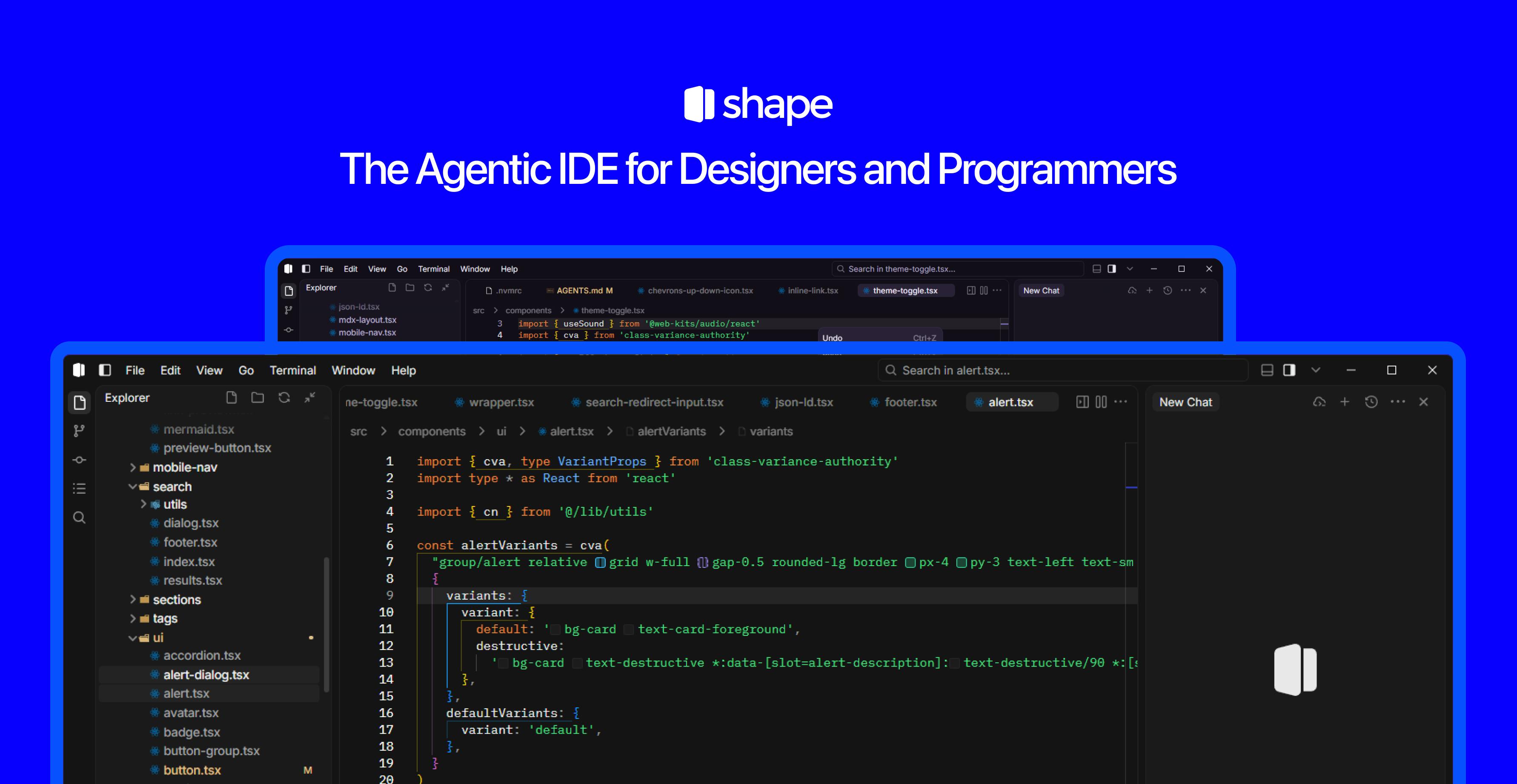
Shape's Core Philosophy: A Unified Workbench for Design and Development
Based on its official description, Shape's ambition is to consolidate workflows previously scattered across multiple applications into a single interface. It emphasizes the deep integration of four key capabilities:
Design: Visual Creation In-Place
Designers can create visuals directly within Shape, without first completing mockups in a separate design tool and exporting them. This "design-in-place" approach means the distance between design and implementation is dramatically shortened.
Code: Bidirectional WYSIWYG Sync
Programmers can write code in the same environment. When design and code coexist in one space, it theoretically enables bidirectional WYSIWYG synchronization — modifying the design updates the code, and vice versa.
Git Version Control: Bringing Design Assets Under Version Control
Built-in Git support is a key differentiator that sets Shape apart from pure design tools. It allows design assets to be managed under version control alongside code — with commits, branches, and history — which is especially critical for collaborative teams.
Traditionally, design files (such as .sketch and .fig formats) are stored in binary form, making meaningful diffs and merges nearly impossible, which has kept them outside the Git version control ecosystem. Designers typically rely on Figma's cloud-based version history or manual file naming conventions (like "Homepage_v3_final_FINAL"). This makes it difficult to correlate design changes with code changes — developers can rarely tell which code commit corresponds to a particular design revision. Tools like Abstract attempted to bring Git-like version management to Sketch but never achieved mainstream adoption. Shape's native integration of design assets into Git means teams can use a unified branching strategy to manage both design and code changes, enabling truly synchronized design-development iteration.
AI Chat: An Intelligent Assistant That Proactively Executes Tasks
As an "agentic IDE," AI capability is Shape's soul. The term "Agent" means it's not just a passive code completion tool, but an assistant that can understand intent and proactively execute tasks — whether generating designs from descriptions, converting designs to code, or assisting with debugging and refactoring.
It's worth explaining the technical implications of "Agentic" here. Unlike traditional code completion tools (such as early versions of GitHub Copilot), agents possess capabilities for goal decomposition, tool invocation, environment awareness, and autonomous decision-making. In the IDE context specifically, AI no longer just predicts the next line of code based on context — it can understand high-level user intent (e.g., "implement a login page with animations"), autonomously plan implementation steps, invoke design tools to draw the interface, write frontend code, configure routing, and self-debug when errors occur. This paradigm shift from passive response to proactive execution is the core direction of current AI development tool evolution.
The Agentic IDE Landscape: From Code Completion to Autonomous Task Execution
Over the past two years, "agentic" has become one of the hottest keywords in the development tools space. From Cursor and Windsurf to various AI coding assistants, the industry is evolving from "code completion" toward "autonomous task execution." Developers only need to describe their requirements, and AI can plan steps, edit multiple files, run tests, and iterate.
From a competitive landscape perspective, this space is heating up rapidly. Cursor, built on VS Code's architecture, has developed powerful multi-file editing and conversational programming capabilities, with its valuation surpassing billions of dollars in a short time. Windsurf (formerly Codeium) focuses on Cascade workflows, enabling AI to autonomously complete the full chain from understanding requirements to execution. Devin takes an even more aggressive approach, positioning itself as a fully autonomous AI software engineer. Additionally, GitHub Copilot Workspace, Replit Agent, and others are exploring similar directions. However, these products almost exclusively focus on pure coding scenarios, rarely incorporating the design phase into the agent's scope of work.
Shape's differentiation lies in not limiting its scope to pure coding scenarios, but instead bringing designers into the agentic collaboration loop. This reflects a broader trend: as AI becomes increasingly adept at converting natural language and visual intent into code, the boundary between design and development is blurring. An agent that can simultaneously understand design semantics and code structure has the potential to become a natural bridge connecting both groups.
Challenges and Risks Facing Shape
Despite its compelling vision, Shape is still in its early stages, and several points deserve a realistic assessment:
Platform Limitations: The official site explicitly states that only a Windows version is currently available for download. For the designer community, where macOS is the dominant work environment, this is a significant barrier. Future cross-platform support will directly impact its addressable audience.
The design industry's preference for macOS has deep historical roots. Starting with the desktop publishing revolution in the 1980s, Mac has been deeply intertwined with creative work. According to multiple industry surveys, over 70% of UI/UX designers use macOS as their primary work system. Apple's Retina displays, precise color management, and macOS's font rendering optimizations are all technical reasons designers prefer Mac. Shape's Windows-only limitation means it will initially miss the majority of potential users among the designer community — a notable contradiction for a product that emphasizes "designer-programmer convergence."
Ecosystem Migration Costs: Mainstream tools like Figma and VS Code have already built mature plugin ecosystems and established team collaboration habits. As a new "all-in-one" tool, Shape faces an uphill battle convincing users to abandon their existing workflows — unless it can deliver overwhelming efficiency gains in core scenarios. Figma boasts thousands of community plugins, mature design system management, and real-time multiplayer collaboration; VS Code has over 40,000 extensions covering virtually every programming language and development scenario. Migrating to Shape means not only learning a new tool but also abandoning existing workflow investments and team inertia.
The "All-in-One" Trade-off: Combining design, coding, Git, and AI into one package is both a selling point and a risk. All-in-one tools tend to lack the depth of specialized tools in each individual capability. Whether Shape can find the right balance between the synergies of integration and the depth of individual features will be the key factor determining its success or failure. History offers cautionary tales — Dreamweaver once attempted to merge visual design with code editing, but ultimately was surpassed by more specialized tools in both directions.
Conclusion: Who Is Shape Built For?
Shape represents a highly imaginative direction: using AI agents as the glue to truly merge the workbenches of designers and programmers into one. At a time when AI is reshaping how software is built, experiments like this deserve continued attention.
For small teams and indie developers who have long suffered from the pain of "design-to-development" handoffs, Shape may offer a smoother alternative. Of course, whether it can evolve from concept to mature product still requires time, broader platform support, and validation in real-world scenarios. But at the very least, it raises the right question — when AI is powerful enough, why are we still switching back and forth between fragmented tools?
Related articles

Amphibious Transforming Drone: Beyond 100x Power Savings, What Are the Real Needs?
Is the amphibious transforming drone just a gimmick? Starting from the 100x power difference of the M4 Morphobot, explore real application scenarios and thesis topic ideas, analyzing boundary conditions where pure drones and pure ground robots both fail.

Warhound Raises $200 Million: Genetically Engineered "War Dogs" Paired with Anduril Gear
Warhound raises $200M, backed by Ben Lamm and Palmer Luckey, to genetically engineer dogs for military and law enforcement use and equip them with Anduril gear. This article analyzes its technology direction, funding logic, and ethical controversy.

Claude API Comes to Google Cloud: IAM Integration and SDK Access Guide
Anthropic hosts the full Claude API on Google Cloud with IAM-controlled permissions and unified billing. This guide covers the Vertex AI and Anthropic-hosted entry points, IAM role configuration, and SDK access.