Shared Memory for AI Coding Assistants via MCP: Stop Explaining Your Code Over and Over
Use MCP to give AI coding assistants persistent, cross-session shared memory and knowledge bases.
One of the core pain points with AI coding assistants is their lack of persistent memory — every new session requires re-explaining your entire system. This article covers an MCP-based solution that connects assistants to a shared knowledge base via the mFlow platform in about 35 seconds. In the demo, an assistant analyzes an unfamiliar project from scratch, auto-generates documentation and ADRs, creates a Kanban board, and breaks down technical debt into structured tickets — all persisted in a shared knowledge layer. Because memory lives at the protocol level rather than in the session, different assistants like Claude and Hermes can access the same knowledge base, enabling true multi-assistant collaboration. The solution is free and easy to try, though data privacy and vendor lock-in risks merit careful consideration.
The Memory Problem with AI Coding Assistants
There's a widely overlooked problem with AI coding assistants: they have no memory across sessions or repositories. Your system is rarely a single codebase — it's a collection of microservices, backends, frontends, and countless technical decisions scattered across different places. An AI assistant can only see one slice at a time, and you're always the one who holds the full picture.
This means every new session, every repository switch, wipes out all previously accumulated context. Decisions, architecture, and technical debt all live inside the developer's head, while the assistant wakes up with amnesia every time — forcing you to re-explain the same code history again and again. This pain point is exactly what MCP (Model Context Protocol) shared memory solutions aim to solve.
Connecting to a Shared Knowledge Base via MCP
The solution demonstrated in the video is built on a platform called mFlow, which uses an MCP server to give AI assistants persistent memory and a knowledge base that survives across sessions and systems. The entire setup takes about 35 seconds:
- Go to the mFlow site, find the MCP connection entry, and copy the MCP URL;
- In your AI client (e.g., Claude), create a new custom connector;
- Paste the MCP server address you just copied, give it a name, and click continue;
- The client will auto-detect the configuration — keep the defaults and proceed;
- You'll be redirected to the mFlow MCP server's auth page; sign in with your Google account and you're done.
The key here is that MCP, as a standardized protocol, keeps the memory layer independent from any specific session or assistant implementation — rather than being locked into a single conversation.
MCP (Model Context Protocol) is an open standard released by Anthropic in late 2024, designed to give large language models a unified way to access tools and context. Think of it as the "USB-C port" of the AI assistant world: whether it's a file system, database, project management tool, or custom knowledge base, any MCP-compatible AI client can access it through the same interface as long as the MCP server spec is implemented. This decouples memory, tools, and data sources from the AI assistant itself — developers can freely mix and match different assistants and capability layers without depending on any single vendor's closed ecosystem. Claude, Cursor, Windsurf, and other mainstream coding assistants already support MCP, and the community has produced a large number of open-source MCP server implementations.
Helping an Assistant Understand a Project from Scratch
The most compelling part of the demo is handing a real project that the assistant has never seen before directly to it. The author opens Claude Code and gives it a straightforward instruction: analyze the code, gather all documentation, create an appropriate Kanban board, and write all of this knowledge into the knowledge base.

After some processing time, the assistant completes the task. Opening the project in mFlow reveals an automatically created Kanban board with sensible columns, purpose-built for human-AI collaboration. The knowledge base is filled with generated documentation — metrics, guidelines, Architecture Decision Records (ADRs), and more. This means the assistant didn't just "read the code once" — it distilled its understanding into structured form and stored it somewhere it won't lose.

Identifying Technical Debt and Breaking It into Tasks
Next, the author asks the assistant to find all technical debt in the project and create corresponding tickets for each issue. The assistant identifies a significant amount of technical debt and independently decides how to decompose the problems, how to structure tasks and subtasks, what labels to apply, and what priority to assign.
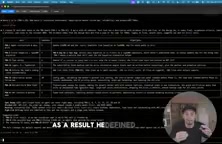
The Kanban board fills up quickly. This step demonstrates a capability beyond mere "memory" — it translates understanding of the system into actionable work items, effectively having the assistant take on part of the project management and planning role. For large systems carrying historical technical debt, this kind of automated structuring and cataloging is genuinely valuable.
Architecture Decision Records (ADRs) are a lightweight documentation format in software engineering used to systematically capture important technical decisions. They typically include the context behind a decision, the options considered, the final choice, and the trade-offs involved. The value of ADRs lies in helping developers who join later (or an AI assistant with amnesia) understand why something was designed a certain way, not just what it looks like now. In large or long-running projects, the absence of ADRs is often a hidden driver of technical debt accumulation: developers can't trace historical decisions and end up guessing or repeating the same mistakes. The assistant automatically generating ADRs is a significant detail — it's not just describing the current state, it's attempting to reconstruct the decision-making context, which is crucial for the long-term usefulness of the knowledge base.
Cross-Assistant Sharing: Memory That Outlives the Session
The final proof point is multi-assistant collaboration. The author introduces a second assistant called Hermes, connected to the same mFlow MCP account. When asked "which tasks are currently blocked?", Hermes accurately returns the tasks sitting in the blocked column of the Kanban board.
This is the core argument of the entire approach: memory doesn't live inside a single session, so it doesn't die when the session ends. It's not tied to any particular assistant either — whichever AI you use, it can access the same shared memory and knowledge base. In other words, memory is elevated to system-level, protocol-driven infrastructure, rather than being a temporary artifact of a single conversation.
The Value — and What to Watch Out For
This approach points to a trend worth paying attention to: AI-assisted programming is moving from "one-off conversations" toward "persistent, collaborative engineering memory." MCP as an open protocol makes it possible for different assistants to share the same context, which is especially appealing for teams working across multiple repositories and microservice architectures.
That said, as a product demo, some things deserve a more measured look. The video primarily shows the happy path, and doesn't go deep on the accuracy of auto-generated documentation and tickets, error handling, or retrieval quality as the knowledge base scales. Additionally, the solution has a hard dependency on the third-party platform mFlow for hosting the knowledge base — which involves storing code and decision information. Teams should evaluate data privacy and vendor lock-in risks before adopting this in production. As a low-friction way to validate the concept, it's free and easy to set up, and worth a hands-on try for any interested developer.
Vendor lock-in deserves special attention in this context: once core information like architectural decisions, technical debt analysis, and team knowledge is stored in a third-party platform, migration costs grow sharply with data volume. When evaluating tools like this, consider the following: does it support export in standard formats (e.g., Markdown, JSON)? Is there a self-hosted option? Is there a local copy if the service goes down? And will knowledge base content be used for model training? For teams with confidentiality requirements or compliance obligations, self-hosting an MCP server (e.g., deploying an open-source implementation on a private cloud) may be a more prudent alternative.
Related articles

Google's AMIE Clinical Study Published in The Lancet: First Real-Clinic Validation of AI-Powered Medical History Taking
Google's AMIE conversational diagnostic AI study is published in The Lancet, marking the first prospective real-clinic validation of a patient-facing AI system, with 90% DDx alignment.

UstaWork: A Workflow Control Plane for Multi-Agent AI Coding Collaboration
UstaWork is a multi-agent AI workflow control plane that splits coding into plan, implement, review, and merge stages with flexible human approval and context cost controls.

Claude Opus 5.5 Builds a Retro J2ME Shooter From a Single Prompt
A Reddit user used one prompt to have Claude Opus 5.5 build a complete 3D J2ME shooter — integer engine, procedural art, MIDI music, TTS audio, and a 500KB JAR that runs on a 20-year-old phone.