Six AI Hardware Devices to Upgrade Your Home Office
Six categories of embedded AI office hardware are quietly taking over repetitive work in home offices.
The article reviews six categories of AI hardware worth watching in home office scenarios, with the core logic of "embedded intelligence"—AI is no longer confined to cloud chat boxes but built into everyday physical devices. Recording devices use microphone arrays for real-time transcription and structured minutes, removing "post-meeting organizing" from the workflow; AI cameras embed auto-framing and background blur into hardware with lower latency and no computing burden; interaction devices shift some operations to voice and gestures but vary in maturity and are prone to false triggers in multi-person environments. Buying advice: first identify high-frequency pain point scenarios, then compare pickup distance, battery life, privacy handling, and ecosystem compatibility. The overall trend is intelligence moving from screens to desktops, redrawing the boundary of human-machine division of labor.
The AI Hardware Wave in Home Offices
As remote work becomes the norm, home office setups are shifting from "getting work done" to "working smart." AI hardware is filling this need: it doesn't change your existing workflow but quietly takes over repetitive tasks in areas like note-taking, video capture, and interaction. This article covers six categories of AI office devices worth watching—from smart notebooks to AI cameras—spanning meetings, content creation, and everyday collaboration.
The common logic behind these devices is "embedded intelligence": AI isn't in a cloud chat box but built into the hardware you touch every day.
Recording Devices: Automatic Meeting Minutes
One of the most draining parts of home office work is meeting notes. AI note-taking hardware uses microphone arrays and ambient noise reduction to transcribe in real time during calls and output structured summaries and action items afterward. Compared to pure software solutions, dedicated hardware's advantages lie in audio pickup quality and battery life—it doesn't consume computer processing power and won't interrupt recording when you switch apps.
For those who frequently attend cross-timezone meetings, the value of these devices isn't in a single metric like "transcription accuracy" but in completely removing the "post-meeting organizing" step from the workflow.
Microphone array is a sound pickup system composed of multiple microphones arranged in a specific geometric configuration. Through beamforming algorithms, it performs spatial filtering on sound source direction, thereby directionally enhancing speaker voice and suppressing ambient noise in noisy environments. Compared to a single microphone, arrays can also achieve sound source localization, supporting speaker diarization (identifying "who is speaking"), which is precisely the prerequisite for meeting transcription to output structured minutes. In home scenarios, the number of channels and spacing design of the array directly determine pickup distance and reverberation resistance.
Visual Devices: AI Cameras Redefine "On Camera"
AI cameras are the category with the most noticeable experience differences among these six device types. Features like auto-framing, background blur, and light compensation used to rely on software but are now固化到 hardware, resulting in lower latency and less resource usage. Some products can even automatically switch composition based on speaker position, minimizing the home environment in the frame.
For roles that require frequent on-camera appearances, camera quality is part of one's "professional image." With AI enhancement, ordinary rooms can consistently output visuals close to professional streaming setups, eliminating the hassle of lighting and green screens.
Auto-framing relies on human keypoint detection and object tracking models: the camera identifies face and shoulder positions in real time on a local chip, then dynamically frames the composition within the sensor image through digital pan-tilt-zoom rather than mechanically rotating the lens. Compared to software solutions, hardware-side inference latency can typically be controlled within tens of milliseconds and doesn't consume host CPU/GPU. Some products also combine depth information or background segmentation models for more natural blur edges—this is the technical source of the "ordinary room approaching professional streaming setup" effect.
Interaction Devices: Voice and Gestures Enter the Workspace
The third category worth watching is interactive hardware. Smart speakers, desktop devices with AI assistants, and peripherals supporting gestures or eye tracking are partially shifting "operating the computer" to voice and motion. Their real value isn't in showing off tech but in reducing the cost of switching hands between keyboard, mouse, and devices.
However, the maturity of these devices varies. Voice commands perform reliably in quiet environments but are prone to false triggers in multi-person households or open spaces. When purchasing, prioritize confirming whether they support custom wake words and local processing.
Custom wake words means users can modify the specific phrase that triggers the device to reduce confusion with other sound sources like TVs and speakers; local processing means voice wake and some command recognition are completed on the device's chip rather than uploading audio to the cloud. Together they determine false trigger rates and privacy risks: local processing reduces data transmission but is limited by on-device computing power, so recognition scope is usually narrower than cloud models. When purchasing, if there are many family members and open spaces, prioritize confirming support for custom wake words and offline command sets.
Buying Guide: Define the Scenario First, Then Check Specs
Facing six categories of AI office hardware, it's easy to get caught up in spec comparisons. A more practical order is to first identify your high-frequency pain points: Is it too many meetings, too much on-camera time, or too much task switching? After locking in the device category for your scenario, compare specific metrics like pickup distance, battery life, and privacy handling methods within that category.
Another easily overlooked dimension is ecosystem compatibility. AI hardware capabilities are often tied to companion software; if it can't integrate with your existing meeting software and calendar systems, even the strongest features become isolated islands.
Summary
These six AI office devices reflect the same trend: intelligence is moving out of the screen and onto physical devices on your desk. They won't replace computers but will redraw the boundary of "which work goes to machines." For home office workers, which one to choose depends on which repetitive task you're willing to hand over.
Related articles

AI Teams Up with Mathematicians to Attack the Riemann Hypothesis: 17 Million Lines of Code Tear Open a 167-Year Gap
In November 2026, Anthropic mathematicians and Claude claimed to have discovered a proof of the Riemann Hypothesis, publishing 17 million lines of Lean formalized code that passed machine verification. This article analyzes the event's impact on mathematics and cryptography, and the deeper questions raised by the separation of discovery and understanding.
AI Claims Formal Proof of the Riemann Hypothesis — But Machine Verification Isn't a Mathematical Proof
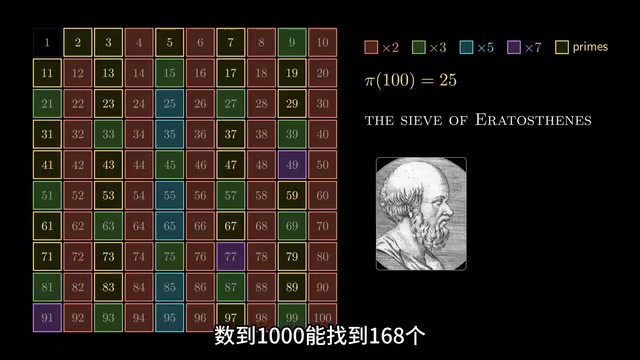
In Nov 2026, Anthropic's Levent Alpöğe released a Riemann Hypothesis proof of 175,000 code files that passed machine formal verification. But machine verification isn't a mathematical proof: the kernel can't confirm the proposition is the Riemann Hypothesis humans understand, and there's no human-readable paper. This article breaks down how ζ function zeros determine prime-count deviation, and the core of the controversy.
Anthropic Raises Over $80 Billion in IPO, DeepSeek Secures $100 Billion in Funding: AI Weekly Roundup
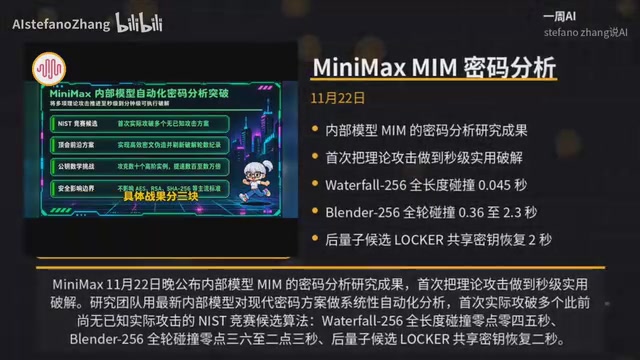
This week in AI: Anthropic's Nasdaq IPO raises $93.5B in the largest ever, DeepSeek closes ~100B yuan round, AI claims formal Riemann proof, MiniMax breaks crypto candidates in seconds.