Solo Creator + Agent = AI Short Drama: A Complete End-to-End Breakdown Without the Gacha Grind
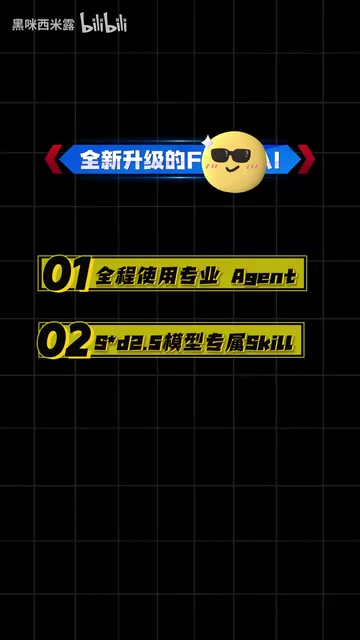
One creator + AI Agent + C-Dance 2.5 = a coherent short drama in half a day, no gacha grinding required.
This article introduces an AI short drama production workflow built around Flova AI Agent and the C-Dance 2.5 video model. Unlike the traditional "gacha grind" approach, the system uses an Agent to automatically handle shot breakdowns, character consistency, and scene planning, while Canvas Mode provides structured asset management — all through natural language. C-Dance 2.5 supports up to 30-second continuous outputs and 50 reference assets, solving cross-shot character inconsistency. The five-step process covers script upload, Skill selection, storyboard preview, video generation, and timeline assembly. The creator also notes that "half-day output" results still depend on topic complexity, and recommends treating this as a methodological framework rather than a zero-barrier promise.
From "Gacha Grinding" to "One-Click Output": The Efficiency Revolution in AI Short Drama
In AI video creation, "gacha grinding" has long been an unavoidable pain point — to get one satisfying shot, creators often have to generate, sift through, and redo clips repeatedly, burning through enormous amounts of time and compute costs. A workflow recently shared by a Bilibili creator showcases a fundamentally different approach: using a professional AI Agent alongside the C-Dance 2.5 video model, a single person can produce a coherent AI pet short drama in half a day.
The finished piece, as demonstrated, is a short drama centered on the theme of "a pet gaining human-like sentience" — covering the female lead returning home, anthropomorphic pet interactions, and a "reverse-growth plan" for the female lead. The storyline is cohesive and the characters remain consistent throughout. The production process doesn't rely on luck with any single generation tool; instead, it's a systematic, Agent-driven workflow.

The Agent Is Not a Tool — It's Your Creative Partner
The creator repeatedly emphasized that the biggest difference between Flova AI and ordinary AI tools is this: it's not a standalone generation tool, but a complete creative Agent. Users simply feed in the drama's theme and script outline, select the corresponding Skill, and the AI automatically handles a series of tedious tasks — breaking down shots, unifying character designs, planning scenes, and matching sound effects and transitions.
This means that much of the manual "gacha grinding" is taken over by the system. More importantly, everything is communicated in natural language. Creators don't need to memorize complex prompt templates — they just express their creative needs as if having a conversation.

Canvas Mode: Solving the Long-Standing Headache of Asset Management
For anyone who has worked with AI video, scattered, disorganized, and hard-to-reuse assets are a persistent frustration. The creator specifically called out "Canvas Mode" as the key to boosting efficiency.
Three Key Advantages of Structured Asset Organization
Assets generated by traditional AI tools are often scattered everywhere, making it difficult to map them back to specific shots. Flova's Canvas Mode automatically organizes assets in a "episode — shot" grouping, integrating the storyboard, asset library, and timeline into a single interface. This delivers several practical benefits:
- Visualized story continuity: Want to see how the plot connects? Switch to list view for an instant overview.
- Precise local edits: When adjustments are needed, simply issue a command under the corresponding shot for a localized reset — no need to scrap everything and start over.
- Reusable asset library: Generated characters, scenes, and other assets can be reused across multiple shots.
This structured management approach essentially merges the "project management logic of video editing software" with "AI generation capabilities," dramatically reducing the organizational overhead of long-form content creation.
C-Dance 2.5: Built for Long-Sequence Short Drama
Another highlight of this workflow is the C-Dance 2.5 video model. According to the introduction, it is specifically designed for long-sequence short drama scenarios and offers several targeted capabilities:
- Stably outputs up to 30 seconds of coherent video per generation, breaking past the limitation of many models that can only produce a few seconds at a time.
- Supports uploading up to 50 reference assets, ensuring character consistency across shots.
- Smooth and unified camera movement and character motion, with a cinematic visual quality built in.

Skill Customization: Deep Prompt Optimization Under the Hood
You may not have noticed, but the platform has built dedicated Skills for C-Dance 2.5 to lock in the overall style. These Skills have built-in prompts that are deeply optimized for the model, allowing creators to batch-produce stylistically consistent, quality-stable short clips without needing to figure out complex parameters themselves. For the goal of "accessible even to beginners," the Skill mechanism is the critical enabler.
Full Production Workflow Breakdown
The creator distilled the entire AI short drama production process into five clear, highly replicable steps:
Step 1: Upload Your Script or Creative Idea
Drop your script or story concept directly into the Agent and describe it in natural language.
Step 2: Select a Topic Skill to Lock In the Style
Choose the matching script Skill for your topic. The Agent will automatically generate assets like characters and scenes, ensuring visual consistency throughout.
Step 3: Preview the Storyboard in Publish Mode
Preview the story's shot breakdown in Publish Mode, adjust shot composition, and ensure the narrative pacing feels right.

Step 4: Call the Model to Generate Coherent Video
Invoke C-Dance 2.5 to generate coherent video clips, with each generation up to 30 seconds long.
Step 5: Assemble on the Timeline to Finish the Film
Drag all assets onto the timeline, add sound effects and transitions — and your AI short drama is complete.
Cost and Practicality Considerations
A major selling point of this workflow is clearly cost control. The creator mentioned that the platform recently launched a cash incentive event, during which credits are doubled, significantly lowering the cost of model usage. Upscaling is also available with a single click. These measures raise the cost-effectiveness of AI short dramas and lower the barrier to entry for everyday creators.
A Rational Perspective: Where Promotion Ends and Practice Begins
It's worth noting that the source material here comes from a single creator's promotional demo, which naturally contains platform marketing elements. Results like "finish a short drama in half a day" and "no character inconsistencies across shots" are still affected in practice by factors such as the complexity of the topic and the quality of the source assets. For creators looking to get started with AI short dramas, it's advisable to treat this workflow as a methodological reference — specifically, the combined approach of "Agent orchestration + long-sequence video model + structured asset management" — rather than expecting a completely zero-barrier, one-click output experience.
Conclusion
AI short drama creation is shifting from "gacha grinding" to "systematic orchestration." This workflow — centered on an Agent, supported by a dedicated video model and canvas-based asset management — represents an important direction in AIGC video creation today: freeing creators from repetitive technical labor so they can focus more on creativity and storytelling. As long-sequence video models continue to evolve, the idea of one person plus an Agent producing a complete short drama is moving from concept to reality.
Related articles

LLM Application Development: A High-Paying Career Guide for Ordinary People
LLM application development offers fresh graduates up to 35K/month, with SP offers reaching 600K. This article explains the core skills, how to break in, and how ordinary people can seize AI opportunities through learning by doing.

Say Goodbye to AI Influencer Faces: A Complete Guide to Creating Visual Assets for AI Comic Dramas from Scratch
Bilibili creator shares a full workflow for zero-basics AI comic drama visual assets: use Doubao Work skills with script-first, visual references, and real-person texture to escape AI influencer faces, then lock character and scene consistency with asset sheet layouts, weapon detail images, scene nine-grids, and cinematic color palettes.

The AI Production Pipeline Behind Great Videos: From Research to Agent Validation
AI video production isn't just a model race. This article breaks down a transferable four-step pipeline: researching professional workflows, organizing a skill checklist, configuring agents, and experimental validation—and explains how general-purpose LLMs like DeepSeek can replace paid tools to run the entire process.