Sonnet 5 Surprisingly Excels at Blender 3D Modeling — Outperforming Opus 5?

Reddit user finds Claude Sonnet 5 outperforming Opus 5 on Blender 3D modeling tasks.
A Reddit user reported that Claude Sonnet 5 significantly outperformed the higher-tier Opus 5 in Blender 3D modeling tasks. The user's carefully engineered Agent prompt requested a complex medieval castle scene with moats, dusk lighting, and strict behavioral constraints against destructive actions or "fake success." The article analyzes why Sonnet may edge out Opus — Blender automation relies on Python script generation, where API memory coverage matters more than general reasoning. The findings remain a single community observation without systematic data, and creators are encouraged to run their own workflow-specific tests rather than defaulting to flagship model branding.
An Unexpected Discovery on Reddit
A Reddit user recently shared an observation about Anthropic's new Claude Sonnet 5 model: in Blender 3D modeling tasks, Sonnet 5 showed a significant performance jump — even surpassing the higher-tier Opus 5 in certain scenarios. This sparked community discussion about model capability tiers. We typically assume that Opus, as the flagship model, should lead across complex creative tasks — but real-world usage tells a different story.
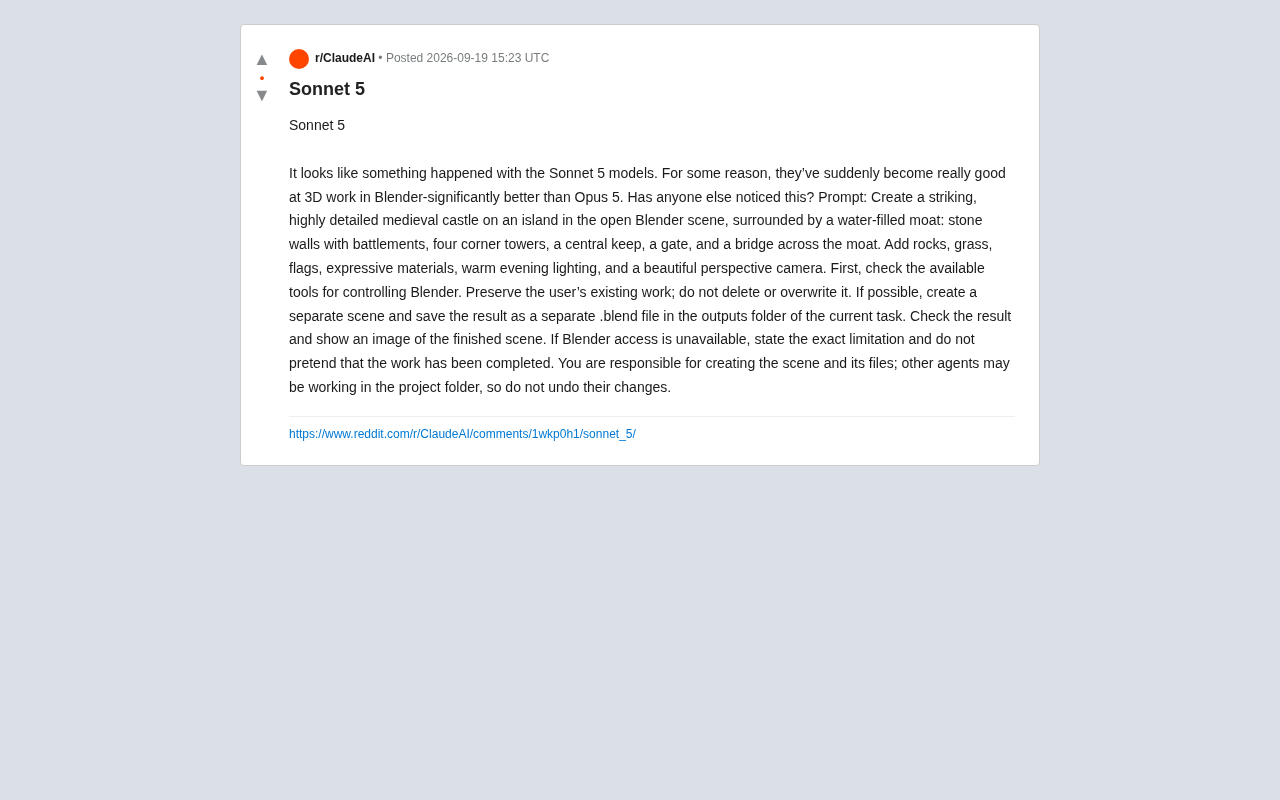
The poster was straightforward: "It looks like something changed in the Sonnet 5 models. For some reason they suddenly became very good at 3D work in Blender — noticeably better than Opus 5. Has anyone else noticed this?" This kind of real-workflow feedback often reflects a model's practical usability in vertical domains far better than official benchmarks ever could.
The Complex Prompt Used for Testing
What's especially worth examining is the prompt itself — a carefully engineered Agent task instruction that can serve as a useful reference template for evaluating AI 3D modeling capabilities. The task asked the model to create a medieval castle scene on an isolated island within Blender, including:
- Stone walls with battlements, four corner towers, and a central keep
- A gatehouse and a bridge spanning the moat
- A surrounding water moat
- Detailed elements like rocks, grass, and flags
- Expressive materials and warm dusk lighting
- A camera angle with good perspective
Beyond the creative requirements, the prompt also contained a set of strict Agent behavioral constraints — a design choice particularly worth noting for developers.
Engineered Constraints in the Prompt
The user explicitly instructed the model to: first check available Blender control tools; preserve any existing work without deleting or overwriting it; create an independent scene where possible and save the result as a separate .blend file in the current task's outputs folder; check the results and display the final rendered image upon completion.
The most critical constraint was around honesty: if Blender is inaccessible, the model must clearly state the exact limitation rather than pretend the work has been completed. The prompt also noted that other Agents might be collaborating in the project folder, and their changes should not be undone.
This set of constraints reflects the core concerns of experienced users running AI Agents on real projects — preventing destructive operations, guarding against hallucinated "fake success," and maintaining boundaries in multi-Agent collaborative environments.
Why Might Sonnet Outperform Opus?
In terms of positioning, the Sonnet series is typically designed as a mid-tier model optimized for speed and cost, while Opus represents the upper bound of capability as the flagship. However, in concrete tool-use and structured operation tasks, real-world performance is influenced by many factors — you can't simply assume "flagship means better."
A few possible explanations are worth considering: first, different models may have different training emphases when it comes to tool calling and code generation (Blender modeling fundamentally relies on Python scripts or MCP tool instructions); second, during the iteration process, Sonnet 5 may have received targeted optimization for structured tasks; third, a single case introduces sampling bias — one prompt's performance cannot represent the overall capability distribution.
It's important to emphasize: this is currently a single-source community observation, lacking systematic comparative testing or reproducible data. Elevating "Sonnet 5 performed better on this one task" to "Sonnet 5 comprehensively surpasses Opus 5 at 3D modeling" would be an overreach.
There's an underlying mechanism here that's easy to overlook: Blender automation via AI fundamentally depends on Python script generation and execution — not visual perception. The model must translate a natural-language scene description into precise bpy (Blender Python API) call sequences, including mesh creation, UV unwrapping, material node connections, camera parameter settings, and more. The core requirement of these tasks isn't "comprehension" — it's breadth of memory for specific APIs and code structuring ability. A model's performance on such tasks therefore depends heavily on the coverage and quality of Blender Python scripts in its training data, not on general reasoning ability. This also explains why flagship models don't necessarily dominate every vertical tool task.
Implications for AI-Assisted 3D Creation
Setting aside the model-vs-model comparison, this case illustrates that AI Agent applications within professional creative software like Blender are becoming genuinely practical. Through tool-connection mechanisms like MCP (Model Context Protocol), large language models can now understand complex, naturally described scene requirements and translate them into real software operations.
For creators and developers, two practical takeaways stand out: first, when writing high-quality Agent prompts, go beyond describing the creative goal — explicitly add operational boundaries, file management rules, and honesty requirements; second, don't blindly trust flagship model branding when choosing a model. Running small-scale tests on your specific workflow often reveals better cost-performance alternatives.
Ultimately, a genuine assessment of model capabilities requires cross-validation from more users on identical tasks. If you're using AI for Blender or other 3D workflows, consider running a comparison with a similar standardized prompt — let data, not impressions, guide your judgment.
What is MCP? MCP (Model Context Protocol) is an open protocol introduced by Anthropic to standardize how large models connect with external tools and data sources. Think of it as the "USB standard" for AI — developers package tools (such as a Blender controller, file system, browser, etc.) according to the protocol, and models can discover and call these tools through a unified interface without custom integration for each application. In a Blender workflow, the MCP Server typically runs as a local process, receiving operation instructions generated by the model, translating them into Blender's internal Python execution commands, and returning the results (such as rendered images or error messages) back to the model. This architecture makes "controlling professional software with natural language" possible, and is one of the dominant paths for AI Agents to land in creative tooling.
Related articles

Why Does the Tesla Roadster Need to Fly? A Deep Dive into Musk's Wild Demo
Tesla's Roadster launch showed wall-climbing, upside-down driving, and flying stunts—but The Vergecast notes the demo car may lack a battery, the Rocket version is invite-only and not street-legal, and the website terms don't guarantee delivery. After nine years of delays, why does this car still need to exist?

AI Is Not a Replacement: Human-AI Collaboration Through the Lens of Factory Root Cause Analysis
Starting from factory root cause analysis, this article explains how AI accelerates evidence chain construction rather than replacing human experts, exploring the pragmatic implementation logic and business value of 'AI supporting people rather than replacing them.'

AI Agent Decision Auditing: Building an Evidence Chain in Regulated Workflows
Starting from a Reddit discussion, this article analyzes three core issues in AI agent decision auditing within regulated workflows: what fields audit records should contain, how to handle feedback latency for erroneous decisions, and how to continuously calibrate LLM judge consistency with human judgment.