Speech To Markdown: Local AI Voice-to-Structured Markdown Note-Taking Tool

Free local AI app that converts voice dictation into structured Markdown notes, fully offline on Mac/iOS.
Speech To Markdown is a free macOS and iOS app that uses local LLMs to convert voice input into structured Markdown notes. With a global shortcut (⌘⌥]), users can dictate from any window and get AI-organized output with headings, lists, and formatting. Running entirely on-device with no cloud or API keys, it offers strong privacy guarantees and zero ongoing costs, targeting heavy note-takers, developers, and privacy-conscious professionals.
When Voice Input Meets Local LLMs
Voice-to-text isn't new, but automatically organizing dictated content into structured Markdown notes — all running locally on your device — is the real problem Speech To Markdown aims to solve. This free macOS and iOS app launched on Product Hunt with a combination of "local LLM + global dictation + real-time Markdown editing," reaching #15 on the product leaderboard with 93 upvotes on launch day.
Its positioning is clear: press ⌘⌥] in any window to start dictating, and instead of getting a messy stream of text, you get well-organized notes with headings, lists, and hierarchical structure. For developers, writers, and knowledge workers who habitually use Markdown, this "voice-to-document" closed loop is quite compelling.

Core Features Breakdown
Global Dictation Shortcut — Works Anywhere
The app's most practical feature is its system-level global shortcut ⌘⌥]. This means you don't need to switch to a specific app — whether you're coding, replying to emails, or browsing the web, you can invoke dictation at any time. This "omnipresent" input method elevates voice to a first-class interaction medium rather than confining it within a specific note-taking app.
From a technical perspective, macOS's global shortcut mechanism relies on system-level Accessibility permissions. The app must register as a "trusted accessibility client" to intercept keyboard events in any window and trigger custom behavior. This fundamentally differs from in-app shortcuts that only work when the app is in the foreground. System-level listening means Speech To Markdown can start recording and transcription without the user switching context, effectively elevating voice input to the same system-level status as keyboard input.
Real-Time Markdown Editor with Smart Corrections
The biggest difference from ordinary dictation tools is that Speech To Markdown includes a real-time Markdown editor. Speech recognition results are instantly rendered as editable Markdown text, with support for "on-the-fly fix" — letting the local LLM correct typos, complete punctuation, and adjust formatting as you speak. This allows raw dictation to quickly converge into usable output without extensive post-editing.
The underlying workflow breaks into two stages: first, automatic speech recognition (ASR) converts audio signals to raw text; second, text post-processing where the local LLM performs semantic analysis and formatting. On the ASR side, macOS's built-in Speech Framework supports offline recognition, while open-source solutions like Whisper (released by OpenAI and widely deployed locally by the community) offer higher-accuracy multilingual transcription. On the LLM post-processing side, the model needs to understand logical relationships in spoken language and map them to structured text. This two-stage pipeline design allows independent optimization of each component and leaves room for swapping in stronger ASR or LLM modules in the future.
AI-Driven Structured Output
Where AI truly shines is converting unstructured speech into structured documents. When you naturally say "first point... second point..." or describe a multi-level idea, the local LLM attempts to understand the semantics and organize them into corresponding headings, bullet lists, or code blocks. This is something pure speech-to-text tools can't do, and it's the core reason for the name Speech To Markdown.
Markdown's role as the ideal output format is inseparable from its position in the knowledge management ecosystem. Created by John Gruber in 2004 to let people write readable formatted documents in plain text, it has become the de facto standard for technical documentation, personal knowledge management, and content creation — Obsidian, Logseq, Notion, and others all use Markdown as their underlying format, and GitHub READMEs and tech blog platforms natively support it. Its core advantages: plain text files don't depend on specific software, are easy to version control (Git-friendly), and highly portable. This explains why converting voice directly to Markdown rather than rich text has unique value — the output seamlessly integrates into users' existing knowledge management workflows without extra format conversion.
The Privacy Value of Local-First
In an era where more and more AI apps upload data to the cloud, Speech To Markdown takes the opposite approach: No cloud, no API keys — nothing leaves your Mac. All speech recognition and LLM inference runs locally, with no cloud dependencies and no API key configuration needed.
The key to running LLMs locally lies in mature inference frameworks and hardware acceleration. In the macOS ecosystem, common local inference solutions include llama.cpp, MLX (Apple's official machine learning framework), and others that fully leverage Apple Silicon's Unified Memory Architecture and Neural Engine. M1 and subsequent chips integrate CPU, GPU, and neural engine on a single chip with memory bandwidth of 100-400 GB/s, enabling 7B or even 13B parameter models to run inference at acceptable speeds (typically 10-30 tokens/s). Compared to traditional x86 architectures that require discrete GPUs for smooth LLM operation, Apple Silicon's unified memory design is naturally suited for on-device AI inference — which is why an increasing number of local AI apps choose macOS as their launch platform.
This design delivers three benefits:
- Privacy & Security: Sensitive content like meeting notes, personal journals, and business ideas never leave your device, fundamentally eliminating data breach concerns.
- Zero Cost: The app is free and incurs no API call fees, with no marginal cost for long-term use.
- Fully Offline: Works without network connectivity, especially friendly for recording on planes, subways, or network-restricted environments.
From a broader perspective, the core tradeoff between on-device and cloud inference is model capability versus privacy/cost. Cloud models (like GPT-4, Claude) can reach hundreds of billions of parameters and excel at complex reasoning and long-context understanding, but every call involves data transmission and usage-based billing. On-device models typically range from 1B-13B parameters, constrained by device memory and compute, but offer lower response latency (no network round-trip), guaranteed privacy, and zero marginal cost. Recent advances in quantization (e.g., GGUF 4-bit quantization) and knowledge distillation have significantly narrowed the gap between small models and large models on specific tasks. For moderately complex tasks like "organizing dictated notes," on-device models already deliver sufficient quality.
With Apple Silicon's continuing improvements in on-device inference performance and advances in small model quality, running LLMs locally has moved from concept to practice. Speech To Markdown is a prime example of this trend — proving that cloud-scale GPT-level models aren't necessary, and on-device capabilities are sufficient for high-frequency, lightweight tasks like "voice-organized notes."
Target Users and Use Cases
Based on its product categories (Productivity, Writing, Artificial Intelligence), this tool primarily targets three user groups:
- Heavy Note-Takers: People who manage knowledge bases with Markdown tools like Obsidian or Logseq can use voice to quickly add cards and notes. These tools typically employ "bidirectional linking" and "atomic notes" philosophies where each note is an independent Markdown file — voice input can significantly reduce the friction of creating new notes.
- Developers and Technical Writers: Markdown is the universal format for technical documentation. Dictating first drafts and then manually polishing can significantly boost writing efficiency. Especially when writing API docs, tech blogs, or project READMEs, quickly dumping ideas via voice then refining details carries far less psychological burden than starting from a blank page.
- Privacy-Conscious Professionals: Lawyers, doctors, consultants, and others handling sensitive information benefit from reduced compliance risk with a local solution. Under increasingly strict data protection regulations like GDPR and HIPAA, "data never leaves the device" is itself the strongest compliance statement.
Limitations Worth Noting
Despite its advanced concept, several points need real-world verification based on currently available information. First, local model recognition and organization quality — on-device models are constrained by device compute, and whether they can match cloud solutions for long-paragraph semantic organization and specialized terminology recognition remains to be seen. Especially when dictation involves complex nested logic (like "under the third sub-item of the second point") or domain-specific terminology, small parameter models may struggle. Second, multilingual support — for Chinese users especially, the local model's ability to handle Chinese speech and Markdown structuring is key to usability — Chinese ASR accuracy, spoken-to-written Chinese conversion quality, and formatting in mixed Chinese-English scenarios all need individual verification. Additionally, with only 7 reviews, it's clearly still in early stages, and feature maturity and stability need time to develop.
Conclusion
Speech To Markdown addresses a real pain point: voice is the most natural input method, Markdown is the most universal structured format, and bridging them with local AI is both efficient and private. It's not trying to replace complex note-taking systems but rather serves as an "always-available voice entry point." Against the backdrop of accelerating on-device AI adoption, these "local-first, privacy-first" small tools may represent the next exciting direction for personal productivity software.
Related articles
Robinhood Executive to Speak at TechCrunch Disrupt 2026 on Winning the Modern Financial Consumer
Robinhood VP of Product Marketing Abhishek Fatehpuria will speak at TechCrunch Disrupt 2026 on winning the modern financial consumer. Early-bird saves up to $200 before Sept 25.
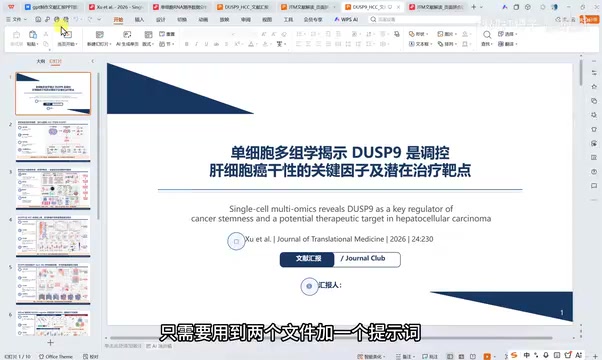
Using ChatGPT to Batch-Generate Editable Academic Slides: A Practical Efficiency Tool for Researchers
A complete workflow for batch-generating editable academic PPTs with ChatGPT: upload a PDF and template, use a structured prompt to render slides as images, then convert to editable format — all in under 30 minutes.
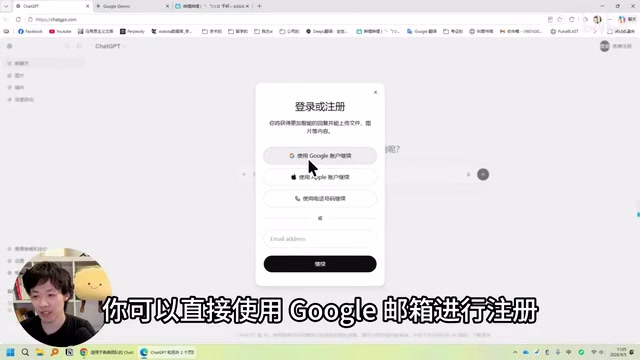
GPT-6 Full Power Guide: Unlocking Ultra Thinking Intensity via GPT-work
Step-by-step guide to using GPT-6 at full power: Apple ID registration, Plus/Pro subscription, and unlocking GPT-6 Ultra max thinking intensity via GPT-work client.