Using ChatGPT to Batch-Generate Editable Academic Slides: A Practical Efficiency Tool for Researchers
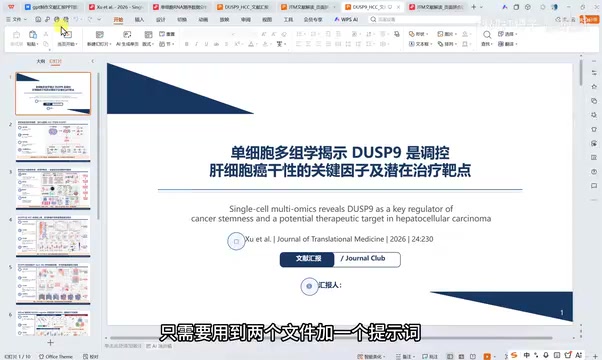
Generate polished, editable academic slide decks from a literature PDF in under 30 minutes using ChatGPT.
This article walks through a practical ChatGPT workflow for generating academic presentation slides: upload a literature PDF and a PPT template, use a structured prompt to have the AI render each slide as an image via the image generation model, assemble them into a full deck, then convert to an editable PowerPoint. The entire process takes about 30 minutes. The prompt must explicitly instruct the AI to use the image generation model for all visuals — omitting this produces unusably sparse output. Citation reliability has improved significantly over earlier model versions, though manual verification is still recommended. For this task, ChatGPT outperforms Codex, which is better suited to code execution and bioinformatics pipeline tasks.
Creating PowerPoint presentations is an unavoidable part of academic life — whether for lab meetings, group presentations, or literature reviews. For graduate students in bioinformatics, medicine, and related fields, producing a polished yet efficient slide deck often eats up a disproportionate amount of time. A Bilibili creator focused on bioinformatics analysis shared a complete workflow for batch-generating high-quality academic PPTs using ChatGPT (combined with Codex). The core logic is "two files + one prompt," the whole process takes under half an hour, and the output is a fully editable presentation.
This article breaks down the key steps of the workflow and explains why it delivers real value in research settings.
Core Idea: Generate Images First, Assemble the Deck, Then Convert to Editable
The clever part of this workflow is that it's broken into three stages rather than asking AI to produce a finished PPT in one shot.
Step 1: Use ChatGPT's image generation model to render each slide as an image, at a fixed 16:9 aspect ratio, styled according to the provided template. This step determines how the final product looks.
Step 2: Stitch the generated slide images into a complete PPT file that can be downloaded — though at this point the slides are still image-based and not editable.
Step 3: Add a follow-up prompt asking for a "1:1 conversion to an editable version," and the AI will transform the image-based deck into a proper PowerPoint where text and graphics can be modified.
This "image-first" approach is the linchpin of the entire workflow. The creator specifically warns that your prompt must include a line stating that all visuals should be generated using the image generation model. Leave that out, and what you get is a stripped-down deck with minimal text and bare-bones graphics — completely unsuitable for a real presentation. Include it, and the output is a visually coherent, template-styled slide deck.
Three Things You Need to Prepare
The method itself isn't complicated. You only need three inputs:
1. A Literature PDF
Just upload the paper you want to present directly into ChatGPT. Standard academic PDF formats are handled without issue.
2. A PPT Template
The creator uses a lecture template he originally built for a single-cell analysis workflow, which he had previously shared for free. He suggests finding a more polished ready-made template, or even testing multiple templates as inputs to compare outputs and settle on the one that consistently looks best.
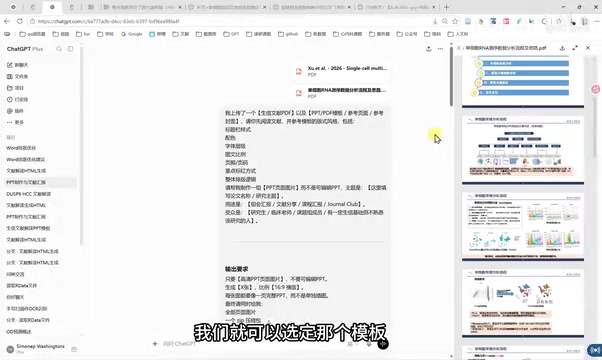
3. A Detailed Prompt
The prompt is fairly long but well-structured, covering several layers:
- Context: Tells the AI that a PDF and a template have been uploaded, and the task is to build a slide deck.
- Purpose and audience: For example, a lab meeting or literature review, targeting graduate students with a background in bioinformatics — adjust this to your own field and add domain-specific requirements.
- Output specifications: Only slide images first, fixed 16:9 ratio, specified page count, delivered as a ZIP archive, plus a speaker script and per-slide notes.
- Content structure: Research background, study rationale, data sources and methods, results interpretation, novelty, limitations, and references.
- Image generation declaration: All visuals must be produced using the image generation model — this line is mandatory.
References That Are No Longer "Made Up"
One notable improvement worth highlighting is the reliability of citations. The creator repeatedly emphasizes that asking ChatGPT to find references now yields results that are "highly reliable" — every citation found is a real paper, unlike earlier versions of the model that would fabricate plausible-looking but nonexistent references.
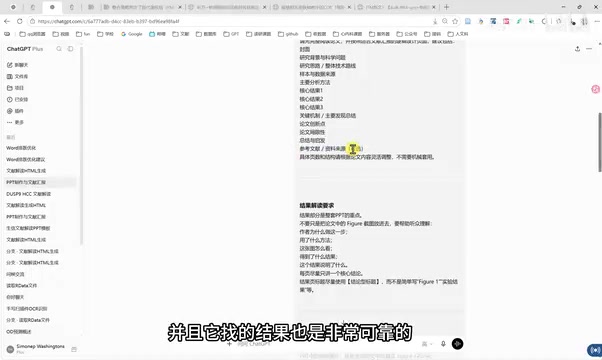
For researchers, this is a critical trust threshold. Fabricated citations are a hard disqualifier in academic presentations, and improvements in factual citation accuracy directly determine whether the tool can genuinely integrate into a research workflow. That said, manually verifying every citation is still strongly recommended in practice.
The "hallucination" problem in early large language models was especially dangerous in academic citation contexts. Models trained on vast amounts of academic text learned to produce perfectly formatted reference entries — complete with author names, journal titles, volume numbers, and years — that were actually confabulated patterns rather than real publications. This led to several high-profile incidents, including lawyers submitting court filings containing fabricated case citations. The improvement in reliability seen in recent models is largely attributed to the introduction of Retrieval-Augmented Generation (RAG) and targeted reinforcement of fact-checking capabilities, which steer the model toward citing indexed, real content rather than generating from scratch. Even so, a gap remains between "looks real" and "actually exists" — verifying each citation through PubMed, Google Scholar, or a similar database remains a necessary step for formal academic use.
How ChatGPT and Codex Differ in This Workflow
The video also compares the results of using Codex to generate slides, and the conclusion is clear: for PPT creation, use ChatGPT, not Codex.
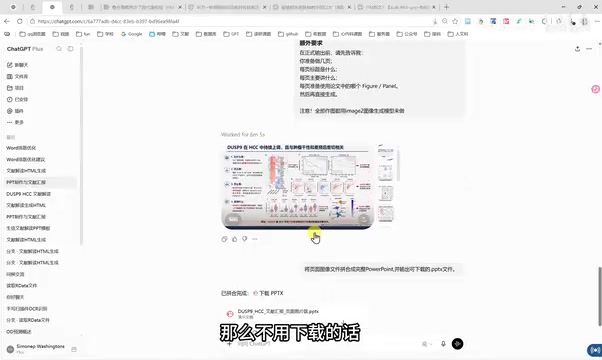
Two reasons. First, speed: Codex runs slowly, sometimes taking 20 minutes or even an hour. Second, quality: when the creator tested using Codex to convert image-based slides into a 1:1 editable version, the output was "very sparse" and noticeably inferior to what ChatGPT produced.
His recommended division of labor: ChatGPT is stronger at language tasks and content generation, making it the right tool for slide creation; Codex excels at execution-type tasks like running code, performing analyses, and handling scRNA-seq pipelines. Each has its domain.
Codex is a model series from OpenAI specifically trained for code understanding and generation. Built on the GPT architecture but fine-tuned on large code corpora, it excels at structured, logic-intensive programming tasks and served as the technical foundation for early versions of GitHub Copilot. Within ChatGPT's tool-calling system, Codex primarily plays an "execution layer" role — invoked when a task requires actually running scripts, accessing the file system, or processing data analysis pipelines. This explains its advantage in workflows like scRNA-seq: these are fundamentally code execution tasks, not content creation. Slide-making, by contrast, is a natural language understanding and content generation task — precisely where ChatGPT's general language capabilities shine. The distinction essentially maps onto "creative tasks vs. execution tasks."
Practical Value and Things to Watch Out For
From a productivity standpoint, this workflow compresses the creation of an academic slide deck to under 30 minutes — with the two image-generation stages each taking roughly 6–8 minutes. For graduate students and research teams who regularly present at lab meetings or review literature, the time savings from eliminating repetitive formatting work are real.
That said, a few things deserve a realistic assessment:
- Template quality sets the ceiling: How good the output looks depends heavily on how polished the input template is. It's worth investing time in selecting and testing templates.
- Domain content still needs human review: The AI's interpretation of the paper — including its framing of novelty and limitations — needs to be checked by the researcher to catch any misunderstandings.
- Always verify citations: Even with improved reliability, every reference should still be confirmed manually.
Overall, this is a low-barrier, highly reproducible AI productivity technique for researchers. The real value isn't "one-click generation" — it's using AI as a layout and draft assistant, freeing researchers from tedious formatting work so they can focus on the substance of their research.
Related articles
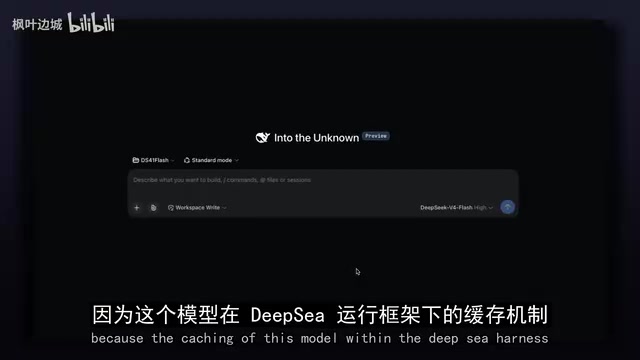
Overseas Blogger Tests DeepSeek's New Flash Model: KV Cache Efficiency Up 337x
Overseas blogger benchmarks DeepSeek's new Flash model: 337x KV cache efficiency gain, native AutoML, object detection, and visual generation — full hands-on breakdown.
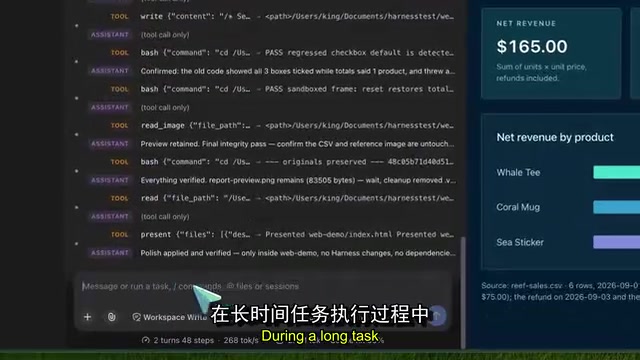
DeepSeek Harness V4.1 Flash Hands-On: Native Image Input and Cache Reuse Get Major Upgrades
DeepSeek Harness 0.1.5 RC1 integrates V4.1 Flash with native image input, cache reuse optimization, a new file preview sidebar, and real-time agent control. Full hands-on breakdown inside.
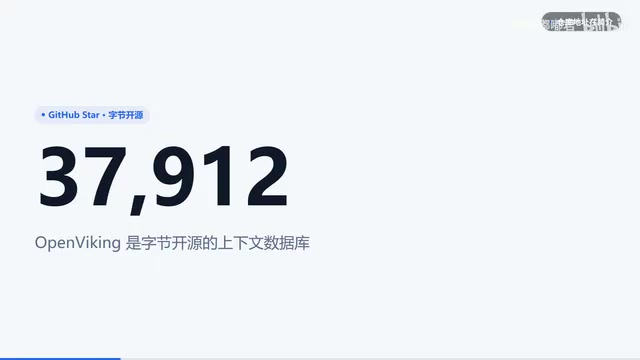
Giving DeepSeek Harness a Memory: OpenViking Cuts Tokens by Up to 91% in Real-World Tests
ByteDance's open-source OpenViking adds cross-session memory to DeepSeek Harness via a 3-layer filesystem. Official data shows 34–91% token reduction; real tests hit 40% zero results.