StoreLocale: Screenshot-Level App UI Translation While Preserving Layout

StoreLocale uses AI to detect and translate store screenshot UI text, redrawing in place to preserve layout, supporting 32 languages.
StoreLocale is a screenshot localization tool for app globalization: it automatically recognizes UI text in App Store and Google Play screenshots, translates it into 32 languages, then uses AI image generation to paint the translation back into the original positions while preserving layout. The editor is free, with AI powered by your own Gemini or OpenRouter API Key or one-time credits. Results export as PNG grouped by store, language, and size.
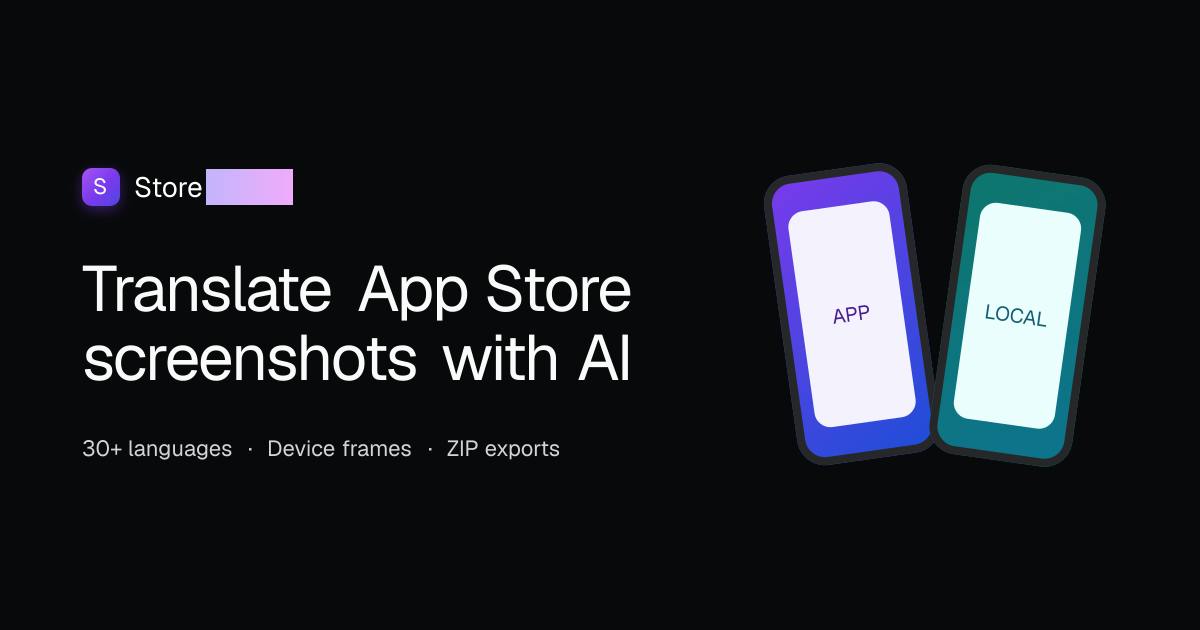
In the localization workflow for apps going global, multilingual adaptation of store screenshots has always been an easily underestimated step. The traditional approach requires designers to replace text language by language, adjust font sizes, and re-export—a process that often takes several days. StoreLocale, a new product on Product Hunt, aims to solve this problem with AI: it directly recognizes UI text in App Store and Google Play screenshots, translates it into 32 languages, and redraws it in place while preserving the layout.
What pain point does it solve?
App store screenshots are the first touchpoint in users' decision-making. When an app enters a new market, if the screenshots still show an English interface, conversion rates will be noticeably affected. But creating multilingual screenshots isn't simple—text lengths differ (German is usually longer than English, Chinese usually shorter), and direct replacement can easily cause text overflow, button deformation, or layout misalignment.
StoreLocale's core approach is "detect—translate—redraw in place": first identify text regions in screenshots, then after translation use AI image generation capabilities to paint the translated text back into the original positions. This way designers don't need to re-layout and can get visually coordinated multilingual versions. According to its Product Hunt page description, the entire process is completed within the editor, and results can be exported as PNG grouped by store, language, and size.
Feature breakdown: a closed loop from recognition to export
Text detection and translation
The tool automatically detects UI text in screenshots and supports translation into 32 languages. The key here is "UI text" rather than ordinary image text—UI text is usually small in font size, high in density, and has limited contrast with the background, making detection more difficult than document OCR. StoreLocale claims to handle such scenarios, but actual accuracy depends on screenshot complexity and background texture.
Differences between UI text detection and ordinary OCR: Traditional OCR (optical character recognition) is optimized for scanned documents, where text is usually large and clear with a clean background; while UI text in store screenshots is often in the 12–16px range, has low contrast with the background, and is densely arranged in buttons, labels, and navigation bars, and may also have semi-transparent overlays, gradients, or icon overlays. Therefore, detection models specifically designed for UI need stronger text region segmentation capabilities, usually combining object detection and semantic segmentation to first locate text block boundaries and then send each block for recognition. Recognition accuracy is significantly affected by screenshot resolution, background texture, and font style—which is also the fundamental reason such tools require a human review step in actual use.
In-place redrawing and layout preservation
After translation is complete, StoreLocale doesn't simply paste text but uses AI image generation to "paint" the translation back into the original region. The official emphasis on "preserving layout integrity" means the position, size, and visual style of text regions should stay as close to the original as possible. For elements such as buttons, labels, and navigation bars, this approach is far more efficient than manual replacement.
The difference between AI image redrawing and simple text pasting: In traditional localization workflows, replacing screenshot text usually involves directly covering text boxes with design tools, but changes in translation length cause overflow or blank space. The AI image generation approach adopted by StoreLocale is essentially based on diffusion models or image inpainting technology, regenerating the text region after erasing the original text based on surrounding pixels and the translated content. This approach better matches the original image's font style, color, and lighting, but the cost is uncertainty in the generated results—possible glyph distortion, stroke adhesion, or unnatural blending with the background. Therefore, "preserving layout integrity" refers more to constraints on position and size, and visual naturalness still needs to be reviewed and confirmed item by item.
Editor review and grouped export
All results can be reviewed and adjusted item by item in the editor, then exported as PNG grouped by store (App Store / Google Play), language, and size. This design fits actual workflows—operations teams usually need to batch upload assets by language, and grouped export saves the time of manual organization.
Pricing model and barriers to entry
StoreLocale's editor is free to use, and AI capabilities have two payment paths: one is to bring your own Gemini or OpenRouter API Key, and the other is to purchase one-time credits for AI image generation. This "free tool + bring your own key" model is increasingly common in developer tools; the advantage is that users have a clear perception of costs and don't have to pay for opaque subscriptions.
For indie developers and small teams, bringing your own key means reusing existing API quotas; for users unfamiliar with API configuration, the credit system lowers the barrier to entry.
Bring Your Own Key (BYOK) model: BYOK stands for Bring Your Own Key, meaning users use their own API keys to call third-party AI services, and the tool itself does not resell AI compute. For users, costs are billed by actual usage, transparent and able to reuse existing quotas; for tool developers, it eliminates the need to bear API costs and abuse risks. Gemini and OpenRouter are both API platforms providing multi-model access; OpenRouter aggregates multiple model providers for easy on-demand switching. This model is popular in developer tools, but it also means users need basic API configuration skills, creating a certain barrier for non-technical users—the credit system is exactly the alternative path prepared for such users.
Who should use it, who should wait
Suitable scenarios: Apps preparing to enter multiple language markets and needing to quickly produce screenshot assets; teams without dedicated localization designers; screenshots mainly featuring standard UI elements with relatively clean backgrounds.
Situations requiring caution: Screenshots containing large amounts of handwriting, artistic fonts, or complex background textures; categories with extremely high requirements for translation accuracy (such as finance and healthcare), where AI translation still needs manual proofreading; oversized assets that must strictly comply with each store's screenshot specifications.
Additionally, the 32 languages cover mainstream markets, but whether minority languages or specific regional variants (such as the difference between Brazilian Portuguese and European Portuguese) are supported is not detailed on the official page; it's recommended to test with a small batch before actual use.
A brief observation
StoreLocale targets a niche scenario that is "small but painful." It doesn't try to be a complete localization platform but focuses on the screenshot step, using AI image redrawing to replace the traditional design workflow. 72 upvotes and 3 comments indicate it's still in an early exposure stage, but the product thinking is clear: delegate repetitive, rule-heavy design work to models, with humans only responsible for review and fine-tuning.
The value of such tools ultimately depends on two things—whether translation quality is stable, and the visual naturalness after redrawing. If these two pass, it will become a practical addition to the toolbox of app globalization teams.
One-line Summary
StoreLocale uses AI to detect and translate store screenshot UI text, redrawing in place to preserve layout, supporting 32 languages.
Paragraph Summary
StoreLocale is a screenshot localization tool for app globalization scenarios, with a core process of "detect—translate—redraw in place": automatically recognizing UI text in App Store and Google Play screenshots, translating it into 32 languages, then using AI image generation to paint the translation back into the original positions while preserving the layout as much as possible. The editor is free to use, and AI capabilities support bringing your own Gemini or OpenRouter API Key or purchasing one-time credits. Results can be exported as PNG grouped by store, language, and size, fitting the batch upload workflow of operations teams. The article believes it targets a "small but painful" niche scenario, suitable for globalization teams needing to quickly produce multilingual screenshots, but complex backgrounds, artistic fonts, and minority language accuracy still require practical verification.
Related articles
DeepSeek Open-Sources DeepInfer: What Is an Inference Framework Actually For?
DeepSeek open-sources its inference framework DeepInfer under Apache 2.0, supporting DeepSeek V4.1 Flash offline inference. This article explains its request scheduling, FlashMLA/DeepGEMM compute optimization, DSPark speculative verification acceleration, and what it means for developers and ordinary users.
Open-Source AI Learning Agent: A Full Workflow Experience from Topology Graphs to Exam Generation
Explore an open-source AI learning agent: built on DeepSeek API, it constructs knowledge systems via topology graphs, with automatic document generation, notes, super documents, and exams. Learn about its Agent workflow and design highlights.
DeepSeek Whale Girl Open-Source MV Meme: AI Industry Coded Slang About Pivoting to Closed Source
Bilibili's DeepSeek Whale Girl rap MV uses fictional memes to tease the AI open-source vs. closed-source debate, with lyrics full of industry slang. This article explains the meme culture, the Whale Girl symbol, and the open/closed tension.