Stream Mac Windows to iPhone and iPad: A New Multi-Device Collaboration Workflow

Window casting pushes a single Mac window to iPhone/iPad, saving bandwidth vs mirroring but limited by interaction and latency.
The article explores casting any Mac window to iPhone or iPad as a cross-platform collaboration trend. Unlike full-screen mirroring, it sends only a single app window, reducing bandwidth and overhead. Key challenges include window identification, input feedback latency, and cross-network stability. Evaluations agree on better latency than mirroring but diverge on touch usability, with iPad outperforming iPhone.
Window casting between devices is becoming a new trend in cross-platform collaboration. When you're handling complex tasks on your Mac, can you send any single window directly to your iPhone or iPad? This seemingly simple need involves a complex integration of window management, screen streaming, and input interaction.
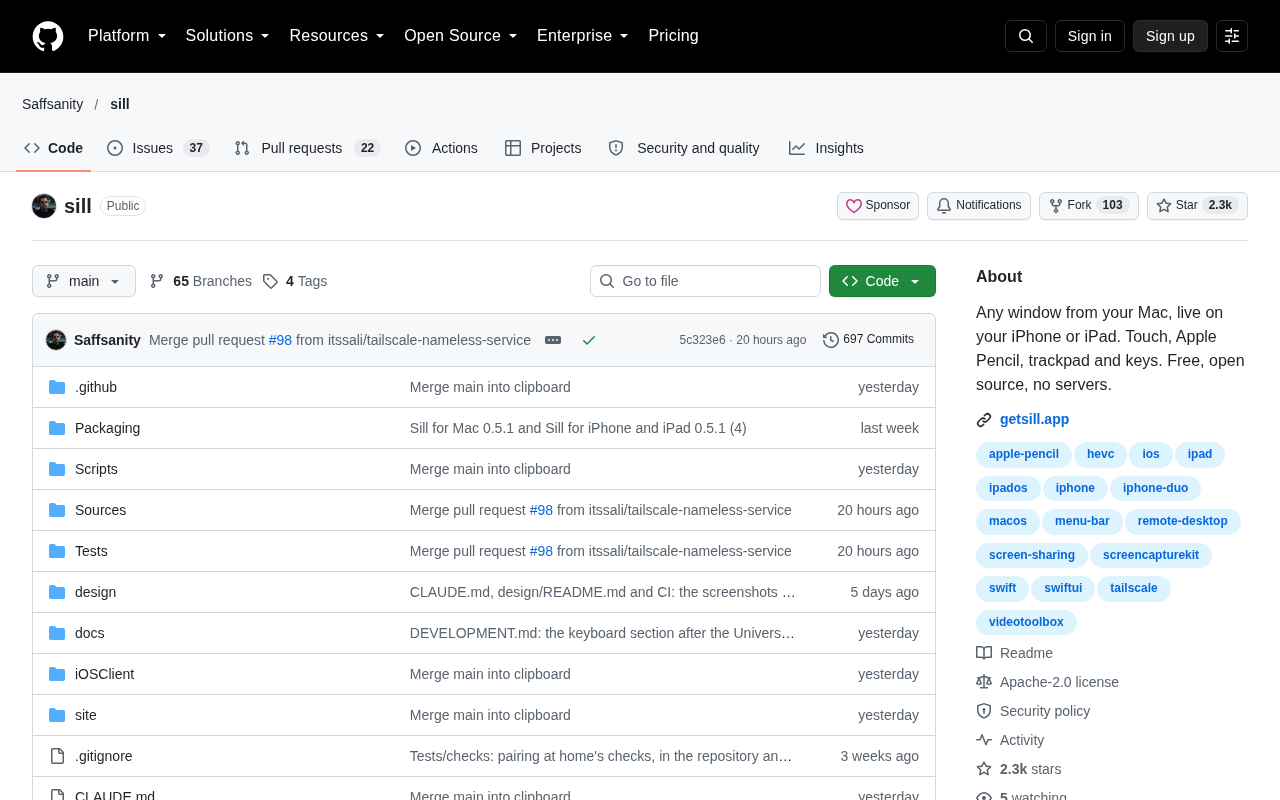
Why Window Casting Is More Practical Than Screen Mirroring
Traditional screen mirroring typically copies the entire display's content to another device, operating on the logic of "you see what I see." Window casting takes a completely different approach: it sends only a single independent window from the Mac to the iPhone or iPad, where the receiving end can browse, zoom, and even interact with it separately.
This difference brings several direct benefits. In multitasking scenarios, you don't need to expose your entire desktop to another device—pushing just the window you currently need is enough for collaboration. Bandwidth and performance overhead are also lower, because what's being transmitted isn't a full-screen image but the content stream of a single application window.
In terms of use cases, window casting suits demonstrating a single app, remotely viewing a particular panel, or using an iPad as a secondary screen for the Mac to focus on a specific tool. It's more precise than full-screen mirroring and more flexible than the full-screen locking of casting software.
Key Technical Challenges in Implementation
Casting a Mac window to an iOS device—the core challenge isn't image quality, but window identification and input feedback. Mac's window system allows multiple apps to overlap, minimize, and switch to full screen. A casting tool needs to accurately capture the real-time content of the target window, not the entire screen framebuffer.
Input feedback is another barrier. If the iPhone or iPad can only view but not operate, the value of casting drops significantly. Supporting touch operations mapped back to mouse and keyboard events in the Mac window requires handling coordinate conversion, gesture recognition, and latency compensation. If latency is even slightly high, interaction becomes unusable.
Network transmission is equally critical. Within a local network it's relatively controllable, but once across networks or over the public internet, the compression algorithm and adaptive bitrate determine the ceiling of the experience. When window content changes drastically (such as video playback or scrolling pages), the encoder needs to respond quickly, otherwise noticeable stuttering occurs.
Window identification is difficult because modern operating systems don't treat each window as an independently capturable layer. Take macOS as an example: windows are composited uniformly by WindowServer, and applications only draw their own content; the final image forms only after system-level blending. If a casting tool wants to capture only a single window, it usually needs to use screen recording permissions to obtain the framebuffer, then locate the crop region via window ID, or use the Accessibility API to read window geometry. Each has trade-offs: the framebuffer approach is highly versatile but requires continuous cropping and deduplication; the API approach is precise but limited by permissions and private interfaces, and some apps actively block it.
Input feedback involves the event injection chain from iOS to macOS. After the iOS side captures touch coordinates, it needs to first map them to the window's internal relative coordinate system, then send them over the local network to the Mac side, which synthesizes mouse movement, clicks, or scroll events and injects them into the target window. This process must handle Retina scaling, window position changes, and gesture ambiguity (such as two-finger scrolling versus zooming). In terms of latency, the end-to-end round trip typically needs to be kept within 50 milliseconds, otherwise dragging and input will feel noticeably disconnected. H.264 or HEVC hardware encoding can bring encoding latency down to a dozen milliseconds, but network jitter and event queuing can still drag down the experience.
Consensus and Divergence Under Multi-Source Cross-Validation
Based on evaluations of similar window casting solutions by Bilibili creators and YouTube channels, multi-source information points to several consistent conclusions. Window-level casting generally outperforms full-screen mirroring in latency because it transmits a smaller pixel area. The receiving device's performance has limited impact on the experience; the main bottleneck is the sender's encoding and network bandwidth.
Divergence centers on interaction methods. Some evaluations consider direct touch operation of Mac windows the most natural approach, while others point out that touch mapping still has obvious discomfort in fine operations (such as dragging window edges or right-click menus), and keyboard-mouse emulation remains the more reliable choice. This divergence reflects an experience gap in window casting between "being able to see" and "being usable."
Observations from a single source mention that window casting generally performs better on iPad than on iPhone, with the larger screen offering clear advantages in operating space and content display. This point hasn't been verified by multiple sources, but it aligns with intuition.
Who Should Start Using It First
The value of window casting emerges fastest among specific groups. Developers can cast terminal or log windows to an iPad while continuing to write code on the main screen; designers can push a color palette or preview window to an iPhone for checking at any time; operations staff can cast monitoring dashboards to portable devices to keep an eye on things even away from their desks.
For ordinary users, window casting is currently more of a "nice to have" feature than a necessity. Full-screen mirroring and cloud documents already cover most sharing needs. What might truly make window casting take off is its combination with AI workflows—casting model output windows to mobile devices in real time, turning phones into lightweight interaction terminals for the Mac.
Whether such tools can become widespread depends on whether three metrics—latency, input mapping, and cross-network stability—can all meet the bar simultaneously. Currently, local network scenarios are already usable, while cross-network experiences still have room for improvement.
One-line Summary
Window casting pushes a single Mac window to iPhone/iPad, saving bandwidth versus full-screen mirroring but limited by interaction and latency.
Paragraph Summary
The article discusses the cross-platform collaboration trend of casting any window from a Mac to an iPhone or iPad. Unlike full-screen mirroring, window casting sends only a single application window, resulting in lower bandwidth and performance overhead—suitable for demonstrating a single app, remotely viewing panels, or using an iPad as a secondary screen. Technical challenges center on window identification, input feedback latency, and cross-network transmission stability. Multi-source evaluations agree that its latency outperforms full-screen mirroring, but opinions diverge on whether touch interaction is practical; iPad generally offers a better experience than iPhone due to its larger screen. Currently local network scenarios are usable, with room for improvement across networks, and integration with AI workflows may push it from a marginal need to a practical tool.
Related articles

Amphibious Transforming Drone: Beyond 100x Power Savings, What Are the Real Needs?
Is the amphibious transforming drone just a gimmick? Starting from the 100x power difference of the M4 Morphobot, explore real application scenarios and thesis topic ideas, analyzing boundary conditions where pure drones and pure ground robots both fail.

Warhound Raises $200 Million: Genetically Engineered "War Dogs" Paired with Anduril Gear
Warhound raises $200M, backed by Ben Lamm and Palmer Luckey, to genetically engineer dogs for military and law enforcement use and equip them with Anduril gear. This article analyzes its technology direction, funding logic, and ethical controversy.

Claude API Comes to Google Cloud: IAM Integration and SDK Access Guide
Anthropic hosts the full Claude API on Google Cloud with IAM-controlled permissions and unified billing. This guide covers the Vertex AI and Anthropic-hosted entry points, IAM role configuration, and SDK access.