Sway: A Mac App That Turns MacBook Lid Movements Into Dynamic Desktop Visual Effects
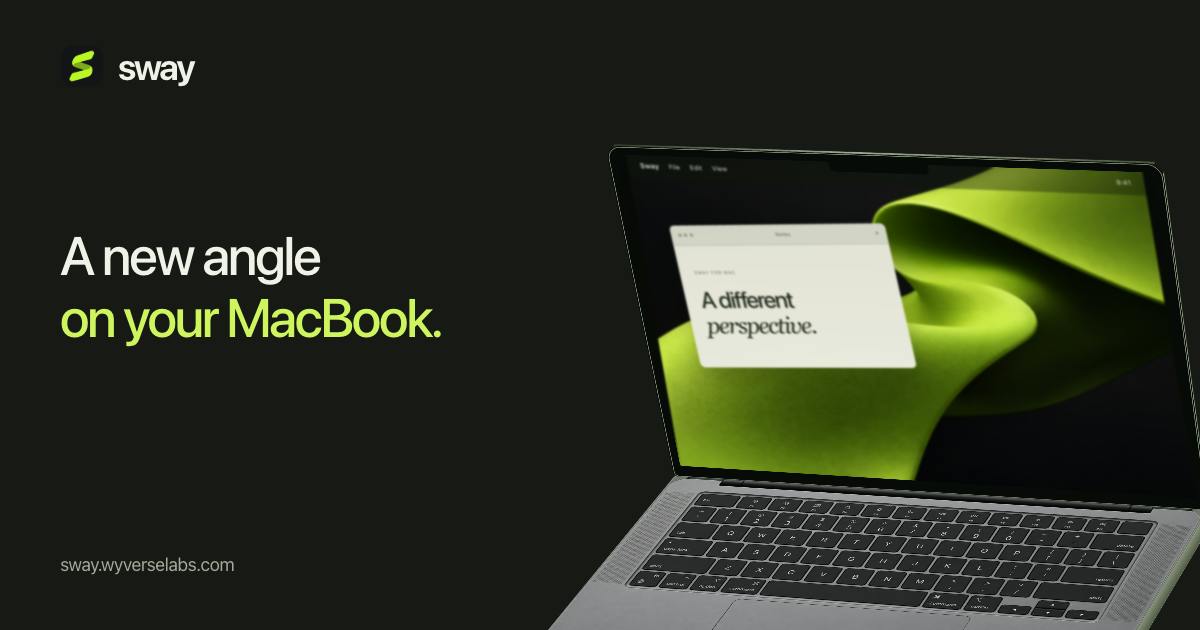
Sway maps MacBook lid angle to live desktop perspective distortion — a menu bar app built purely for experiential delight.
Sway is a Mac Menu Bar app that maps the physical opening angle of your MacBook screen to real-time desktop visual changes — including perspective distortion, blur, and soft shadows — snapping back to normal when you reopen the lid. All three visual parameters are user-adjustable. The app is squarely an emotional value tool with no productivity features, designed to make the everyday lid-open gesture feel more alive. An interactive website preview lowers the trial barrier. Currently at 4 upvotes on Product Hunt, it's an early-stage indie project; compatibility with multiple displays and real-world performance impact remain to be verified.
In the Mac ecosystem, desktop enhancement tools are plentiful — but apps that genuinely tie hardware gestures to visual feedback are rare. Sway, which recently launched on Product Hunt, offers an intriguing take: it turns the opening and closing angle of your MacBook's screen into an input signal that drives real-time visual changes on your desktop.
What Sway Actually Does
Sway's core concept is captured in its tagline: "Your MacBook screen moves, your desktop moves with it." As you adjust the angle of your laptop screen, the live desktop image "bends" accordingly, complete with perspective distortion, blur, and soft shadow effects. Close the lid and reopen it, and everything snaps back to normal.
In short, it translates the physical motion of the screen hinge into a depth-aware, dynamic visual response. Think of it like the gyroscope-based parallax wallpapers from early iOS — except Sway swaps the trigger from device tilt to lid angle, creating an immediate "physical action → visual response" loop. The developer provides an interactive preview on their website so users can experience the effect firsthand before downloading.
In terms of product category, Sway fits squarely into Mac Menu Bar Apps and desktop enhancement tools. It carries no productivity functionality — it's purely about the experience layer, making the everyday act of opening and closing your MacBook feel a little more alive.
Sway's screen-angle awareness relies on data from the MacBook's built-in accelerometer or the motion coprocessor. Apple embeds an SMC (System Management Controller) and related sensors in Mac laptops that can expose device orientation data to applications. The developer reads the tilt angle of the screen relative to the body, maps that value to parameters in a perspective transformation matrix, and drives real-time rendering changes on the desktop wallpaper layer. The entire pipeline runs on top of macOS's window compositor, and in theory shouldn't interfere with other running applications. This approach is technically similar to how iOS uses CoreMotion to read gyroscope data and drive Parallax Wallpaper — just with a different sensor source and trigger scenario.
Adjustable Effects Under the Hood
Notably, Sway doesn't lock you into a single fixed look. According to the official description, all three visual parameters — perspective, blur, and shadow — are user-adjustable. That means you can dial things down to a whisper-subtle effect that's barely noticeable, or crank it up into dramatic, exaggerated distortion.
This kind of tunability is critical for desktop aesthetic tools. If visual effects are too intense, prolonged use can cause eye fatigue and interfere with work. Giving users control over intensity lets people with different tastes and workflows find their own sweet spot. For users who just want a light touch of ceremony, keeping parameters at their lowest setting is probably the most practical approach.
It Solves "Experience," Not "Efficiency"
From a tool category perspective, Sway is clearly not a productivity app — it's an emotional value product. It won't speed up your workflow or organize your files. What it does is make the act of opening and closing your MacBook — something you do dozens of times a day — feel more considered and tactile.
This kind of product has always had a steady audience in the Mac software market. macOS users tend to be more attuned to desktop aesthetics and interaction details, and are willing to pay for or try out small tools that are simply "nice" or "fun." Sway is aimed squarely at that audience — people who aren't chasing feature lists, but who care about the small moments of delight that come from everyday interactions with their machine.
That said, it's worth being realistic: apps whose sole selling point is visual experience tend to see novelty fade relatively quickly. Long-term retention depends on whether the effect stays tasteful and whether the app imposes any noticeable burden on system performance or battery life — things you can't assess from a product description alone.
Menu Bar Apps on Mac are lightweight utilities that live in the system tray and run persistently in the background, requiring no separate window to interact with. The design constraints of this category demand extreme resource efficiency — if an app consistently consumes significant CPU or GPU resources, it directly impacts MacBook battery life and fan noise, which quickly turns users off. For a tool like Sway that needs to continuously poll sensor data and drive graphics rendering, finding the right balance between dynamic effects and power consumption is the central engineering challenge determining whether it earns a permanent spot in users' systems. macOS does have some throttling mechanisms for background GPU usage, but Menu Bar Apps aren't subject to forced sleep restrictions.
Early Traction and Realistic Positioning
Sway's Product Hunt numbers are still in early territory: 4 upvotes, 1 comment, ranked 20th. These figures indicate it hasn't broken through to mainstream attention yet — it's a typical small indie developer project. The Makers listing shows a single developer (wooing0306), which reinforces its "small but polished" character.
For users who follow niche Mac tools, Sway offers a low-friction way to experiment — the interactive preview on the website lets you get a feel for the effect without downloading anything. Whether it's worth keeping installed long-term depends on real-world performance, including compatibility with multiple displays, external monitors, and different macOS versions, none of which are covered in detail in the current official materials.
Overall, Sway is a desktop experience app with a clear concept and a clever entry point. It takes the overlooked physical interaction of "opening your laptop" and transforms it into a reasonably playful visual response, adding a layer of personality to the Mac desktop. Its value isn't in productivity — it's in that small detail of making your device feel like it has a little life in it.
Related articles

LLM Application Development: A High-Paying Career Guide for Ordinary People
LLM application development offers fresh graduates up to 35K/month, with SP offers reaching 600K. This article explains the core skills, how to break in, and how ordinary people can seize AI opportunities through learning by doing.

Say Goodbye to AI Influencer Faces: A Complete Guide to Creating Visual Assets for AI Comic Dramas from Scratch
Bilibili creator shares a full workflow for zero-basics AI comic drama visual assets: use Doubao Work skills with script-first, visual references, and real-person texture to escape AI influencer faces, then lock character and scene consistency with asset sheet layouts, weapon detail images, scene nine-grids, and cinematic color palettes.

The AI Production Pipeline Behind Great Videos: From Research to Agent Validation
AI video production isn't just a model race. This article breaks down a transferable four-step pipeline: researching professional workflows, organizing a skill checklist, configuring agents, and experimental validation—and explains how general-purpose LLMs like DeepSeek can replace paid tools to run the entire process.