T3 Code: The Open-Source AI Coding Assistant's Comeback Story

T3 Code is an open-source AI coding assistant built by three part-time developers that unifies multi-model subscriptions and supports parallel orchestration and remote control.
Born from dissatisfaction with closed-source AI coding tools, T3 Code is maintained by three part-time developers and now has about 550,000 users and 140,000 weekly active users. It manages multiple AI subscriptions and models in one interface and enables subagents from different models to work together through a flexible MCP orchestration layer. All operations run through a WebSocket server, with Tailscale and T3 Connect enabling cross-device remote control. Its inbox-style interface uses settle, snooze, and background sending to manage parallel tasks. T3 Code is fully open source and feature-rich, but users must provide their own compute resources.
From Disappointment to Building It Themselves: The Origin of T3 Code
According to a share from the YouTube channel Theo, the birth of T3 Code came from disappointment. The team initially had high hopes for OpenAI's Codex application, but performance issues and its closed-source strategy made them want to build something themselves. Anthropic's Claude Code desktop version also failed to meet their needs, so they decided to build an open-source alternative.
That decision was not easy. T3 Code is maintained by three part-time developers, an enormous resource gap compared with tech giants that employ thousands of engineers. The author admits that early versions were even worse than closed-source products, and that he was once ashamed to promote it.
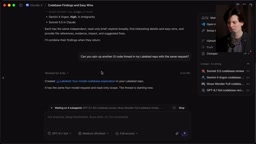
But the turning point came after developer Julius went all in. The team began building features that the labs were not interested in, such as refactoring the sidebar, improving remote control, and integrating multiple subscriptions. By the middle of the year, T3 Code was no longer a "clunky open-source alternative," but a product with unique value. Its user count grew rapidly, approaching 550,000 users and 140,000 weekly active users.
Core Capability: Unified Management of All Models and Subscriptions
The most appealing thing about T3 Code is that it can manage all of your AI subscriptions and tools in one interface. According to Theo, it has built-in support for Codex, Claude, Cursor, Grok, OpenCode, Antigravity, MuseCode, and more, and is also compatible with AMP, Klein, Copilot, and others in the ACP registry. Users can also add other tools manually.
For users with multiple subscriptions, T3 Code allows adding multiple instances of the same provider, each configured with different authentication, home directory, API key, and environment variables. This is very practical for developers who need to rotate accounts to test early features.
More important is the orchestration capability. In the demo, Theo used Codex to start a thread and asked it to call four different models (GPT-6.1 Sol, Muse Wonderfull, Gemini 4 Argon, Sonnet 5.5) to explore the codebase separately. T3 Code automatically created worktrees and launched four subagents, each using official tools and subscriptions, with no additional configuration required.
This orchestration layer is a flexible MCP that allows agents to communicate with each other, manage other threads, and even be controlled remotely through external tools (such as an iMessage bot). Theo mentioned that someone managed over 10,000 T3 Code threads through iMessage.
MCP (Model Context Protocol) is a protocol proposed and open-sourced by Anthropic for enabling AI agents to access external tools, data sources, and services in a standardized way. It defines the communication interface between agents and tools, allowing different models and tools to discover, invoke, and collaborate with one another. T3 Code implements its orchestration layer as a flexible MCP, meaning any agent that supports the protocol can plug into its scheduling system and enable cross-model, cross-tool communication and task distribution. This is also the underlying mechanism that allows T3 Code to make subagents under different subscriptions such as Codex and Claude work together.
Remote Control and Device Management
The architecture of T3 Code differs from many competitors: all operations go through a WebSocket server rather than sending commands directly to the terminal or using Electron RPC calls. This makes remote control simple.
Running npx t3 in the terminal starts the service and exposes its capabilities through WebSocket while also hosting a minimalist web app. Combined with Tailscale, users can run one command on multiple machines and then control them entirely remotely. T3 Code also supports choosing which machine to run on when creating a thread, and has built-in load balancing that automatically routes requests based on CPU and memory availability.
The device hub feature allows running iOS and Android simulators inside T3 Code. Developers can dedicate a Mac to simulators while other machines run the dev server over SSH. Theo specifically mentioned that the mobile app is very practical and open source, in stark contrast to the mobile apps from Claude Code and Codex.
For users who do not want to configure SSH and Tailscale, T3 Connect provides a free tunneling service supporting three devices. Combined with an old Linux machine, it can create a very smooth remote development experience.
Tailscale is a zero-configuration virtual networking tool based on WireGuard that can connect devices distributed across different networks into a secure private LAN. Users do not need to configure port forwarding or a public IP; they can directly access other devices through the fixed IP or domain name assigned by Tailscale. In the T3 Code scenario, Tailscale is used to bring multiple development machines, the Mac simulator host, and mobile devices into the same virtual network, so that the WebSocket service and remote terminal can be securely accessed from any device. This is also the key infrastructure that enables T3 Code's "one-command remote control."
Interface Design Built for Parallel Work
Theo emphasized that the goal of T3 Code's interface design is to help developers handle a large number of parallel tasks without being overwhelmed by information. The sidebar is designed as an "inbox": every time you open a thread, the goal is to close it—merge the changes, answer the question, or mark it as no longer needed.
Threads are not "archived" but "settled," which feels less permanent. Users can undo with Cmd+Z. There is also a "snooze" feature that makes a thread reappear after a specified time. The workspace hides running threads unless the user pins them.
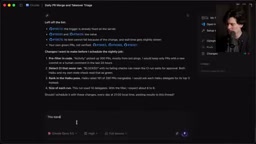
T3 Code also supports background sending: press Cmd+Enter to send a task to the background and immediately start a new task. Once a PR is opened, it is automatically linked to the thread, and after merging, the thread automatically settles. These designs are intended to reduce distractions and help developers stay focused.
Worktree is a native Git feature that allows multiple independent working directories to be checked out at the same time under the same repository, with each directory corresponding to a different branch or commit state. Unlike traditional branch switching, worktrees let developers work in parallel on multiple branches without repeatedly stashing or switching. When orchestrating multi-model subagents, T3 Code automatically creates Git worktrees so that each subagent explores the codebase in an isolated directory and branch without interfering with the others, and finally merges back into the mainline through a PR. This is the infrastructure that makes its parallel task model possible.
Rich Developer Features
T3 Code is fully open source, including the infrastructure, backend, and T3 Connect. Users can fork it and run it themselves, or even connect their own branches through T3 Connect.
Remote connections are not only for sending prompts; they can also run terminals. Theo demonstrated running btop inside T3 Code through T3 Connect, which is more stable than SSH, especially on mobile. The dashboard tracks diagnostic information from all connected machines for load balancing.
Agents can render full HTML visualizations in the UI, including interactive JavaScript charts and graphs. PR management can be done directly inside T3 Code, including on mobile, which Theo considers easier to use than the GitHub app.
The usage tab shows all token consumption, even for usage that did not occur through T3 Code. If a rate limit is reached, follow-up messages can be scheduled to send automatically once the limit is lifted.
In terms of performance, Theo claims that T3 Code uses 100 times less data than Codex when switching threads, so it works smoothly even on poor mobile networks.
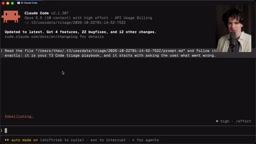
Other features include: multi-select threads for batch operations, title regeneration, automatic settle (three days by default), browser access at app.t3.codes, draft staging (Cmd+S), remote iOS simulators (with 3D view support), agent switching (moving context from one tool to another), dragging threads to provide context, annotation references, theme customization, key bindings, worktree configuration, support for multiple Git providers, PR monitoring, multi-route connections, webhook-triggered threads, folder icons, one-click updates of the app and providers on all machines, remote VS Code opening, project migration, the npx t3 triage diagnostic tool, file attachments (agents can access the actual bytes), snapshots (double Shift), real-time activity notifications, and more.
ACP (Agent Client Protocol) registry is the indexing mechanism T3 Code uses to discover and connect third-party agent tools. ACP defines a set of standard interaction specifications between clients and agents, enabling coding agents developed by different vendors or communities to be recognized, configured, and invoked by T3 Code in a unified way. The article mentions that T3 Code is compatible with tools such as AMP, Klein, and Copilot in the ACP registry precisely through this registry, enabling automatic discovery and integration without users having to write separate adapter code for each tool. This lowers the barrier to integrating new agents and also expands T3 Code's pluggability as an orchestration platform.
Limitations and Shortcomings
T3 Code is not perfect. Users need to provide their own compute resources; there is no official cloud service. T3 Connect is currently limited to three devices, and more devices require other solutions such as Tailscale. Computer use functionality is not yet built in, but it can be achieved indirectly through tools such as Codex.
The author also joked that the biggest problem is that it is "made by Theo," and mentioned that it disrupts sleep schedules because it is easy to get addicted to "vibe coding." In addition, because it starts more threads, token consumption is faster, although T3 Code's own efficiency is comparable to using Claude or Codex directly.
Open Source and the Future
T3 Code is built by engineers for engineers, without compromising by stuffing code into tabs of other applications. It has received 27,000 GitHub stars and has 516 contributors. The author hopes that future tools will not be expensive, proprietary, and closed-source, and T3 Code demonstrates the vitality of open source.
According to Theo's summary, the core philosophy of T3 Code is to make developers more efficient while keeping the workspace tidy and restoring "spatial awareness" of code. For those who miss the era when tools were built for developers, T3 Code is a choice worth trying.
One-line Summary
T3 Code is an open-source AI coding assistant built by three part-time developers that unifies multi-model subscriptions and supports parallel orchestration and remote control.
Paragraph Summary
Born from dissatisfaction with closed-source AI coding tools, T3 Code is maintained by three part-time developers and now has about 550,000 users and 140,000 weekly active users. Its core capability is managing multiple AI subscriptions and models such as Codex, Claude, and Cursor in a single interface, and enabling subagents from different models to work together through a flexible MCP orchestration layer. Architecturally, all operations go through a WebSocket server, and with Tailscale and T3 Connect it enables cross-device remote control and load balancing. The interface is designed around an "inbox" concept, using mechanisms such as settle, snooze, and background sending to help developers manage large numbers of parallel tasks. T3 Code is fully open source and feature-rich, but users must provide their own compute resources.
Related articles

WorkBuddy Beginner's Guide: Three Modes and Automation in Practice
A beginner's guide to WorkBuddy: its three work modes for office, coding, and design; core features including projects, experts, skills, connectors, and automation; plus a real deployment case study and workspace pitfalls.

AI Automated Vulnerability Discovery in Practice: From Hermes Agent to Building a Workbench
Based on a Bilibili AI vulnerability discovery tutorial: from AI Agent concepts, Hermes installation and configuration, security knowledge base and Kali Linux workbench setup, to information gathering, vulnerability verification, and report generation—a complete loop, plus host security, custom Skills, and SRC practice platforms.

How to Build an Effective AI Code Review Agent: Prompt and Model Inversion in Practice
A practical breakdown of optimizing AI code review agents: from sandbox and PR webhooks to targeted prompts, historical PR calibration, model inversion, code knowledge bases, end-to-end QA, and cost tiering.