T3 Code: The Open-Source Console for Managing All Your Coding Agents in One Place
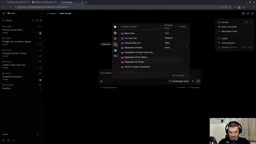
T3 Code unifies multiple local coding agents via the ACP protocol for cross-model session switching and centralized collaboration.
T3 Code is Theo's open-source coding agent console, positioned as a wrapper rather than a new framework. It invokes already-installed harnesses via the ACP protocol without directly accessing subscriptions or model APIs, preserving compliance and native optimizations. Key features include in-session cross-provider model switching with automatic context handoff, and a workspace integrating Git, terminal, built-in browser, and mobile simulator. It also offers a usage dashboard with subscription limits and API cost estimates, permission-controlled remote pairing, and nightly builds that support redesigning UI themes via natural language prompts. Its limitation: it only supports harnesses that implement ACP, and authentication and MCP configuration must still be done in the original tools.
Why We Need a Unified Coding Agent Console
With the explosion of the coding agent ecosystem, developers often hold multiple subscriptions at once: Claude Code, Codex, Anti-Gravity, DeepSeekAd Harness, OMP... Each tool has its own interface and configuration system, switching costs are high, and cross-session collaboration is even more of a hassle. According to a YouTube channel's review of T3 Code, this open-source control panel from developer Theo is designed to solve exactly this pain point: it brings various coding agents together into a single interface, without violating any terms of service.
T3 Code's core positioning is not another agent framework, but a "wrapper." It doesn't connect directly to model providers, doesn't rely on API keys or OAuth login, but instead invokes the agent harness already installed on your system. This means you're still using the original tools—you've just centralized control in one place.
How It Works: Controlling Existing Harnesses via the ACP Protocol
The key to T3 Code's ability to legally and compliantly aggregate subscriptions is that it uses ACP (Agent Client Protocol) to communicate with local harnesses. The video's author emphasizes that T3 Code merely "controls Claude Code" rather than directly accessing the Claude subscription itself. As a result, the compliance of your original subscription is unaffected, while you still benefit from the optimizations each original harness has made for its own models—Claude models perform better in Claude Code, GPT models are more stable in Codex, and DeepSeek models are better matched in DeepSeek Harness.
This design brings two direct benefits. First, better performance: each model runs in the harness it was trained and tuned for. Second, stronger compliance: users don't need to worry about violating terms of service. All settings related to subscriptions, authentication, MCP, and credentials still need to be completed within each respective harness—T3 Code doesn't take over these steps.
ACP (Agent Client Protocol) is a class of client-server communication protocol for AI coding agents, designed similarly to LSP (Language Server Protocol): the editor or console acts as the client, the agent harness as the server, and the two exchange messages via JSON-RPC. After a harness starts in ACP mode, it listens on a local port, and the client can send standard methods such as session creation, message sending, tool calls, and permission requests. Because ACP only specifies the communication format and doesn't involve model authentication or billing, the console can drive the harness without touching API keys or OAuth tokens. This is precisely the technical foundation that allows T3 Code to legally aggregate multiple subscriptions, and it also means integration capability is limited by how completely each harness implements ACP.
Getting Started and Configuration: Auto-Detection and Manual Integration
Installation varies by platform. Linux users can download the AppImage directly, or find the command for their corresponding package manager in the GitHub repository. The author installed it with a single command-line command, then typed T3 to open the app in a browser.
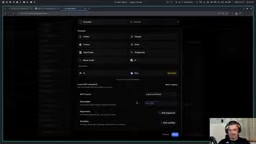
On first use, T3 Code automatically detects existing harnesses on the system. On the author's machine, Codex and Claude were detected immediately, while DeepSeek Harness, OMP, and Anti-Gravity required manual configuration. The core of manual integration is providing the launch command for ACP mode, such as OMP ACP or DSH ACP, so the harness runs as a JSON-RPC service. For Anti-Gravity, you need to provide the local binary path and sign in with a Google account.
One notable detail: if a harness supports multiple model providers, T3 Code's model list may be truncated (the author mentions a cap of around 250 models). His approach was to write a separate YAML configuration for OMP that exposes only the needed OpenCode Go models, and set a default model to enable effort levels selection. This kind of configuration needs to be done on the harness side, not within T3 Code.
Harness refers to the complete agent runtime built around a particular model or model family, typically including system prompts, tool sets (file reading/writing, terminal, search), context management strategies, permission sandboxing, and reasoning parameter tuning specific to the model. Claude Code, Codex CLI, and DeepSeek Harness all fall into this category. Compared to calling model APIs directly, a harness encapsulates a great deal of engineering detail, making models more stable in long tasks and multi-turn tool calling. As a result, changing the harness often affects the actual experience more than changing the model itself—which is exactly why T3 Code insists on calling native harnesses rather than connecting directly to models.
Core Experience: Seamless Model Switching Within a Session
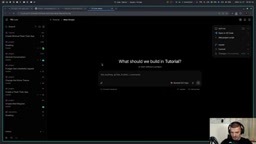
T3 Code's most appealing feature is in-session switching across providers and across harnesses. The author demonstrated starting a conversation with Hydrogen, switching to Claude Sonnet, then switching to DeepSeek V4.1 Flash in DeepSeek Harness, with context automatically handed off throughout. On the left is the project and session history, in the middle is the chat area, and on the right you can open Git information, the terminal, the built-in browser, and a mobile device simulator.
The built-in browser supports autonomous agent operation and also allows users to "take over" control at any time. The author had Sonnet test a Flask to-do app in the browser, observing and interacting directly from the T3 Code sidebar. This "central cockpit" design integrates model selection, harness selection, terminal, browser, and file operations into a single workspace.
Analytics and Collaboration: Usage Dashboard and Remote Access
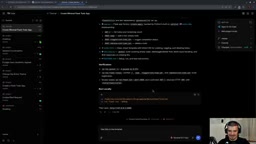
T3 Code includes a built-in usage analytics panel. For auto-detected Codex and Claude, it can display subscription limits as well as costs converted from API tokens. The author notes that Anti-Gravity's usage isn't yet displayed and may require additional manual steps. This panel gives developers an intuitive sense of "how much it would cost if going through the API."
For remote collaboration, T3 Code supports generating pairing links with permission controls that expire after five minutes by default. Users can connect to the same instance from another computer via environment pairing. The author demonstrated connecting from a ThinkPad to a desktop machine: commands entered on the laptop execute in real time in the desktop's terminal. Note that enabling this feature requires starting the service with T3 --lan and pairing via the LAN IP or Tailscale address plus port 3773.
Tailscale is a zero-config virtual networking tool based on WireGuard that connects devices scattered across the public internet into a private layer-2 network. Each device gets a fixed 100.x address, and traffic between devices is end-to-end encrypted. Compared to port forwarding or public IPs, Tailscale requires no router configuration changes and doesn't expose services to the public internet. In T3 Code's remote pairing scenario, accessing the desktop instance via a Tailscale address plus port 3773 bypasses LAN restrictions, providing the same connectivity as an internal network on any network while retaining the pairing link's own permission and expiration controls.
Theme Customization: Redesigning the Entire Interface with Prompts
In the nightly build, T3 Code allows fully redesigning UI themes through natural language prompts. The author showcased his own One Dark + JetBrains Mono + pixel-style theme, as well as a Frutiger Aero light theme with CSS bubble animations. He even tried a single prompt—"Hello Kitty theme, all pink"—and the system generated a switchable theme in just over ten seconds. Although the first prompt mistakenly modified the to-do app rather than T3 Code itself, the result was complete after correction. Themes are saved and can be switched at any time.
This approach of exposing the UI layer to prompts is uncommon in developer tools. It turns "appearance" into a programmable, versionable object, offering new ideas for personalized workflows.
Boundaries and Caveats
T3 Code is not a silver bullet. Its capability boundaries depend on whether a harness supports ACP; tools that don't support ACP can't be integrated. All issues related to authentication, API key expiration, and MCP configuration need to be resolved back in the original harness. Additionally, model list truncation and missing usage statistics for some harnesses indicate that integration depth remains uneven.
For developers using multiple coding agents simultaneously, T3 Code offers a pragmatic aggregation solution: it doesn't replace the original tools, doesn't break compliance, yet significantly reduces switching costs. Its value lies not in any single feature, but in bringing scattered agent workflows together into an interface that is observable, collaborative, and customizable.
Related articles

AI Teams Up with Mathematicians to Attack the Riemann Hypothesis: 17 Million Lines of Code Tear Open a 167-Year Gap
In November 2026, Anthropic mathematicians and Claude claimed to have discovered a proof of the Riemann Hypothesis, publishing 17 million lines of Lean formalized code that passed machine verification. This article analyzes the event's impact on mathematics and cryptography, and the deeper questions raised by the separation of discovery and understanding.
AI Claims Formal Proof of the Riemann Hypothesis — But Machine Verification Isn't a Mathematical Proof
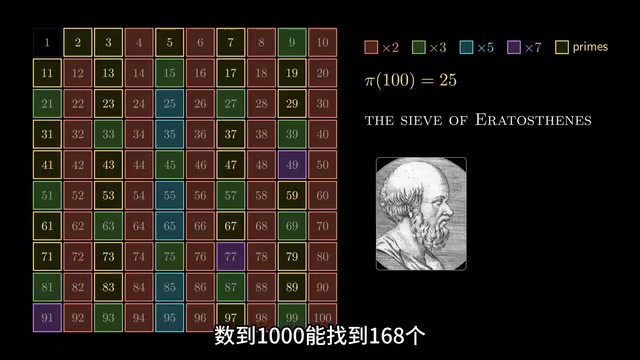
In Nov 2026, Anthropic's Levent Alpöğe released a Riemann Hypothesis proof of 175,000 code files that passed machine formal verification. But machine verification isn't a mathematical proof: the kernel can't confirm the proposition is the Riemann Hypothesis humans understand, and there's no human-readable paper. This article breaks down how ζ function zeros determine prime-count deviation, and the core of the controversy.
Anthropic Raises Over $80 Billion in IPO, DeepSeek Secures $100 Billion in Funding: AI Weekly Roundup
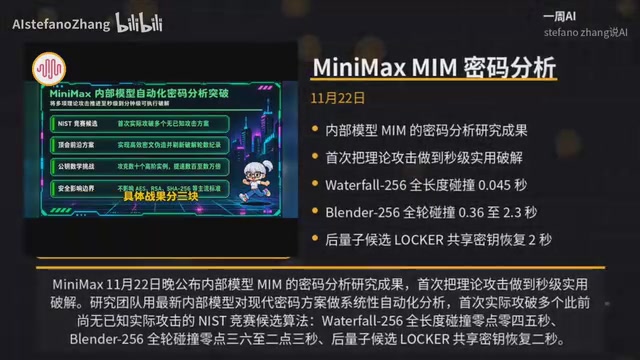
This week in AI: Anthropic's Nasdaq IPO raises $93.5B in the largest ever, DeepSeek closes ~100B yuan round, AI claims formal Riemann proof, MiniMax breaks crypto candidates in seconds.