TablePro: A Native Open-Source Database Client That Cold-Starts in Under One Second
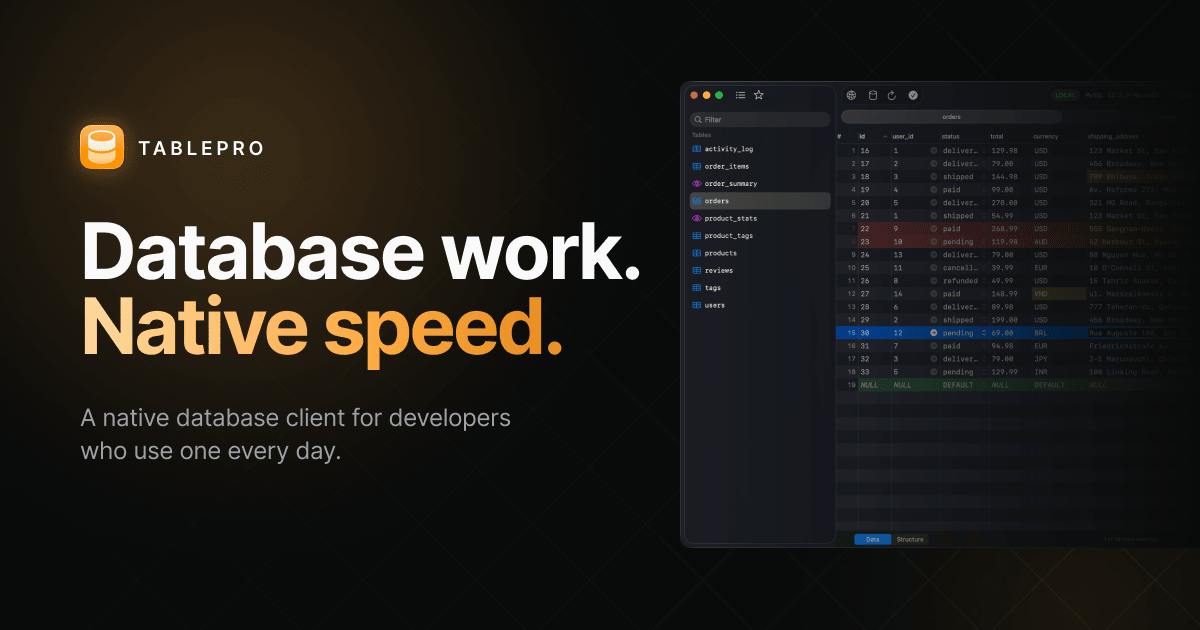
A native macOS database client built with AppKit/SwiftUI — 35 databases, 80MB idle memory, free and open source.
TablePro is a native macOS database client built by an independent developer using AppKit and SwiftUI, completely ditching Electron and the JVM to achieve cold-start times under one second and idle memory usage of just 80MB. It supports 35 databases including MySQL, PostgreSQL, MongoDB, Redis, and DuckDB, letting full-stack developers and data engineers avoid switching between multiple tools. The project is open-sourced under AGPL v3 with core editing, table view, and import/export features entirely free — a competitive stance against paid alternatives like TablePlus. The trade-off is macOS exclusivity, and as a new project, its long-term maturity remains to be seen.
Another Database Client — Why Should You Care?
Database client tools are hardly new. From long-established players like Navicat and DBeaver to the more recently popular TablePlus, the market is already highly competitive. What caught attention for TablePro on Product Hunt isn't a laundry list of features — it's a deliberate technical choice: a fully native implementation that leaves behind the bloat of Electron and the JVM.
For developers who have long had their machines slowed down by Electron-based apps, a database tool that idles at just 80MB of memory and cold-starts in under a second is, in itself, a relief. TablePro was built by developer Ngô Quốc Đạt, released under the AGPL v3 open-source license, with core features — including the editor, data grid, and import/export — completely free.
35 Databases Supported, from Mainstream to Emerging
TablePro's connection support is impressively broad, covering up to 35 databases. The list includes the most common relational databases like MySQL and PostgreSQL, NoSQL options like MongoDB, key-value stores like Redis, and even DuckDB — the embedded analytical engine that has rapidly gained traction in the data engineering world in recent years.
This breadth means developers no longer need to juggle multiple client tools for different database types. Whether it's everyday CRUD operations, cache debugging, or local data analysis, everything can theoretically be handled within the same interface. For full-stack developers and data engineers who constantly switch between different data storage technologies, that unified experience delivers real practical value.
DuckDB is an embedded OLAP database that has gained rapid attention in the data engineering and analytics space in recent years — think of it as SQLite for analytical workloads. It requires no standalone server process, can be embedded directly into applications or run from the command line, yet efficiently handles large-scale analytical queries on columnar storage and supports querying file formats like Parquet and CSV directly. For data engineers and analysts, being able to manage both a PostgreSQL production database and a local DuckDB analytics file within the same GUI tool is genuinely useful — it reduces the context-switching cost of jumping between multiple specialized tools.
Technical Stack: The Native Route with AppKit + SwiftUI
TablePro's most distinctive characteristic is its tech stack. It's written using AppKit and SwiftUI — Apple's native UI frameworks — rather than a cross-platform Electron approach.
This choice delivers several direct performance advantages:
- Cold-start speed: The team claims startup time under one second, significantly faster than Electron apps that need to load an entire Chromium engine.
- Memory footprint: Only 80MB at idle — a stark contrast to some Electron-based database tools that routinely consume hundreds of megabytes.
- System integration: Native apps typically perform better in terms of UI responsiveness, system interaction, and battery life.
The trade-off is platform portability. Building on Apple's native frameworks means TablePro is currently a macOS-exclusive tool — Windows and Linux users are out of luck for now. This is the inherent trade-off of the native route: platform lock-in in exchange for an uncompromised local experience.
AppKit is Apple's mature UI framework for macOS, with roots tracing back to the NeXTSTEP era. It offers an extensive set of native controls and deep access to system APIs. SwiftUI, introduced by Apple in 2019, is a declarative UI framework that describes interface state with concise code. The two are often used together in macOS apps: SwiftUI handles modern view declarations, while AppKit fills in where deep system integration is needed or where SwiftUI's coverage falls short. This combination delivers the development efficiency of declarative programming without sacrificing fine-grained control over lower-level system capabilities — it's the mainstream approach in native macOS development today. By contrast, Electron bundles the Chromium browser engine and a Node.js runtime into every app. Each Electron application is essentially running a full browser instance, which is the fundamental reason its memory overhead remains so high.
Open Source and Free: The Strategy
TablePro is open-sourced under the AGPL v3 license — a relatively strict copyleft license. It requires that any modified version used to provide a network service must also be open-sourced, which provides meaningful protection against the codebase being quietly commercialized as a closed-source product.
Core features are freely available, including the data editor, table grid view, and import/export functionality. This "free core + open source" combination is a compelling position in the developer tools space, especially when competing against tools like TablePlus that require payment to unlock full functionality.
AGPL v3 (GNU Affero General Public License v3) is a strengthened version of GPL v3, specifically patching the "network use is not distribution" loophole. Standard GPL requires that source code accompany any distributed software — but if you only provide a service over SaaS without distributing a binary, you can technically avoid that obligation. AGPL closes this gap: anyone providing a service over the network based on AGPL-licensed software must publish the complete modified source code. For a desktop tool like a database client, this restriction has relatively limited practical impact, but it effectively prevents cloud vendors from wrapping the code into commercial services while refusing to give back to the community. This is why many developer tool projects — such as Grafana and Gitea — have adopted AGPL to protect community interests.
Who Is TablePro For?
Putting it all together, TablePro's target user profile is fairly clear:
Developers on macOS who are sensitive to application performance and resource usage, and who need to connect to multiple types of databases, will be its core audience. If you're tired of the memory pressure that comes with Electron apps and want a free, open-source alternative, TablePro is worth trying.
That said, as a new project that ranked #14 on Product Hunt with a modest vote count, its maturity and ecosystem still need time to prove themselves. Database clients are productivity tools where stability requirements are extremely high. Feel free to give it a try, but proceed with caution — and always back up before any critical operations.
Related articles
Jetpack AppState: Taking Compose State Beyond the UI Layer
Jetpack AppState extends Compose snapshot state into the data and domain layers: transform uses headless composition to derive state, and State Store enables cross-component sharing and persistence, solving Flow orchestration and process-death pain points.

Android Developer Verification: Four Paths and Global Rollout Timeline
Android Developer Verification explained: Google unveils four verification paths—Play developers, independent distributors, students/hobbyists, and power users—plus developer console API automation, 24-hour safety delay, and global phased enforcement timeline.

Compose Performance Optimization: A Practical Guide to Outperforming Yourself
A deep dive into Jetpack Compose performance optimization: release-mode measurement, Baseline Profiles, Perfetto composition tracing, computed vs. derived state, effect API costs, and avoiding unnecessary recomposition.