Teclo: Mechanical Keyboard Sounds and a Keycap Pet for Your Mac

Teclo plays mechanical keyboard sounds for any Mac keystroke via a menu bar tool, with a keycap pet, for a one-time $4.99.
Teclo is a lightweight Mac menu bar tool that plays mechanical keyboard sounds for every keystroke in any app. It includes 10 sound packs and a keycap pet that reacts to your typing rhythm and "charges up" when you keep a beat, turning input frequency into a visual reward. It earned 79 upvotes and 9 comments on Product Hunt, is priced at a one-time $4.99 with a 7-day free trial, and has a low barrier to entry among subscription-heavy menu bar tools. Its selling point is sensory feedback and emotional value rather than efficiency, making it ideal for Mac users who miss the mechanical keyboard feel without carrying peripherals. However, system-level keystroke listening raises privacy trust concerns, and sound disruption in quiet spaces plus fading pet novelty are clear limitations.
Title
Teclo: Mechanical Keyboard Sounds and a Keycap Pet for Your Mac
Meta Description
Teclo is a Mac menu bar tool that plays mechanical keyboard sounds for every keystroke in any app, paired with a keycap pet that reacts to your typing rhythm. It includes 10 sound packs, costs a one-time $4.99, and offers a 7-day free trial. This article examines its features, pricing, and use cases.
Article Content
Mac users often envy the crisp feel and sound of a mechanical keyboard, but not everyone is willing to swap out their peripherals. Teclo offers a lightweight alternative: it lives in the menu bar, plays mechanical keyboard sounds for every keystroke in any app, and comes with a keycap pet that reacts to your typing rhythm. The product earned 79 upvotes on Product Hunt, is priced at a one-time $4.99, and offers a 7-day free trial.
Core Features: Dual Feedback from Sound and a Pet
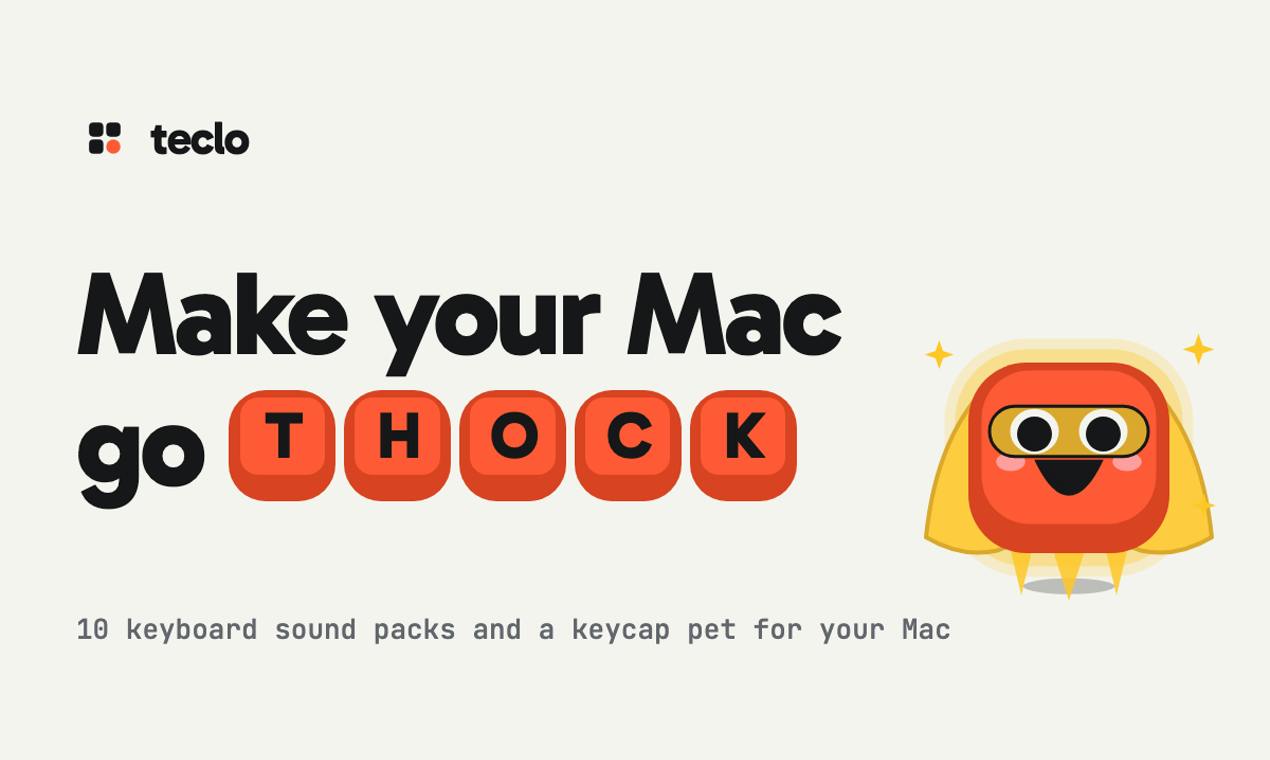
Teclo's core mechanic revolves around "input feedback." According to its Product Hunt page, it triggers mechanical keyboard sounds for every keystroke in any app, meaning users don't need to switch input contexts—system-level listening handles it. It ships with 10 built-in sound packs covering different styles of mechanical switch tones, catering to varying preferences for sound quality.
The keycap pet is the other design thread. It reacts to typing behavior and "charges up" when the user maintains a rhythm. This mechanic—turning input frequency into a visual reward—aims to transform tedious long typing sessions into a gamified interaction. From a positioning standpoint, Teclo is not a productivity tool but a lightweight companion that enhances the typing experience through sensory feedback.
Pricing and Positioning: A One-Time-Purchase Menu Bar Utility
Teclo uses a one-time purchase model: $4.99 unlocks lifetime use, with a 7-day free trial. In a menu bar utility space flooded with subscriptions, this pricing strategy appeals to budget-conscious users. The product is tagged under Mac, Productivity, and Menu Bar App, but strictly speaking, it's closer to "experience enhancement" than efficiency improvement.
From the maker info, Perseu is an independent developer. The product is lightweight with low iteration costs, well-suited to quickly validating the market with a one-time purchase model. With 79 upvotes and 9 comments, it has attracted some attention but hasn't yet generated large-scale discussion.
Menu Bar Apps and Subscription Models
A menu bar app is a small utility that resides in the macOS top menu bar, offering lightweight functions via an icon. It typically has no standalone main window, launches with the system, and uses few resources. In recent years, this space has largely shifted to subscriptions (such as the Setapp ecosystem and independent subscription tools) because ongoing updates and maintenance require stable cash flow. One-time purchase (pay once, use forever) is more user-friendly with a lower decision threshold, but for developers, revenue arrives all at once, limiting long-term iteration incentives. Common practices include charging again for major version upgrades or pivoting to subscriptions. Teclo's $4.99 one-time purchase sits right within this tension.
The Value and Limitations of This Kind of Product
Mechanical keyboard sound simulation is not a new concept; similar tools already exist in the Mac ecosystem. Teclo's differentiator is combining sound feedback with pet-raising, using visual elements to extend user novelty. For remote workers who enjoy the ambiance of typing, such tools can provide emotional value.
The limitations are equally obvious. System-level keystroke listening involves permission and privacy boundaries, and users must trust that the developer won't record input content. Sound effects can become a nuisance in quiet environments or shared spaces. The long-term retention of the keycap pet depends on the depth of the feedback design—otherwise it's easily turned off once the novelty fades. The $4.99 one-time price lowers the barrier to trying it, but it also means limited incentive for subsequent updates.
macOS Accessibility Permissions and Keystroke Listening
On macOS, any tool that needs to listen for global key events (rather than only input within its own app) must obtain "Accessibility" permission or be authorized through Input Monitoring. Granting such permission means the app can read all keyboard input the user makes in other programs, including passwords and sensitive information. That's why the system lists it separately in "System Settings → Privacy & Security" and keeps prompting about it. Legitimate developers typically only trigger events in real time and don't log them to disk, but users cannot verify this externally—they can only rely on the developer's reputation and code signing. This is the core trust cost of such tools.
Who Should Try It
If you use a Mac for work, miss the sound of a mechanical keyboard, and don't want to carry extra peripherals, Teclo is worth trying during its 7-day trial. If you often work in quiet environments, or have concerns about third-party apps listening to keyboard input, proceed with caution. It doesn't solve any efficiency problem—its selling point is purely sensory pleasure during input. Understand that clearly, then decide whether to pay for that pleasure.
One-line Summary
Teclo uses a menu bar utility to play mechanical keyboard sounds for any Mac keystroke, paired with a keycap pet, for a one-time $4.99.
Paragraph Summary
Teclo is a lightweight tool that resides in the Mac menu bar, playing mechanical keyboard sounds for every keystroke in any app. It includes 10 sound packs and a keycap pet that reacts to your typing rhythm and "charges up" when you maintain a rhythm, turning input frequency into a visual reward. The product earned 79 upvotes and 9 comments on Product Hunt, is priced at a one-time $4.99 with a 7-day free trial, and has a low barrier to entry amid subscription-flooded menu bar tools. Its selling point is sensory feedback and emotional value rather than efficiency gains, making it suitable for Mac users who miss the mechanical keyboard feel but don't want to carry peripherals. However, system-level keystroke listening raises privacy trust issues, and sound interference in quiet environments plus fading pet novelty are clear limitations.
Related articles
Getting Started with Gemini 4 Argonne: A Hands-On Guide from Building Sites to Agents
Complete Gemini 4 Argonne tutorial: build a calorie tracker app with one prompt in Google AI Studio, review 10-page technical documents with long context, develop a browser game as a coding Agent in Anti-Gravity, plus API Key setup, pricing, and subscription requirements.

Cursor vs. Claude Code vs. Copilot: A Scenario-Based Selection Guide
Cursor, Claude Code, or GitHub Copilot? A scenario-based guide covering daily coding, large refactors and long tasks, and teams locked into existing IDEs—plus common pitfalls and combined-use advice.

DB Chat: Conversing with PostgreSQL in Natural Language, with AI Auto-Generating SQL
dbchat lets users converse with a PostgreSQL database in natural language, with an AI agent auto-generating SQL and returning live results. This article analyzes its MCP Server + Next.js + AWS full-stack architecture and anti-hallucination guardrail design.