Testing Free AI Roleplay Chat Alternatives After DeepSeek Price Hike

Two low-cost AI roleplay API channels to use after DeepSeek's price hike, with full setup guides.
With DeepSeek raising prices and free AI quotas shrinking across the board, this article walks through two tested API relay channels for roleplay (RP) players. Channel 1 (GMI series) unlocks 1M daily tokens for about $1, supports 18+ content, but only covers ~30 exchanges. Channel 2 (Moda Community) offers more credits after real-name verification but blocks 18+ content. Both connect via SillyTavern using the OpenAI-compatible interface. The advice: rotate channels, avoid large single top-ups, and expect instability.
AI Roleplay Players Struggle After DeepSeek Price Hike
Things aren't looking great in the AI roleplay (RP) chat community lately. DeepSeekAd has raised its prices, free-tier quotas across multiple channels keep shrinking, and even OpenCode's free allowance has become nearly unusable. For players who rely on AI for roleplay conversations, finding a stable, low-cost model access channel has become increasingly difficult.
This article is based on hands-on testing shared by a Bilibili content creator. The core goal is to help players find a few reasonably reliable relay/API channels in an environment where free quotas are drying up. The general strategy is: use free channels to burn through quotas, and for paid needs, consider an OpenCode monthly plan. Below, we walk through two tested channels with clear setup steps for players who need them.
A heads-up: availability on these kinds of channels can change quickly. Quota mechanics and available models may be updated at any time — always check the current policies on each platform.
Channel 1: GMI Model Series — 100K Daily Tokens for About $1
The first recommended channel is built around the GMI model series. According to the creator's testing, GMI performs well for roleplay chat scenarios. Here's roughly how to get set up:
Registration and Getting the Endpoint URL
Open the channel's website and log in with a GitHub account, or register with a QQ email address. If you don't have an account, click "Create an account" to sign up. Once you're in the dashboard, copy the endpoint URL shown on the page — make sure you copy the right line.
Configuring in the SillyTavern Client
Open your roleplay client, go to "API Settings," set the API type to "OpenAI Compatible / Custom," and paste the copied URL into the request URL field. Critical step: you must append /v1 to the end of the URL. This is the most common mistake — leave it out and the connection will fail.
Then go back to the website, click the three-bar menu in the top-left corner → select "API Key" → scroll down and click "Create API Key." Fill in any name you like, submit, copy the key, and paste it back into the API Key field in your client.
SillyTavern is one of the most popular local clients in the AI roleplay community, originating as a fork of the open-source project TavernAI. It doesn't bundle any AI model itself — instead, it acts as a frontend interface that connects to external language model services via API. The OpenAI-compatible interface is now the de facto industry standard, supported by a large number of third-party model providers. This means SillyTavern can seamlessly switch between different vendors simply by swapping the API URL and key.
/v1is the base path prefix of the OpenAI API — under the standard format, all requests (such as chat completions and model list queries) are mounted under this path. Without it, the server cannot identify the request type and will return a 404 or connection failure.
Top Up $1 to Unlock Daily Quota
After setting up the key, don't leave just yet — go back to the website, open the top-left menu, and navigate to "Credits." You'll need to deposit $1 (roughly ¥7.1 CNY), payable via Alipay.
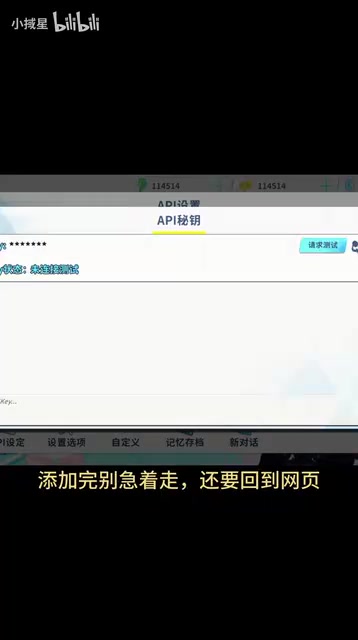
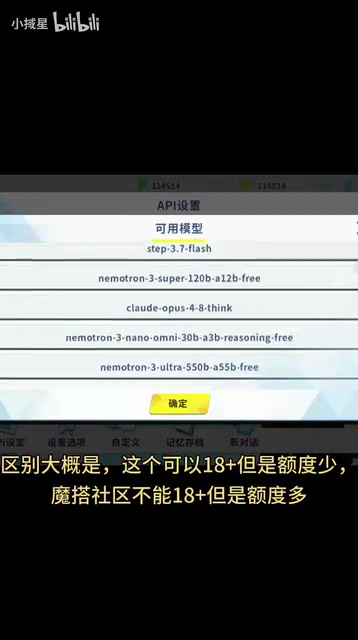
After topping up, go back to the client and click "Fetch Available Models." As long as you've paid that ¥7.1, your daily quota refreshes to 1 million tokens. Any model with a "Free" suffix in the available model list can be used — GMI series models are recommended first, such as GMI-3.7-Flash-Free.
That said, a word of caution: 1 million tokens isn't actually that much. The creator estimates it covers roughly 30+ exchanges in a conversation. If you chat heavily, you'll need to rotate across multiple channels, or keep topping up on this platform to use paid models.
Channel 2: Moda Community — More Quota, But Content Restrictions Apply
The second channel is the Moda Community. The key difference from Channel 1 is: Channel 1 supports 18+ content but has a smaller quota; Moda Community offers more quota but does not support 18+ content. They serve different needs — it's worth combining both depending on your use case.
Login and Access Token
On mobile, be sure to use the Edge browser and tap the bottom-right corner to switch to "Desktop mode." On desktop, it's more straightforward. Go to the website, click the top-right corner to register or log in — your username must start with a letter. Once logged in, go to "Access Space." If it isn't there, go to "Account Settings → Access Tokens" to create one, then click the nearby generate button to get your token.
Client Configuration and Real-Name Verification
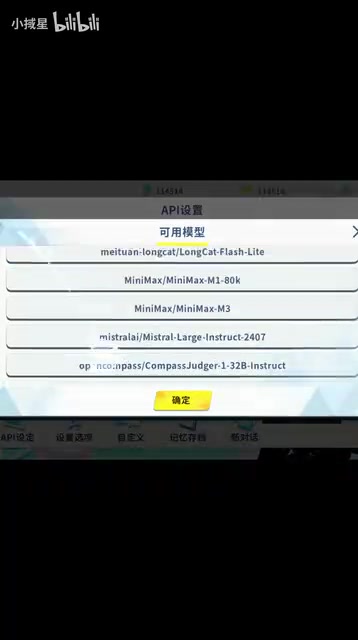
Back in the client, go to "API Settings" again, select "OpenAI Compatible / Custom," paste the access token into the API Key field, enter the corresponding URL in the request URL field, and click "Fetch Available Models." If it loads, the configuration is working.
You'll also need to complete real-name verification to claim your quota. Click your username → the avatar in the bottom-right corner → "Link Alibaba Cloud Account," then follow the prompts to log in or register and complete identity verification. After verification, return to the page and confirm that it shows "Verified" and that the number in the top-right corner has changed to 250. Only then is the process complete.
Quota Mechanics and Model Costs
Moda Community's system works like this: completing real-name verification gives you 250 credits, and you can earn more by completing tasks shown at the bottom of the page. Each API call costs 0.5, 1, or 2 credits depending on the model — more powerful models cost more. To check the cost for a specific model, go to "Model Library → Inference API," select the model (e.g., GM5.2), and click "View Code Example" on the right — it will show how many credits each call consumes.
If you get errors during a call, try adjusting the thinking level and test each option one by one. The creator admitted this part "works sometimes, doesn't other times — it's a bit mysterious," which is a known instability in the current version.
A token is the basic unit of measurement language models use to process text — it doesn't simply equal one character or word. For Chinese, roughly 1.5 to 2 tokens correspond to one Chinese character; for English, approximately 4 characters equal one token. A complete API call consumes both "input tokens" (the message you send plus conversation history) and "output tokens" (the model's reply). As the conversation grows longer, each turn consumes more tokens due to accumulated context. One million tokens sounds like a lot, but in roleplay scenarios you often need to carry a large system prompt (character setup) and conversation history — a single call can easily consume thousands or even tens of thousands of tokens. That's why the creator estimates it only covers around 30+ exchanges.
Practical Advice: Rotating Multiple Channels Is the Safest Strategy
All things considered, the free quota environment for AI roleplay chat is fairly tight right now. A single channel is unlikely to meet everyday needs. The most pragmatic approach is to keep multiple channels ready and rotate between them: the GMI channel offers better model quality but a smaller quota and supports 18+ content; Moda Community offers more quota but has content restrictions. For paid needs, evaluate whether an OpenCode monthly plan or topping up within a channel for a higher-value model makes more sense.
The steps in this article reflect testing from a single source — quota policies and model availability on each channel can change at any time. It's recommended to do a small test before committing. The creator also mentioned that a future version plans to introduce an "API preset saving" feature, which will make switching channels much easier. For now, it's all manual.
For regular users, these relay channels can serve as a stopgap, but their stability and long-term viability remain uncertain. Go in with realistic expectations, and avoid making large top-ups all at once.
Related articles
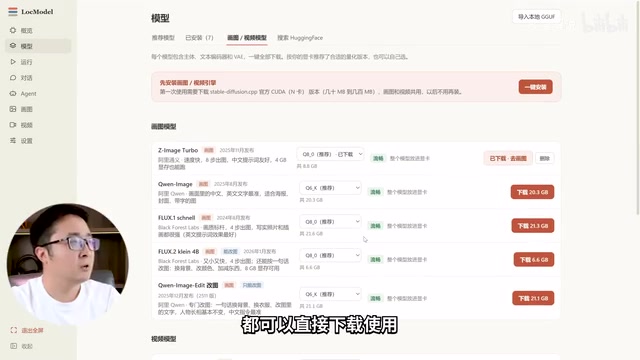
LocModel: The Local AI Deployment Powerhouse — Run Open-Source Models and AI Generation with One Click
LocModel is a local AI deployment tool that auto-adapts to hardware, downloads open-source models with one click, and supports image/video generation, uncensored LLMs, and Agents — completely free.

Antigravity CLI: Free Access to Top Gemini and Claude Models in the Terminal
Antigravity CLI (agy) claims to offer free access to top models like Gemini 3.1 Flash and Claude Sonnet in the VS Code terminal, with installation in seconds. This article breaks down its workflow, the value of in-terminal model calls, and the security and sustainability questions behind the free claim.
Chatbots vs. AI Agents: Key Differences and How to Choose
Chatbot vs. AI agent: how do they differ? We break down the three dimensions—tools, memory, workflow—compare four real scenarios, and offer risk-control advice and selection criteria.