The AI Editor Developers Are Switching To: A Deep Dive into Cursor

Cursor is an AI-first editor based on VS Code that understands the entire codebase and supports natural-language agent modifications.
Cursor is an AI-first code editor built on VS Code and is becoming a popular choice when developers switch tools. Its core advantage lies in deep AI integration: it understands the entire codebase, enables cross-file autocompletion, code explanation, and editing, and supports Tab-accepted smart multi-line suggestions. One-click import of VS Code extensions and settings lowers the migration barrier, while the Agent Panel allows natural-language-driven code edits with a per-diff review mechanism. Cursor supports Mac, Windows, and Linux, with a free tier and Pro version.
Why Are Developers Starting to Switch Editors?
A saying is circulating in the developer community: more and more developers are switching to a new code editor—it's not VS Code, but in a sense it sort of is. This editor is called Cursor, an AI-first code editor built on top of VS Code. According to a tech sharing video on YouTube, Cursor is becoming a popular choice when developers switch tools, and its core selling point is: AI truly understands your entire codebase.
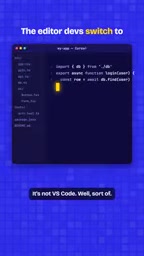
Unlike traditional code completion tools, Cursor positions itself as "AI-first," meaning AI capabilities are not an add-on plugin but the editor's underlying logic. It retains VS Code's familiar interface and ecosystem while deeply integrating AI into the coding workflow.
Cursor's Core Capability: Understanding the Entire Codebase
Cursor's most prominent feature is that it "knows your whole codebase." This means it can perform cross-file autocompletion, explain code, and make edits. For large projects, this global understanding is crucial—developers no longer need to manually drag relevant files into the context window; Cursor automatically analyzes the project structure and offers more accurate suggestions.
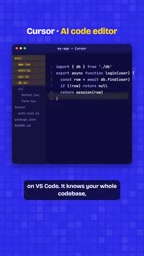
The video demonstrates a typical scenario: press the Tab key to accept smart multi-line suggestions. This interaction is very fluid—developers can get completion for entire blocks of code while typing, not just single variables or function names. The mechanism for accepting multi-line suggestions makes the coding rhythm more continuous and reduces interruptions.
Codebase Indexing is the underlying mechanism by which Cursor achieves "understanding the entire codebase." It scans, parses, and vectorizes project files locally to build a quickly retrievable semantic index, enabling the AI to reference relevant code across files when completing or answering questions. The indexing process usually runs incrementally in the background, requiring no manual maintenance from developers. Compared with solutions that rely solely on the context window, indexing allows the editor to handle large projects that exceed the model's single input length, while reducing the need to drag irrelevant code into the prompt.
One-Click Migration: Seamless Switching from VS Code
For developers who have already invested a lot of time in VS Code, the biggest obstacle to switching editors is often migration cost—extensions, settings, and shortcuts all need to be reconfigured. Cursor clearly takes this into account. According to the video, when launching Cursor for the first time, users can import VS Code extensions and settings with one click.
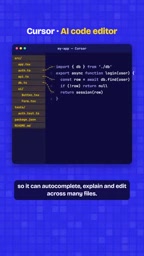
This design greatly lowers the barrier to switching. Developers don't have to give up their existing work environment to experience AI-enhanced coding. Cursor can be downloaded from the official website Cursor.com and supports Mac, Windows, and Linux, covering the operating systems of the vast majority of developers.
VS Code ecosystem compatibility is Cursor's core strategy for reducing migration costs. VS Code itself is built on the open-source Electron framework and the Monaco editor, and has a huge extension marketplace. Cursor is developed as a fork on this basis, so it can reuse VS Code's extension APIs, themes, shortcut system, and settings format. This means most extensions and configurations imported by developers can run as-is without needing to find alternatives. However, because Cursor has made AI-related modifications to the editor core, a small number of extensions that deeply depend on VS Code's internal interfaces may have compatibility differences, so practical migration still requires attention.
Agent Panel: Describe Your Needs, Auto-Edit Code
Another highlight of Cursor is the Agent Panel. Developers can open the panel and describe the changes they want in natural language, such as "add login functionality to this app." Cursor will automatically edit the relevant files, and developers can review each diff one by one before keeping the changes.

This "describe first, review later" workflow frees developers from tedious mechanical editing while retaining final control. The video specifically emphasizes "review every diff before keeping it," indicating that Cursor is designed to keep developers informed and in control of code changes rather than blindly accepting AI modifications.
Diff Review is a key safety design in agentic programming. When AI automatically modifies multiple files, Cursor displays changes in a file-by-file, block-by-block diff view, and developers can accept, reject, or manually adjust each change. This mechanism combines AI's automation capabilities with the developer's final control, avoiding the risks of "black-box" batch modifications. Diff review is also an important feature that distinguishes the Agent Panel workflow from traditional code completion: completion only affects the area near the cursor, while the Agent Panel may involve project-level changes, so the review step cannot be omitted.
Pricing and Platform Support
Cursor offers a free tier and a Pro version for heavy usage. The free tier lets developers experience core features at zero cost, while the Pro version targets higher-frequency use cases. In terms of platforms, Mac, Windows, and Linux users can all use it.
Why Do Developers Choose Cursor?
Based on the video content, the reasons developers are switching to Cursor can be summarized as follows: First, it is based on VS Code, retaining the familiar operating experience and extension ecosystem; second, AI capabilities are deeply integrated, able to understand the entire codebase and provide cross-file smart completion and editing; third, migration costs are extremely low, with one-click settings import; fourth, the Agent Panel supports natural-language-driven code modifications and retains a diff review mechanism.
Together, these features make Cursor an "AI-first" editor that doesn't depart from developers' habits. For developers who want to improve coding efficiency and reduce repetitive work, Cursor offers an option worth trying.
One-line Summary
Cursor is an AI-first editor based on VS Code that understands the entire codebase and supports natural-language agent modifications.
Paragraph Summary
Cursor is an AI-first code editor built on VS Code and is becoming a popular choice when developers switch tools. Its core advantage lies in deep AI integration rather than plugin-style add-ons: it can understand the entire codebase, enable cross-file autocompletion, code explanation, and editing, and support accepting smart multi-line suggestions with the Tab key. For migration, Cursor supports one-click import of VS Code extensions and settings, greatly lowering the barrier to switching. The Agent Panel allows developers to describe modification needs in natural language, automatically edit relevant files, and retain a per-diff review mechanism to ensure developers stay in control of changes. Cursor supports Mac, Windows, and Linux, offers a free tier and a Pro version, and is suitable for developers who want to improve coding efficiency.
Related articles

AI Assistant Misleads Tenant Into Eviction: Where Does Liability Lie for a Landlord's AI?
A landlord's AI assistant told a tenant they could delay rent—then she was evicted. This case reveals a liability vacuum for AI output involving contracts and legal obligations, and the responsibility deployers bear.

Best Black Friday Buys Under $100: 60+精选科技好物推荐
Black Friday on a budget? Here are 60+精选 tech deals under $100, covering accessories and practical gadgets to help you spend smart and avoid impulse buys.
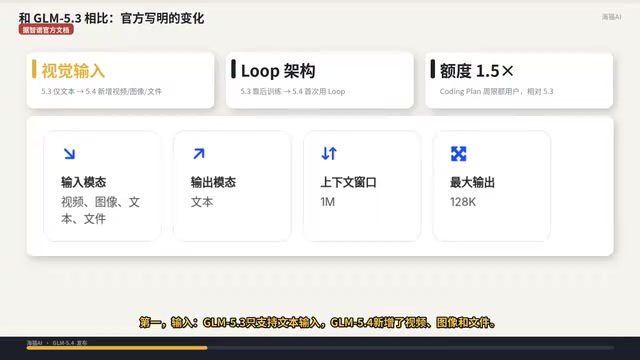
Zhipu GLM-5.4 Released: Loop Transformer Runs 28 Layers Twice
Zhipu releases GLM-5.4, the first Loop Transformer flagship: 28 layers run twice for 2-3T-equivalent intelligence, plus video and image input. API and open weights not yet released.