The Complete Guide to AI Agent Skills: Building Robust Agents with Markdown

Use an on-demand Markdown file to inject the right context into AI agents at the right moment.
The article systematically breaks down the AI agent "skill" mechanism: a skill is an on-demand Markdown prompt file that injects the right context at the right time, avoiding repeated reminders. It offers criteria for creating skills—instructions must be reusable (required), involve personal/team conventions or niche domain knowledge (optional)—while general public knowledge isn't worth packaging. Skills come in global (~/.claude/skills/) and project-level (project root .claude/) scopes; descriptions always occupy the context window, so the number must be limited. The practical path: use the Skill Creator to draft, fill details via questioning, validate with with/without-skill comparisons, and keep iterating on the Markdown file.
The Complete Guide to AI Agent Skills: Building Robust Agents with Markdown
If you're using Claude Code, Codex, Copilot, or any agentic tool to develop software, you've likely run into this scenario: the agent writes unit tests that only cover basic behavior and completely ignore edge cases, or it generates a database migration file that is technically correct but hides production risks. In a recent technical talk, Google developer expert Phillip systematically broke down how to solve these problems through the "Skill" mechanism—essentially, using a Markdown file to codify repetitive instructions and domain conventions so the agent automatically loads them at the right moment.
What Is an Agent Skill?
A Skill is ultimately a Markdown file containing specific instructions for how to perform an operation. It's not a plugin, nor a piece of code, but a set of prompts that can be loaded on demand.
Phillip notes that in agent development, there are always instructions that don't apply all the time but are indispensable in specific scenarios. For example, your project's conventions for writing test cases—which libraries to choose, how fine-grained assertions should be, which best practices to follow. Without a skill mechanism, you'd have to tell the agent these requirements over and over, and you'd need to remind it right when it's about to start writing tests. But the problem is you often can't predict that moment—you might just hand it a larger task and it starts writing tests on its own. Skills solve exactly the problem of "injecting the right context at the right time."
Phillip uses his own Android unit testing skill as an example: the core methodology is "test like someone who genuinely wants to break the code." He found that if you just ask Claude to write tests without clear instructions, it tends to cover only basic behavior and miss a large number of edge cases. With the "how do I make this code crash" mindset, the diversity of test cases improves significantly.
Progressive disclosure: The key to understanding the skill mechanism is that it doesn't cram everything into the prompt at once, but loads in layers. The first layer is the skill name and short description that stay in context, letting the model judge "when to use it"; the second layer is the body of SKILL.md, loaded once the skill is triggered, providing concrete procedures and conventions; the third layer is resources such as scripts, templates, and reference docs bundled in the skill directory, which the model reads on its own only when needed. This design lets a large body of knowledge "mount" alongside the agent without consuming the permanent budget—trading space for cost—and is the fundamental reason skills are superior to writing every convention into the system prompt.
When Should You Create a Skill?
Not every scenario is suited to being packaged as a skill. Phillip offers one required condition plus two optional ones:
Required condition: The instructions need to be reused. If you're just having the agent do a one-off task, write it directly in the prompt; there's no need to create a skill. But tasks like unit testing that recur across different codebases are worth the effort of codifying detailed requirements.
Optional condition one: It involves personal or team-specific conventions. For instance, Phillip has his own unique conventions for Android unit testing—this isn't public knowledge but a personal preference. Encoding such conventions into a skill makes a lot of sense.
Optional condition two: It involves niche domain knowledge. Large language models are trained on public data, but if you're working in a very specialized field—say, circuit design for a particular machine—your expertise may far exceed what the model's training data covers.
Conversely, Phillip explicitly advises against creating skills for general knowledge. Something like "designing a relational database schema" is publicly documented, and a general LLM already handles it well; unless you have very specific custom requirements, creating a skill is pointless.
Where Are Skills Stored?
Skills have two scopes. Global skills live in the ~/.claude/skills/ folder under your user directory, where each skill is a folder named after the skill containing a SKILL.md file. These skills are available in all sessions. Project-level skills live under the .claude/ (or .cursor/, etc.) folder in the project root and only take effect when a session is launched from that root.
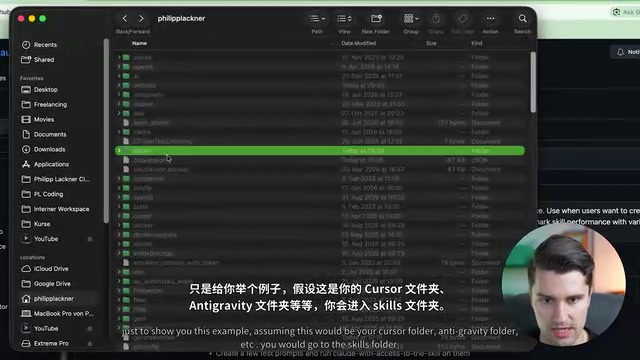
One key detail: a skill's description always occupies the context window. If you have ten skills, then every time you send a prompt, all the skill descriptions enter the context and consume tokens. So don't flood the agent with a huge number of skills—the description is the basis on which the agent decides whether to invoke a skill, but it also has a cost.
Context window and token cost: A large language model's "context window" refers to the total amount of text it can hold at once during a single inference, measured in tokens (roughly half an English word or one or two Chinese characters each). The window capacity is limited, and the system prompt, conversation history, tool definitions, file contents, and skill descriptions all compete for the same space. So skill descriptions are not "free" metadata but permanent overhead: the more skills you have, the less budget is available for the actual task on each request, and the model's attention to key instructions may be diluted. This is why in practice the "description" is often kept short and precise while detailed steps are left in the skill body (loaded only after triggering).
Building Robust Skills with the Skill Creator
Phillip recommends using the "Skill Creator" from AnswerPick to generate skills. If you use Claude Code, you can install it directly; if not, you can manually copy the raw file into the skills folder, creating a file named SKILL.md.
In Claude Desktop's collaboration mode, you can install it by searching for the Skill Creator under "Manage Skills." Once installed, when you express an intent to create a skill, Claude automatically invokes the Skill Creator, loading in the context on how to create good skills.
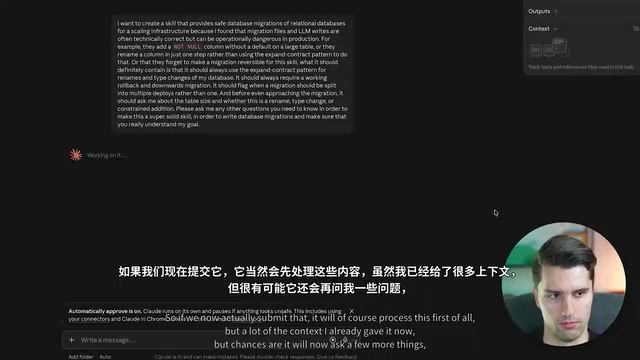
Phillip takes creating a "safe relational database migrations in a scalable architecture" skill as an example. Via voice input, he describes the requirements in detail: migration files are often technically correct but may carry operational risk in production—for example, adding a non-null column with no default to a table with lots of data, renaming a field without using the expand-contract pattern, or forgetting to make the migration reversible. He requires the skill to include: use the expand-contract pattern for renames and type changes, always provide a rollback-capable down migration, raise an alert when a migration should be split across multiple deployments, and ask about table size and change type before executing.
A key behavior of the Skill Creator is asking questions proactively. Phillip deliberately ends the prompt with: "Please ask me any questions you need to ensure this skill is robust enough." Claude then asks in turn about the database type (PostgreSQL and MySQL), the migration tool (Flyway), whether multi-step deployments are supported, and the row-count thresholds for table size (normal handling under 100,000 rows, batching above one million rows).
Skills Need Testing and Iteration
After the Skill Creator generates a proposal, Phillip stresses that you must carefully review whether the content matches your specific needs. Once saved, the skill is ready to use. But testing matters more: if a skill doesn't produce significantly better output than not using it, the skill isn't worth existing.
Claude can generate skill evaluations comparing output with and without the skill. Phillip's test results showed that migration quality without the skill was at least similar, but the value of the skill lies in "enforcing consistent and checkable reasoning"—encoding "what counts as a good migration" once and invoking it repeatedly, rather than relying on the model to deeply understand the details each time.
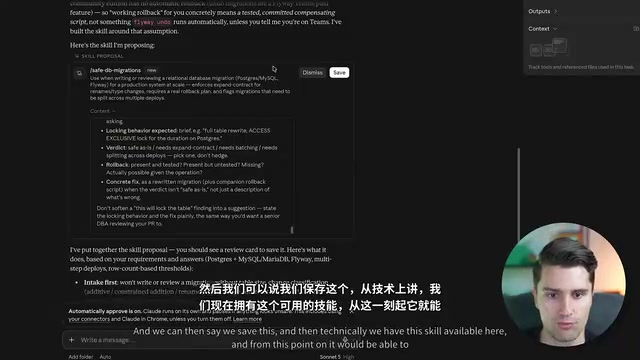
Skill iteration is an ongoing process. Phillip admits you're unlikely to get a perfect skill on day one. The initial version is usually decent, and in use you'll discover "this scenario wasn't considered" or "that case wasn't thought of," and then simply update the Markdown file. When modifying a skill, you usually don't need to invoke the Skill Creator again—just use a regular prompt to have the model edit that Markdown file.
Expand-contract pattern: This is a safe evolution paradigm for database schema changes, done in three steps. First, "expand": add a new field or new table while keeping the old structure, so old and new code can run in parallel; second, "migrate": deploy code that reads and writes the new structure and backfill historical data; third, "contract": after confirming no code depends on the old structure, delete the old field or old table. Directly renaming a field or changing its type will inevitably break one side during rolling releases, whereas the expand-contract pattern splits a breaking change into multiple backward-compatible deployments, making the migration process rollback-able and observable.
Key Takeaways
The essence of a skill is an on-demand Markdown prompt file that solves the problem of "injecting the right context at the right time." Before creating a skill, ask yourself: will these instructions be reused? Do they involve my specific conventions or niche domain knowledge? If both answers are no, don't create one. Skill descriptions always occupy the context window, so the number of skills must be restrained. Generate a first draft with the Skill Creator, validate its value through comparative evaluation, and iterate continuously in practice—that's the path to making AI agents genuinely robust.
One-line Summary
Use an on-demand Markdown file to inject the right context into your AI agent at the right time.
Paragraph Summary
The article systematically breaks down the AI agent "skill" mechanism: a skill is essentially an on-demand Markdown prompt file that solves the problem of "injecting the right context at the right time," avoiding the need to repeatedly remind the agent. The author provides criteria for creating skills—instructions must be reused (required), involve personal or team-specific conventions, or involve niche domain knowledge (two optional conditions), while general public knowledge isn't worth packaging. Skills have two scopes: global (~/.claude/skills/) and project-level (project root .claude/), and since descriptions always occupy the context window, the number of skills must be restrained. The practical path is to use the "Skill Creator" to generate a first draft, fill in details through questioning, then validate value with a with-skill vs. without-skill comparative evaluation, and continuously iterate on the Markdown file itself in use.
Related articles

AWS Launches Official Agent Toolkit: Letting AI Agents Directly Build and Manage AWS Applications
AWS launches the official Agent Toolkit, letting AI coding agents directly build and manage AWS apps across CDK, CloudFormation, Serverless, Bedrock Agents, and DevSecOps.
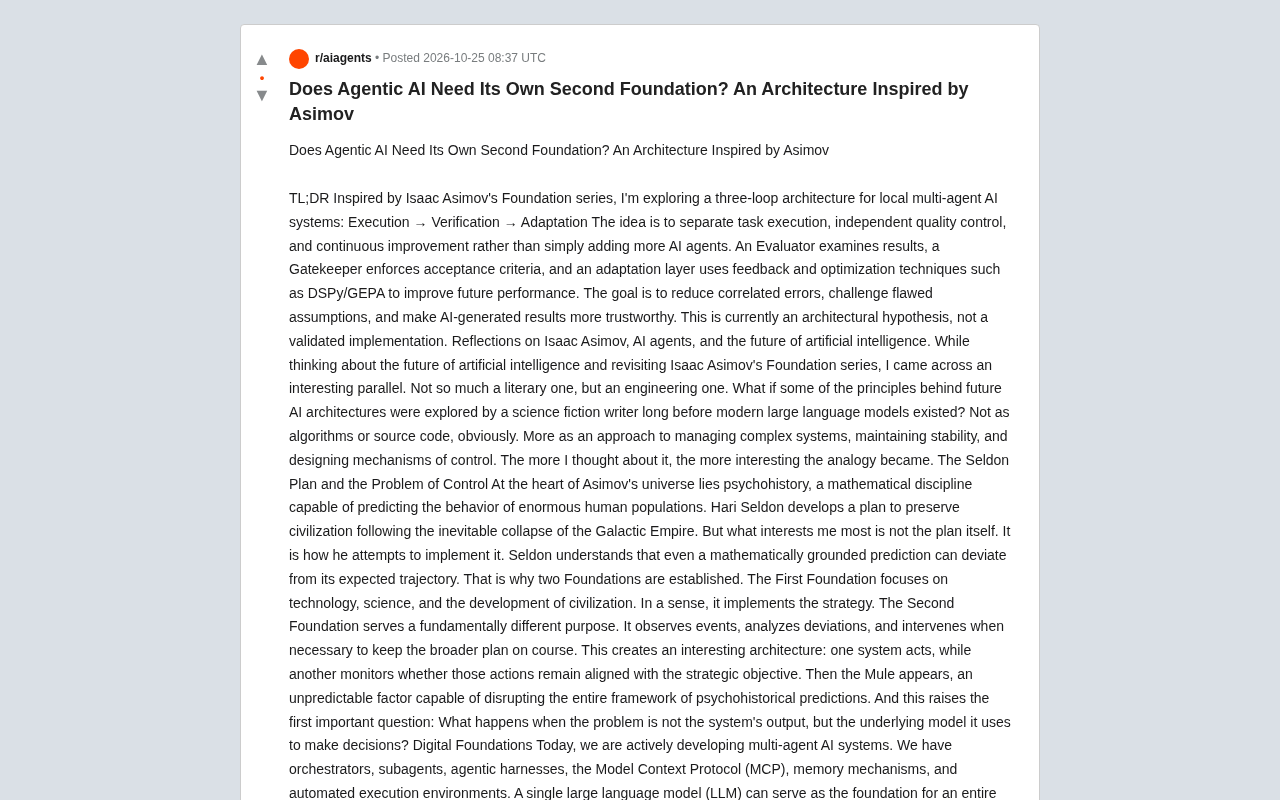
Does Agentic AI Need Its Own "Second Foundation"? A Three-Loop Architecture Explored
Inspired by Asimov's Foundation series, a multi-agent AI architecture hypothesis proposes execute, verify, and adapt control loops to reduce correlated errors and improve trust in AI results.
Rewriting a Commercial Engine in Jai: The Trade-off Between Performance and Productivity
Exploring the engineering practice of rewriting a commercial game engine in Jai: compile-time metaprogramming and data-oriented design advantages, plus ecosystem maturity and learning curve challenges.