The Complete Guide to Claude Code Hooks: How the Automation Mechanism Works and Practical Configuration

A complete guide to Claude Code Hooks for building deterministic automation workflows that never forget.
This guide explains Claude Code Hooks—a deterministic automation mechanism that overcomes CLAUDE.md's probabilistic limitations. It breaks down the three-layer architecture (Event, Matcher, Handler), covers 10 core Events across work phases, details 5 Handler types, and walks through two practical examples: blocking sensitive data in git commits and detecting AI-sounding writing in articles.
Why Do You Need Hooks? The Limitations of CLAUDE.md
Many people using Claude Code run into a common frustration: they clearly write instructions in CLAUDE.md like "always run tests after modifying code" or "stop before executing dangerous Git commands," yet Claude frequently "forgets" to follow through.
The reason is that CLAUDE.md is essentially just a "reminder note" for the AI. It provides instructions that the model will try its best to follow, but there's no guarantee it will comply every time. Because CLAUDE.md relies on the model to read and judge on its own when to follow instructions—there's inherent randomness in this process.
Technically speaking, CLAUDE.md is a project-level configuration file for Claude Code, essentially a system prompt injected into the model's Context Window. The reasoning process of large language models is based on probabilistic sampling—even when instructions are explicitly written in the context, the model still makes choices based on token probability distributions at each generation step, meaning it may "forget" or "skip" certain instructions during complex reasoning chains. This phenomenon is academically known as Instruction Following Instability, and it becomes more pronounced as context grows longer and tasks become more complex.
If you want a mechanism that's more enforceable and more stable, that's where Hooks come in. This tutorial will systematically break down how Hooks work, their types, and walk you through building your first Hook with practical examples. Whether you're a Claude Code or Codex user, the principles behind Hooks are universal.
What Is a Hook? A Deterministic Automation Mechanism
Think of a Hook as the automatic door at a convenience store—it has a set of rules that will absolutely execute. The moment someone steps into the sensor zone, the door opens immediately, no negotiation.
The critical difference between Hooks and CLAUDE.md lies in "who is responsible for triggering the action":
- CLAUDE.md: Relies on the model to read it and depends on AI judgment for when to comply
- Hook: Is Deterministic, forcefully controlled by the Claude Code software behind the scenes. The moment a configured trigger point arrives, the software directly intervenes and executes—no model judgment required
In computer science, a deterministic system is one that, given the same input, will invariably produce the same output, as opposed to stochastic or probabilistic systems. The reasoning of large language models is fundamentally non-deterministic (even with temperature set to 0, minor variations can occur due to floating-point arithmetic differences), while Hook execution logic is traditional program code hardcoded in the Claude Code client software—if-then logic, event listeners, script invocations—all of which are deterministic. This is why Hooks can guarantee "100% execution" while CLAUDE.md cannot.
Therefore, we can summarize the appropriate scenarios for three types of instructions:
- One-off tasks: Just say it directly in the conversation
- Project-wide rules and general direction: Write them in CLAUDE.md for model reference
- Actions that must be strictly executed at specific moments and cannot risk being forgotten: Make them into Hooks
The Three-Layer Architecture of Hooks: Event, Matcher, Handler
A Hook configuration is simply a set of instructions written in JSON format, typically placed in the project folder's .claude/settings.json. It may look dense, but understanding the three-layer architecture is all you need.
Using a "check code for syntax errors" Hook as an example:
Layer 1: Event (When to Trigger)
Determines when this Hook activates. In the syntax check example, the Event is set to PostToolUse, meaning it activates the instant Claude finishes calling a tool.
Modern AI coding assistants use the ReAct (Reasoning + Acting) architecture: the model first reasons about what needs to be done, then interacts with the external environment through "Tool Calls" (Function Calls). In Claude Code, tools include reading files, writing files, executing Bash commands, searching code, etc. Each tool call has a clear lifecycle—preparing to call (Pre), executing, and execution complete (Post)—Hooks leverage these lifecycle nodes to insert automation logic, similar to "middleware" or "lifecycle hooks" concepts in software development.
Layer 2: Matcher (Which Operation to Intercept)
Claude calls many different tools during its work, and it's impossible to trigger the Hook every time. The Matcher's role is to filter—in this example, it locks onto the "modify code" action specifically.
Layer 3: Handler (What Action to Execute)
Once all conditions are met, the Handler decides who to call to do the work. In the syntax check example, the Handler calls the computer's syntax checking script to automatically catch errors.
One-sentence summary: Event determines when, Matcher determines which operation to intercept, Handler determines what to do.
Ten Core Events: Categorized by Work Phase
Claude Code currently has up to 31 Events, but categorizing them by system work phase, grasping the core ones is sufficient.
Phase 1: System Startup and Receiving Instructions
- SessionStart: Triggers the moment a conversation opens (new conversation, resuming a session, or Clear all count). The popular project Superpowers uses this to force the AI to load Skills at the start of every conversation, combating the randomness of AI loading.
- UserPromptSubmit: Triggers when you press Enter to submit a Prompt. The open-source project Claudeman (which builds long-term memory for Claude) uses this to intercept questions, first retrieving relevant memories from a background database and injecting them into Claude's context, solving the cross-conversation amnesia problem.
Phase 2: Before Using a Tool (Safety Guards)
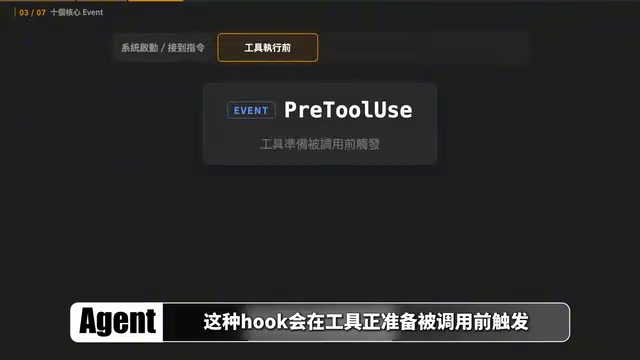
- PreToolUse: Triggers before a tool is about to be called, perfect for safety guards. Some Skills use it to block dangerous Git commands—the moment it detects operations like
git reset --hardthat could wipe code, or dangerousgit pushcommands, it immediately intercepts and aborts.
Phase 3: After Tool Execution Completes (Quick Verification)
- PostToolUse: Triggers after Claude successfully executes a Tool Call, suitable for quick verification. The frontend design Skill Impeccable performs quality checks here: the moment Claude finishes modifying a UI file, it scans the code to catch empty image links, calculates text-to-background contrast ratios, and automatically fixes issues it finds.
Phase 4: Task Completion or Special Situations
- Stop: Triggers when the current round of conversation is completely finished. Impeccable deliberately saves deep aesthetic checks like layout and color harmony for the Stop phase, consolidating all files modified during the work session for a comprehensive review, avoiding slowdowns during development.
- Notification: Desktop notification reminders, calling you back when Claude needs permission confirmation.
- SubagentStart / SubagentStop: Controls Subagent work quality. A Subagent is an independent AI instance spawned by the main Agent during task execution, with its own context window, capable of independently performing file reads, code searches, command execution, etc., reporting results back to the main Agent upon completion. This architecture is similar to the "microservices" concept in software engineering—decomposing complex tasks into multiple independent subtasks processed in parallel or sequentially.
- PreCompact: Before automatically condensing an overly long conversation, saves key decisions, progress, and rules first to prevent important information from being lost after condensation. Large language models have context window length limits (e.g., Claude's 200K tokens), and when conversations approach this limit, Claude Code automatically performs a "Compact" operation—summarizing and compressing previous conversation content while retaining key information and freeing context space. The PreCompact event lets you save important decisions and rules before compression occurs, preventing the compression algorithm from losing information critical to subsequent work during summarization, which is especially important for long programming sessions.
Beginners only need to remember four: SessionStart (conversation starts), PreToolUse (before using tools), PostToolUse (after tool execution), Stop (when work ends).
Matcher and Five Handler Types Explained
Matcher's job is simple—it picks out the specific targets this Hook actually needs to handle from all actions. For example, if the Matcher is set to Edit and Write, it only cares about file modification actions; you can also add if conditions, such as only checking files with the .ts extension.
Handler determines what actually happens once conditions are met. There are currently five types:
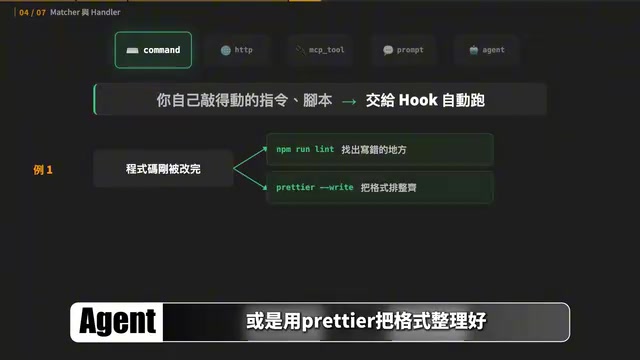
- Command (most common): Directly executes commands or scripts on your computer, such as automatically running lint or formatting with Prettier
- HTTP: Sends data to external services, such as automatically posting errors to Slack on failure
- MCP Tool: Uses connected MCP tools, such as automatically fetching today's tasks from Jira. MCP (Model Context Protocol) is an open protocol launched by Anthropic aimed at standardizing connections between AI models and external tools/data sources. Think of it as the "USB port" of the AI world—as long as a tool provider implements the MCP protocol, any AI client supporting MCP can call it directly without writing custom integration code for each tool.
- Prompt: Calls the AI to directly respond based on received data (without opening files or searching), such as checking commit message format
- Agent: Spawns a Subagent that can first read files, search code, run tests, then report back verification results
In simple terms, Prompt answers directly with existing data, while Agent can investigate first before answering. Note that each Event supports different Handler types, so it's recommended to have AI check the official documentation before actual configuration.
Practical Examples: Building Your First Hook
When asking AI to build a Hook, you only need to clearly communicate two things: when to trigger and what to do after triggering.
Example 1: Check for Sensitive Data Before Git Commit (Command Handler)
Simply tell Claude Code:
Please create a Hook in my global settings. Whenever a git commit is about to be executed, first check the commit contents. If it contains .env files or suspected API keys, block the commit and tell me which file; if nothing is found, proceed normally. After creating it, please test both scenarios.
The Hook Claude creates uses a PreToolUse Event, Matcher locks onto Bash, and the Handler calls a check script named git-commit-secret-guard. In testing, commits containing .env files are intercepted before git commit actually executes, while retrying after removing sensitive data passes smoothly.
This example solves a common security problem—accidentally committing API keys, database passwords, and other sensitive information to version control systems. Once this information is pushed to public repositories like GitHub, even if deleted afterward, it may have already been captured by web crawlers. The traditional approach relies on .gitignore and pre-commit hooks, but when AI automatically operates Git, this layer of manual checking is easily bypassed—Hooks provide a deterministic safety net here.
Example 2: Check for AI-Sounding Writing After Article Completion (Agent Handler)
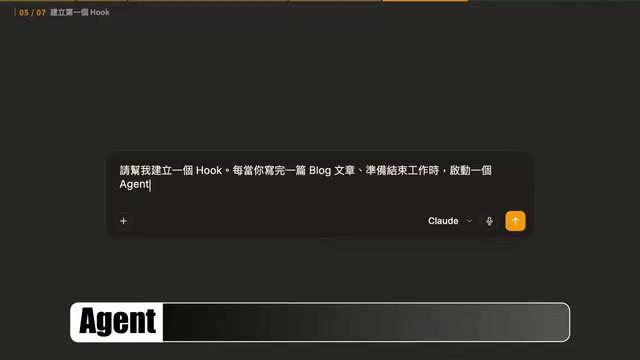
The second example requires more "intelligent" judgment. The author wants Claude, after finishing writing an article, to have a Hook check whether the content still sounds like AI-generated text:
Please create a Hook. Whenever a blog article is finished and work is about to end, launch an Agent to read the article just produced, call the Humanizer Skill to check for AI-sounding writing. If issues are found, return the paragraphs and reasons for you to revise; only end work when the check passes.
This Hook uses the Stop Event, and the Handler executes a humanizer-gate check script: first finding modified articles that haven't passed the check, then requiring Claude to open an Agent for review. After revisions are made, it checks again, and only ends when confirmed as passing.
Two Keys to Keeping Hooks Running Stably Long-Term
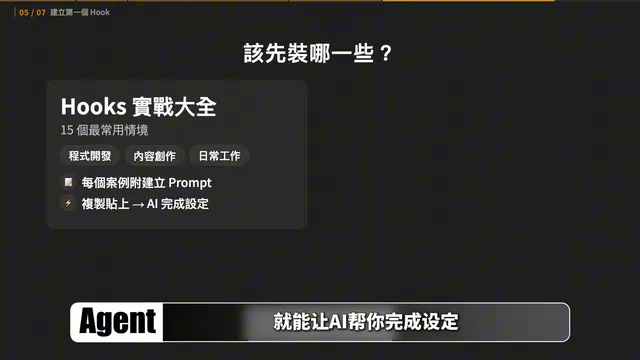
After building the first version of your Hook, check two more things before incorporating it permanently into your workflow:
First, is the trigger scope precise enough? If the scope is too broad, the Hook will be repeatedly triggered during unrelated operations, wasting time and interrupting work. The correct approach is to have the Matcher narrow the scope first (e.g., locking onto Bash), then check more specific conditions within the Handler (determining whether it's a git commit). This "coarse filter + fine filter" two-stage filtering design is similar to the Recall-Precision strategy used in search engines: the first layer quickly narrows the candidate range, the second layer precisely determines whether processing is actually needed, balancing efficiency and accuracy.
Second, does the Stop Hook have exit conditions? A Stop Hook blocks task completion and requests continued work each time, and without clear pass conditions, it may fall into a "reject, revise, re-check" infinite loop. That's why humanizer-gate records whether the current version has already passed—once passed, as long as the article hasn't been modified, it lets through directly; if three consecutive rounds of checks still don't pass, it stops and hands off to human review.
Two Differences for Codex Users
If you're using Codex, the decision-making approach is completely universal, but configurations cannot be directly copied:
- Number of Events: Claude Code has 31, Codex has 11. But both support PreToolUse and Stop, so fundamental approaches are all achievable.
- Handler Types: Claude Code supports five types, while Codex currently only truly executes Command. However, this doesn't mean Codex can't do AI-judgment workflows—humanizer-gate itself is a Command Handler that first executes a check script then asks the main Agent to call a Skill.
The simplest approach: tell Codex directly what problem you want to solve and ask it to build accordingly in its currently supported format—don't directly copy Claude Code configurations.
Conclusion: Hand Off Repetitive Reminders to Hooks
Hooks can automatically execute checks, notifications, or safety guards at fixed moments on your behalf—Event determines when to trigger, Matcher determines which situations to handle, and Handler is responsible for what to do after triggering.
When actually building them, you don't need to memorize configurations or hand-write scripts. First identify one thing you frequently remind AI about that always happens at a fixed moment, start with a very small problem (like checking for keys before committing), clearly state "when to trigger" and "what to do after triggering," let AI build the first version, then confirm the trigger scope and exit conditions.
As you hand off repetitive reminders to Hooks one by one, things that previously required you to remember and repeatedly confirm will gradually become automated parts of your workflow, freeing your attention for things that truly require judgment.
Related articles

Gemini 4 Interprets 500-Page Chemistry Patents: Boosting Drug Discovery Efficiency
Isomorphic Labs researchers used Gemini 4 to process 500-page chemistry patents and academic papers, generating high-quality reports in 10-15 minutes — work that originally took a month was done in an afternoon.
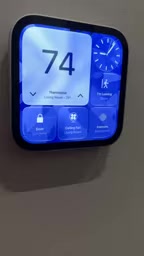
Apple HomeView First Look: The Prototype of a Smart Home Control Hub
First look at Apple HomeView smart home control interface: thermostat and accessory customization, up to nine camera live feeds, iCloud+ and Apple Intelligence video descriptions, and tiered permissions blocking recording access in guest mode.

Gemini 4 Teaches a Humanoid Robot to Play Cornhole: A Breakthrough in Video Learning and Self-Iteration
Google Gemini 4 Argon's experiment shows a humanoid robot learning Cornhole from a human video, iterating via the Mojoku simulator, and making seven consecutive real-world hits.