The Free 4K AI Image Era: Zero-Cost Flux 3 Local Deployment in Practice

Flux 3 Klein's open weights let 8GB GPUs produce 4K images at zero cost, but control and licensing are the real barriers.
The article centers on Black Forest Labs' Flux 3 series, outlining the division of labor between the flagship and the open-weight Klein version: the latter runs on NVIDIA GPUs with 8GB VRAM via 5.6B parameters and INT8 quantization, generating a single image in under 9 seconds on an RTX 4070, and supports native 4K, up to 10 reference images, and bounding-box layout. The author compares the applicable ranges and cost arithmetic of three paths—hosted API, local GPU, and public Playground—and offers a simplified selection method based on output volume and hardware conditions. Core methodologies include a four-part prompt formula, the two structured tools of reference images and bounding boxes, and a multi-step editing workflow based on pixel locking. The article also honestly notes that the vendor's claimed "pixel-perfect" editing shows small drift outside the box, so client files need self-testing first; Klein uses the Flux community license, free for commercial use under $5 million in annual revenue. The conclusion: quality has been commoditized, and editing control and license terms are the real dividing line.
The Free 4K AI Image Era: Zero-Cost Flux 3 Local Deployment in Practice
The floor price for professional-grade AI image generation has been driven to zero by Black Forest Labs. Flux 3 Image Klein enters consumer GPUs with 5.6B parameters, open weights, and an 8GB VRAM starting point, natively outputting 4K. This means that as long as you have a capable enough NVIDIA card, the marginal cost per image can drop to zero—but that statement comes with a long list of "buts" that need to be spelled out. Based on an overseas creator's course reposted on Bilibili, combined with technical discussions across platforms, this article sorts out Flux 3's two product lines, three usage paths, prompt methodology, and editing workflow, and provides actionable selection arithmetic.
Two Product Lines: The Division of Labor Between Flagship and Klein
In early October, Black Forest Labs released Flux 3 Image, touting "pixel-locked" multi-step editing: change one region, and the rest of the pixels remain bit-for-bit identical. Two weeks later, on October 15, the open-weight Flux 3 Image Klein compressed the same capability into 5.6B parameters, running on NVIDIA GPUs with 8GB VRAM after INT8 quantization, with single-image generation time under 9 seconds on an RTX 4070.
According to cross-referenced information from the course and the Hugging Face model card, Klein supports text-to-image, image editing, up to 10 reference images, native 4K output, and bounding-box layout, is compatible with ComfyUI and Diffusers, and LoRA training was available on launch day through tools like Ostrus AI Toolkit and NVIDIA NeMo AutoModel. The relationship between the flagship and Klein is like that between a "studio" and a "personal workstation": the former offers higher precision and runs through a hosted API, while the latter brings the same editing paradigm into the local machine.
Around the same time, Ideogram previewed a 4.5 version editing model and stated it would be released as open weights. Multiple sources consistently point to the same conclusion: the open-weight race among image labs has become public, and the focus of competition is shifting from "who draws better" to "who edits more controllably and licenses more permissively."
Open Weights is the key premise for understanding the business logic of this article. It refers to the model's parameter files being publicly released after training is complete, so anyone can download, run locally, or even fine-tune them. Unlike open-source software, open weights usually do not come with training code or training data. Therefore, "free" only means that obtaining the weights and running local inference incurs no licensing fees—it does not mean the model itself is an open-source project. In contrast, the "hosted API" model allows users to call the model only through the vendor's servers, paying per use and unable to view the weights. The commercial value of open weights lies in vendors rapidly capturing the developer ecosystem through permissive licenses while reserving flagship precision for paid API monetization, forming a two-tier structure of "free traffic generation, paid harvesting of professional demand." This is also the underlying motivation for Black Forest Labs operating both the flagship and Klein product lines simultaneously—a similar strategy has been repeatedly validated on text models like Llama and Mistral.
Three Paths: API, Local GPU, Public Playground
The course categorizes the ways to access image models in 2026 into three paths, and choosing wrong costs you money or time.
Hosted API suits scenarios where you have no usable hardware, need flagship editing precision, or want zero-configuration rapid iteration. On OpenRouter, Flux 3 Image is priced from $0.041 per image at 768 resolution to $0.607 at 4K, and the 50% launch discount before October 8 has ended. At this rate, 500 4K product images cost about $300.
Local open weights suits high-frequency image generation, privacy or offline needs, and users who like to tinker. Klein's per-image cost is $0, but the GPU is a sunk cost, and electricity and time are not free. 8GB VRAM is a hard lower bound; 6GB cards, integrated graphics, and CPU-only are not viable.
Public Playground is a fitting room, not a factory: no coding, zero installation, used to learn prompts, evaluate models, and verify whether pixel-locked editing works on your own files before spending money.
Selection can be simplified into three questions: Do you have a GPU with 8GB+ VRAM? Is your weekly output 10 images or 10,000? Do you need flagship-level editing precision? Low volume goes to API, high volume goes to local cards. The three real-world scenarios given in the course are quite instructive: a YouTuber posting two thumbnails daily (60 per month, text rendering priority) suits Playground plus flagship API; an e-commerce seller with 50 product images per week (200 per month, fixed style) suits local Klein plus LoRA to lock the brand; a ten-day, 300-image agency project should first use API to ensure the client doesn't wait, then migrate locally once volume picks up.
INT8 quantization is the technical fulcrum that lets Klein run on 8GB VRAM. Neural network weights are stored by default as 16-bit floating point (FP16/BF16), so 5.6B parameters require about 11GB+ of VRAM, and activation values during inference push it further over the limit. INT8 quantization compresses each weight to an 8-bit integer, nearly halving VRAM usage, at the cost of numerical precision loss that may cause slight quality or consistency degradation. In practice, techniques like grouped quantization and outlier preservation are also used to balance precision. Note that 8GB is the lower bound for "can run," not "runs comfortably"; higher resolution, more reference images, and batch generation all raise peak VRAM, and some community workflows on 8GB cards require enabling model chunked loading or reducing batch size. This also explains why 6GB cards are explicitly excluded from the viable range.
Pixel-Locked Editing: From "Regenerate and Pray" to a Version Stack
Flux 3's core interaction is bounding-box scene layout: define several boxes in JSON, each labeled with what goes inside—product, headline, background. During generation, the model places content according to the layout; during editing, you select a box and change its content, while pixels outside the box remain bit-for-bit identical. The course demonstrated the full chain: for a headphone product image, first frame the earcups to change matte black to midnight blue, then frame the headband to add a gold logo, and finally frame the background to swap the stone surface for brushed aluminum—after three steps, the product is still the same product.
Two other capabilities deserve separate mention. First, single generation with up to 10 reference images, locking person, product, and style simultaneously; most consistency tasks actually only need two or three. Second, native 4K output and text rendering—short words on signage, packaging, and posters no longer melt into gibberish, meaning posters, thumbnails, ad creatives, and packaging mockups can be completed with a single prompt.
The disagreement that must be honestly presented concerns the phrase "pixel-perfect." BFL calls it pixel-perfect editing, but the course mentions an independent check of vendor-supplied samples found small pixel shifts in regions that were supposed to remain consistent. According to discussions by Bilibili creators and YouTube tech channels, such drift is more noticeable on edges, hair strands, fabric textures, and small text. The practical rule thus becomes clear: don't blindly trust the lock on client files—first run a five-minute comparison test with your own image: generate, save a copy, make one box-selection edit, and compare the outside regions side by side at full resolution. Marketing copy describes the goal; self-testing describes reality.
Bounding-box Layout is essentially a form of spatial conditioning control, with its roots in the bounding-box annotation tradition from object detection. Users describe several rectangular regions and their semantic content in JSON, and the model uses these regions as spatial constraints during diffusion sampling so that the corresponding content lands in the specified positions. Whereas pure text prompts can only "describe" composition, bounding boxes "prescribe" composition, turning layout from a probabilistic event into a reproducible deterministic input. During editing, only the target box is resampled while regions outside the box reuse the original image's latent—this is the mechanistic basis for "keeping the rest of the pixels consistent." This paradigm is in the same lineage as earlier inpainting masks but extends a single-region mask to multi-region semantic layout, thereby supporting continuous multi-step revisions like "change the earcups, change the logo, change the background" without accumulating global drift.
Prompt Methodology: A Formula Plus Two Power Tools
The course explicitly opposes the prompt-pack business: no one can sell you a magic sentence file that prints money. What works is a four-part formula plus two structured tools.
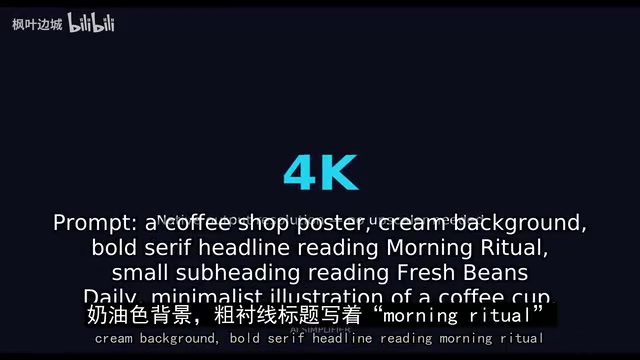
The four parts are subject, style, composition, and lens. The difference between a weak prompt like "a nice car" and a strong prompt like "a vintage red convertible sports car, three-quarter front view, parked on a coastal highway at golden hour, realistic automotive photography, shallow depth of field, 50mm lens, warm rim light on the body" is not that the model got smarter—it's that you made the decisions for it. Materials (brushed aluminum, frosted glass, aged leather), light sources (softbox from upper left, neon from below, overcast daylight), mood, and era all need to be named, and what you don't want must be equally precise—no text, no watermarks, no extra fingers.
The two power tools are reference images and bounding boxes. Reference images turn the model from a slot machine into a collaborator; bounding boxes are the professional move for UI mockups and product ads—headline text in the top third, phone mockup in the center, three feature icons at the bottom, each in its place, and later you can change just the headline without touching the mockup.
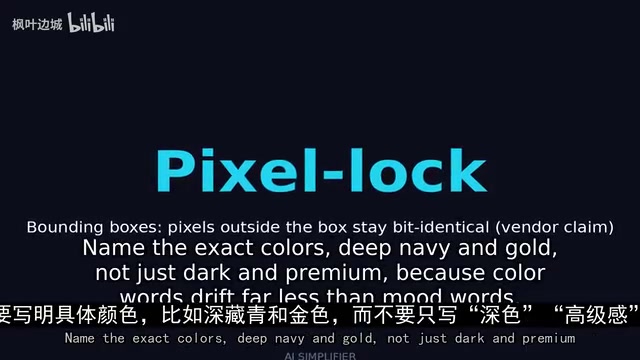
Two supplementary habits: when you're satisfied with the composition, lock the seed and iterate on the same layout rather than re-rolling every time; specify the aspect ratio in the prompt—vertical for short video, square for feeds, wide for banners—because without a specified ratio the model will only give you the default. For brand projects, nail down the color values: say "deep navy and gold" rather than "dark premium feel," since color words drift far less than mood words.
Editing Workflow and License Terms
Generation catches the eye, but editing is where the revenue is—clients pay for the tenth revision that changes only one thing without breaking anything else. All three workflows are built on pixel locking: for product images, frame the background and swap the same product into ten scenes without the product pixels moving; for thumbnails, separately frame the face to change expression, frame the background to change lighting, and frame the text area to rewrite the headline; for social assets, reframe and restructure one master image into vertical, square, and wide versions, with derivatives staying consistent with the original rather than drifting into a stranger. Portrait background replacement is the most common freelance need and applies equally, but faces and hands are always the hardest pixels for image models—check at full resolution after every change, and never use someone's likeness without permission.
Licensing is the quiet deciding variable in the open-weight race. According to the course's citation, Klein weights use the Flux community license, free for commercial use under $5 million in annual revenue, covering freelancers, small studios, and most creators. The course author explicitly states they are not a lawyer and that you should read the license text yourself before building a commercial business. Checking any model license requires only four questions: Can it be used commercially? Is there a revenue cap, and what happens if you cross it? Is attribution required? Can the weights or fine-tunes be redistributed? Ten minutes of reading is more useful than arguing about benchmarks online.

Restraint is needed regarding benchmarks. BFL claims the highest ELO among open models and that it beats closed-source competitors in internal tests—this is a vendor self-reported claim, not an independent result, and the honest test is always your own files.
The Flux Community License is a variant of "source-available"-style licensing: weights are public and commercially usable, but with revenue thresholds and redistribution restrictions attached. The $5 million annual revenue threshold divides users into two tiers—individuals/small teams and scaled enterprises—with the former free and the latter required to purchase a commercial license from the vendor. Such terms are increasingly common in open-weight models, aiming to retain the ability to monetize large commercial users without locking down the ecosystem. Key practical details include: how revenue is defined (company-wide or relevant business line), whether crossing the line means paying retroactively or prospectively, whether fine-tuned derivative weights can be redistributed, and whether attribution is mandatory. These terms are often written in the license body rather than the model card summary, so the "four-question check" directly affects a project's compliance cost more than benchmarks—verify each clause in the original text before commercial deployment.
Actionable Starting Moves for This Week
The course's assignment is blunt: pick one path, make 20 images. If you have 8GB+ VRAM, install ComfyUI, load a community workflow, and generate locally at zero cost; if you don't have the hardware, start with the Playground and switch to API once volume picks up. Don't split a week across three environments.
The 20 images break down as: 5 portraits to learn faces and light, 5 products to learn reference-image consistency, 5 thumbnails to learn text rendering and composition, and 5 editing exercises changing only one box-selected region. Next to each image, save the prompt and a one-line note: what worked, what failed, what you changed. After 20 images, this folder is your personal playbook and proof of capability—organize by portrait, product, thumbnail, and edit, name files clearly, and pin your best three at the top, because clients decide within ten seconds whether you can do the job. One rule runs through the whole week: done beats perfect—20 imperfect images beat 3 perfect ones.
Tools will keep moving, Ideogram 4.5 is on the way, prices will change, and new models will drop. The four-part formula, reference-image consistency, and bounding-box layout will migrate to models that don't yet exist. Quality has been commoditized; control has not.
One-line Summary
Flux 3 Klein's open weights let 8GB GPUs produce 4K images at zero cost, but control and licensing are the real barriers.
Paragraph Summary
The article centers on Black Forest Labs' Flux 3 series, outlining the division of labor between the flagship and the open-weight Klein version: the latter runs on NVIDIA GPUs with 8GB VRAM via 5.6B parameters and INT8 quantization, generating a single image in under 9 seconds on an RTX 4070, and supports native 4K, up to 10 reference images, and bounding-box layout. The author compares the applicable ranges and cost arithmetic of three paths—hosted API, local GPU, and public Playground—and offers a simplified selection method based on output volume and hardware conditions. Core methodologies include a four-part prompt formula, the two structured tools of reference images and bounding boxes, and a multi-step editing workflow based on pixel locking. The article also honestly notes that the vendor's claimed "pixel-perfect" editing shows small drift outside the box, so client files need self-testing first; Klein uses the Flux community license, free for commercial use under $5 million in annual revenue. The conclusion: quality has been commoditized, and editing control and license terms are the real dividing line.
Related articles
uGAP: An AI Platform Unifying 100+ African Geospatial Datasets
uGAP is an African geospatial AI platform by a University of Cape Town team, unifying 120+ African datasets with a Python SDK for discovery, processing, and model training, already used in cyclone flood mapping.

Cursor Can Now Control Your Computer: AI Agents Can Drive Desktop Apps for Testing
Cursor adds desktop control: AI agents can drive desktop apps like the iOS Simulator to test their own features. We analyze the impact on dev workflows, possible technical approaches, and reliability concerns.

Vibecoding a Custom Inference Engine: High Hopes, Harsh Reality
A Reddit developer shares the real experience of vibecoding a custom inference engine: running GGUF Q4 models in the browser with WebGL2 and GLSL, only to fall into tokenizer debugging hell. This article analyzes the engineering challenges of browser-side LLM inference and why cloning llama.cpp is the more rational choice.