The SAP Fiori UX Trap: Why Enterprise Design Keeps Fighting the Same Old Battle

SAP Fiori's trap is misaligned incentives: buyers and users share zero priorities, and UX design must shift to throughput and real-hardware validation.
The article opens with warehouse receiving clerk Maria, who took six weeks to pull launchpad-broken throughput back to baseline while her team processed 30% fewer receipts, and argues that SAP Fiori's unresolved core conflict after a decade is misaligned incentives: buyers (CIOs, project managers) see feature checklists and conference-room demos, while users (operators doing 300 transactions a day) face extra clicks, wrong defaults, and 45-second cold starts—with zero priority overlap and no exit option for users. The second-layer problem is too many stakeholders with design veto power, producing interfaces that satisfy the checklist but work for no one. The root cause is the mismatch between evaluation mode (30 minutes per task) and usage mode (300 transactions a day), plus the absence of consumer-grade corrective feedback mechanisms. The article credits Fiori's role-based delivery and OData architecture, and offers three workable patterns: task-based launchpads, progressive disclosure before UAT, and hardware-first testing, arguing enterprise UX should optimize throughput, not discoverability.
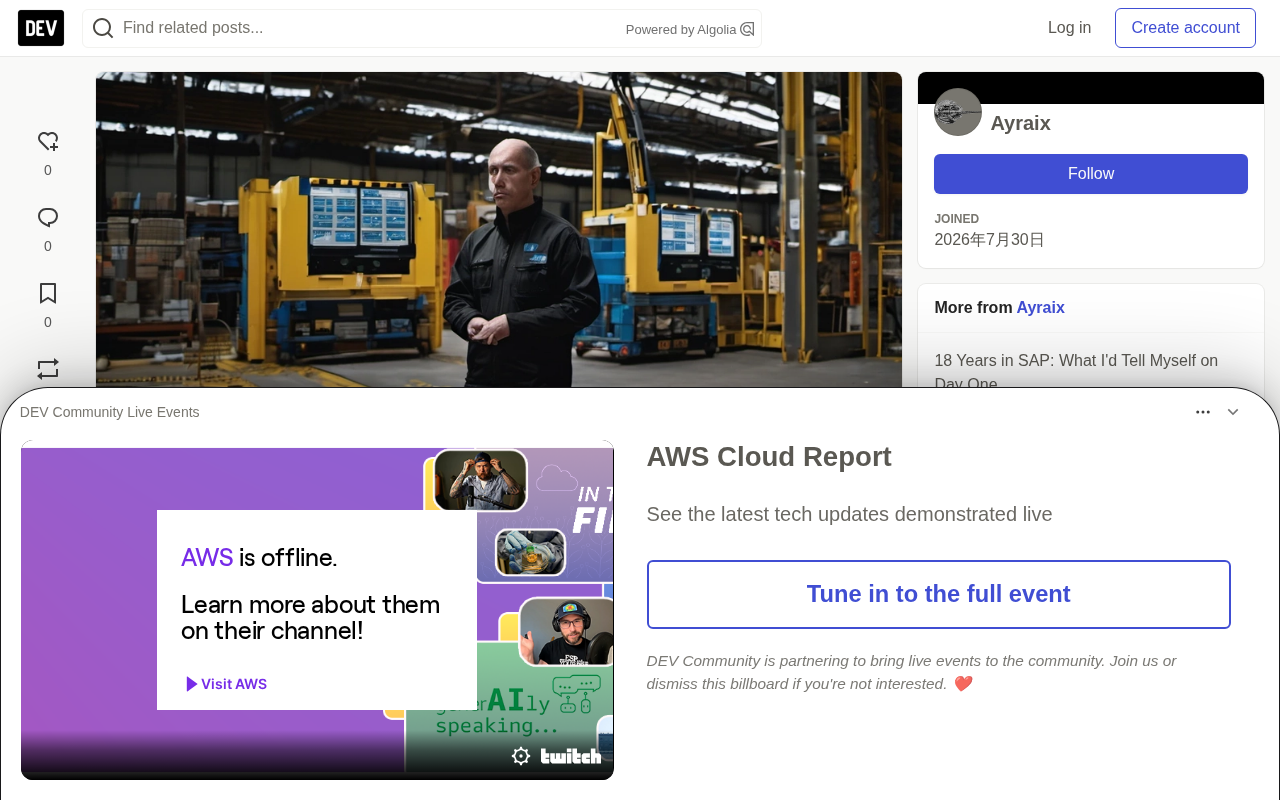
SAP Fiori has been out for over a decade, yet the gap between frontline warehouse operators and design decision-makers remains as wide as ever. A receiving clerk pseudonymized as Maria stood in front of a 1024×768 Panasonic Toughpad and took six weeks to pull throughput back to baseline after the launchpad dragged it down—and in those six weeks, her team processed 30% fewer goods receipts than the production plan required.
This isn't an isolated case. It reveals a structural fact: the core conflict in enterprise UX isn't about talent or technology, but about misaligned incentives.
Misaligned Incentives: Buyers and Users Never Meet
The people who buy Fiori—CIOs, project managers—see a clean demo on a 1440p MacBook: every SAP module in range, vendor contracts in place, feature checklists signed off, UAT all green, project ready to close.
The people who use Fiori—Maria—experience three extra clicks across 300 receiving tasks, filter options with wrong defaults, and a launchpad that takes 45 seconds from cold start just to find her own app.
The two sides' priorities have zero overlap. Buyers never see what users see, and users have no exit option: when your job runs on SAP, you use SAP. The vendor gets paid whether or not Maria's throughput collapses on go-live day.
Consumer software lives or dies by UX because users are also buyers and can leave; enterprise software's feedback loop is entirely different. Procurement teams evaluate feature checklists, CIOs sign licenses, users have no way out. This structurally incentivizes teams to optimize for demos rather than for daily use.
The second layer of the problem is that enterprise implementations have too many stakeholders with design veto power: IT has security requirements, business process owners have workflow preferences, finance wants GL accounts always visible, operations wants storage locations pinned to the top, Basis wants configurations maintainable across upgrades. The result is a launchpad that satisfies every item on the checklist and works for no one. The user sits at the intersection of everyone's constraints, with no one advocating for her.
SAP Fiori is SAP's next-generation user experience layer launched in 2013, replacing the traditional SAP GUI transaction-code interface with role-based tile launchpads, powered by OData services and natively supporting both mobile and desktop. The launchpad is Fiori's entry portal, through which users access applications via tiles. The premise for understanding this article is distinguishing two roles: the buyer—the CIO and project manager who sign contracts and accept feature checklists; and the user—the warehouse operator and receiving clerk who actually executes transactions on the device every day. The structural characteristic of enterprise software is that these two groups almost never meet in the same context, creating a natural disconnect between procurement decisions and daily experience.
UAT (User Acceptance Testing) is the final validation gate before go-live, where the business confirms whether functionality meets requirements against predefined scripts. Its limitation: scripts are written by the implementer, testers are typically super-users familiar with the system, and the test environment is a laptop in a conference room, not an industrial terminal on the warehouse floor. So UAT all-green often only proves "the feature exists," not "it's efficient under high-frequency use." This is the institutional root of "passes UAT, loses to Maria."
The Real Root Cause: Evaluation Mode vs. Usage Mode
The people with the most design influence—functional consultants, solution architects, project managers—experience Fiori at a pace of "30 minutes per task," not "300 transactions a day." They evaluate Fiori as new users discovering features; Maria uses it as an industrial worker, where every extra click is a quantifiable cost.
These are two entirely different UX problems. The first has been solved. The second is ignored until go-live.
More fatally, there's no corrective feedback mechanism. Consumer apps have crash reports, funnel analytics, session recordings, and NPS, all flowing back to product teams within days. Enterprise Fiori implementations have only UAT sign-off documents, go-live readiness checklists, and a hypercare period that ends 30 days after launch. By the time Maria's throughput collapse shows up in operational metrics, the project team has left and the system integrator has closed the engagement. The incentive to care about post-go-live UX performance simply doesn't exist for design decision-makers.
What Fiori Got Right: Role-Based Delivery and OData
This isn't an article trashing Fiori. Fiori's direction is correct—but the right direction poorly executed can be worse than standing still.
Role-based application delivery is Fiori's most genuine capability. The author once saw a success story at a mid-sized distribution customer: they had three warehouse roles—receiving, picking, returns processing. Instead of giving everyone a generic 40-tile launchpad, the project team spent two days interviewing six workers (two per role), mapping real daily task sequences, and produced three launchpads: five tiles for receiving, four for picking, six for returns. Every tile was named with a verb: "Receive Delivery," "Check Open POs," "Log Discrepancy." No module names, no transaction codes, no tiles that existed because "maybe we'll need it later."
That go-live saw no productivity collapse. Maria's did. The difference wasn't technology—it was those two days of user interviews that most projects never budget for.
The second real advantage is OData's alignment with mobile. The REST-based OData services driving Fiori apps are architecturally cleaner than BAPI/RFC-based integration: cacheable, mobile-compatible, more composable in extension scenarios. Building on OData is the right foundation; the problem is the implementation layer on top of it.
OData (Open Data Protocol) is a REST-based open data protocol that exposes and manipulates data using HTTP verbs (GET/POST/PUT/DELETE) and returns structured JSON or Atom format. Compared to SAP's traditional BAPI (Business API) and RFC (Remote Function Call), the difference is: BAPI/RFC are procedural calls that return a fixed structure per invocation, are difficult to compose across systems, and aren't natively mobile-friendly; OData supports query parameters ($filter, $select, $expand), pagination, caching, and idempotent semantics, making it naturally suited for mobile and browsers.
This is critical for Fiori: Fiori app frontends don't render SAP GUI screens but consume datasets returned by OData services, so responsiveness, offline capability, and compositional extensibility all depend directly on OData design quality. The article emphasizes that "building on OData is the right foundation"—the architectural choice is sound; the problem is at the implementation layer—whether fields should be defaulted, how tabs are ordered, how tiles are named—none of which OData controls.
Three Truly Workable Implementation Patterns
Task-based launchpad design. Standard implementations group by SAP module because the functional team configuring the launchpad thinks in modules. The right approach: interview three users per role, have them describe their day in sequence, then map the launchpad to that narrative. App names should be verbs, not nouns: "Check Expected Deliveries" is a work task; "VL06I - Inbound Delivery Monitor" is a database reference.
Progressive disclosure before UAT. Identify the top 10 fields users actually fill in 90% of transactions, and hide everything else behind a "More" expansion. Test with three real users—not SAP-savvy super-users, but people who will use it on the production floor on day one—and observe where they hesitate. If someone searches for a hidden field, expose it; if no one notices a field is hidden across 20 runs, it should stay hidden permanently. The business will insist every field is required; field usage data will give a different answer—trust the data.
Hardware-first testing. A launchpad that renders beautifully on a consultant's MacBook may be completely unusable on the device a real user holds. Test on real hardware before UAT, not after: 1024×768 warehouse terminals, shared tablets with cracked screen protectors, industrial touchscreens with 40ms input latency, network latency differences between the warehouse floor and the conference room. These variables are real; you just can't see them from a laptop in a meeting room.
The Enterprise Context UX Designers Ignore: Throughput First
Consumer UX optimizes discoverability—new users need to find features intuitively. Enterprise UX should optimize throughput. Maria does the same task 300 times a day; after two weeks, discoverability is irrelevant, and speed and muscle memory are the entire user experience.
This means keyboard navigation in Fiori apps matters far more than most implementations assume. The tab order in a receiving app should follow the physical flow of processing a delivery: vendor, PO number, material, quantity, storage location. If tab order follows the database schema instead of the physical flow, you've imposed friction on every user across 300 transactions a day. That friction is quantifiable—and entirely self-inflicted.
This also means the UI optimized for first-time users during UAT is not the same design problem as the UI serving proficient users in week six of production. Most Fiori implementations solve the first and ignore the second. The result: passes UAT, loses to Maria.
The author suggests using a "two-minute test" as the bar: can a non-SAP user complete the most common daily task on real hardware, unaided, on their first try, within two minutes? If not, it's not ready. The accompanying three checks are: cold-start task completion, all tile names are verbs, and at least three real end users have tested on production hardware before UAT sign-off.
Progressive disclosure is a classic interaction design principle: show only the most commonly used information or controls by default, and expand the rest on demand behind "More," "Advanced," or similar entry points to reduce initial cognitive load. In consumer software it's typically used to lower the barrier for newcomers, but this article applies it to the other side of the enterprise scenario: using field usage data to determine which fields are genuinely high-frequency and permanently tucking low-frequency fields into "More."
The key is the validation method. Business stakeholders, driven by risk aversion, tend to demand that all fields be visible and required, but actual transaction data shows only the top 10 fields are truly filled in. Progressive disclosure must therefore be paired with observability—logging how often each field is expanded and searched. If no one notices a hidden field across 20 runs, it's genuinely low-frequency; if someone actively searches for it, it should be exposed. This transforms "design intuition debates" into "data debates"—a mechanism for reducing stakeholder veto tug-of-war.
What Most Implementations Truly Lack: One User Observation Session
One user observation session before UAT. Not a questionnaire, not a feedback form, but someone sitting next to a real user—on production hardware, on the warehouse floor—watching them attempt their daily tasks: the hesitations, mis-clicks, moments of not finding a moved field, and the moment they give up and ask a colleague. These are invisible in every other feedback mechanism. One afternoon of observation can identify more real UX problems than three weeks of functional testing. It almost never happens because no one will pay for something that doesn't appear on the project milestone chart, requiring two days of budget and a plane ticket.
Maria eventually got fast on the Fiori app, but it took six weeks. In those six weeks, her team processed 30% fewer receipts than the production plan, causing goods movement backlogs, production order backlogs, and ultimately uncomfortable VP questions in the weekly operations review—with the warehouse team taking the blame for design decisions made six months earlier by people who would never do a goods receipt. No one in that meeting mentioned launchpad tile layout. No one connected it to that never-tested 1024×768 screen.
All of it—the six weeks, the 30% gap, the operations review—could have been avoided with one afternoon of hardware testing before go-live. The UX decisions that ended up being made (launchpad configuration, field visibility, tile grouping, tab order) shaped everyone's production experience on the warehouse floor for the first six weeks. Treating them as decorative rather than operational risk is the mistake the author most wants to go back and fight harder against.
The hypercare period is the intensive post-launch support window for enterprise software, typically around 30 days, during which the project team is on-site handling urgent defects, configuration adjustments, and user requests. Its structural problem: this period focuses on "is the system running" and "do the processes work," not "does long-term throughput for proficient users meet the bar." Once hypercare ends, the system integrator closes the engagement, and the project team leaves, any issue requiring a design change (tile layout, tab order, field defaults) has no owner.
By contrast, consumer software's observability stack includes crash reports, funnel analytics, session recordings, and NPS—mechanisms that run continuously after launch and feed user friction back to product teams within days. Enterprise Fiori implementations typically deploy no equivalent: the SAP system itself can log transaction volumes but cannot automatically correlate them to UX design decisions. That's why Maria's 30% throughput gap can only surface as an operational metric, never flow back as design feedback—the absence of a "corrective feedback mechanism" isn't an oversight but a structural feature of an incentive system where no one is accountable for post-go-live UX performance.
Related articles

Amphibious Transforming Drone: Beyond 100x Power Savings, What Are the Real Needs?
Is the amphibious transforming drone just a gimmick? Starting from the 100x power difference of the M4 Morphobot, explore real application scenarios and thesis topic ideas, analyzing boundary conditions where pure drones and pure ground robots both fail.

Warhound Raises $200 Million: Genetically Engineered "War Dogs" Paired with Anduril Gear
Warhound raises $200M, backed by Ben Lamm and Palmer Luckey, to genetically engineer dogs for military and law enforcement use and equip them with Anduril gear. This article analyzes its technology direction, funding logic, and ethical controversy.

Claude API Comes to Google Cloud: IAM Integration and SDK Access Guide
Anthropic hosts the full Claude API on Google Cloud with IAM-controlled permissions and unified billing. This guide covers the Vertex AI and Anthropic-hosted entry points, IAM role configuration, and SDK access.