The Ultimate Vibe Coding Tutorial: Codex, Claude Code, and Cursor Fully Explained

A Bilibili creator launches a systematic Vibe Coding tutorial covering the full path from zero-base to commercial project deployment.
The article introduces a three-month-in-the-making systematic Vibe Coding tutorial aimed at correcting the chaos of market tutorials that teach you to copy code. The tutorial is divided into basics, advanced, and practice: the basics cover AI programming tool setup, universal prompt writing, and underlying principles; the advanced section focuses on prompt tuning, multi-tool coordination, and batch automation; the practice section deploys personal websites, automation scripts, mini-programs, crawlers, and AI tool integration. It also reminds readers that Vibe Coding lowers the entry barrier, not the capability ceiling, high-quality code still depends on programming logic and architectural thinking, and the tool ecosystem updates rapidly, so it must be verified against the latest versions and AI should be treated as an efficiency lever rather than a black box replacing thought.
AI programming is reshaping how developers learn, but most tutorials on the market stay at the level of "teaching you to copy code." In a newly released systematic Vibe Coding tutorial, a Bilibili creator bluntly states that over 85% of related videos are "a mixed bag of good and bad, with trash filling in the numbers," and very few actually walk students through hands-on practice while breaking down the core logic. This three-month-in-the-making course attempts to cover the full path from zero-base entry to commercial-grade project deployment through a combination of theory and hands-on practice.

What exactly is Vibe Coding? Why is it worth learning?
The core idea of Vibe Coding is to use natural language to drive AI in code generation and debugging, shifting developers from "writing code line by line" to "describing requirements, reviewing results, and iterating." The course positions it as an entirely new programming mindset—no longer relying on the traditional drudgery of memorizing code, but using AI thinking to lower the barrier to programming.
For zero-base users, the significance of this shift is that the entry stage no longer requires spending large amounts of time memorizing syntax details; instead, energy goes into understanding problem structure, breaking down requirements, and validating output. The foundational section of the course is built around exactly this logic, covering AI programming tool setup, the universal prompt-writing method, and the underlying principles of AI-assisted programming.
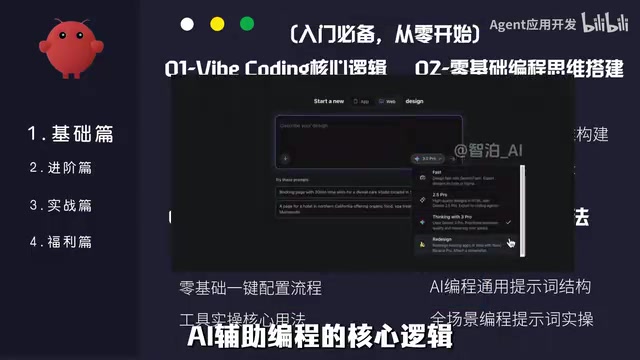
On the origin of the term Vibe Coding: The term was coined by OpenAI co-founder Andrej Karpathy in early 2025 to describe a programming state of "barely writing code, building software entirely through natural language conversation with AI." Its core is not "letting AI type for you," but rather elevating the abstraction level of software development as a whole—developers shift from syntax executors to requirement expressers and result validators. Understanding this background helps grasp the course's positioning: what it teaches is not the button locations of a specific tool, but an engineering methodology with natural language as the interface and iterative validation as the closed loop.
The meaning of Prompt Engineering in programming scenarios: Unlike prompts for writing or drawing, prompts in programming scenarios need to carry context constraints (project structure, tech stack, dependency versions), acceptance criteria (input/output examples, boundary conditions), and iteration instructions (how to modify rather than rewrite). The "universal prompt-writing method" mentioned in the course is essentially a structured template that translates vague requirements into AI-executable task descriptions. The key to mastering it lies in learning to break down the granularity of problems—the more specific the task and the clearer the constraints, the higher the usability rate of AI-generated code.
Advanced section: multi-tool coordination and prompt tuning
The advanced portion focuses on improving hands-on capability. The course covers modules including precise prompt tuning, multi-AI-tool coordination, complex code error correction and optimization, and batch automated programming. This means students need to master the characteristics and coordination methods of mainstream AI programming tools such as Codex, Claude Code, and Cursor at the same time, rather than relying on a single tool.
The value of multi-tool coordination lies in the fact that different tools have different strengths in code generation, context understanding, and project-level refactoring, so being able to switch flexibly according to task type will produce noticeably higher actual development efficiency than using only one tool. In addition, the course organizes supporting documents, a learning roadmap, and a tool checklist to reduce the cognitive burden on students as they follow along.
Positioning differences among mainstream AI programming tools: Cursor is an AI-native editor, skilled at multi-file context modification and completion within existing projects; Claude Code is an agent-style tool running in the terminal, focused on long-context understanding and cross-file refactoring, suitable for handling larger codebases; Codex is an earlier code generation model, now mostly integrated in the form of APIs or plugins. The differences among the three center on three dimensions: "size of the context window," "whether it has autonomous execution capability," and "degree of coupling with the local engineering environment." The idea of multi-tool coordination is precisely to match tools by task type—for example, using lightweight tools for rapid prototyping and agent tools for project-level transformation.
Project practice: from personal websites to AI tool integration
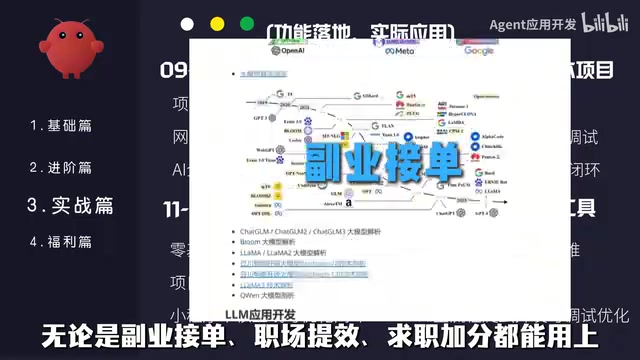
The practical section is the key deployment part of this course. The project types listed by the creator include: independently developing a personal website, automated office scripts, mini-program development, crawler data collection tools, AI tool integration projects, and web functionality development. The common trait of these projects is that they are close to real usage scenarios, rather than toy demos of a teaching nature.
The course emphasizes "learning in order to apply"—letting Vibe Coding ability directly serve side-hustle order taking, workplace efficiency, or job application bonuses.
Who should learn it, and what should be noted?
The target audience of this tutorial is very clear: zero-base white users who want to learn AI programming but have no systematic path. The progressive structure from basics to advanced to practice is relatively friendly to beginners.
However, two points are worth thinking through in advance: first, Vibe Coding lowers the entry barrier, not the capability ceiling—to write high-quality, deployable code, you still need to understand basic programming logic and architectural thinking; second, the ecosystem of AI programming tools updates extremely quickly, and the specific tool operation details involved in the course need to be verified by yourself against the latest versions. Treating Vibe Coding as an efficiency lever rather than a black box that completely replaces thinking is a more sustainable learning mindset.
Why version iteration in the AI programming ecosystem becomes a learning obstacle: AI programming tools are currently in a period of rapid iteration, with model capabilities, context length, plugin ecosystems, and billing methods changing almost every quarter, and many tutorials become outdated as soon as they are recorded. The response strategy is to place the focus of learning on the parts that do not easily become obsolete—requirement decomposition ability, code review ability, and debugging and validation methods—while treating specific operation steps as replaceable implementation details. When the tutorial does not match the actual interface, prioritize checking the tool's official documentation update log rather than mechanically reproducing tutorial screenshots.
One-line Summary
A Bilibili creator launches a systematic Vibe Coding tutorial covering the full path from zero-base to commercial project deployment.
Paragraph Summary
This article introduces a three-month-in-the-making systematic Vibe Coding tutorial aimed at correcting the chaos of market tutorials that "teach you to copy code." The tutorial is divided into three parts: basics, advanced, and practice. The basics section explains AI programming tool setup, the universal prompt-writing method, and underlying principles; the advanced section focuses on prompt tuning, multi-tool coordination, and batch automated programming; the practice section deploys projects such as personal websites, automation scripts, mini-programs, crawlers, and AI tool integration. The article also reminds readers that Vibe Coding lowers the entry barrier, not the capability ceiling. High-quality code still depends on programming logic and architectural thinking, and the tool ecosystem updates extremely quickly, so it needs to be verified against the latest versions by yourself, treating AI as an efficiency lever rather than a black box that replaces thinking.
Related articles

FunOS Lightweight Linux Review: JWM Window Manager and Blazing-Fast Installation
FunOS is a lightweight Ubuntu LTS-based Linux distro using the JWM window manager, removing Snap for blazing-fast installation. This article details its installation flow, preinstalled software, resource usage, and the Rust toolchain controversy, assessing whether it suits older hardware.

Trained Two ML Models but Forgot the Accuracy: AI Practice Lessons Behind a Self-Deprecating Post
A developer jokes about training sentiment and 59-language classifiers but forgetting accuracy and losing datasets. We analyze why personal AI projects flop and why model documentation matters.

CodeSmith Injection Defense: Constitution, Sanitization, and Approval Gates
A deep dive into CodeSmith's six-layer prompt injection defense: constitutional hierarchy, Unicode sanitization, permission ratchets, semantic command analysis, network boundaries, and output forgery prevention.