Three Major Browsers Join Forces: Helping AI Write More Modern Web Code

Three major browsers jointly launch a free skills package to teach AI coding assistants to write more modern web code.
Chrome, Firefox, and Edge have rarely joined forces to launch "modern web guidance," injecting current web platform best practices into AI coding assistants through a free "skills" package, correcting AI's tendency to take the long way around with JavaScript and third-party libraries. Developers only need to run one command in their project to give tools like Cursor and Claude Code access to this knowledge, and can use it to scan existing code for modernization upgrades. However, scanning currently covers only limited patterns—Chrome's results come from its own pattern library, and Firefox and Edge's contributions remain to be seen. The article emphasizes that human review is still the final gate; the video author himself holds a cautious, reserved attitude, believing the tool has potential but isn't yet trustworthy enough to use blindly.
Title
Three Major Browsers Join Forces: Helping AI Write More Modern Web Code
Meta Description
Chrome, Firefox, and Edge have jointly launched the "modern web guidance" free skills package to teach AI coding assistants to write more modern web code. One command integrates it into tools like Cursor, automatically scanning for safely upgradable code patterns—but human review is still required.
Article Content
Chrome, Firefox, and Edge have rarely found themselves on the same side. The goal isn't rendering engines or standards battles—it's the web code that AI writes. Many developers have encountered this situation: AI-generated code runs, but it takes the long way around—when the browser natively supports something, it pulls in a pile of JavaScript or third-party libraries instead. Now, the three major browsers have jointly launched a "modern web guidance" initiative, attempting to correct this problem at its source.
AI Code "Runs" Doesn't Mean It's "Written Right"
The video gives a very typical example: HTML itself already has built-in modal capabilities, yet AI still suggests adding an extra library to achieve the same effect. This kind of problem is quite common in AI coding assistants—model training data is filled with legacy approaches, historical answers from Stack Overflow, and plenty of "good enough to work" code snippets, so it tends to patch everything with JavaScript rather than first checking what the platform already provides.
The cost of this bias is implicit but real: more dependencies, larger bundle sizes, more maintenance burden, and missed opportunities to leverage native browser capabilities for performance and accessibility advantages. The three browsers joining forces on this is essentially giving AI agents a crash course in "modern web best practices."
The phrase "HTML itself already has built-in modal capabilities" in the original text refers to the
<dialog>element—it comes with modal dialogs, focus trapping, ESC-to-close, and the::backdropoverlay layer, requiring no JavaScript or third-party modal library. Similar examples include<details>/<summary>for collapsible panels, thepopoverattribute for lightweight floating layers, native form validation attributes (required,pattern,type="email"), and CSS features like:has()and container queries. AI avoids these because most of these APIs only became stable across browsers between 2022 and 2024, while model training corpora are filled with earlier jQuery or polyfill approaches—causing their "default approach" to lag behind the platform's current state.
Free Skills Package: One Command to Integrate into AI Coding Tools
The core of this approach is "skills"—free knowledge packages maintained by browser teams, covering current web platform best practices. Integration is simple: run one command in your project and your agent gains access to these skills. The video displayed the specific command on screen.

Based on the video description, these skills can be used in mainstream AI coding environments like Claude Code and Cursor. This means it's not a closed tool bound to any single browser, but an open resource for the entire AI coding ecosystem. For developers already using AI to write frontend code, the integration cost is almost negligible.
"Skills" here refer to a pluggable knowledge mechanism in AI coding tools: a set of structured files (usually Markdown plus metadata) describing rules and examples for a domain, which the agent retrieves and injects into context when needed—rather than cramming everything into the system prompt. It differs from traditional MCP (Model Context Protocol) services—MCP provides callable tools and data sources, while skills provide prescriptive knowledge about "how to do things." For example, Cursor's Rules feature and Agent Skills both support loading such content from project directories; Claude Code recognizes them through slash commands or skill directories. The advantage of this design is that knowledge can be updated independently as the platform evolves, without developers waiting for model retraining.
Scanning and Upgrading: Automated but Limited
Once you have the skills, you can directly ask the agent to "modernize" existing code. It scans the project and identifies places that can be safely upgraded.
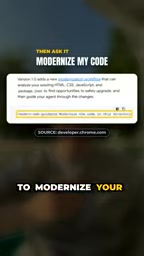
There's an important limitation to clarify: current scanning only covers a limited set of patterns, and the video mentions that Chrome's shared results come from its own pattern library. In other words, this tool is more of a starting framework at this stage, not a universal checker covering the entire platform. Firefox and Edge's involvement makes the direction promising, but actual coverage remains to be seen.
The so-called "pattern library" refers to pre-written detection and replacement rules for specific code smells—for example, "replace third-party modal libraries with
<dialog>," "replace margin hacks with CSSgap," "replace axios with nativefetchin simple scenarios." Each pattern typically includes matching conditions, risk level, and suggested fixes, which the agent uses to determine which locations can be safely upgraded. The emphasis on "safe" is because automated rewrites must avoid changing runtime behavior—for instance, replacing a modal implementation may differ in focus management and scroll-locking semantics. The size of the pattern library directly determines tool effectiveness, and the three browsers each maintain their own patterns without yet merging them into a unified list—this is the fundamental reason for the current limited coverage.
Human Review Is Still the Final Gate
No matter how convenient the tool, final responsibility for code rests with the developer. The video explicitly emphasizes: you still need to review the generated code.

The video author also candidly expressed his reservations—he personally isn't fully confident in this tool yet, but believes it has potential to become a good tool. This caution is reasonable: if AI's "modernization" transformations make misjudgments, they could introduce subtle behavioral changes, and the limited pattern coverage of automated scanning means it may not catch all issues. Treating it as an efficiency aid rather than a blindly trusted automated pipeline is the safer approach.
Why This Matters
Collaboration among the three major browsers on web standards isn't new, but jointly regulating AI-generated code sends a signal: AI coding assistants have grown large enough to affect the health of the web ecosystem, and browser vendors are starting to intervene proactively—indirectly influencing developers' daily output by "teaching AI to write code correctly."
For developers, the practical significance is: if you're using Cursor or other AI coding tools for frontend work, this free skills package is worth a few minutes to try. Start by scanning your existing projects to see what upgrades AI suggests, then review each one. The author's invitation is also direct—if you've tried it, share your thoughts in the comments.
AI's code-writing capabilities are improving rapidly, but its awareness of "modern approaches" still lags behind the platform's own evolution. Browser vendors stepping in to fill the gap may be a pragmatic path to closing this divide.
One-line Summary
Three major browsers jointly launch a free skills package to teach AI coding assistants to write more modern web code.
Paragraph Summary
Chrome, Firefox, and Edge have rarely joined forces to launch "modern web guidance," injecting current web platform best practices into AI coding assistants through a free "skills" package, correcting AI's tendency to take the long way around with JavaScript and third-party libraries. Developers only need to run one command in their project to give tools like Cursor and Claude Code access to this knowledge, and can use it to scan existing code for modernization upgrades. However, scanning currently covers only limited patterns—Chrome's results come from its own pattern library, and Firefox and Edge's contributions remain to be seen. The article emphasizes that human review is still the final gate; the video author himself holds a cautious, reserved attitude, believing the tool has potential but isn't yet trustworthy enough to use blindly.
Related articles

Multi-Agent Collaborative Development: Task Card-Driven Practices for Medium-to-Large AI Projects
A Bilibili creator shares a task card-driven, PM-orchestrated multi-Agent collaboration model with local-first repository state, so any Agent tool can take over a project anytime.
Cursor vs Copilot vs Claude Code: How Laravel Developers Should Choose
Compare Cursor, GitHub Copilot, and Claude Code for Laravel development: an AI-first editor, a plugin for existing editors, and a terminal agent for multi-file tasks and testing — plus workflow-based recommendations.

AgentScope Java Edition: A Practical Guide to Enterprise-Level Agent Frameworks
An in-depth analysis of Alibaba's AgentScope Java enterprise agent framework: contrasting client-side AI and server-side AI, explaining Java's natural advantages in high concurrency and distributed state management, and outlining a complete learning path from core principles to multi-agent collaboration.