Three Standout AI Open Source Repos This Week: Animation Generation, UI Design, and Self-Learning

Three hands-on-tested AI open source repos: Lottie animation generation, local UI design engine, and self-learning AI skills.
This week's top AI open source picks tackle three developer pain points: Text to Lottie lets Claude Code generate production-ready Lottie animations with a live preview loop; BioDesign's local engine delivers full design system methodology without a subscription; and Self-Learning Skill lets AI automatically log and reuse lessons from past mistakes. All install with one command and integrate with Claude Code and Cursor.
GitHub sees a flood of new projects every day, but the ones truly worth a developer's time are few and far between. This week, I've rounded up and hands-on tested three AI open source repositories that are surging in popularity. Each tackles a distinct pain point: generating frontend animations, producing UI design mockups, and helping AI coding assistants actually accumulate experience. All three can be installed with a single command and integrate seamlessly with tools like Claude Code and Cursor.
Text to Lottie: Let AI Generate Production-Ready Animations
Adding a polished animation to a webpage used to mean hiring a designer, opening After Effects, and waiting through round after round of revisions. This open source project completely changes that workflow — it lets Claude Code directly generate production-quality Lottie animation files.
About the Lottie Format: Lottie is a lightweight animation format open-sourced by Airbnb in 2017. At its core, it exports After Effects animations as JSON descriptor files, which are then parsed and played in real time by rendering libraries across platforms (iOS, Android, Web, React Native). Compared to traditional GIFs or video, Lottie files are tiny, support lossless vector scaling, and can be dynamically controlled via code — making them the industry standard for mobile and web product animations. This also means AI-generated Lottie files are natively cross-platform.
In testing, I had it create a "star bookmark" animation. After the AI wrote the animation file, I dropped it straight into the project's built-in official player — a star popped out, a blue ring swept around it, and the 60-frame playback was impressively smooth. The debugging loop was seamless: the AI could watch and edit within the player, the file hot-reloaded on save, and I could scrub through frame by frame before asking the AI to fine-tune further.

The generated animation file can be called directly by a webpage or imported into After Effects for further editing — great compatibility all around. One practical tip: describe your needs using motion design terminology like "ease in/out" or "camera push," and the output quality improves noticeably. It works best for small components like icons and loading animations. The project is open-sourced by a YC-backed company and currently sits at around 4,400 stars.
BioDesign Local Engine: Ditch the Design Subscription
The design features on certain well-known design platforms are impressive, but the subscription cost is a real barrier. This project packages that design engine as a local skill, letting Cursor and Claude Code produce design mockups right out of the box.
About Design System Methodology: A design system is a collection of design language components — including component libraries, color palettes, typography scales, spacing standards, and more. Figma, Material Design, and Apple's Human Interface Guidelines are all classic examples. Unlike simple UI templates, design systems emphasize consistency and reusability, forming the foundational infrastructure for large product teams. That's precisely where BioDesign's local engine shines — it offers a "define standards first, then generate interfaces" workflow rather than slapping on a fixed style, making it flexible enough to adapt to different brand identities and delivering genuine methodology-level value.
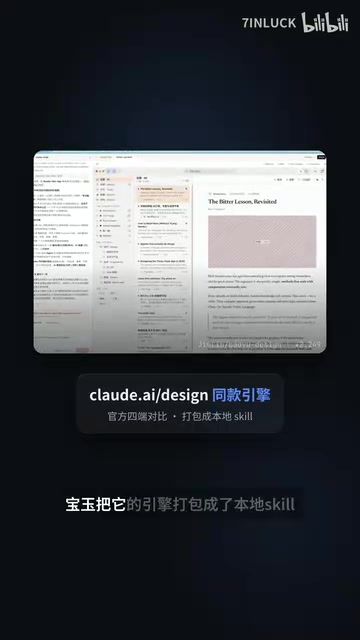
I ran the same test case from the official docs: build a Mac app for a local RSS reader. Within a few minutes, it produced a directly openable interface — a three-column layout with a subscription list, article body, and an AI side-by-side translation panel. The level of detail was impressive.
Its real value lies in providing a complete design methodology, not a handful of ready-made templates. Before starting, it asks whether you have an existing design reference: if you do, it follows it strictly; if not, it presents multiple directions for you to choose from and mix.

That said, it's not a silver bullet — images in the generated output are all placeholders that you'll need to replace before going live. But for presenting proposals to a team or client, it's more than sufficient. No design platform needed, no subscription fees, and it covers UI interfaces, charts, presentations, and more. Currently sitting at around 2,200 stars.
Self-Learning Skill: Make AI Remember the Mistakes It Made
The most creative of the three. Sound familiar? — you open a new AI conversation and it's like it has amnesia, repeating the same mistakes it made yesterday. This skill lets the AI automatically distill hard-won lessons into new skills, loading them automatically at the start of every session.
About the Skill/Rules Mechanism: AI coding tools like Claude Code and Cursor broadly support a "skills" or "rules" mechanism, allowing developers to inject contextual knowledge, constraints, and best practices into the AI via Markdown or YAML files. These files are typically stored in the project root directory (e.g., .cursor/rules or CLAUDE.md) and are automatically loaded at the start of each session — essentially giving the model project-level "long-term memory." What makes Self-Learning Skill innovative is that it lets the AI write these rule files itself, automating the step that previously required a human to manually summarize lessons learned.
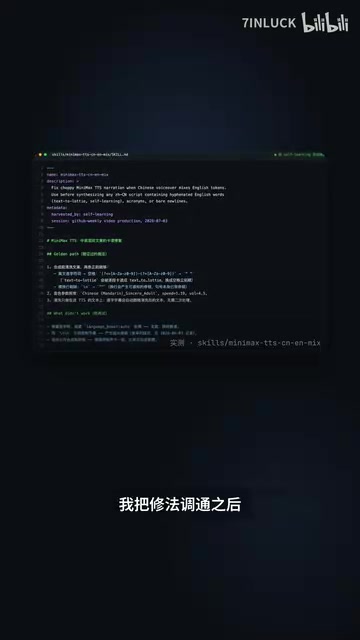
I put it to use immediately while working on a project. During video production, the text-to-speech kept stuttering on mixed Chinese-English copy. After I worked out the fix, the AI generated a new skill file on its own — rules, parameters, and even a record of "what was tried but didn't work" all written in. Next time the same issue comes up, the AI already knows the answer.
Smarter still, it distinguishes the scope of each lesson: project-specific issues are saved at the project level, while general lessons go into the global store. It supports over 70 clients including Claude Code, Cursor, and Codex, all recognizing the same unified format. There's a line in the project docs that really nails it: "Routing around a dead end is worth more than winning once." The project gained over 900 stars in five days — the fastest-growing repo this week.
Wrap-Up: Three Layers of AI-Assisted Development
These three projects each address a different layer of AI-assisted development: creative output (Lottie animation generation), design standards (local design engine), and capability accumulation (self-learning skills). They all follow the same core philosophy — not replacing humans, but handing repetitive tasks and error-prone steps off to AI to handle end-to-end.
Notably, all three repos can be installed with a single command and are built around the ecosystem of mainstream AI coding tools like Claude Code and Cursor. This reflects a clear trend in the open source community: more and more projects aren't standalone tools, but "skill plugins" that slot into AI workflows. For developers, rather than endlessly browsing GitHub on your own, it's worth following curated, hands-on-tested open source projects like these that deliver immediate value.
Related articles

Deleted Reddit Post Sparks Debate Over AI Content Moderation
A Reddit post removed with only a 'Removed by Reddit' notice highlights AI content moderation's transparency gaps, misjudgment risks, and appeal challenges for platforms and creators.

DSH + Ollama Local LLM Deployment in Practice: Free Chat with Da Fei Yu
Bilibili creator tests DSH + Ollama local LLM deployment end to end: Ollama install, Xunlei-accelerated downloads, ModelScope GGUF model import, DSH custom API address setup, and a comparison of Qwen 3.5 4B, 8B, Gemma, and other models on 8GB VRAM, with advice on choosing local deployment vs. API calls.

Tested: A $899 Mac Mini vs. a $200/Month AI Subscription
Real-world test of whether an M4 Mac mini can replace a $200 AI subscription: 16GB can't fit large models, and both speed and quality fall short—but privacy, no caps, and near-zero running costs make it an ideal host for an always-on agent. Includes buying advice per configuration and money-saving strategies.