Touchscreen MacBook Pro Hands-On: Innovation or Gimmick?

Touchscreen MacBook Pro tested: poor professional software adaptation, screen wobble, cool but unnecessary.
The blogger tested the touchscreen MacBook Pro and found that while the hardware supports touch, the software ecosystem lags far behind. In Photoshop, two-finger zoom is smooth, but finger drawing and precision operations like the Magnetic Lasso are extremely awkward, reducing efficiency. The Dynamic Island can display media controls, but operating multiple audio sources is cumbersome; touch optimization is limited to enlarged buttons and wider menus, while app interface elements remain small and prone to accidental taps. The entire screen visibly wobbles when touched, and the hinge has not been reinforced, affecting touch stability. The blogger concludes that the touchscreen is a "cool but not necessary" feature with limited practicality for now, and that Apple needs significant improvements in software adaptation and hardware design if it is to become a selling point.
Apple has finally equipped the MacBook Pro with a touchscreen, but how does it actually perform in practice? A YouTube blogger put the MacBook Pro with ProLED XDR display through real-world testing, and the results were mixed.
Touch Experience: Poor Adaptation for Professional Apps Like Photoshop
The blogger first tried a daily-use scenario—editing images in Photoshop. Two-finger pinch-to-zoom worked smoothly, but when he tried to draw directly with his finger or use the Magnetic Lasso tool, the operation became awkward.

"It's really not designed for touch," the blogger admitted in the video. Many precision operations in professional software rely on the precise positioning of a mouse or trackpad, and the coarse-grained touch of a finger actually reduces efficiency. This means that although the hardware supports touch, the software ecosystem has yet to catch up.
The Magnetic Lasso tool is a selection tool in Photoshop used for quick cutouts. It works by automatically snapping to image edges, but requires the user to make precise starting clicks and guide the path via mouse or trackpad. This tool demands extremely high pointer accuracy, as the edge-snapping tolerance is usually only a few pixels. A finger's contact area is far larger than a mouse pointer and lacks hover preview, making it difficult for users to accurately judge where the touch will land, easily deviating from the target edge and causing frequent undo-and-retry cycles that significantly reduce efficiency. This is also one of the core challenges of touch adaptation for professional software.
Dynamic Island and Touch Optimization: Highlights but Limited
Apple added an iPhone-like Dynamic Island feature to this MacBook Pro. When the user plays a podcast or YouTube video, the Dynamic Island pops up to show media control options. The blogger demonstrated that when two audio sources play simultaneously, the Dynamic Island displays two control bars at once, but this also means you cannot directly pause one of them—you need to tap in first before operating, which is slightly cumbersome.
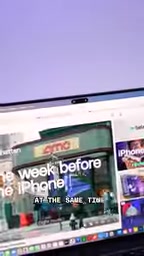
In terms of touch optimization, Apple made some minor adjustments: long-pressing small on-screen buttons (such as the red-yellow-green window controls) slightly enlarges them for easier finger tapping; dropdown menus also become a bit wider when touched than when clicked with a mouse. The blogger tested swipe-to-dismiss notifications and found "this experience is pretty good."
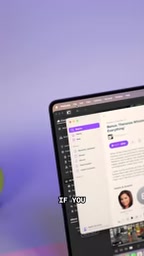
But these optimizations are very limited. Most app interface elements remain small, and touch targets that are too small lead to accidental taps. The blogger pointed out that aside from these subtle adjustments, overall "everything in all apps is still small."
Dynamic Island is an interaction design Apple introduced on the iPhone 14 Pro series, transforming the notch area at the top of the screen into a dynamically changing interactive area for displaying live activities, media controls, call status, and more. On macOS, this concept has been ported as a floating control bar in the menu bar or at the top of the screen. Unlike the iPhone, the Mac's Dynamic Island needs to support three input methods—mouse, trackpad, and touch—and the screen is larger with higher information density. In the current implementation, when multiple audio sources are displayed simultaneously, a second tap is required to operate an individual control bar, reflecting that the multitasking interaction logic has not yet been optimized for touch and still retains desktop-style hierarchical menu thinking.
Screen Stability: Noticeable Wobble During Touch
One surprising detail is that when a finger touches the screen, the entire screen visibly wobbles. The blogger originally assumed the touchscreen MacBook would use a sturdier hinge, but in actual experience, "it's no more stable than a regular MacBook."
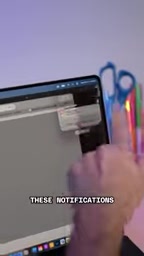
This means that during touch operations, users need to hold the screen with one hand while operating with the other, or tolerate the screen wobbling. For scenarios requiring precise touch, this undoubtedly increases the difficulty of operation.
Laptop hinge damping design typically needs to strike a balance between opening/closing feel and screen stability. Traditional MacBook hinges have relatively light damping to allow one-handed opening, but this also means the screen is prone to angular displacement when subjected to lateral or vertical pressure. Touch operations apply continuous pressing force to the screen; if the hinge rigidity is insufficient, the screen will wobble back and forth, affecting touch precision and visual experience. Touchscreen laptops in the industry (such as some Windows models) often use tighter hinges or add magnetic positioning to improve touch stability. Apple did not noticeably reinforce the hinge this time, possibly to preserve the original opening/closing feel, but this also exposes a disconnect between hardware design and touch scenarios.
Conclusion: Cool but Not Necessary
The blogger concluded: "This is a cool little addition to the MacBook Pro, but I'm not sure it's necessary—at least not right now."
The touchscreen MacBook Pro demonstrates Apple's exploration of interaction methods, but issues such as insufficient software adaptation, poor screen stability, and limited touch optimization greatly reduce its practicality. For professional users, the touchscreen currently feels more like an optional value-added feature than a core productivity tool.
If Apple wants the touchscreen to become a selling point for the Mac, it needs to make more efforts in software ecosystem and hardware design.
One-line Summary
Touchscreen MacBook Pro tested: poor adaptation for professional software, screen wobble, cool but not necessary.
Paragraph Summary
The blogger tested the touchscreen MacBook Pro and found that while the hardware supports touch, the software ecosystem lags far behind. In Photoshop, two-finger zoom is smooth, but finger drawing and precision operations like the Magnetic Lasso are extremely awkward, actually reducing efficiency. The Dynamic Island can display media controls, but operating multiple audio sources is cumbersome; touch optimization is limited to enlarged buttons and wider menus, while app interface elements remain small and prone to accidental taps. When touching the screen, the entire screen visibly wobbles, and the hinge has not been reinforced, affecting touch stability. The blogger concludes that the touchscreen is a "cool but not necessary" feature with limited practicality for now, and that Apple needs significant improvements in software adaptation and hardware design if it is to become a selling point.
Related articles

Non-Coding Dad Builds 3D Earth Toy with Claude Code, Unexpectedly Goes Viral in Classrooms
A non-coding father used Claude Code to build My Earth Toy, a 3D interactive Earth with 830+ landmarks, 470+ animals, and 180+ vehicles—now used in classrooms worldwide. Discover how AI coding lowers the barrier to creation.

Meta, Google, and TikTok Sue California Attorney General: The Battle Over Youth Social Media Law
Meta, Google, and TikTok jointly sue the California Attorney General to block a state law restricting social media use by minors under 16. This article analyzes the lawsuit's background, the law's core provisions, and its potential impact on tech industry regulation.

T-Mobile Parent Company CEO on Musk's Telecom Ambitions: Welcome, But You'll Need $200 Billion
Deutsche Telekom CEO Tim Höettges responds to Musk's SpaceX Starlink Mobile plan, saying "welcome to the party" but questioning feasibility—estimating at least $200 billion needed to become a major U.S. carrier.