Tower 18 for Mac: The Most Powerful Git Client Enhances the Command-Line Experience

Tower 18 for Mac enhances its command-line tool so a single command jumps straight to any GUI view.
Tower 18 for Mac has been released, and its core improvement is the expanded capability of the command-line tool: developers can use a single command in the terminal to enter graphical views such as History, Blame, Working Copy, and Branches Review, without manually switching and navigating repositories and branches. Officially positioned as "the most powerful Git client with a better CLI experience," it emphasizes GUI-CLI synergy rather than feature stacking. The article argues that this approach addresses the long-standing contradiction of Git graphical clients—the GUI lowers the barrier, but complex scenarios still require the command line; the CLI is precise and efficient but lacks visual context. The update is best suited to developers who use both the terminal and the graphical interface, while pure GUI users see limited benefit. Product Hunt data shows it received 95 upvotes and ranked 4th on the day.
Git client Tower has released version 18 for Mac, with the core changes centered on connecting the terminal experience. For developers who habitually switch back and forth between the graphical interface and the command line, this update offers a noteworthy approach: rather than having the CLI replace the GUI, it makes the two genuinely connect into a single workflow.
From the Terminal Straight to Any View: The Core Changes in Tower 18
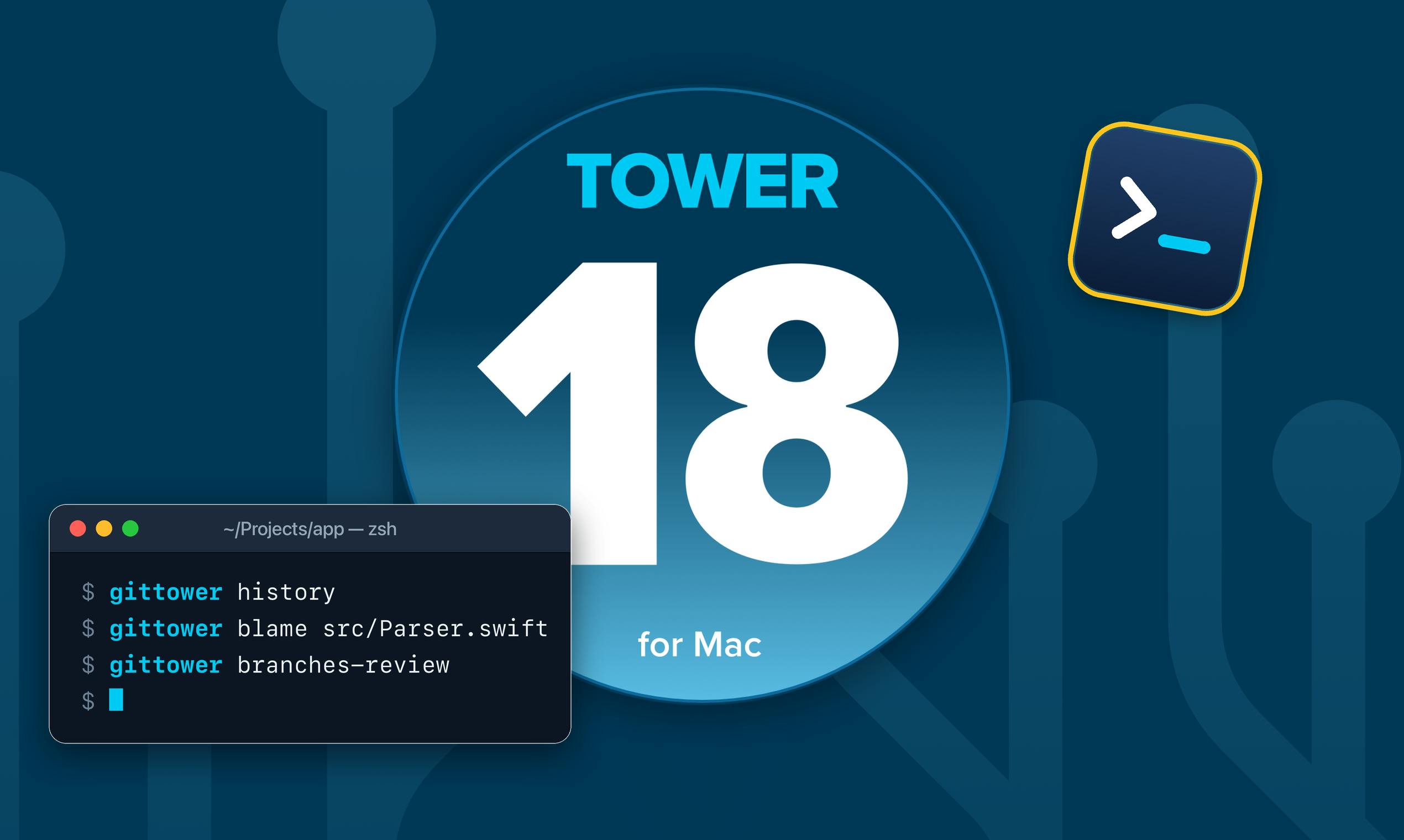
The most substantive improvement in Tower 18 is the expanded capability of the Tower Command Line Tool. Previously, this tool played more of a supporting role; now, a single command can take developers from the terminal directly into any view in Tower—History, Blame, Working Copy, Branches Review, and more.
This means developers no longer need to first run Git commands in the terminal and then switch back to the graphical interface to manually locate the corresponding repository and branch. A direct mapping is established between terminal operations and GUI views, reducing the cost of context switching. The official positioning of this version is "the most powerful Git client with a better CLI experience," and judging from its update content, this claim points precisely to GUI-CLI synergy rather than simply competing on the number of features.
Why the CLI Experience of a GUI Client Deserves Serious Attention
The long-standing contradiction for Git graphical clients is this: the GUI lowers the barrier to operation, but in complex scenarios developers still have to return to the command line; and the command line lacks visual context, limiting efficiency when handling conflicts or reviewing large-scale changes. Each operates on its own, and the switching itself becomes a hidden overhead.
Tower 18's approach is to treat the CLI as an entry layer for the GUI. The strengths of the terminal are scripting, fast execution, and precise control; the strengths of the GUI are visual diffs, conflict resolution, and the presentation of branch relationships. Letting commands directly trigger the corresponding views amounts to stacking the advantages of both interaction modes rather than having them replace each other. For developers who work in the terminal daily while also needing graphical code review, this connection has more practical value than adding a handful of features.
According to information on its Product Hunt page, Tower 18 received 95 upvotes, ranking 4th on the day's leaderboard, categorized under Mac and Developer Tools, with Bruno Brito as the maker. In the highly competitive category of developer tools, such a ranking shows that its update direction has been recognized by some community users.
Context Switching Cost is a common concept in cognitive psychology and developer experience research, referring to the time and cognitive cost of shifting attention between two tasks or two tools. In development scenarios, it manifests concretely as: after running a command in the terminal, one needs to recall the repository path, branch name, and file location, then click through layer by layer in the GUI to locate them. Research generally holds that frequent context switching interrupts working memory, requiring developers to spend extra time getting back into the flow. The problem Tower 18 solves is precisely compressing this cost—by opening the target view directly from the command line, it merges "switching + navigation" into a single step, thereby reducing the number of attention interruptions.
Scripted workflows refer to developers writing repetitive operations into shell scripts or aliases, executed in a batch, reproducible manner. The reason the terminal remains irreplaceable in complex Git scenarios stems largely from this composability: commands can be piped together, looped across multiple repositories, and written into CI configurations. If a GUI client can share an entry point with the CLI, then after a script finishes running, one can still return to the visual interface for manual review—retaining the efficiency of scripting while filling in the graphical diff and conflict resolution steps.
Who It's For: Developers Who Use Both the Graphical Interface and the Terminal
This update is most directly meaningful for heavy terminal users. Developers accustomed to using scripts to batch-process repositories and jump between multiple projects can quickly locate specific views in Tower via the command line, saving manual navigation. For users new to Git who mainly rely on the graphical interface, the new CLI entry point has limited short-term impact, but in the long run it lowers the learning curve—terminal commands and the visual interface can be used side by side for reference.
It should be noted that Tower 18 is a commercial Git client for the Mac platform, and this update focuses on the view-jumping capability of the command-line tool; it does not involve changes to how Git operates at a fundamental level. What it optimizes is the efficiency of connecting workflow steps, not a redefinition of version control itself.
The concept of a "view" in the Git workflow deserves a brief explanation. The History view displays the commit graph and branch merge relationships, the Blame view annotates each line with the commit and author of its last modification, the Working Copy view presents staged and unstaged changes, and Branches Review is used to compare differences between branches. These views are not impossible to achieve in a pure command line (e.g., git log --graph, git blame, git diff), but the output is a text stream, which is burdensome to read when facing large-scale changes or complex merges. Tower 18's command-line entry point essentially builds an index between these text commands and their corresponding graphical presentations, letting developers invoke more readable visual results with familiar command syntax rather than requiring them to change their existing habits.
Conclusion
Tower 18's update has a clear approach: establish a direct channel between the GUI and the CLI, turning the terminal into a quick entry point to the graphical client. For developers who use both ways of working, the daily benefit of such improvements often exceeds the expansion of a feature list. For pure GUI users, whether to upgrade depends on how much they rely on terminal workflows.
One-line Summary
Tower 18 for Mac enhances its command-line tool, enabling a single command to jump directly to any GUI view.
Paragraph Summary
Tower 18 for Mac has been released, with the core improvement being the expanded capability of the command-line tool: developers can use a single command in the terminal to enter graphical views such as History, Blame, Working Copy, and Branches Review directly, without manually switching and navigating repositories and branches. Officially positioned as "the most powerful Git client with a better CLI experience," the focus is on GUI-CLI synergy rather than feature stacking. The article argues that this approach addresses the long-standing contradiction of Git graphical clients—the GUI lowers the barrier, but complex scenarios still require the command line; the CLI is precise and efficient but lacks visual context. This update is best suited to developers who use both the terminal and the graphical interface, while pure GUI users see limited benefit. Product Hunt data shows it received 95 upvotes and ranked 4th on the day.
Related articles

AI Reverse-Engineers Monitor Firmware in 15 Minutes — Has the Hacking Barrier Been Flattened?
A security researcher used AI to reverse-engineer Dell monitor firmware in 15 minutes—entropy analysis, key extraction, MD5 verification—revealing encryption design flaws.

Mistral Voxtral 3: Real-Time Voice at 4 Cents per Minute, Challenging OpenAI
Mistral Voxtral 3 cuts real-time voice agent costs to 4 cents per minute, bundling three speech recognition models, a speech generation model, and a real-time voice toolkit, supporting 50+ languages and self-hosting. This article analyzes its pricing structure, sub-second response performance, and its strategic divergence from OpenAI and Gemini on data privacy versus out-of-the-box convenience.

WebMCP: Every Website as Its Own MCP Server, So AI Agents No Longer Rely on Screenshots
WebMCP lets websites expose tools via the document.modelcontext API, becoming directly callable MCP servers. This article explains its architecture, the Claude Code remote-debugging demo, Chrome's current support stage, and its impact on the agent ecosystem.