Umbral OS Adds MCP Support: Giving AI Agents Their Own Dedicated Computer

Umbral OS adds MCP support, giving AI agents a persistent local computer with granular permission controls.
Umbral OS has introduced MCP server support, enabling AI agents like Claude Code and Codex to connect directly to users' own devices. Unlike traditional cloud sandbox calls, Umbral lets agents run within a full operating system environment — browsing the web, installing apps, and managing files just like a real user, while retaining state between tasks. Users can precisely define permission boundaries, balancing automation efficiency with security. Local deployment also brings data sovereignty, runtime persistence, and cost control. This represents a compelling "give AI a full computer" product philosophy for users who want autonomous AI automation at home.
Giving AI Agents Their Own Computer
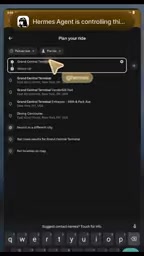
Umbral OS, a home server operating system, has added support for MCP (Model Context Protocol) servers. This means you can connect existing AI agents — whether Claude Code, Codex, OpenClawAd, or Hermes — directly to your Umbral device and precisely control which resources they can access.
The core idea here goes beyond simply "letting AI run scripts." It's about giving agents a runtime environment that truly belongs to them. In other words, your AI is no longer a temporary guest living in some cloud sandbox — it has a "home computer" where it can take up long-term residence and continuously accumulate state.
How MCP Enables the Connection
MCP is an open protocol for enabling large language models to communicate with external tools and data sources. With Umbral OS acting as the MCP server, it exposes a set of standardized capability interfaces that any MCP-compatible client agent can plug into right away.
For users, the biggest value lies in granular permission control. The original announcement emphasizes being able to "decide exactly what it's allowed to touch." When handing a machine over to an automated agent, this kind of boundary control is essentially a prerequisite — you want it free enough to complete tasks, but not overstepping into files or system settings it shouldn't touch.

MCP (Model Context Protocol) was proposed and open-sourced by Anthropic in late 2024, with the goal of establishing a unified standard for how large models interact with external environments. Before this, AI tools integrated with external systems in wildly different ways, requiring developers to write custom adapter code for every scenario. MCP draws inspiration from the Language Server Protocol (LSP), decoupling "what capabilities the model wants to call" from "how those capabilities are actually implemented": the model side acts as an MCP client that only needs to know what Tools, Resources, and Prompts the server exposes; the server side is responsible for describing its capabilities in the standard protocol format. Umbral OS plays the server role here, wrapping local system capabilities like file access and process management into standard MCP interfaces, while agents like Claude Code and Codex consume these interfaces as clients — no custom integration code required.
Agents Running a Full Operating System
What truly sets this approach apart from ordinary tool-calling is that Umbral can now run a complete operating system. Your AI agent can use the machine the way a human user would, rather than being limited to constrained API calls.
What Agents Can Do
According to the official description, a connected agent can:
- Browse the web
- Install apps
- Store their own files
- And anything else the task requires
This effectively upgrades agents from "function callers" to "system operators." They can autonomously complete multi-step tasks within a real desktop environment — installing required software along the way, saving intermediate results, and continuing to make progress. For complex workflows that can't be covered by a single API, the approach of "giving it a complete computer" feels much closer to real-world needs.

A Concrete Use Case
The example given in the original announcement is refreshingly practical: you can simply ask the agent to "organize your whole movie collection." This kind of task is tedious and time-consuming for humans, yet perfectly suited for a local agent with file system access that can run for extended periods.
Why Local Agents Matter
Running agents on home devices rather than relying entirely on the cloud introduces several considerations worth thinking through.
Data sovereignty: Files and runtime state stay on your own hardware — a clear win for privacy-conscious users. Persistence: An agent with a dedicated machine can retain its own files and environment, so it doesn't have to start from scratch every time. Cost structure: Local execution means computation happens on your own hardware, reducing dependence on ongoing cloud subscriptions.
Of course, this vision also depends on a few prerequisites — home hardware needs to handle the overhead of a full operating system, the permission model needs to be reliable enough to prevent agents from going rogue, and actual compatibility across MCP clients in the ecosystem still needs to be verified. These details aren't fully fleshed out in the available information and remain to be seen.
Agent "persistence" is one of the core challenges in deploying AI automation today. Most current cloud-based agent solutions use stateless architectures: at the end of each session, the agent's execution context, intermediate files, and environment variables are all wiped clean, and the next task must reinitialize from scratch. This is acceptable for single, short-lived tasks, but for workflows like "continuously monitor a home media library and organize it according to rules" — tasks that need to run across days or even weeks — stateless architectures result in massive repeated overhead and lost context. Anchoring an agent to a dedicated local device, giving it a fixed file system directory and persistent environment configuration, essentially recreates the "dedicated person, dedicated machine" work model at the software level, ensuring that the "experience" an agent accumulates (historical files, configuration preferences, task logs) doesn't vanish when a session ends.
Takeaway
Umbral OS's MCP support represents a product direction worth watching: rather than calling AI as a cloud service, it hands the agent an entire operable computer. Combined with fine-grained permission controls and a full operating system environment, agents can autonomously browse, install software, and manage files within a real desktop. For users who want to control AI automation in their own home while retaining data sovereignty, this is a starting point with significant imaginative potential.
Related articles

WorkBuddy Agent in Action: From AI Q&A to Automated Office Work
WorkBuddy is Tencent's AI agent desktop workbench that reads local files, operates office software, executes multi-step tasks, and runs on schedules. This article explains its core features, key differences from traditional AI tools, and use cases.

Anthropic Research: LLMs Make Formal Software Verification at Scale Possible
Anthropic Frontier Red Team research shows LLMs can generate formal proofs at the RISC-V assembly level for over 100 real open-source libraries, covering 123 OSS-Fuzz libraries and 239 entry points, totaling about 180 million lines of Rocq proofs and finding hundreds of bugs. The article analyzes specification generation, the proof pipeline, trust boundaries, and cost reduction paths.

Prompt Engineering for Beginners: From Writing Prompts to Building AI Collaboration Skills
From the four functions of prompts to the six-step prompt engineering process, this article systematically covers core concepts, business value, and three layers of limitations to help beginners build a complete cognitive framework for prompt engineering.