Understand Before You Explore: A Guide to Scoping Tasks for AI Coding Agents

ScopeCairn uses a three-step loop to make AI coding agents locate before they act, avoiding blind exploration that burns tokens and breaks scope.
The article argues that AI coding agents fail not because the model isn't smart enough, but because they "can't see" — reading the wrong files, editing the wrong scope, and burning tokens on blind exploration. The open-source tool ScopeCairn, built around "understand before you explore, retrieve before you read," proposes a three-step loop: context maps a task into a structured file/symbol map; impact checks callers, indirect effects, and risk for shared code with a hard fan-in ≥ 10 pause threshold; and read symbol returns only a ~40-line excerpt instead of a whole file. After edits, scan rebuilds the index. The tool is local-first, embedding-free, offline, and telemetry-free — ideal for privacy-sensitive enterprise codebases.
AI coding agents (Claude Code, Cursor, Copilot, OpenCode) often fail not because the model isn't smart enough, but because they "can't see" — they don't know what to read or what to change. They read entire files instead of the right symbols, modify 10 files when 2 would suffice, accidentally touch migration scripts, lockfiles, or .env, and burn thousands of tokens on exploration from scratch.
The core solution is a habit: understand before you explore, retrieve before you read.
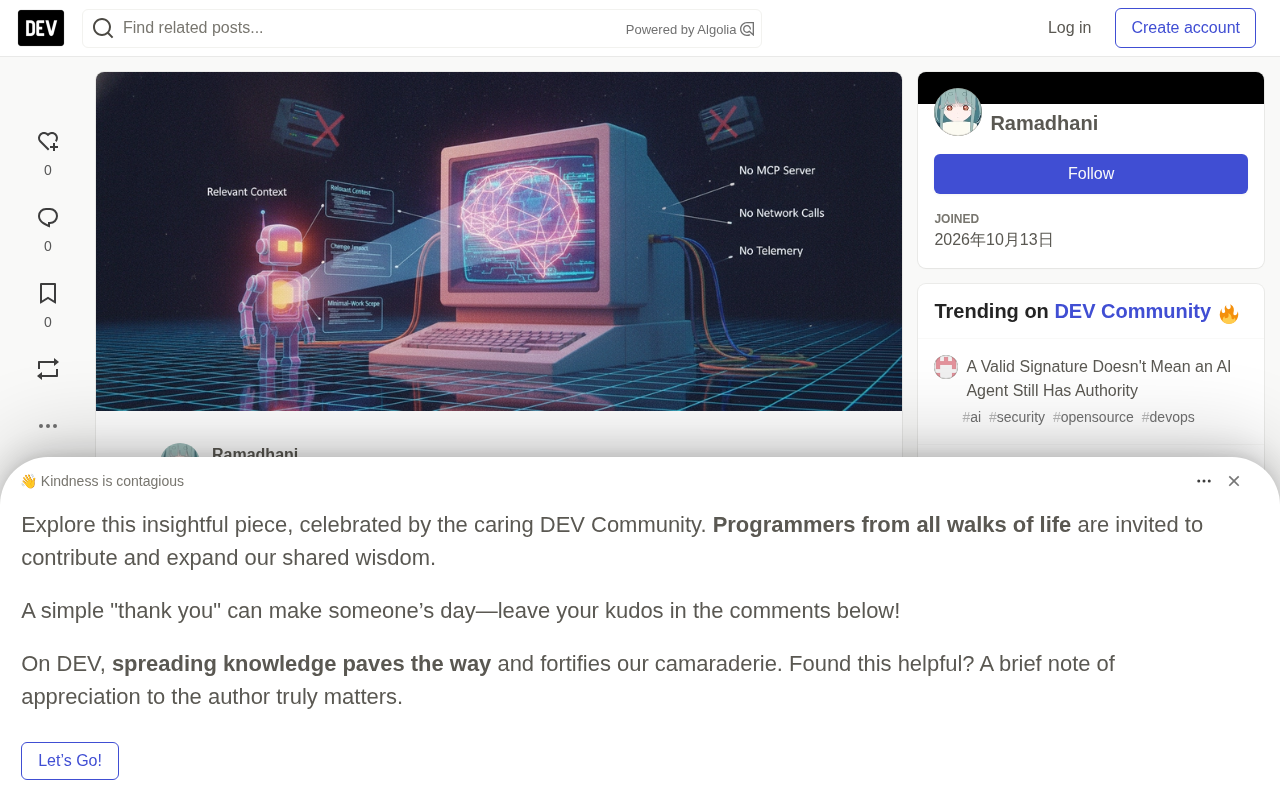
The open-source tool ScopeCairn is built around this idea, offering a three-step loop that turns "blind exploration" into "precise targeting."
The Three-Step Loop: From Task Description to Precise Edits
Step 1: Get the Task Context First
scopecairn context "add login rate limiting"
This command doesn't return a list of files — it returns a structured map:
- Relevant files (graded HIGH / MEDIUM)
- Key symbols, with scores and reasons for inclusion
- Dependency relationships, related tests, circular reference warnings
- Scope tiers (required / optional / protected) + Task Guard
The approach is to start directly from "required" + "optional" — never explore from scratch.
For explanation, summary, or audit tasks (no code changes involved), you can switch to knowledge mode:
scopecairn context --knowledge "how does auth work?"
This mode skips coding rules like Scope and Guard, and just gives summaries, reasons, and usage patterns — ideal for quickly understanding a codebase rather than making changes.
Step 2: Check the Impact Surface Before Changing Shared Code
scopecairn impact src/auth/login.ts
scopecairn impact approveRequest
The output covers four dimensions: direct callers, indirect impact (2 hops), affected tests, and risk level (HIGH/MED/LOW).
There's a hard rule here: if fan-in (number of times called) ≥ 10, or the symbol is flagged as "protected", stop and confirm with a human. This step effectively prevents AI agents from unknowingly breaking widely depended-upon interfaces.
fan-in is a core concept in software metrics, referring to the total number of times a function, class, or module is called by other code (also known as in-degree). Its counterpart is fan-out (out-degree), which is how many external modules the module itself calls. The higher the fan-in, the more the symbol sits at a critical hub in the dependency network — and once its signature or behavior changes, the ripple effects multiply. This is exactly why ScopeCairn sets fan-in ≥ 10 as a hard threshold: in a medium-sized codebase, a symbol called from more than ten places is usually part of a public API or infrastructure layer, and changing it demands architectural-level caution. Beyond fan-in itself, you also need to watch for the transitivity of fan-in — even if there are only two direct callers, if those two callers are themselves high fan-in symbols, the indirect impact can be equally large. That's why the impact command additionally computes "2-hop indirect impact."
Step 3: Read Symbols, Not Files
scopecairn read symbol approveRequest
What comes back is a 40-line excerpt (including the docstring), not the full 2,000-line file. For scenarios that need to be chained into a pipeline, add --json to make all three stages output structured data:
scopecairn context "add login" --json
scopecairn impact src/auth/login.ts --json
scopecairn read symbol approveRequest --json
A symbol is a named, independently referenceable entity in code — functions, methods, classes, interfaces, constants, type aliases, and so on. Precise reading of symbols is possible thanks to the symbol table generated during compilation or indexing — a metadata structure that records each symbol's name, type, scope, definition location, and reference locations. Modern IDE features like "jump to definition" and "find all references" are built on it. Unlike text search (grep), a symbol table understands the syntactic structure of the language, so it can distinguish local variables with the same name, method overloads, and same-named entities in different namespaces. ScopeCairn's read symbol and impact commands essentially consume such a pre-built index. This also explains why you must run scan after edits: source changes invalidate the positions and reference relationships in the symbol table, and only by rebuilding the index can subsequent queries be based on real state.
Practical Example: Fixing a Refund Double-Charge
A complete troubleshooting workflow shows the methodology in action:
**Call path** refers to the complete chain from one function to another via call relationships — for example, handleRefund → validateRefund → refundCharge. The path command doesn't list all callers; it returns the **shortest call chain** between two points, helping developers identify which of several possible entry points actually triggers the problem. This is especially critical for bug hunting: a function may be called from a dozen places, but only one path's context triggers the double-charge. Compared with impact's breadth view of "who calls me," path provides a depth view of "exactly how do we get from A to B" — the two are complementary. Combined with the history command to search similar past changes with diffs, you get a complete loop from localization to tracing to retrospective review.
# 1. Scope the task
scopecairn context "fix refund double-charge"

# 2. Check the impact surface of a suspect function
scopecairn impact refundCharge

# 3. Find the shortest call chain
scopecairn path handleRefund refundCharge --json

# 4. Find similar past changes
scopecairn history "refund double-charge" --with-diff

# 5. Rebuild the index after editing
scopecairn scan
Note step 4 — finding historical analogs with diffs. This links "how to fix it this time" with "how it was fixed last time," avoiding repeat mistakes. After changes are complete, you must run scan to rebuild the index; otherwise, the next context query will be based on stale data.
Five-Point Checklist
The core of this discipline condenses into an operating checklist:
- Run
contextbeforegrepor reading entire files - Only modify files within the "required" / "optional" scope
- Run
impacton shared symbols - Use
read symbolinstead of reading whole files - Run
scanafter editing
According to the project author, ScopeCairn's other features (PageRank hotspot analysis, cycle detection, community detection, GRAPH.md generation) exist to make these 5 commands more precise and more localized — no embeddings, no network calls, no telemetry.
Why This Is More Effective Than General-Purpose AI Agents
The default behavior of general-purpose AI coding agents is "exploratory reading": given a task, they start from the entry file, scan layer by layer, and try to assemble the whole picture themselves. This process is fine in small projects, but in medium-to-large codebases it produces two consequences: token consumption explodes, and the edit scope goes out of control.
ScopeCairn's approach is to front-load and structure the act of "understanding." The context command essentially has the tool do a static analysis first, mapping the task description to specific symbols and files, then letting the AI agent read with a purpose. impact and read symbol further constrain "what to change" and "how much to read."
The local-first, zero-network design also means it's suitable for privacy-sensitive enterprise codebases. Installation is simple:
npm install -g scopecairn
scopecairn context "your task here"
Requires Node ≥ 20. Project URL: https://github.com/DhaniAAA/ScopeCairn
embedding is the core technology behind semantic retrieval in most current AI code assistants: it maps code snippets and natural language queries into high-dimensional vectors, then finds "semantically similar" code via cosine similarity. This approach is flexible, but it comes with three costs: it requires additional model inference, results are unexplainable (you can't say why a particular file was selected), and it typically requires network access or uploading your code. ScopeCairn explicitly chooses not to use embeddings, relying instead on static analysis and graph algorithms (such as PageRank heat ranking, cycle detection, and community detection). The benefit is reproducible, explainable results that run entirely locally with zero telemetry. For enterprise scenarios in finance, healthcare, and other compliance-constrained industries where code must not leave the premises, this is a decisive advantage. The trade-off is that its understanding of natural language queries is slightly inferior to semantic retrieval.
One-line Summary
ScopeCairn uses a three-step loop to make AI coding agents locate before they act, avoiding blind exploration that burns tokens and breaks scope.
Paragraph Summary
The article argues that AI coding agents fail not because the model isn't smart enough, but because they "can't see" — reading the wrong files, editing the wrong scope, and burning large amounts of tokens on blind exploration. The open-source tool ScopeCairn, built around "understand before you explore, retrieve before you read," proposes a three-step loop: first, the context command maps a task description into a structured map of files and symbols (with tiers, dependencies, and protected markers); second, impact checks callers, indirect effects, and risk levels for shared code, with a hard pause threshold at fan-in ≥ 10; third, read symbol returns only a ~40-line symbol excerpt rather than the whole file. After edits, scan must be run to rebuild the index. The entire tool is local-first, embedding-free, offline, and telemetry-free — ideal for privacy-sensitive enterprise codebases.
Related articles

Random Pruning of the DPO Computation Graph: 1.4x Training Speedup and Lower Peak Memory
DPO training too slow and memory-hungry? This paper proposes a random pruning framework for the DPO computation graph, sampling independently across position, sequence, and branch dimensions; branch pruning achieves a 1.426x step-time speedup and cuts training time by about 30%, with in-depth attribution of memory and time gains.

Why Does JEPA Underperform MLM in Longitudinal EHR Representation Learning?
New study compares JEPA and MLM for longitudinal EHR representation learning on MIMIC-IV: three JEPA variants train stably without collapse but underperform MLM; target size, not heterogeneity, drives prediction error.

Transfer Learning + Visible Light Communication: A New Approach to Energy-Efficient Indoor Positioning
A study proposes a transfer learning-based visible light communication indoor positioning method, achieving 47% accuracy improvement on the BOSCH factory dataset, 67.5% model efficiency under high noise, and introducing the ME composite metric for energy-efficient positioning in energy-constrained industrial IoT scenarios.