v0.5.23 Release: The Engineering Signals Behind a Minor Version Update

The v0.5.23 release page reveals high-frequency iteration, missing notes, and asset loading errors in a 0.x project.
This article starts from the version number v0.5.23 and the commit message "Bump" to interpret the release status of a 0.x-stage project. 0.x means the public API is unstable, and minor versions may introduce incompatible changes; a Bump-only commit indicates the release lacks a change description, so users must compare tag differences themselves. The Assets area of the release page reports a loading error, raising doubts about asset reachability, and it is recommended to verify after download. A single maintainer tagging the release shows the release process is still personalized and has not yet formed a multi-person collaborative standard. Frequent minor version jumps are a healthy signal, but the lack of informative release notes raises the cost of upgrade decisions—a necessary step 0.x projects must complete on the path to maturity.
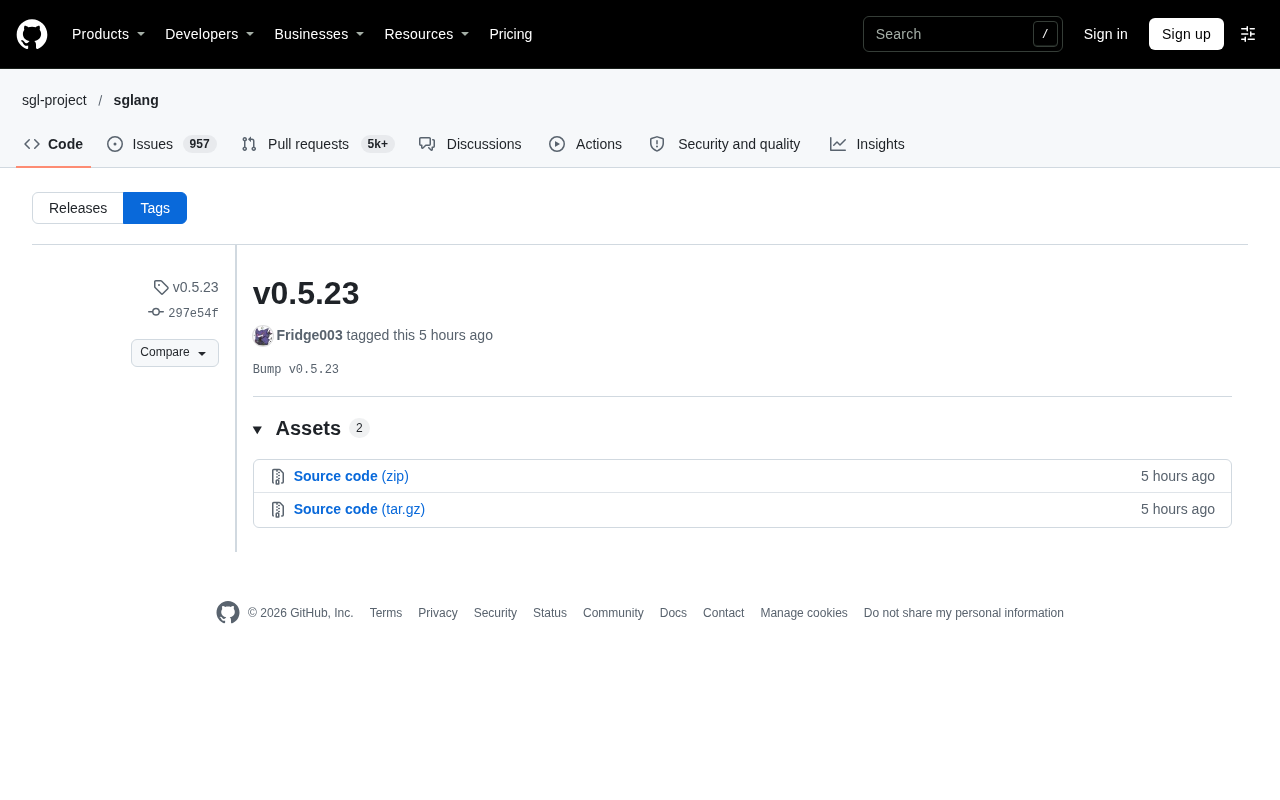
Version numbers are the most easily overlooked—and most telling—metadata in software engineering. A three-part version number like v0.5.23 points to a project still in the 0.x stage that has already accumulated a large number of iterations—the publisher Fridge003 pushed this update on the 30th, with a commit message of just one line: "Bump v0.5.23".
What a 0.x Version Means
Under Semantic Versioning (SemVer), when the major version number is 0, the public API is considered unstable, and any minor version may introduce incompatible changes. The "23" in v0.5.23 indicates that patch iterations have been quite dense, and the project is most likely in a state of high-frequency fixes and small, rapid steps.
This rhythm typically appears in two types of projects: one is open-source tools that have not yet settled and are still exploring interface design; the other is products developed internally first and gradually released to the public. What both have in common is low iteration cost and short feedback loops, but the compatibility commitments to external users are also relatively limited.
Semantic Versioning (SemVer) consists of three parts: MAJOR.MINOR.PATCH. An increment of the major version indicates incompatible API changes; an increment of the minor version indicates backward-compatible feature additions; an increment of the patch version indicates backward-compatible bug fixes. When the major version is 0, the specification explicitly states that the public API is unstable and anything may change. Therefore, the "0" in v0.5.23 is itself a strong signal: the project has not yet committed to a stable external interface, and the increments of "5" and "23" do not follow the compatibility conventions that apply after 0.x. This is also why many serious projects repeatedly adjust their designs before 1.0, and when using a 0.x version, one should expect breaking changes to appear in any update.
The Engineering Meaning of the "Bump" Commit Message
"Bump" is a standard action in the release process, usually referring to raising the version number from the previous value to a new value, accompanied by updates to the changelog or tags. When the entire commit message for a release is just "Bump v0.5.23", it often means two things: either this release is a consolidated packaging of existing content, or the version bump itself is the product of pipeline automation.
You may not have noticed that the release page simultaneously shows the "Compare" and "Choose a tag to compare" interactive controls, as well as an error message thrown while loading the asset list ("There was an error while loading"). This indicates that the front-end rendering of the release page is not entirely normal, and the Assets area failed to load smoothly. For users who rely on this page to download build artifacts or verify checksums, this is a usability issue to watch out for—the version has been tagged, but the reachability of the release assets is questionable.
In the Git and package management ecosystem, the term "bump" specifically refers to the action of raising a version number. It is commonly seen in automation tools such as npm version, bumpversion, and semantic-release, which modify the version field in manifest files, create commits, and add tags. When a commit message is merely "Bump vX.Y.Z", it usually means that the commit was generated by a script or CI pipeline, rather than a human writing a meaningful change description. In this case, the actual code changes exist in other commits before that commit, and the absence of release notes is often because the process has not been configured with an automatic changelog generation step.
What Can Be Read from the Details of the Release Page
The page indicates "2" Assets, but the content then fails to load. This phenomenon is not uncommon on platforms like GitHub Releases and may be related to CDN, rate limiting, or front-end script exceptions. Combined with the information that only one committer (Fridge003) tagged the release, it can be inferred that the project's current release process still leans toward individual maintenance and has not yet formed a multi-person collaborative release standard.
The practical impact on users is this: the version tag itself is trustworthy, but the integrity of the release attachments needs to be verified by the user after download—for example, by directly comparing commit hashes in the source repository rather than relying solely on what the release page displays.
GitHub Releases Assets are downloadable files attached to a tag, such as compiled binaries, archives, or checksum files. These assets are distributed via CDN, and the front end loads the list asynchronously through JavaScript. When "There was an error while loading" appears, it may be caused by API rate limiting, network policy blocking, or front-end script exceptions, and does not necessarily mean the assets themselves do not exist. For users who rely on the release page for downloads, a safer approach is to directly access the repository's tag page or use git clone and check out the corresponding tag, bypassing the front-end rendering issues of the release page.
Information Gaps Beyond the Version Number
The original release content contains no description of feature changes, fix lists, or breaking changes. From "Bump v0.5.23" alone, it is impossible to determine whether this update includes substantive changes. For developers tracking the project, a safer approach is to compare the commit differences between two adjacent tags rather than relying on the release notes.
Frequent jumps in minor version numbers are themselves a healthy signal—indicating that the maintainer is continuously investing effort. But the lack of informative release notes raises the cost of upgrade decisions for users. The balance between the two is often a necessary step that 0.x projects must complete on the path to maturity.
Related articles
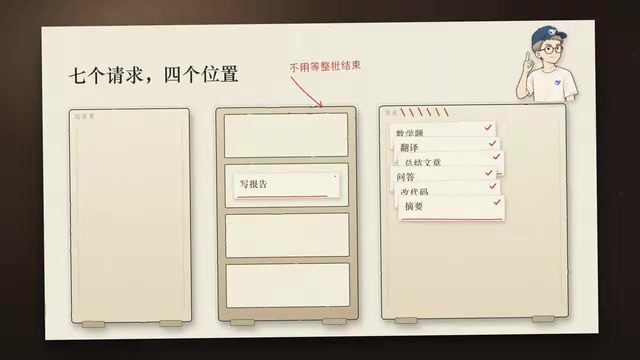
DeepSeek Open-Sources DeepInfer: What Is an Inference Framework Actually For?
DeepSeek open-sources its inference framework DeepInfer under Apache 2.0, supporting DeepSeek V4.1 Flash offline inference. This article explains its request scheduling, FlashMLA/DeepGEMM compute optimization, DSPark speculative verification acceleration, and what it means for developers and ordinary users.
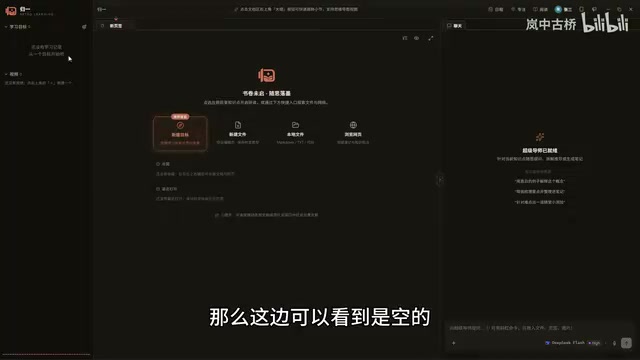
Open-Source AI Learning Agent: A Full Workflow Experience from Topology Graphs to Exam Generation
Explore an open-source AI learning agent: built on DeepSeek API, it constructs knowledge systems via topology graphs, with automatic document generation, notes, super documents, and exams. Learn about its Agent workflow and design highlights.

DeepSeek Whale Girl Open-Source MV Meme: AI Industry Coded Slang About Pivoting to Closed Source
Bilibili's DeepSeek Whale Girl rap MV uses fictional memes to tease the AI open-source vs. closed-source debate, with lyrics full of industry slang. This article explains the meme culture, the Whale Girl symbol, and the open/closed tension.