VaultLedger: An Offline Invoice Reconciliation Tool Powered by Ollama

VaultLedger uses a local Ollama model to reconcile invoices against bank statements offline—privacy-first, but still a prototype.
VaultLedger is an offline invoice reconciliation prototype that developer akshat-bit420 built in a week: invoice PDFs are text-extracted with PyMuPDF and fed to qwen2.5:7b running locally via Ollama, which extracts vendor, invoice number, and amount fields using Pydantic schema-constrained structured output; pandas then compares them against the bank statement CSV, outputting three types of flags—duplicate invoices, unpaid invoices, and debits without invoices—and exporting to Excel. The author documented three pitfalls and fixes: a too-loose schema making the category field useless, Streamlit reruns losing results, and the Ollama service not running. The core selling points are keeping data on the local machine and zero per-document cost, at the price of needing to run a local service, matching by amount only, unverified numbers, no support for scanned documents, and testing on only one model with synthetic data.
VaultLedger: An Offline Invoice Reconciliation Tool Powered by Ollama
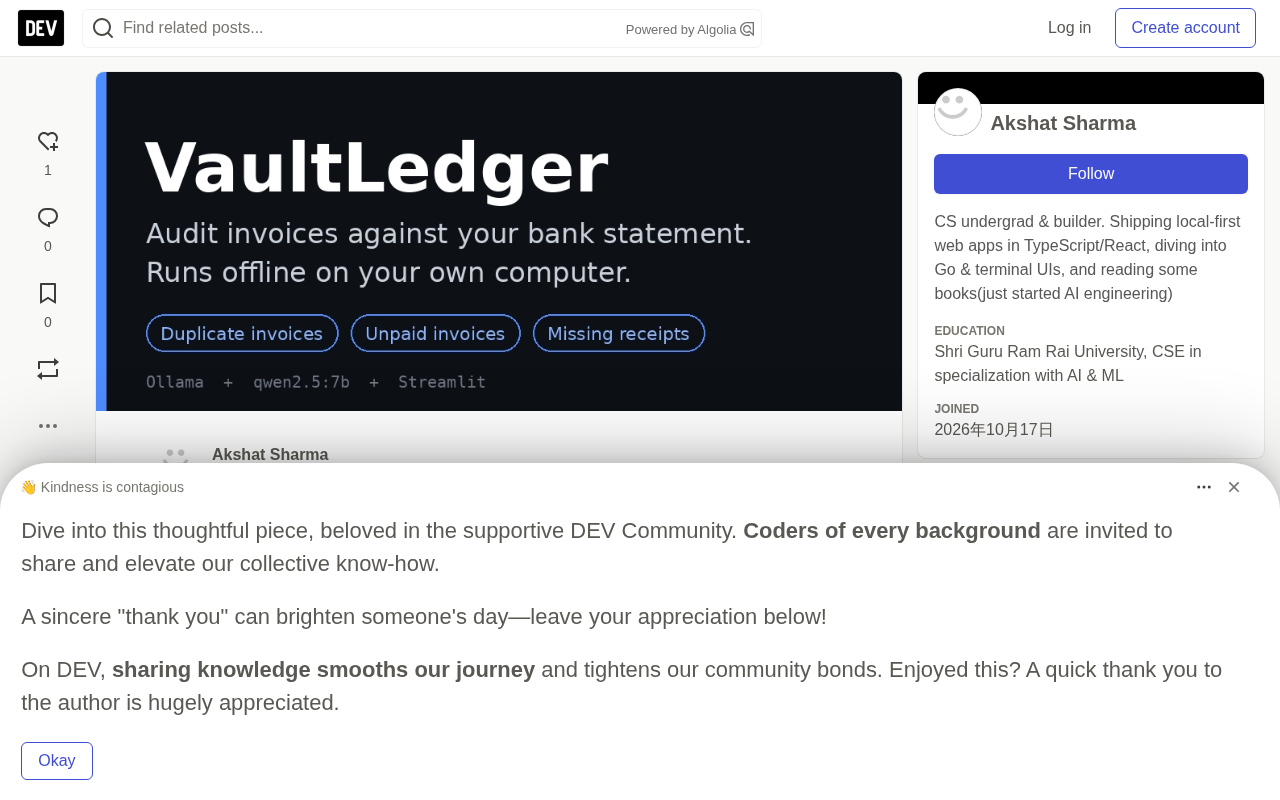
Small shops and bookkeepers face piles of invoice PDFs and bank statement CSVs every day. Manually checking each line is time-consuming and laborious, and uploading financial data to the cloud feels unsettling. Developer akshat-bit420 built a prototype called VaultLedger using a local model driven by Ollama, which automatically reconciles invoices against bank statements in a fully offline environment and outputs an Excel audit report.
What Problem It Solves
Many small local shops already do their audit work on a computer, but with no automation at all—someone sits at the machine manually matching each invoice to a bank transaction. Based on the author's observations at multiple local stores, network connectivity isn't something you can rely on, and cloud tools are simply unusable in these scenarios.
VaultLedger's inputs are straightforward: upload invoice PDFs and a bank statement CSV, and the local open-source model reads each invoice one by one, outputting three types of flags:
- Duplicate invoices: avoid paying the same bill twice
- Invoices without a corresponding bank debit: clearly see which ones haven't been paid
- Bank debits without an invoice: the missing receipts commonly seen during tax season
On the author's sample files, the entire audit takes about a minute and a half to two minutes on a laptop, and the results are downloaded as an Excel report that can be handed directly to the shop owner or client.
Technical Implementation: Structured Output Is Key
The entire pipeline is deliberately kept simple: PDF text extraction, local model parsing, structured JSON, and pandas comparison. The specific components are as follows:
- Model:
qwen2.5:7b, an open-weight model running locally via Ollama - PDF reading: PyMuPDF extracts text from each invoice
- Structured output: A Pydantic schema is passed to Ollama's
formatoption, and the model must return valid JSON with exactly matching fields rather than free text that requires secondary parsing - Reconciliation: pandas compares the extracted invoices against the bank CSV
- Interface: Streamlit, with Excel export of audit results
The author sets the temperature to 0.0 and, combined with Ollama's native structured output API, extracts fields such as vendor_name, invoice_number, invoice_date, subtotal, tax_amount, total_amount, currency, and expense category from invoices. This "schema-constrained model output" approach is the prerequisite for a small local model to be reliably used for financial field extraction.
Ollama's format option and native structured output
Ollama has supported the ability to make models output strictly conforming to a JSON Schema since around version 0.1.30, by passing a format field in the request. The underlying implementation typically relies on llama.cpp's grammar-constrained decoding: when generating each token, only candidates that can continue to satisfy the current JSON grammar and schema constraints are allowed into sampling. This means the model isn't "asked" to output JSON—it's "impossible" at the decoding level to output characters that violate the schema, so there's no need for post-hoc regex or a second call to fix the format. For scenarios like financial field extraction that require 100% parsability, this is far more reliable than merely prompting "please return JSON."
How Pydantic's Literal constrains the model
Pydantic is a Python data validation library that declares data structures using type annotations. When a field is declared as str, the schema is just {"type": "string"}, and the model can fill in any string; but when declared as Literal["Software", "Travel", ...], the generated JSON Schema includes an enum list, and grammar-constrained decoding will restrict the output to those values. This is precisely the root cause of the "category field was effectively useless at first" problem mentioned in the article: a schema's constraining power equals how strictly it's expressed at the decoder level, and a loose type annotation is equivalent to no constraint.
Three Pitfalls and Fixes
The author documented three specific issues encountered during development, which are valuable references for anyone wanting to replicate this approach:
The category field was effectively useless at first. The schema required categories like Software or Travel, but the field was defined as a plain string, and the model answered "Invoice" for every invoice. Ollama only enforces what's explicitly written in the schema; after changing the field to a Literal with allowed values, the problem disappeared. This shows that the constraining power of structured output depends entirely on how strict the schema is written.
Results disappeared after clicking download. Streamlit reruns the entire script on every click, so the moment the Excel file was downloaded, the table vanished. Storing the results in st.session_state solved the problem—the author discovered this bug while recording a demo video and had to re-record after the fix.
"Failed to connect to Ollama." On the first click of the audit button, all invoices failed. The model had already been downloaded, but the Ollama service wasn't running. The fix was to start Ollama first (it runs in the background after installation). The app clearly displays this error, and the README also tells users to make sure Ollama is running before starting. Running AI locally means you're also responsible for running the process that serves it—a trade-off accepted for privacy and zero per-document cost.
Why Local-First Matters for This Kind of Scenario
The author makes privacy a direct selling point. Shop owners and bookkeepers hold bank statements and invoices entrusted to them by others; open-weight models run on the same machine, and documents never go to a server the user doesn't control—the author proves this by recording the demo video with the network disconnected.
The cost structure is equally important. After the one-time model download, there are no API bills, whereas cloud APIs charge per document, which erodes small businesses' margins as volume grows. The model is a setting in the app, and any model Ollama can run can be substituted—though the author only tested qwen2.5:7b and explicitly states he can't draw conclusions about other models' performance.
The author also candidly points out where closed-source models still have the advantage: scanned documents and handwritten invoices. The current version only reads PDFs with a text layer; closed-source vision models do better with scanned documents today.
Open-weight models and keeping data on the machine
"Open weights" means the model parameters can be downloaded and run locally, with inference not depending on the vendor's servers. In contrast, a cloud API sends the input (here, the full invoice text and amounts) to a third party on every call. For bookkeepers, this involves compliance obligations around entrusted data, and professional standards in many regions require maintaining control over client financial information. Local inference keeps data physically on the local machine—verifiable by disconnecting the network—which is an auditability that cloud solutions cannot provide.
The barrier to running a 7B model
7B means roughly 7 billion parameters. With 4-bit quantization, qwen2.5:7b's VRAM or memory footprint is roughly around 5GB; an ordinary laptop with a dedicated GPU or a machine with 16GB of RAM can run it, but speed depends on the hardware. This also explains the limitation mentioned in the article—"you need a computer that can comfortably run a 7B model": model size directly determines the deployment barrier and per-document processing time (about one to two minutes in the example).
Clear Limitations and Next Steps
For this one-week prototype, the author lists a fairly honest set of limitations:
- Matching is by amount only: two different vendors charging the same amount could be mismatched. The next step is amount plus a date window, plus fuzzy matching on vendor name.
- Duplicate detection is based on vendor, total, and date: real duplicates often manifest as the same invoice number, a dimension the author plans to add.
- Numbers given by the model are unverified: a 7B model may miscalculate, and the author intends to add a check that "subtotal plus tax equals total," flagging rows that fail for review.
- Scanned PDFs are not yet supported
- Only one model tested on clean, synthetic invoices, so no claims can be made about accuracy on messy real-world invoices
- GST support for Indian invoices is the next planned feature
- Requires a computer that can comfortably run a 7B model
The author's own assessment is this: it's a one-week prototype, and what he's truly confident about is the idea itself—documents stay on the local machine, and the audit can be completed even offline. For small businesses handling sensitive financial data, "data never leaves the machine" alone is enough to make local open-source models a solution worth seriously considering.
One-line Summary
VaultLedger uses a local Ollama model to reconcile invoices against bank statements offline—privacy-first, but still a prototype.
Paragraph Summary
VaultLedger is an offline invoice reconciliation prototype that developer akshat-bit420 built in a week: invoice PDFs are text-extracted with PyMuPDF, fed to qwen2.5:7b running locally via Ollama, which extracts fields such as vendor, invoice number, and amounts using Pydantic schema-constrained structured output; pandas then compares them against the bank statement CSV, outputting three types of flags—duplicate invoices, unpaid invoices, and debits without invoices—and exporting to Excel. The author documented three pitfalls and their fixes: the category field failing due to a too-loose schema, Streamlit reruns causing results to be lost, and the Ollama service not being started. The core selling points are keeping data on the local machine and zero per-document cost, at the price of needing to run a local service, matching by amount only, unverified numbers, no support for scanned documents, and testing on only one model with synthetic data.
Related articles

JobRunner MCP Server: AI Agents Can Now Fix Failed Java Jobs
JobRunner launches an open-source MCP server enabling AI agents to view cluster status, diagnose failures, and recover Java jobs—incident response from any cloud coding environment or existing agent.

MLAI Digital Launches 9 Security Agents: MCP Server Safeguards the Full Lifecycle of Agentic AI
MLAI Digital launches Security MCP Server with nine built-in specialized security agents covering vulnerability discovery, attack simulation, prompt injection detection, API and infrastructure assessment, and accelerated remediation—embedding security validation across the full Agentic AI lifecycle from development to production.

Running Isaac Lab on H100 GPUs: Exploring Better Approaches
Exploring optimization methods for running Isaac Lab on NVIDIA H100 GPUs, including MIG configuration, mixed precision, TensorRT acceleration, and community experience to improve robotics simulation and reinforcement learning efficiency.