Vercel Blob Adds TTL Auto-Deletion for Effortless Temporary File Management

Vercel Blob adds TTL: declare a 1–730 day lifecycle at write time and files auto-delete on expiry.
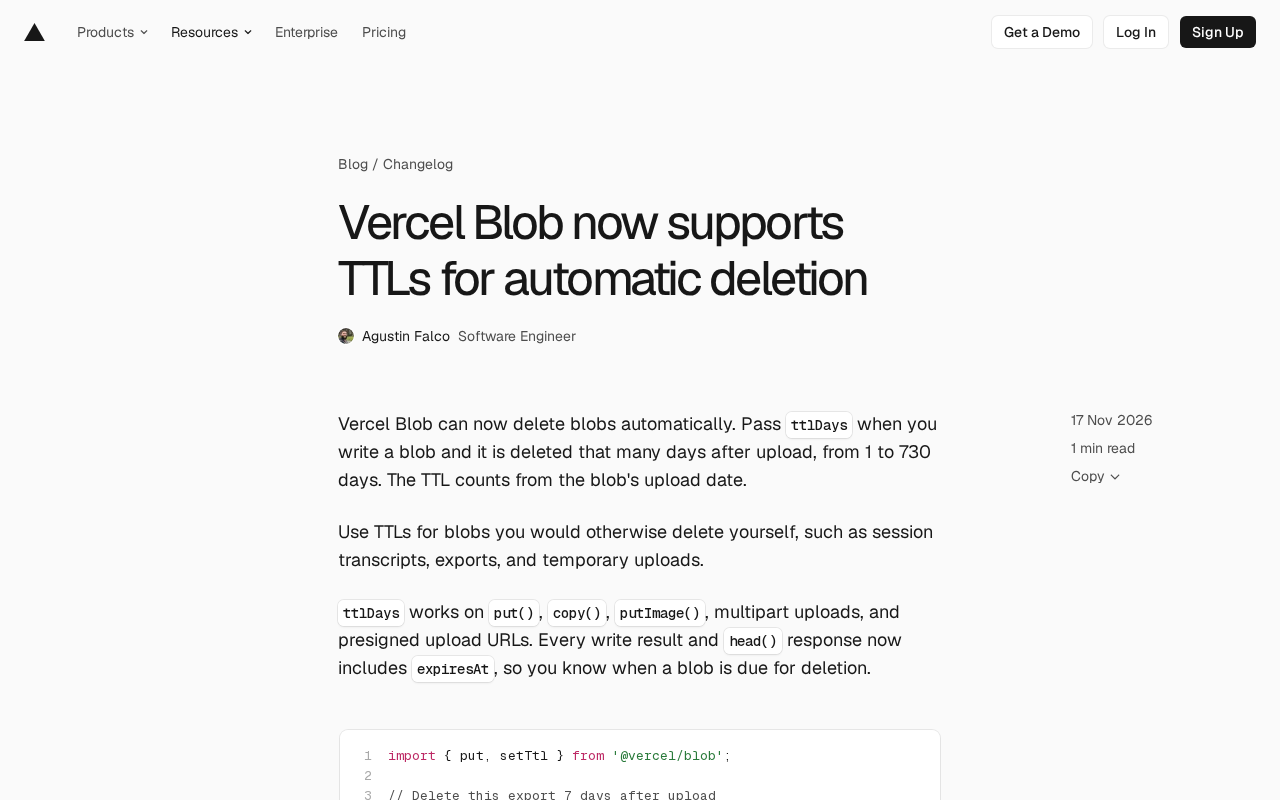
Vercel Blob now supports TTL: developers can specify a 1–730 day lifecycle via the ttlDays parameter at write time, with automatic deletion on expiry counted from the upload date. TTL covers put(), copy(), putImage(), multipart, and presigned upload URLs, and both write results and head() return expiresAt. setTtl() modifies or clears TTL on existing blobs, for one URL or up to 1,000 at once, with no re-upload. CLI 65.16.0 adds --ttl-days and vercel blob set-ttl. Billing counts one Advanced Operation per 60 days (7 days = 1, 730 days = 13), and clearing/deletion are free—shifting retention from after-the-fact cleanup to declaration at write time.
Vercel has added TTL (Time to Live) support to Blob storage, letting developers specify an expiration period at write time so temporary files disappear automatically. On the surface this looks like a small patch to a storage feature, but it solves a long-neglected chore in object storage: manual cleanup.
What TTL Does: Declare a Lifecycle at Write Time
Vercel Blob now accepts a ttlDays parameter when writing a blob, with a range of 1 to 730 days. The clock starts at the blob's upload date, and the system automatically deletes the blob when it expires. Vercel's officially cited use cases include session transcripts, data exports, and temporary uploads—content that shares a common trait: a clear lifecycle and rapidly decaying retention value, yet often sits in storage buckets for a long time because developers forget to clean it up.
By default, object storage lifecycle management usually relies on scheduled jobs or cloud provider bucket rules. The former requires writing your own scheduling logic; the latter has coarse configuration granularity and varies across platforms. Building TTL into the write API turns "how long should this data live" into an explicit declaration within a single call, reducing the cognitive burden of ongoing operations.
Object storage lifecycle management is a foundational capability of cloud storage services, used to automatically delete or transition objects when they meet specified conditions (such as N days after creation). AWS S3 implements this via Bucket Lifecycle Configuration, with rules defined in JSON and bound to prefixes or tags; Google Cloud Storage and Azure Blob Storage offer similar mechanisms, but their configuration syntax and enforcement semantics differ. These rules are typically bucket-level batch policies with coarse granularity, and they rely on asynchronous background scanning, so actual deletion may be delayed. By contrast, Vercel Blob's TTL is an explicit write-level declaration: each blob can independently set its expiration time, the semantics are more precise, and "how long this data lives" becomes part of the application code rather than an operations configuration on the cloud platform side.
Coverage: More Than Just put()
The scope of TTL support is one of the more solid parts of this update. ttlDays is available on put(), copy(), putImage(), multipart uploads, and presigned upload URLs. The presigned URL scenario is worth mentioning: when the server delegates upload permission to a client or third party, TTL lets the uploader carry the lifecycle agreement along, so the server doesn't need to make an extra call after the upload completes.
The accompanying expiresAt field appears in every write result and in head() responses, so developers can determine when a blob will expire without maintaining their own expiration table in a business database.
import { put, setTtl } from '@vercel/blob';

// Delete this export 7 days after upload
const blob = await put('exports/report.csv', csv, {
  access: 'private',
  ttlDays: 7,
});

console.log(blob.expiresAt); // 2026-11-24T00:00:00.000Z
Presigned upload URLs are a temporary authorization mechanism: the server uses storage credentials to generate a URL with a signature and validity period, and the client or third party uses that URL to upload files directly to the storage bucket—no server relay and no exposure of long-term keys. Because the upload happens on the client side, the server cannot attach metadata or call follow-up APIs at the moment the upload completes. Vercel Blob allows ttlDays to be embedded when generating a presigned URL, effectively moving the lifecycle agreement forward to the authorization stage. The upload lands with its own expiration time from the start, avoiding the race conditions and omissions of the server having to make an extra call after the upload.
setTtl: Changing the Fate of Existing Blobs
If TTL could only be set at write time, the feature's usefulness would be diminished—after all, requirements often change after data has landed. setTtl() fills this gap: it can modify or remove the TTL of existing blobs, supporting a single URL or batch operations on up to 1,000 URLs at once, with no need to re-upload files.
// Change your mind later: extend to 30 days, or clear it with null
await setTtl(blob.url, { ttlDays: 30 });
await setTtl(blob.url, { ttlDays: null });
Setting ttlDays to null clears the TTL, returning the blob to permanent retention. This "set short first, extend when needed" approach is better suited than "store forever, clean up periodically" for intermediate artifacts whose future access is uncertain.
CLI Follows Suit
The command-line side has been aligned too. In Vercel CLI 65.16.0 and later, vercel blob put, put-image, copy, and presign support the --ttl-days parameter; existing blobs are handled via vercel blob set-ttl, with --clear-ttl used to clear. For developers used to handling one-off tasks in the terminal, this path is shorter than writing a script.
vercel blob put report.csv --ttl-days 7
vercel blob set-ttl exports/a.csv exports/b.csv --ttl-days 30
vercel blob set-ttl exports/a.csv --clear-ttl
Billing Logic: Advanced Operations in 60-Day Increments
TTL isn't free, but the pricing is relatively restrained. Setting a TTL counts as one Advanced Operation, billed per each started 60-day period, on top of the write operation. Per the official example, a 7-day TTL counts as one, while the 730-day maximum counts as 13. Clearing a TTL and deletion itself are free.
This pricing structure effectively encourages short-lived TTLs: the shorter the lifecycle, the fewer billing units. For data that should expire quickly anyway—session transcripts, temporary exports—the cost is negligible. Only longer retention periods trigger multiple billing units, and such needs are themselves more cost-sensitive. TTL operations can be tracked in the Blob area of the Observability tab, and the cost attribution is auditable.
Advanced Operation is the unit of measurement in Vercel Blob's billing system for operations beyond basic reads and writes, typically including copy, list, and set metadata. It is priced separately from simple PUT/GET basic operations, with the goal of making billing better reflect actual resource consumption. TTL billing uses a tiered "per each started 60-day period" approach: 7 days and 60 days both count as 1, 61 days counts as 2, and the 730-day maximum corresponds to 13. This design pushes the marginal cost of short-lived TTLs toward zero, while long-term retention grows linearly according to the management periods occupied—essentially using price signals to nudge developers toward shortening unnecessary data retention.
The Product Signal Behind This
Competition in object storage has historically centered on capacity, throughput, and consistency, with lifecycle management often treated as an ancillary capability. By making TTL a first-class API parameter, Vercel signals that the share of "short-lived data" among its users is rising—session transcripts generated by AI applications, intermediate exports produced by function executions, and temporary files processed immediately after user uploads all fall into this category.
For developers, the direct benefit is writing one less cleanup logic; the deeper impact is that data retention strategy shifts from "after-the-fact remediation" to "declared at write time." Amid increasingly specific data compliance requirements, being able to demonstrate that a certain class of data will inevitably disappear after N days is itself an auditable property.
To upgrade, run npm install @vercel/blob@2.9.0. For more details, see the Vercel Blob documentation.
Related articles
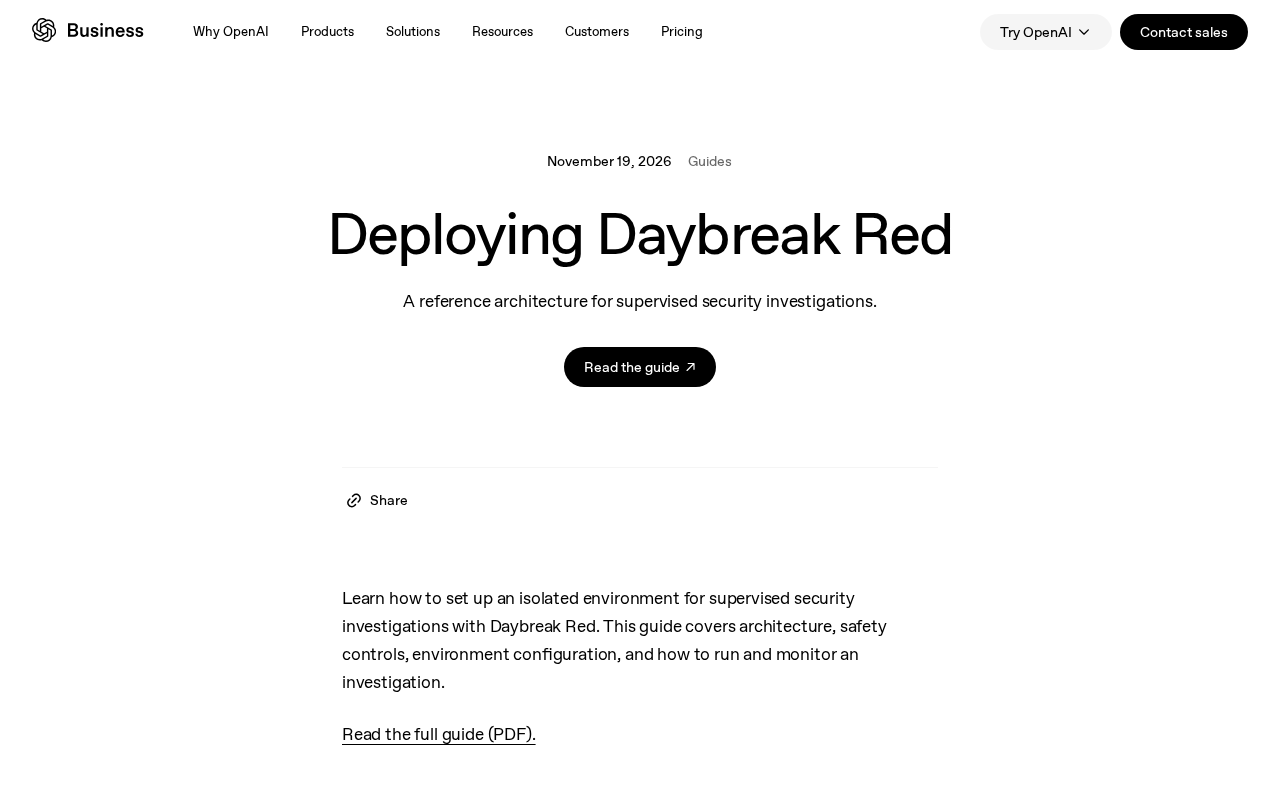
Daybreak Red Deployment Guide: A Reference Architecture for Supervised Security Investigation
A breakdown of the Daybreak Red reference architecture: security control design, deployment configuration process, and runtime monitoring for supervised security investigation.
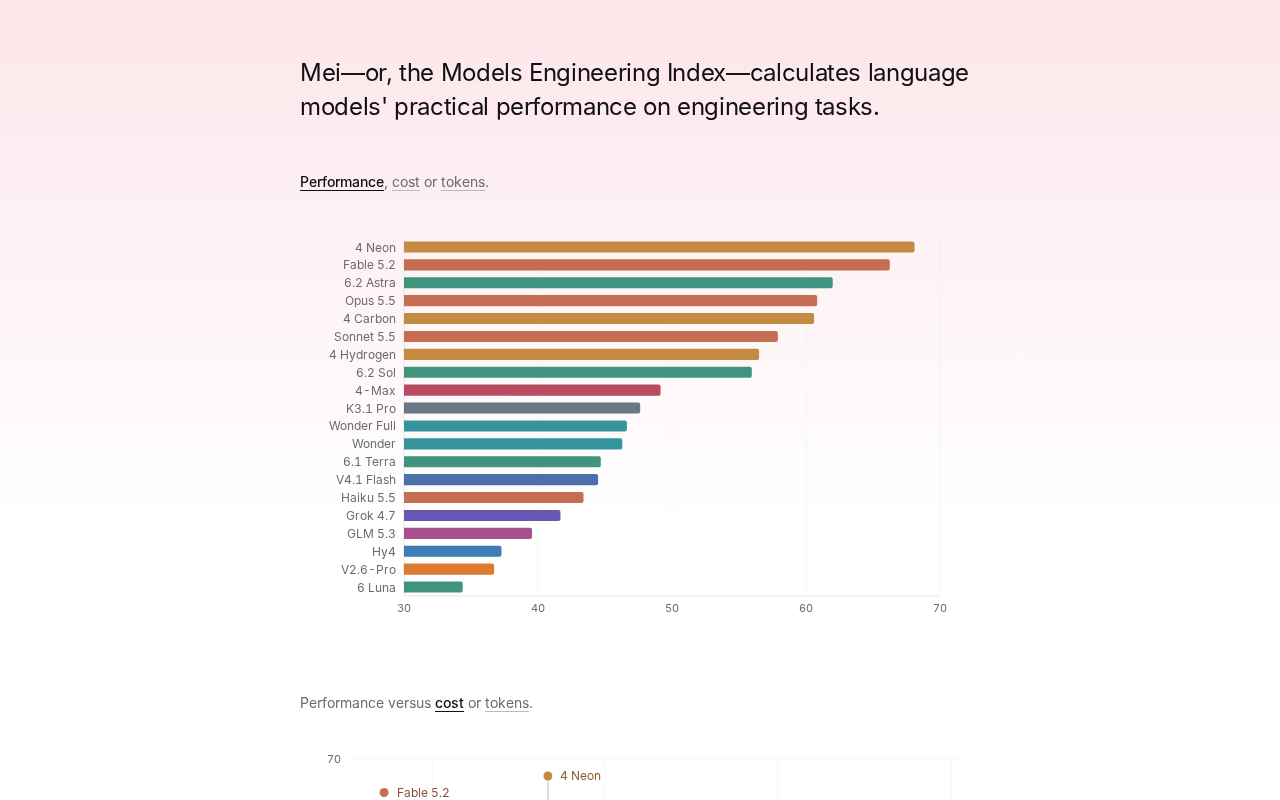
Gemini 4 Neon Tops the Models Engineering Index
Gemini 4 Neon tops the Models Engineering Index, sparking Hacker News debate over ranking credibility and evaluation methods. Here's what it means for developers.

Apple's Self-Developed AI Agent: An Agent That Can Operate Your Mac Is Coming
Apple is reportedly developing an AI agent that can operate a Mac, targeting Meta Muse, Claude, OpenAI Dots, and others. This article analyzes Apple's system-level advantages, the competitive landscape, and likely rollout paths in the agent race.