Vibe Coding for Beginners: How Three Types of AI Coding Tools Build Apps for You
AI coding tools fall into three types—Builders, AI editors, and terminal agents—chosen by how much code you want to see and control.
Based on an introductory YouTube talk, the article categorizes mainstream AI coding tools by "distance from the code": Builders (like Lovable) generate editable full-stack apps for rapid prototyping; AI editors (like Cursor) offer progressive authorization for daily iteration; terminal agents (like Claude Code) read code, edit files, and run commands for automation. Choose by how much code you want to see and guide. The tools are complementary, and none removes the developer's duty to guide and review.
Writing apps in natural language is moving from demos into everyday development. An introductory YouTube talk breaks today's mainstream AI coding tools into three categories: Builders, AI editors, and terminal agents—and offers a clear way to choose between them: look at how much of the code you want to see and control.
Three tool types, three levels of control
The value of this classification is that it doesn't rank by vendor or product popularity, but by "the distance between you and the code." The farther the distance, the faster you start; the closer the distance, the more control you have.
Type 1: Builders—from one sentence to a full-stack app
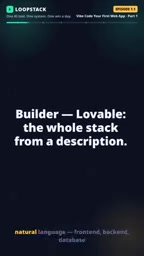
The representative Builder is Lovable. Starting from natural language, it directly generates a full-stack app: frontend, backend, database, and authentication all included—and the generated code is editable and can be synced to GitHub.
This type of tool solves the "from zero to runnable" problem. You describe the requirements, and it sets up the entire tech stack. The trade-off is that you need to accept its default architectural choices and then adjust by editing code afterward. For prototype validation, internal tools, and small-scale products, this model saves exactly the most time-consuming scaffolding work.
A full-stack app refers to a software system that includes the frontend (user interface and interaction), backend (business logic and APIs), database (data storage), and complete functional layers such as authentication and authorization. In traditional development, these layers need to be built and integrated separately using different tech stacks. Builder tools leverage large models' understanding and generation capabilities to automatically complete technology selection, scaffolding generation, module connection, and basic configuration based on a single natural language description, outputting a runnable codebase. This greatly lowers the barrier to starting from zero and is especially suitable for quickly validating ideas, but the cost is that developers must accept its default architecture; if deep customization is needed later, they still have to understand the code at each layer.
Type 2: AI editors—gradually delegating within a familiar editor
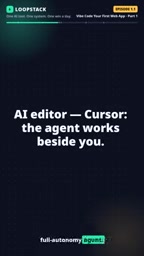
Cursor belongs to this category. You don't describe requirements in a separate generation interface; instead, you work inside the editor, from targeted modifications to handing an entire task to a fully autonomous agent.
The key to this model is "progressive authorization": make small changes yourself, hand large tasks to the agent. You can always see which file and which line the changes land on. For daily iteration on existing codebases, this fits real workflows better than generating from scratch.
Progressive authorization is the core interaction model that distinguishes AI editors from fully automated generators. Developers can start by having AI complete a single line of code, gradually move to modifying a function or refactoring a file, and ultimately hand an entire task to an autonomous agent. The scope of authorization at each step is controlled by the developer, and AI changes are always tracked in a version control system (such as Git), ready for review or rollback at any time. This model suits the iteration needs of existing codebases because developers retain fine-grained control over the granularity and impact scope of changes, avoiding the risk of generating large amounts of uncontrollable code at once.
Type 3: Terminal agents—read code, edit files, run commands
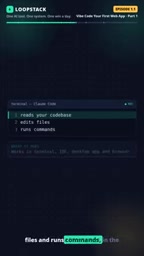
The representative terminal agent is Claude Code. It reads codebases, edits files, executes commands, and can appear in the terminal, IDE, desktop app, and browser.
This category of tool is closest to "a collaborator that can actually do things." It doesn't provide a graphical generation interface; instead, it operates directly in your existing development environment. It suits developers who are comfortable with the command line, familiar with project structure, and want to automate repetitive tasks.
A terminal agent is an intelligent agent that runs in a command-line environment and operates the local development environment through natural language instructions. Unlike IDE plugins, terminal agents don't rely on a graphical interface; they directly invoke system commands, read and write files, and run build and test scripts. They typically have long-term memory and contextual understanding of the codebase, can locate relevant files based on requirements, propose modifications, and apply them automatically. Since the terminal is a universal entry point for developers, this type of agent can be seamlessly integrated into existing workflows, making it suitable for automating repetitive tasks, batch refactoring, and cross-project script operations.
How to choose: base it on "how much code you want to see"
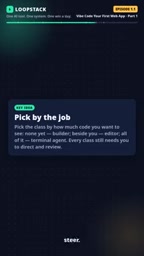
The decision principle given in the video is simple: choose based on how much code you want to see and guide.
- If you want to quickly get a runnable full-stack app and accept less code visibility, choose a Builder;
- If you want to edit while seeing changes in the editor and delegate progressively, choose an AI editor;
- If you want an agent to directly operate the codebase and commands in the terminal, choose a terminal agent.
These three categories are not mutually exclusive. A common combination is: use a Builder to start a prototype, use an AI editor for iteration, and use a terminal agent for batch tasks and scripts.
One fact that hasn't changed: you're still the director
The shared boundary of all three tool types—and a point the video repeatedly emphasizes—is that no type of tool can relieve you of the work of guiding and reviewing the agent.
A full-stack app generated by a Builder needs you to validate its architecture and security configuration; an AI editor's autonomous agent needs you to define task boundaries; commands executed by a terminal agent need you to confirm their scope of impact. Tools change execution speed, not responsibility.
This also explains why "Vibe Coding" is easy to misunderstand. It sounds like you throw an idea at AI and you're done, but the actual process is: you describe intent, the tool executes, you review the results, and then you refine the intent. The loop gets faster, but the loop itself doesn't disappear.
Next exercise: start with choosing one tool
The practical task given in the video is: write down one tool you choose and explain why.
This exercise seems simple, but it forces you to answer two questions: what stage is your project at? How much control are you willing to give up? Writing down the answers is more useful than bookmarking ten tool lists.
The paired second exercise is to trace the full path of a request: from URL to page, through the browser, server, database, and DNS, and explain it in plain language. AI can write code for you, but understanding how a request flows through the system remains the foundation for judging whether the agent's output is correct.
For beginners, this three-way classification provides an actionable map: first determine control, then choose tools, and finally use review capability as a safety net.
One-line Summary
AI coding tools fall into three categories by control: Builders, AI editors, and terminal agents—the choice depends on how much code you want to see and control.
Paragraph Summary
Based on an introductory YouTube talk, the article divides mainstream AI coding tools into three categories by "the distance between you and the code": Builders (such as Lovable) generate editable full-stack apps from natural language and suit rapid prototyping; AI editors (such as Cursor) offer progressive authorization within the editor and suit daily iteration on existing codebases; terminal agents (such as Claude Code) directly read code, edit files, and run commands in the command line and suit automating repetitive tasks. The core selection criterion is how much code you want to see and guide, not tool popularity. The three categories are not mutually exclusive and can be combined. The article emphasizes that tools cannot relieve developers of the responsibility to guide and review agents; Vibe Coding isn't throwing things at AI and being done, but a fast loop of intent-execution-review-refinement. Finally, it suggests two exercises—choosing a tool and tracing a request path—to consolidate understanding.
Related articles

A 19-Year-Old's Rental Horror Story: Ceiling Collapse, Bug Infestation, and the Lessons It Taught Me
At 19, my first off-campus rental brought bug infestations, no heat, a collapsed ceiling, and a ruined laptop with no renter's insurance. Here are the hard-won lessons for first-time student renters.

Veda Nurse's Cranial Nerve Exam: Why ASMR Role-Play Is Going Viral
Bilibili creator Veda's cranial nerve exam ASMR video goes viral, blending humor and sensory triggers through nurse role-play. This article analyzes its unique appeal and the audience psychology behind ASMR role-play.

LG Cinebeam AI Review: 120-Inch Giant Screen + 3000 Lumens, a New Choice for the Living Room Theater
LG Cinebeam AI projector review: 3000 ANSI lumens, 4K, 100 inches from about 8 cm and 120 inches from about 18 cm. Built-in webOS, AI Concierge voice recommendations, AI Sound Pro 11.1.2 virtual surround, and Game Optimizer—positioned for fixed living room installation, complementing the portable Cinebeam S.