Vibe Coding in Practice: Build Software Without Writing a Single Line of Code

A practical guide to building software with AI through Vibe Coding — no coding experience needed.
Vibe Coding is a new paradigm where you express ideas in natural language and let AI write the code. This guide walks complete beginners through the full development pipeline: crafting effective prompts, breaking down tasks for stable AI execution, debugging with error messages, and managing versions with Git. Drawn from four months of real-world practice, it proves that clear communication matters more than technical skill when building software with AI.
What Is Vibe Coding
If you've recently been wondering, "Can someone like me — with absolutely zero coding experience — actually build software with AI?" then this article is written exactly for you.
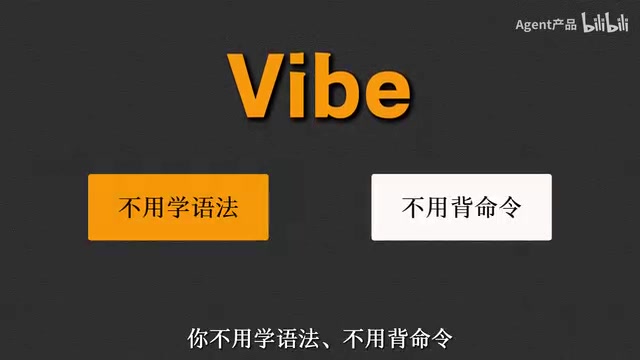
Let's start with the concept. Vibe Coding is a wonderfully evocative term — "vibe" refers to the feeling, the atmosphere. The core idea isn't about learning syntax or memorizing commands. Instead, you simply tell the AI what you want in your own words. The AI writes and runs the code, and all you need to do is nod "Yes" or shake your head "No."
This concept was first coined by Andrej Karpathy — OpenAI co-founder and former Tesla AI Director — in February 2025. On social media, he described a completely new experience while using AI coding tools: instead of reviewing code line by line, he was fully immersed in a conversational flow with AI, guiding the development direction through intuition and feel. The concept resonated so widely because it precisely captured a fundamental shift in human-AI collaborative programming after large language models reached a new level of capability — humans went from being "writers" of code to "expressors" of intent and "reviewers" of results.
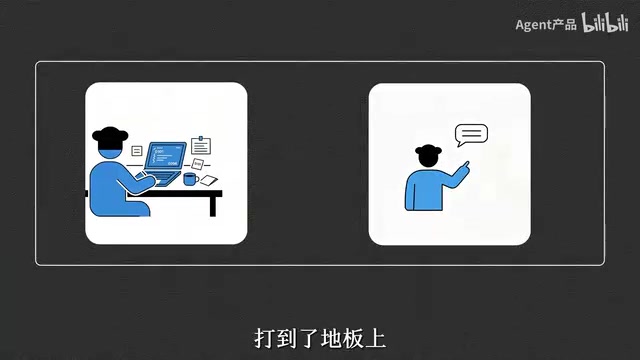
In other words, the essence of Vibe Coding isn't "writing code" — it's "expressing intent." This instantly dropped the barrier to creating software to the floor, enabling ordinary people who were previously locked out by technical walls to build their own software tools with their own hands.
The mainstream tools powering Vibe Coding have already formed a rich ecosystem. For complete beginners, there are browser-based platforms like Bolt.new, Lovable, and v0, where users can generate fully functional applications simply by typing natural language descriptions. For users with some technical foundation, there are tools like Cursor (an AI-powered editor based on VS Code), GitHub Copilot, and Windsurf, which enable code completion, conversational programming, and automated refactoring within a local development environment. Under the hood, all these tools rely on the code generation capabilities of large language models like GPT-4, Claude, and Gemini — and the code comprehension and generation abilities of these models have made a qualitative leap over the past two years.
Why Ordinary People Should Learn Vibe Coding
The reasoning is actually quite straightforward. In the past, if you wanted to build a tool, you typically had only two options: spend tens of thousands hiring someone to build it, or spend half a year learning to code from scratch. One path burns money, the other burns time — both are insurmountable hurdles for most people.
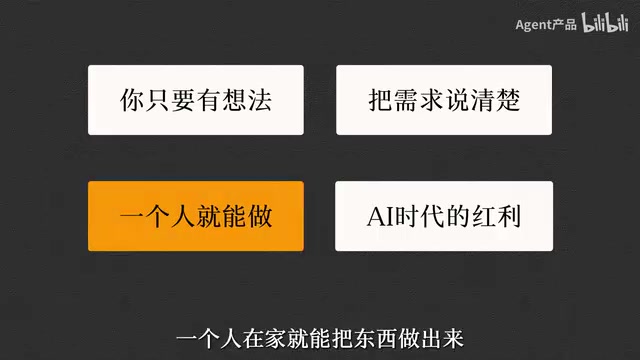
Now, the situation is completely different. As long as you have an idea and can articulate your requirements clearly, you can build something on your own, right from home. This is widely regarded as the greatest dividend AI offers ordinary people — it transforms "creation" from a privilege reserved for a few professionals into a capability accessible to everyone.
It's worth emphasizing that the value of this capability isn't about replacing professional developers — it's about enabling people who "have ideas but lack technical skills" to quickly validate their creativity. A small tool that previously required a team, a budget, and months of development can now potentially be built in a single afternoon. This aligns perfectly with the Lean Startup philosophy of "rapidly building a Minimum Viable Product (MVP) and getting user feedback as early as possible" — Vibe Coding essentially compresses the cost of building an MVP to near zero.
Going from Zero to One: Running a Complete Project as a Beginner
Many tutorials only tell you "what tools to install and what environment to configure," then abruptly stop. But the real difficulty was never about installing tools — it's about completing an entire development pipeline from start to finish. Below is a real-world practical workflow framework.
Step 1: How to Submit Your First Development Request to AI
This is the most critical starting point. Many beginners fail not because the AI isn't capable, but because their requirement descriptions are too vague. You need to communicate with the AI the way you would with a new intern — clearly explain the features you want, the interface, and the use case. The more specific you are, the closer the AI's output will match your expectations.
The process of submitting development requests to AI is essentially a form of Prompt Engineering geared toward code generation. In the Vibe Coding context, an effective prompt typically needs to include several key elements: the functional goal (what it does), the user scenario (who uses it and under what circumstances), the interface expectations (roughly what it should look like), and technical preferences (if any). The industry has already established practical templates, such as the "Role-Task-Constraint" framework — first tell the AI what role it plays, then describe the specific task, and finally provide constraints. The quality difference between a well-crafted requirement and a vague one can be several times over. For example, "Help me build a budgeting tool" is far less effective than "Help me build a personal budgeting web app where users can add daily income and expense records, view monthly pie chart statistics, with a clean and minimalist interface using a light blue color scheme."
Step 2: Break Down Requirements Clearly So AI Can Execute Reliably
Throwing a massive, sprawling requirement at AI all at once usually results in chaotic output. The right approach is to break the big goal into smaller tasks and have the AI implement them step by step. This not only makes execution more stable but also makes it much easier to pinpoint which step went wrong when problems arise.
This approach actually aligns with core principles that software engineering has followed for decades — modular design and incremental development. In traditional Agile methodology, teams break products into the smallest deliverable units and iterate through them one by one. The task decomposition logic in Vibe Coding is exactly the same: have the AI handle one clear, well-scoped small feature at a time, verify it upon completion, then move on to the next. There's also a technical reason for this: large language models perform significantly better with short, clear instructions than with lengthy, ambiguous requirements. Within a shorter context window, the model's attention mechanism can focus more precisely on the core task, reducing the probability of "hallucinations" — generating code that looks plausible but is actually wrong.
Step 3: What to Do When You Hit Errors and Bugs
Encountering errors during development is perfectly normal — even code written by AI will have bugs. The key is learning how to feed complete error messages back to the AI so it can help you locate the problem and suggest fixes. Learning to "read error messages and relay them accurately" is a critically underestimated core skill in Vibe Coding.

Error Messages are diagnostic text automatically generated by the system when a program fails to run. They typically contain the error type, the location where it occurred (filename and line number), and a Stack Trace. For beginners, this information looks like hieroglyphics, but in the Vibe Coding workflow, you don't actually need to "understand" it — you just need to copy the error message completely and accurately to the AI. AI has the ability to parse these technical error descriptions, identify the root cause, and suggest fixes. However, if you only say "it's not working" without providing the specific error, the AI's troubleshooting efficiency drops dramatically. Therefore, the seemingly simple act of "copying the full error message" is actually a key habit for improving efficiency in the Vibe Coding workflow. Additionally, learning to provide context is important — telling the AI "what I just did," "what result I expected," and "what actually happened" — these three elements help the AI reconstruct the problem scenario more accurately.
Step 4: How to Manage Versions When Your Project Is Halfway Done
As your project grows and you make more and more changes to the code, things can quickly spiral into chaos without version management. Building the habit of saving periodically and recording changes lets you roll back to a working state whenever something goes wrong, instead of starting over from scratch.
The industry-standard tool for version management is Git, created by Linus Torvalds (the creator of Linux) in 2005 and now used by virtually every software project worldwide. Git's core concept is creating a "snapshot" (commit) for each meaningful change to the project. These snapshots are chained along a timeline, forming a complete history of the project's evolution. When a particular change introduces a problem, developers can easily roll back to any previous working state. For Vibe Coding beginners, even without learning all of Git's commands in depth, you should master the most basic operations: initializing a repository, committing changes, viewing history, and reverting versions. The good news is that AI coding tools like Cursor now come with built-in graphical Git interfaces, and you can even use natural language to have the AI perform version management operations for you, further lowering the barrier. A practical tip: make a commit every time you complete a small feature and verify it works, with a brief note describing what you changed — for example, "Completed basic layout for the login page."
Distilled Lessons from Vibe Coding Practice
The workflow above was distilled from four months of hands-on trial and error. It's not a pile of theory — it's a practical, actionable methodology extracted from real projects:
- Expressing requirements matters more than technical skill: Vibe Coding isn't a test of programming ability — it's a test of whether you can clearly express your intent. This is exactly why many product managers, designers, and operations professionals actually pick up Vibe Coding faster than people with pure technical backgrounds — they're naturally skilled at describing requirements and user scenarios.
- Decomposition is the key to stable output: Breaking big problems into small steps is the core strategy for keeping AI execution under control. Keep each step focused on a single responsibility — finish one before moving to the next. This way, even if one step goes wrong, it won't contaminate the parts that are already done.
- Errors aren't scary — just learn to communicate: Treat the AI as a collaborator, and learning to report problems effectively will solve the majority of bugs. Remember, AI is often stronger at debugging than at writing new features — because error messages themselves provide a wealth of contextual clues.
- Version management is non-negotiable: The more complex the project, the more you need an escape route. Many Vibe Coders have learned the hard way when a single bad edit near the finish line caused everything to collapse — and without version history, days of work can vanish into thin air.
Final Thoughts
Vibe Coding represents an entirely new paradigm for software creation: shifting from "mastering technology" to "expressing ideas." For newcomers just entering this space, the most important thing isn't to immediately master a specific tool, but to understand the complete mental model of "using natural language to drive AI through the development process."
Once you've run through the pipeline described above — from initiating requirements, breaking down tasks, and debugging, to version management — you'll have everything you need to apply these principles broadly and build any software or tool you can imagine. The technical barriers are disappearing. All that's left is whether you have an idea worth building.
From a broader perspective, the rise of Vibe Coding is actually the latest milestone in the ongoing democratization of software development. From early assembly language to high-level programming languages, from command lines to graphical interfaces, from native development to low-code platforms — every paradigm shift has lowered the barrier to creation and expanded the community of creators. Vibe Coding may be the most radical leap yet on this path — for the first time, it truly turns the vision of "if you can talk, you can code" into reality.
Related articles

Amphibious Transforming Drone: Beyond 100x Power Savings, What Are the Real Needs?
Is the amphibious transforming drone just a gimmick? Starting from the 100x power difference of the M4 Morphobot, explore real application scenarios and thesis topic ideas, analyzing boundary conditions where pure drones and pure ground robots both fail.

Warhound Raises $200 Million: Genetically Engineered "War Dogs" Paired with Anduril Gear
Warhound raises $200M, backed by Ben Lamm and Palmer Luckey, to genetically engineer dogs for military and law enforcement use and equip them with Anduril gear. This article analyzes its technology direction, funding logic, and ethical controversy.

Claude API Comes to Google Cloud: IAM Integration and SDK Access Guide
Anthropic hosts the full Claude API on Google Cloud with IAM-controlled permissions and unified billing. This guide covers the Vertex AI and Anthropic-hosted entry points, IAM role configuration, and SDK access.