Vibe Coding Your TV: Removing Ads, Boosting Speed, and Redesigning the Interface

Users are deeply customizing smart TVs with LLMs and open-source tools, sparking a Vibe Coding modification trend.
Smart TVs are becoming a new playground for Vibe Coding. On social media, many users are using LLMs and open-source tools to deeply customize TV systems in three main directions: removing system-level ads and data tracking, slimming bloated pre-installed apps to improve responsiveness, and completely redesigning the home screen's visual style and layout. Vibe Coding's conversational development model lowers the technical barrier, enabling non-professional developers to participate, with the community sharing configurations and scripts through forums and video platforms, forming a co-creation trend. However, modifications carry risks of system instability, loss of warranty, or even bricking, so participants typically back up their systems first and carefully read guides. This trend reflects users' pursuit of device control and personalized experiences, enriching the definition of "owning" a TV.
The TV, a device once firmly controlled by manufacturers, is becoming a new playground for Vibe Coding enthusiasts. A flood of posts has appeared on social media showing users leveraging LLMs and open-source tools to deeply customize their TV systems: removing ads and tracking, slimming down bloated pre-installed apps to make the system run faster, and even completely overhauling the visual style and layout of the home screen.
Why TVs Are Fertile Ground for Vibe Coding
Traditional smart TV operating systems are typically locked down by manufacturers, leaving users with limited settings to tweak. But in recent years, the spread of open-source tools and local LLMs has enabled ordinary users to describe their needs in natural language and quickly generate scripts or configurations, achieving "surgical" modifications to their TV systems. This low-barrier, high-freedom approach is the essence of Vibe Coding—not chasing perfect code, but rapidly bringing ideas to life through conversation and iteration.
According to social media shares, participants come from all backgrounds—developers and ordinary tinkerers alike. They exchange experiences through forums and video platforms, forming a community-driven wave of modification.
Vibe Coding is a concept proposed by Andrej Karpathy in early 2025, referring to developers no longer writing code line by line but instead describing intent to an LLM in natural language, letting the model generate code while the human focuses on whether it "feels right" and iterates continuously. It emphasizes rapid trial and error and conversational collaboration rather than engineering rigor, making it especially suited for low-risk tasks like script-level system adjustments and configuration changes.
Local LLMs refer to large language models running on the user's own device (e.g., via Ollama, llama.cpp), without needing to call cloud APIs over the internet. Compared to cloud services, local models offer better privacy, no usage fees, and offline availability, but typically have smaller parameter counts and limited ability to generate complex code—which explains why TV modifications tend to focus on scripts and configuration layers.
Three Major Directions: Removing Ads, Boosting Speed, and Redesigning the Interface
Removing Ads and Tracking
Ads and user data tracking on smart TVs have long been pain points. Using open-source tools and LLM-generated scripts, users can identify and block system-level ad pushes while cutting off data reporting. Some posts mention that modifying the hosts file or using dedicated blocking tools can significantly reduce boot ads and recommendation-slot ads. This direction not only improves the experience but also sparks discussion about privacy protection.
The hosts file is a text file used by the operating system for local domain name resolution, taking priority over DNS queries. By pointing ad server domains to 0.0.0.0 or 127.0.0.1, requests can be dropped locally, thereby blocking ads and tracking requests. This method requires no special tools beyond root access, changes are reversible, and it is one of the most common approaches to removing TV ads.
System-level ad pushes differ from regular in-app ads—they are initiated directly by TV firmware or manufacturer services during boot, standby, recommendation slots, and other stages, often bypassing conventional ad blockers. Blocking such pushes typically requires modifying the system hosts file, disabling related system services, or intercepting specific domains, so some understanding of the system structure is a prerequisite.
Slimming Down the System for Faster Response
TV systems often come pre-loaded with many rarely used apps and services that slow things down. Users employ LLMs to analyze system processes, identify components that can be safely disabled, and then clean up with open-source tools. Reportedly, after slimming down, system boot and app switching speeds improve noticeably. One user shared that after removing redundant services, their TV's responsiveness was "like getting a new device."
System processes and pre-installed services are one of the main sources of smart TV lag. Manufacturers often pre-install background services for recommendations, analytics, and app store updates that continuously consume CPU and memory. Viewing process lists via debugging tools like adb shell and then disabling non-critical packages with commands like pm disable-user is a common slimming technique in the community. The key is distinguishing components that can be safely disabled from system dependencies—mistakenly disabling core services can prevent the interface from starting.
Completely Transforming the Home Screen
The most eye-catching modification is redesigning the home screen. Users are no longer satisfied with the default waterfall layout; instead, they use LLMs to generate custom interface code and combine it with open-source launchers to achieve fully personalized visual styles. For example, some users have transformed their TV home screens into retro game console styles or minimalist information panels. These modifications are not only aesthetically pleasing but also make the TV better fit personal usage habits.
Open-source launchers refer to third-party Launcher apps that can replace the TV's default home interface, such as ATV Launcher and FLauncher in the Android TV ecosystem. They allow users to customize icon layouts, hide pre-installed apps, change wallpapers and themes, and some even support deeper interface customization through configuration files or code injection. Combined with LLM-generated layout code, users can transform their TV home screens into fully personalized information panels or retro-style interfaces.
Community Co-creation and Risk Warnings
Most of these modifications rely on tools and documentation from the open-source community, with users sharing configuration files and scripts with each other. Vibe Coding's conversational development model lowers the technical barrier, enabling non-professional developers to participate. However, modifying TV systems carries risks: improper operations can lead to system instability, loss of warranty, or even bricking the device. Therefore, participants typically back up the original system and carefully read community guides before starting.
Currently, this trend is still gaining momentum on social media, with more and more users joining in. Whether TV manufacturers will respond remains to be seen. But one thing is certain: Vibe Coding is making the definition of "owning" a TV richer than ever.
Related articles
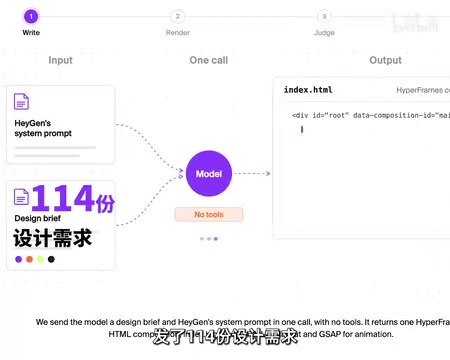
27-Model Code-to-Video Test: Claude Opus 5.5 Takes the Crown, But the Real Value King Is Someone Else
Artificial Analysis' Code2Video Benchmark has 27 models write HTML videos from pure code: Claude Opus 5.5 tops at 1536, while GPT 6.1 ranks fourth at ~1/10 the cost.
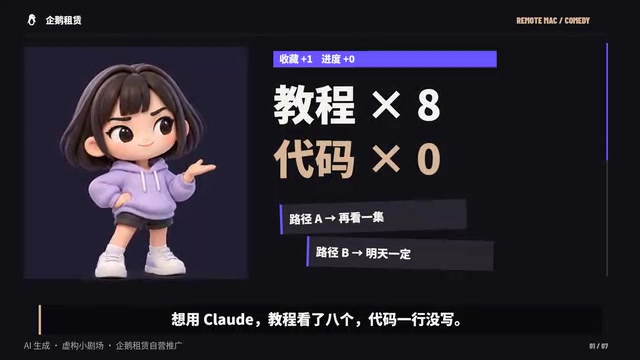
Writing Code with Claude Code Means Passing a Network Admin Exam First: The Pain of Configuring AI Programming Tools
Claude Code's real barrier isn't coding ability but account, network, and regional configuration. Why AI programming tools are painful to set up — and how developers should choose pragmatically.
Jev in Practice: A Decision Model That Replaces Token-by-Token Decoding with a Single Prefill
Breaking down Jev's inference paradigm: skip token-by-token decoding and use a single prefill forward pass to output choices, ordinal scores, and booleans. Comparing encoder and decoder paths, multi-question mask design, duplicate token pitfalls, and RLCD with GRPO for probability calibration training.