What Should You Actually Learn About AI Agents? Start with a Cognitive Map for Non-Technical People

A four-layer cognitive map to help non-technical people understand AI Agent concepts and where each one fits.
This article tackles the common frustration of AI Agent learners drowning in jargon with no framework to organize it. It maps concepts like prompts, RAG, knowledge bases, memory, plugins, MCP, workflows, and multi-agent systems into four layers — Input & Instruction, Knowledge & Memory, Capability & Tools, and Orchestration & Collaboration — so each term connects to a concrete problem. It also emphasizes that before deploying any Agent, you must ask whether it can handle the task, how to verify quality, what it costs, and whether data is safe. Aimed at non-engineers, the goal is to enable real decision-making participation, not immediate coding.
After seeing terms like "large language models" and "AI agents" everywhere, most people get stuck not on "which model is best" — but on a more fundamental question: What do you actually need to learn about AI Agents?
Prompts, RAG, workflows, plugins, MCP, multi-agent systems, memory, knowledge bases… Each term sounds vaguely familiar on its own, but together they feel like scattered parts on a workbench — you recognize the pieces, but have no idea how the machine runs, or which screw to tighten first. This article isn't about ranking models or recommending platforms. It's about solving one thing: helping a non-technical person build their first cognitive map of AI Agents.
Why You Need a "Cognitive Map" Before a Technical Architecture Diagram
Most tutorials throw a glossary and architecture diagram at you right away. The result? You memorize a bunch of terms but still have no idea what problems they're solving. The thinking behind this approach is deliberate: this map isn't a technical architecture diagram or an engineer's terminology guide — it's a cognitive map built for non-technical people.
Its goal isn't to make you memorize vocabulary. It's to help you understand three things: what problem each concept is actually solving, where its boundaries are, when you should use it, and when it's simply overkill. In other words, once you build a "problem → tool" mental model first, learning the specific technology becomes dramatically more efficient.
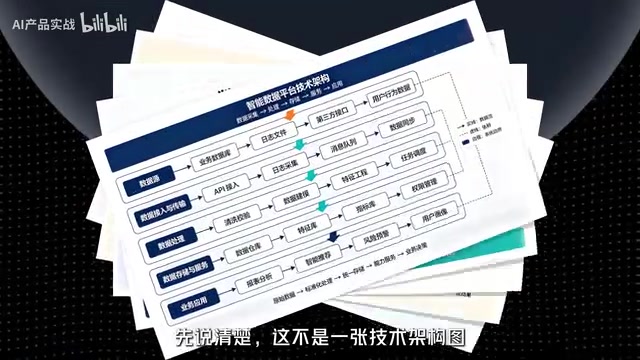
This also explains why so many people get more confused the more they study AI Agents: they're collecting a parts list, not an assembly guide. No matter how complete your parts list is, without assembly logic, the machine still won't run.
Where the Map Points: Back to Real Work Situations
Interestingly, the goal of this map isn't to help you immediately go build an AI product. It's to help you navigate the real choices you'll encounter in your day-to-day work.
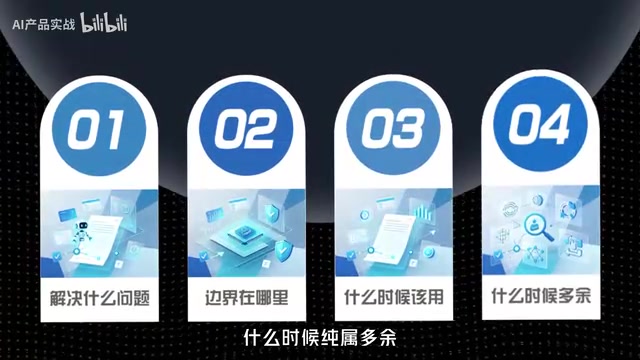
Here are a few grounded judgment questions — every person considering AI Agents should ask themselves these repeatedly:
- Can this task actually be handed off to an Agent?
- Once I hand it off, how do I verify the quality?
- What does it cost to run once?
- Is it safe to put company data inside?
- When the boss says "build us an agent" — is that a real need or just buzzword talk?
These questions sound simple, but they're exactly where Agent deployments most often go wrong. Whether the technology can do something is one question; whether it's worth doing and whether it's controllable is another. A good cognitive map should help you make fast, confident judgments across all these dimensions.
Putting Scattered Terms Back on Their Proper "Floors"
Once the map is built, you can revisit all those intimidating terms and realize they each live on a different level, solving different problems.

Think of these concepts as roughly four layers:
Layer 1: Input & Instruction
Prompts determine how you communicate with the model and how clearly you define a task. This is the most foundational layer — and the most underestimated. A lot of "Agents that don't work well" are really just poorly written instructions.
Layer 2: Knowledge & Memory
RAG, knowledge bases, and memory address two problems: "the model doesn't know your private information" and "the model can't remember previous context." RAG lets the model retrieve external material before answering. A knowledge base is where that material lives. Memory lets an Agent maintain continuity across multi-turn interactions.
RAG (Retrieval-Augmented Generation) works like this: before the model generates a response, it retrieves relevant passages from an external document library and feeds those passages as context into the model — so the model answers based on real source material rather than what it memorized during training. This addresses two fundamental limitations of LLMs: training data has a cutoff date, and models can't directly access private enterprise documents. A knowledge base is essentially a collection of documents that have been vectorized — text is converted into high-dimensional numerical vectors stored in a vector database, and retrieval works by computing semantic similarity rather than keyword matching. Memory has both short-term and long-term forms: short-term memory typically means stuffing conversation history back into the context window, while long-term memory works more like RAG — storing important information and retrieving it on demand. Understanding the difference between these three helps you diagnose exactly where things break down when an Agent "can't remember something."
Layer 3: Capability & Tools
Plugins and MCP address the problem of "letting the model call external tools and actually take action." A model on its own only generates text — plugins and protocols are what let it check the weather, query a database, or send an email.
MCP (Model Context Protocol) is an open protocol proposed by Anthropic in late 2024. Its goal is to provide a unified standard interface for LLMs to call external tools — think of it like USB for hardware peripherals. Tool developers implement it once according to the protocol, and any MCP-compatible model client can call it directly without per-model adaptation. Before MCP, different platforms ran their own siloed plugin ecosystems (like OpenAI's Function Calling or various RPA integrations), forcing developers to rewrite adapter layers repeatedly. MCP aims to break this fragmentation, making tool-calling as universal as HTTP for web browsing. For end users, MCP means Agents will be able to access an increasingly wide variety of tools, with significantly less duplicated developer effort. For enterprises, it also means evaluating the security boundaries when internal systems are exposed to AI calls.
Layer 4: Orchestration & Collaboration
Workflows and multi-agent systems address the problem of "how to break down complex tasks and coordinate multiple steps." Workflows arrange tasks into fixed pipelines; multi-agent systems let multiple specialized roles divide and collaborate on work.
The core difference between workflows and multi-agent systems is the tradeoff between determinism and autonomy. A workflow breaks a task into fixed nodes and routing rules — what each step does and where results go is determined at design time, making execution predictable and auditable. This suits stable, accuracy-critical scenarios like contract review or report generation. Multi-agent systems let multiple specialized Agents dynamically collaborate, with an "orchestrator" Agent deciding at runtime which sub-Agent to invoke based on the situation. The execution path is only determined when it runs — more flexible, but much harder to control. In practice, "multi-agent failures" usually happen because task boundaries are unclear and information passed between Agents accumulates distortion, causing the final result to drift far from the goal. When choosing between them: if a workflow can solve the problem, there's usually no need to introduce the complexity of multi-agent systems.
Once you can place each term on a specific layer and map it to a specific problem, they stop being dozens of unrelated names. They become a system with assembly logic. You'll also have a much clearer sense of where the pitfalls come from — and how far a non-technical person actually needs to go.
Takeaways for Everyday Learners
For most non-engineers, the first step in learning about Agents isn't rushing to write code or build a system. It's building this cognitive map. The reasons are practical:
- Avoid being buried in jargon: Knowing what problem each term solves means you won't spiral into anxiety every time a new buzzword appears.
- Participate in decisions: Even without building anything yourself, you can judge whether an Agent requirement makes sense, how to verify outputs, and where the cost and data risks lie.
- Clearer learning path: Framework first, then details — this is far more efficient than watching scattered tutorials.
One caveat: this cognitive map is intentionally a thinking framework, not a hands-on tutorial. It's good at answering "what to learn and how to think about it" — but to actually deploy anything, you'll still need to go deep on each layer through practice. Treat the map as a starting point, not a destination.
For anyone entering the AI Agent space, understanding "what problem does this layer solve" will almost always matter more than memorizing "what is this tool called."
Related articles

OpenAI Partners with Shield: How the Astra Agent Revolutionizes IT Troubleshooting
OpenAI and Shield launch the Astra agent, which autonomously logs into computers and legacy systems to fix IT issues in real time, 35-40% faster than traditional models, with humans involved only when judgment is needed.

iPhone Duo Battery Life Tested: One Charge a Day Is Unavoidable, and the Large Screen Is the Culprit
iPhone Duo battery test: heavy use needs at least one charge a day, and about 30% remains after 6.5 hours of screen-on time. How often the large screen is unfolded is key; a MagSafe battery pack helps, and long-term degradation is also worth watching.

Kimi K3.1 Pro Open-Sourced: 2.8 Trillion Parameters Close In on Opus
Moonshot releases the open-source MoE model Kimi K3.1 Pro, with 2.8T total parameters and 104B activated, trailing Opus 5.5 by under 1 point on Terminal Bench 4.0.